
Curious about how to make AI mockups? Choose a product template (t-shirt, mug, box, tote bag, and hundreds more) made from AI, upload your design, and change the color, warp the design, and create multiple angles. It works in your browser and takes under a minute.
That’s the short version to make AI mockups. Here’s the full walkthrough, plus a few advanced options most guides skip.
Table of Contents
Why AI Mockups Matter Before You Even Print
An AI mockup is the difference between a flat design file and what it will look like on a shelf, on a shirt, or in someone’s hand. Sellers use them to test how a design reads on the real product before spending money on printing. Brands use them for social posts, pitch decks, and Amazon or Etsy listings, all without commissioning a photoshoot for every single SKU.
How to Make AI Mockups (Step-by-step)
Creating AI mockups is an easy process that doesn’t require specialized skills. Here’s a step-by-step guide to help you know how to make AI mockups:
Step 1: Pick Your Product Category
Mockey AI covers most categories sellers need. Merchandise like t-shirts and hoodies, packaging like boxes and pouches, print materials like flyers and business cards, and accessories like tote bags and phone cases. Browse the full mockups library to see everything available.
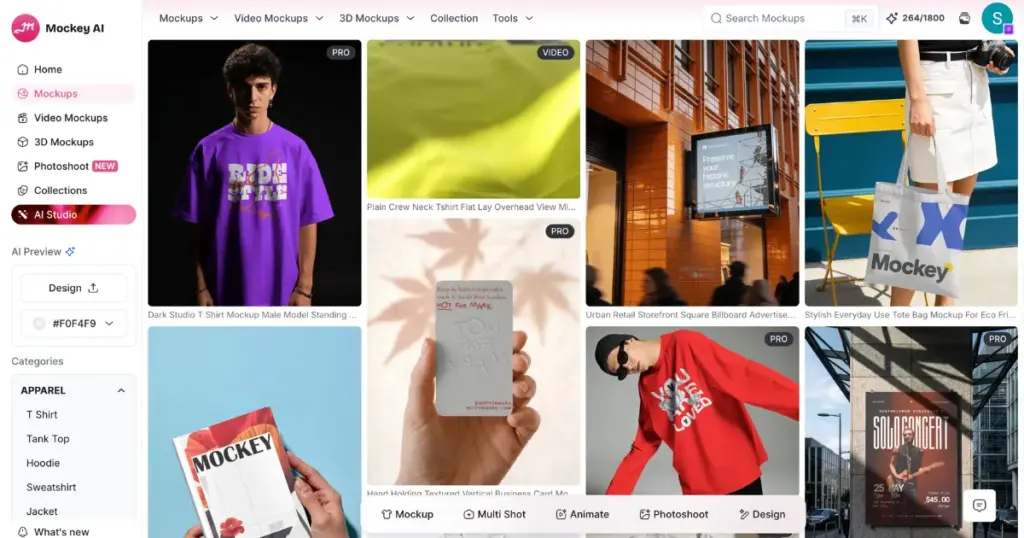
Step 2: Choose a Template
Inside each category, you’ll find dozens of angles, backgrounds, and product colors. If you’re building a coffee brand, for instance, the mug mockups collection alone has enough variety to cover an entire product line.
Step 3: Upload Your Design
Drop in a PNG, JPG, or WebP of your logo or artwork. You don’t have to worry about curved surfaces, folds, or lighting since the tool automatically handles them.
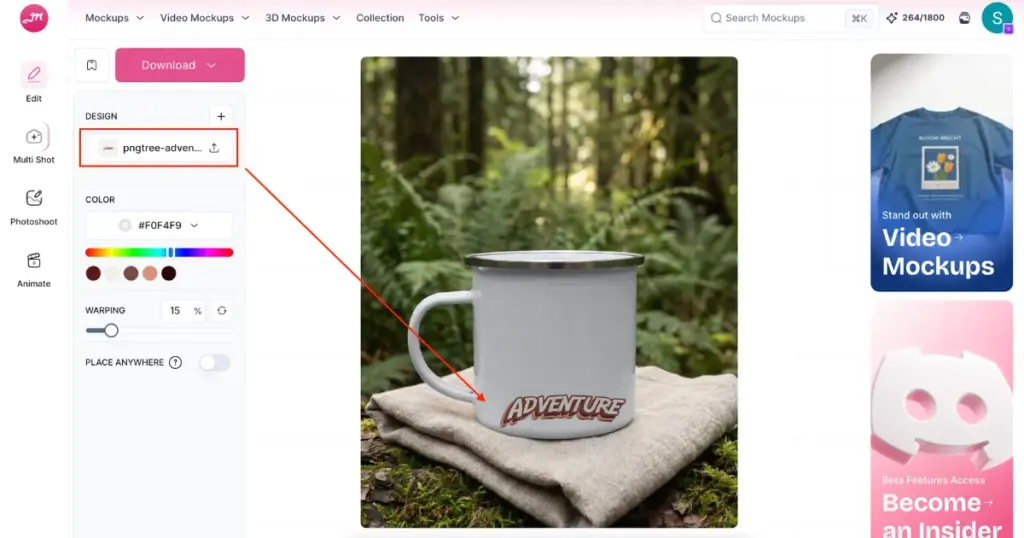
Step 4: Adjust and Customize
Change the product color, apply warping, create different-angle shots, or design placement until it looks right. This is also where you’d swap in a different template if the first one doesn’t fit your brand.
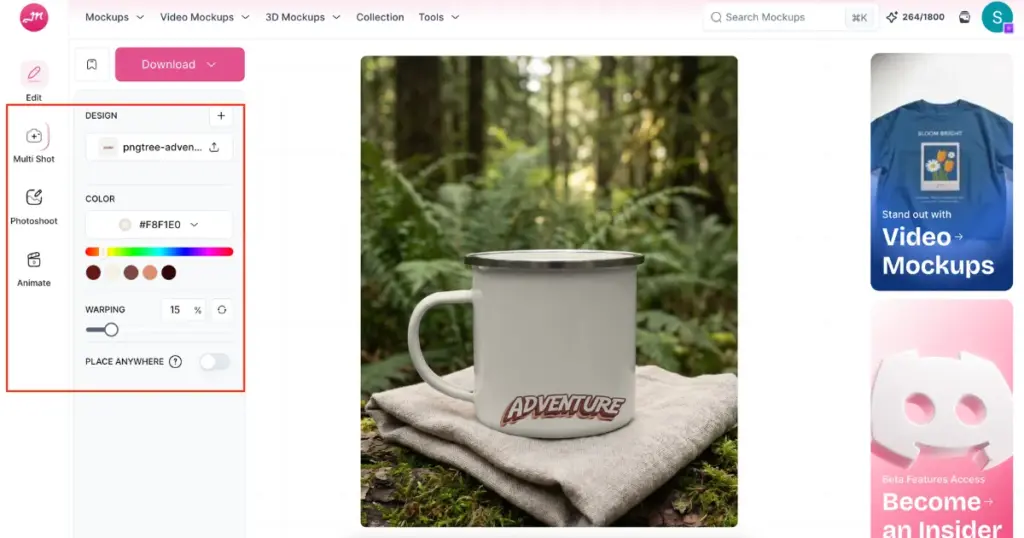
Step 5: Download
When you are satisfied with the AI mockup, click the “Download” button on the left to export without any watermark.
Generating Scenes From a Prompt (Beyond pre-made Templates)
If you want something more custom than a template, like your product floating against a dramatic background, or five different angles from one photo. Check out these latest options:
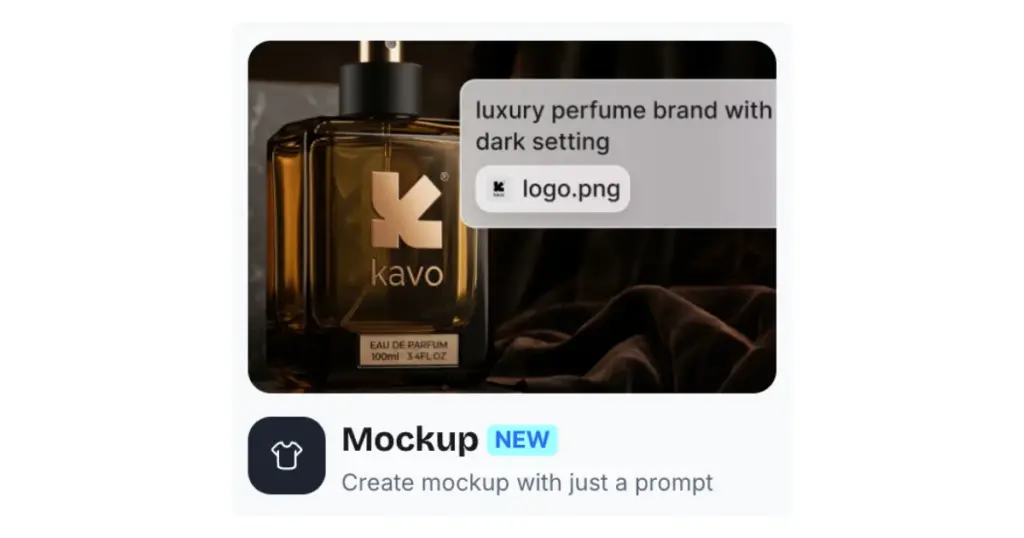
Prompt-to-mockup
Describe the scene you want in a sentence, and it builds the mockup from scratch.
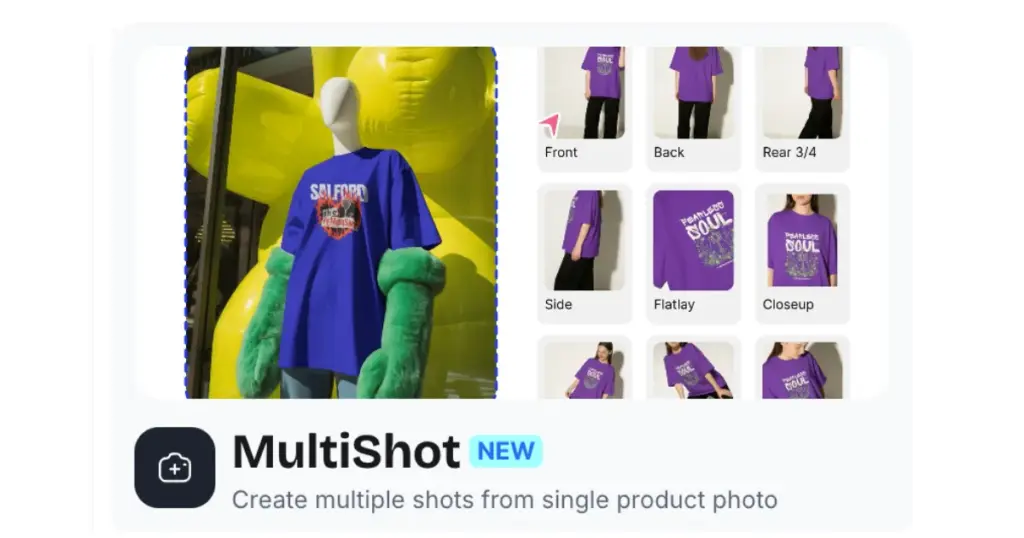
Multiple Shots from One Photo
Turn a single product photo into several angles or settings automatically.
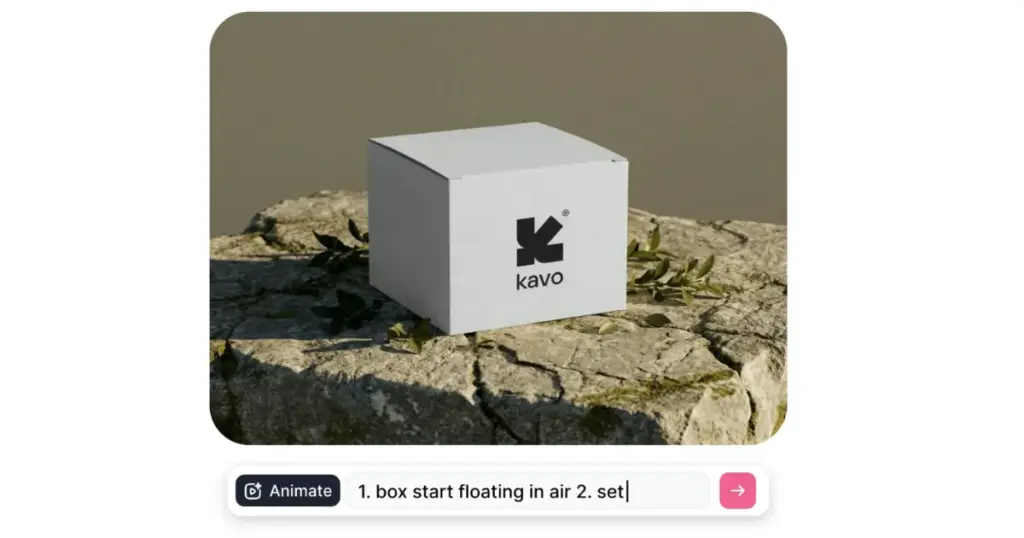
Animate
Make AI product videos for ads from a single photo.
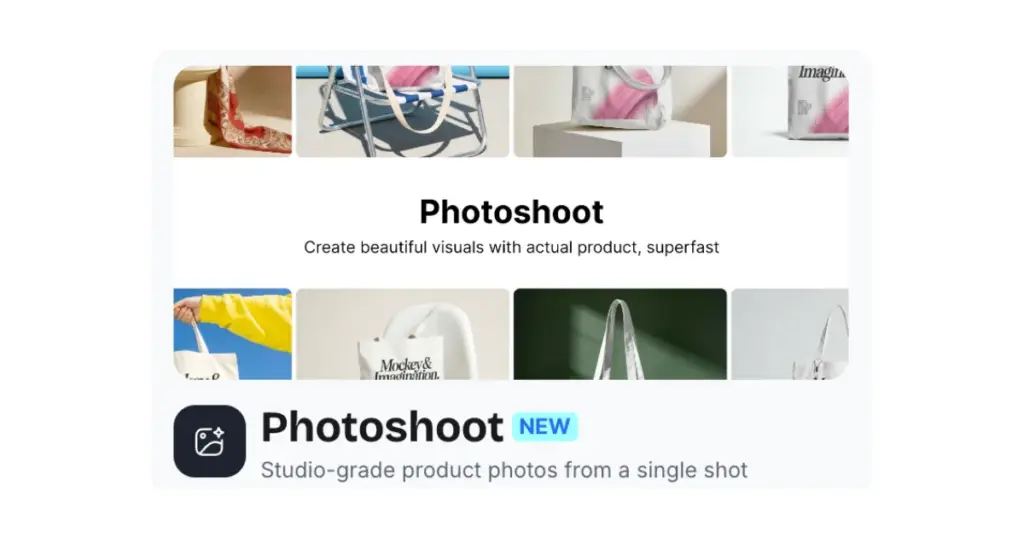
AI Photoshoot
Generate studio-quality product photography from one product image, without booking an actual photoshoot.
Who Uses AI Mockups
AI Mockups are being used by a wide range of people.
Etsy and Shopify sellers
Need product photos without owning a camera setup.
Print-on-demand businesses
Test new designs across dozens of products before committing to inventory.
Agencies and freelancers
Present client work quickly, without waiting on a photographer.
Indie brands
Need a consistent look across their entire catalog.
Conclusion
The fastest way to see how to make AI mockups is to open up the mockups library and try one for free. If you’d rather work from your phone, the Mockey app covers the same tools on the go. And if you’re still comparing tools before you commit, our breakdown of the best mockup website options is worth a look.
FAQs
What’s the difference between a template mockup and a generated one?
A template mockup places your design onto a pre-shot product photo. A generated one (prompt-to-mockup or photoshoot) builds a new scene or photo around your product from scratch.
Can I make mockups for physical products I haven’t printed yet?
Yes. You can preview exactly how a design will look before committing to a print run.
How to make AI mockups in 3D Rendering?
You get 3D templates in Mockey AI’s 3D mockup generator. This is for products that benefit from a rotating or dimensional view; a 3d mockup gives a more premium presentation than a flat image.
Related reading: