

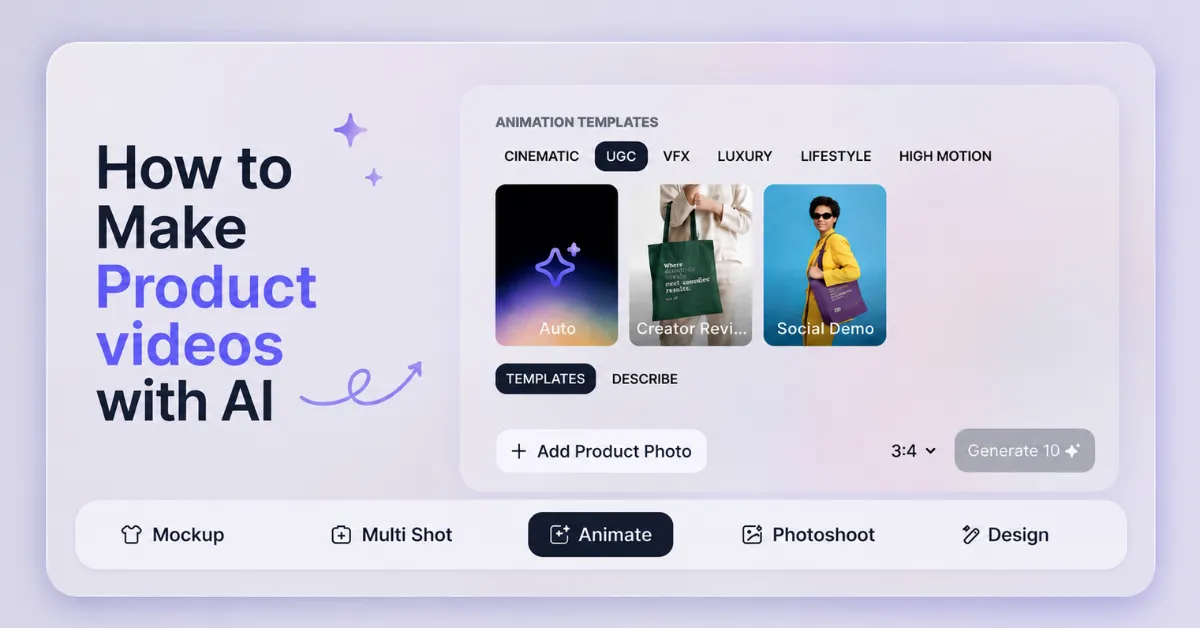
Want to know how to make product videos with AI? See how Mockey AI converts a single product image into an ad-ready video in minutes, no filming required.
Look at an example:
Prompt: Use the uploaded perfume bottle. Fashion model holding the bottle in a luxury studio. Golden lighting, elegant pose, product close-ups, premium reflections, cinematic camera movement, luxury fragrance commercial, ultra realistic, 4K.
If you search for how to make AI product videos on Google or Reddit, you’ll find a lot more confusion than solutions. Someone wants a shoe photo video. Someone else is asking why their AI ad looks awkward. Nobody’s pretending this is solved.
So instead of this, this blog talks about what people have actually said about doing this for their own stores, plus a walkthrough of how one of these tools works in practice.
Table of Contents
Can AI Make Better Product Videos for Ads?
Let’s understand from an example. Someone is trying to make a video from shoe photos taken at several angles. They wanted the video to actually show the shoes accurately, every angle, every detail. Like this:
Prompt: Use the uploaded sneaker exactly as shown. Keep the blue fabric, pink mesh, white laces, and gray sole unchanged. Show front, side, top, back, and sole views. Smooth 360° rotation, studio lighting, sharp focus, realistic details, 4K.
Unclear prompts cause AI mistakes. So if you’re working with a product where details matter, make sure to describe them in the prompt. Most tools now handle motion better without training. A good prompt helps show all the material details of your shoe. The brand name stays clear and doesn’t get messed up.
But where and how to make AI product videos that get results like this? Let’s find out.
How to Make Product Videos with AI
We will use Mockey because it offers us what we need. The video shows accurate details, faster output, no text distortion, and affordable pricing. Let’s learn how Mockey AI can help you do this step by step.
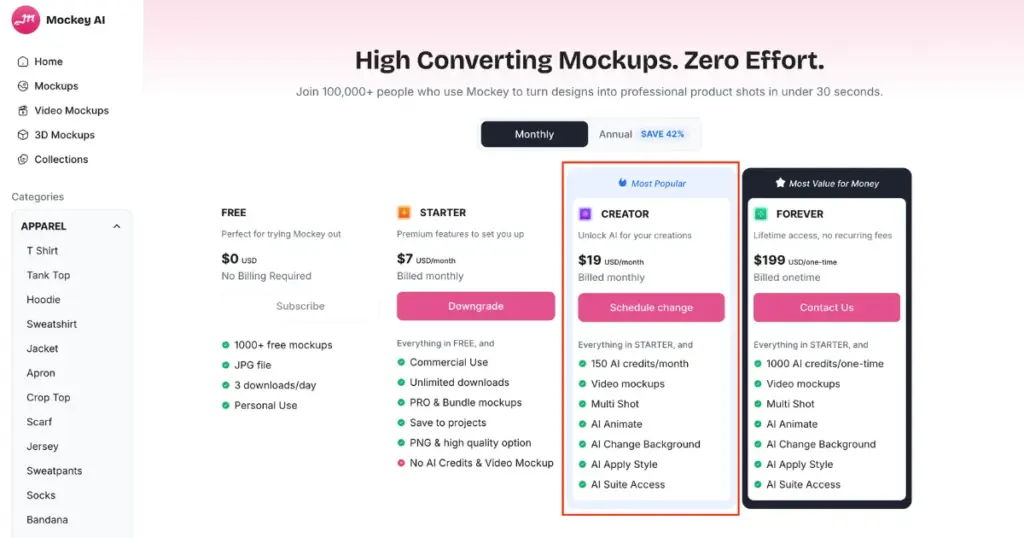
Step 1: Buy the Creator Plan for Credits
Mockey’s free plan won’t get you an AI video. Go to Pricing and choose Creator ($19/month). It comes with 150 AI credits, video mockups, Multi Shot, AI Animate, and the rest of the AI suite unlocked. Without this, Animate just won’t show up as usable.
Step 2: Open the Animate Tool from the Toolbar
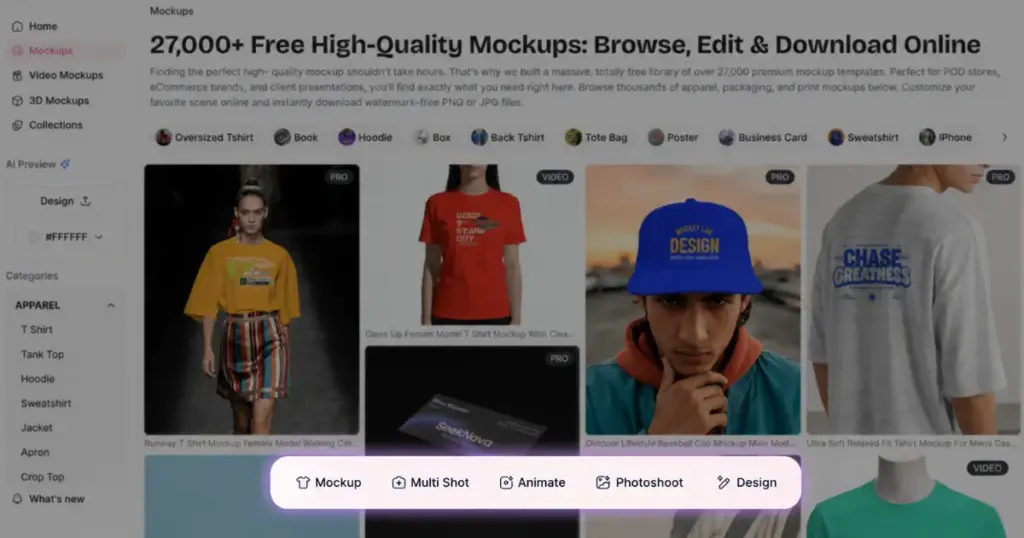
Open any catalog page to see five options: Mockup, Multi Shot, Animate, Photoshoot, and Design. Animate is the one that turns your product photo into a video.
Step 3: Select UGC to Add Product Photo
Clicking Animate opens a panel of Animation Templates, split into categories: Cinematic, UGC, VFX, Luxury, Lifestyle, and High Motion. Click on “UGC”.
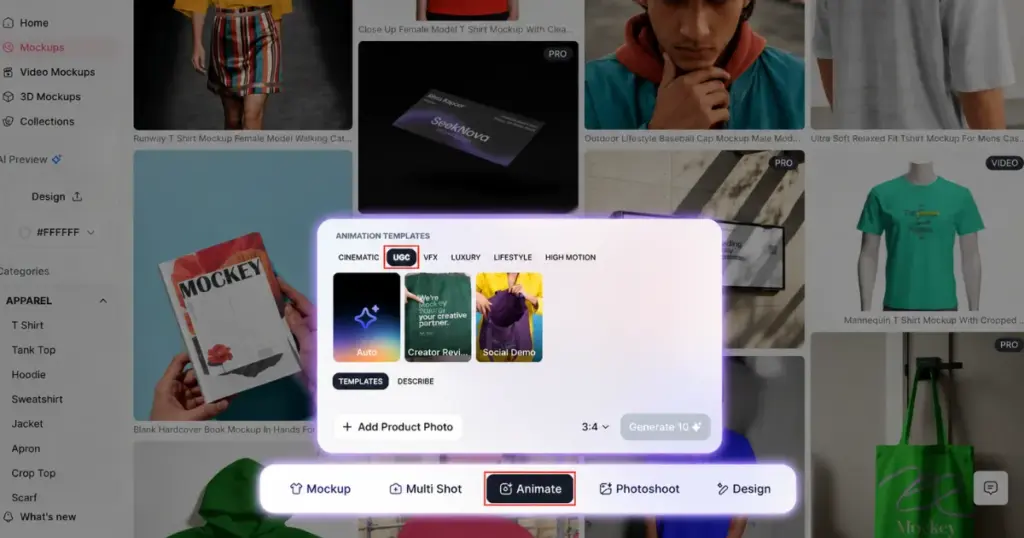
From there, you hit “Add Product Photo” and upload your own image.
Step 4: Select a Template or Describe Your Scene
If no template fits, use the Describe tab and write your own prompt.
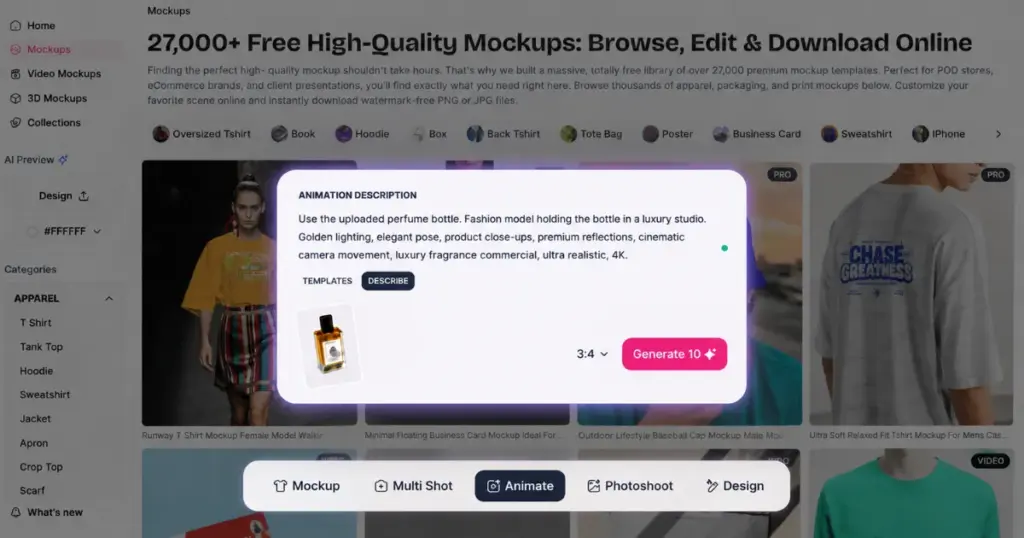
Before generating, you pick an aspect ratio: 1:1, 3:4, 4:3, 9:16, or 16:9, depending on where the ad is running.
Step 5: Hit Generate to Download the AI Video
Then you hit Generate, and it drops into a Generations panel that tracks progress in real time and keeps a running history of everything you’ve made, sorted by date.
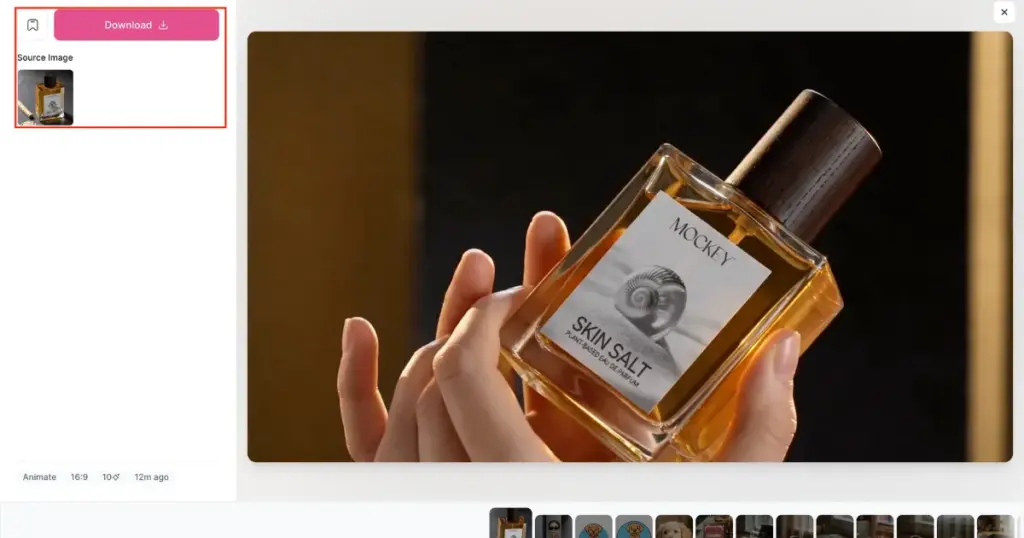
Once ready, you’ll see the video beside your original image with a download button.
Is AI UGC Worth it?
This is the part that matters. Someone from this Reddit Thread said that AI ads are easy to spot and damage trust over time, even if they get a few short-term sales. Others said there is no proof that AI ads always perform worse. The value of AI isn’t replacing creators in the first place; it’s testing cheap before you spend on quality.
The most concrete answer came from someone running this at scale. He says use AI to test in the $300–500 range, then once you know which angle wins, put $150–200 into a real creator for that winning concept. Another person in the same thread described testing 3–5 creative variations per ad group and waiting 7–10 days, 14 to be safe, before calling a winner. The same rule applies, even with a smaller budget.
Conclusion
You now know how to make product videos with AI. Mockey AI is genuinely good at fast, testing ad angles, generating background variations, and producing short clips at volume.
It’s surprisingly strong at fine product details, smooth motion, and creating human-like results right from the first try.
If you want to try AI photoshoots instead of videos, check out what an AI photoshoot is and why so many sellers are switching to it.
FAQs
Can AI get every detail of my product in a video?
With Mockey AI, yes, especially with the fine textures. This platform never struggles with real-world physics unless you give the precise prompt.
How many video variations should I test before picking a winner?
Create 3 to 5 versions and let them run for about 1 to 2 weeks. You get enough time to see which video works best. If you have a smaller budget, you can test fewer videos and spend less money.
Is AI better suited for product photos or product videos right now?
Right now, AI is better at making both photos and short videos. Simple videos look pretty good, but longer videos with lots of movement can look weird. Better to make AI product videos shorter and clearer.

