How to Create Baby Clothing Mockup Online in Mockey.ai
How to create baby clothing mockups? Use Mockey.ai and choose from different products, like tee, onesie, and bib templates, to create baby mockups.
If you search for baby clothing mockups online, you’ll mostly see two types of results. One is flat, lifeless PSD files, and the other is overly staged photos with babies that are impossible to edit.
But not anymore. Use Mockey.ai, the best AI mockup generator, which recently launched some ready-made baby mockup templates to create baby clothing mockups. Whether it’s a tee, onesie, or bib, upload your design, edit with easy tools, and create the baby clothing mockup online for free.
This blog is a step-by-step breakdown of how to create baby clothing mockups using Mockey.ai.
Table of Contents
Is It Good to Use Mockey.ai’s Baby Clothing Mockups?
Do you know that baby clothing doesn’t behave like adult clothing? The proportions are different, and the fabric bunches up in strange ways.
Designers complain that even when they find a decent mockup, something feels off. The shirt looks flat, and the folds don’t make sense. On paper, baby model mockups sound perfect. In reality, this rarely works smoothly. Babies don’t pose; they slump, twist, and sit in awkward positions that make the clothing look distorted.
Keeping all these points in mind, Mockey.ai has introduced clothing mockups for babies.
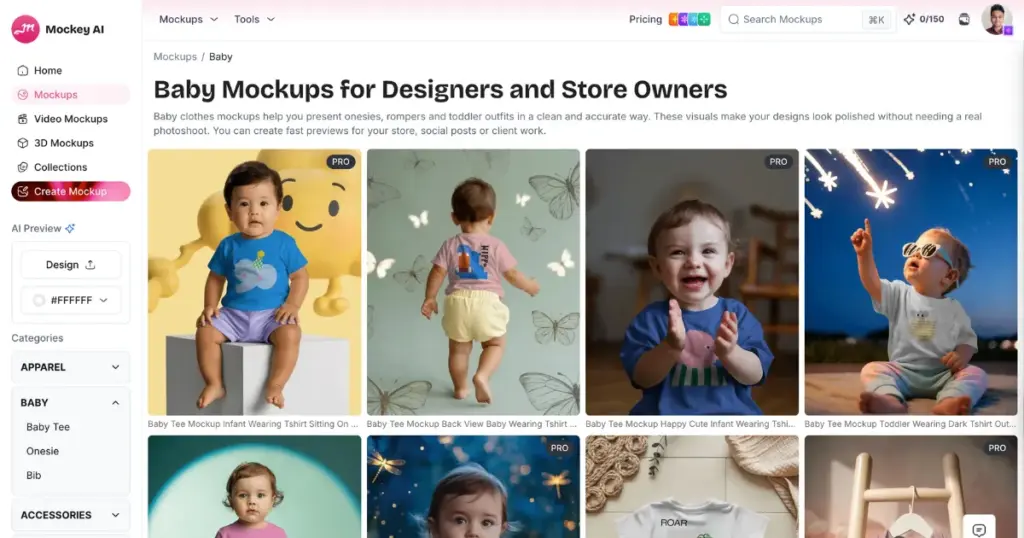
You get AI-generated templates that look realistic and make complete sense. Here are a few reasons why you should use this generator:
- Huge ready-made AI templates for baby clothing
- Different baby clothing types (baby tee mockups, baby onesie mockups, and baby bib mockups)
- Editing tools like color adjustments, warping, and more.
- Animations
- Baby video mockups
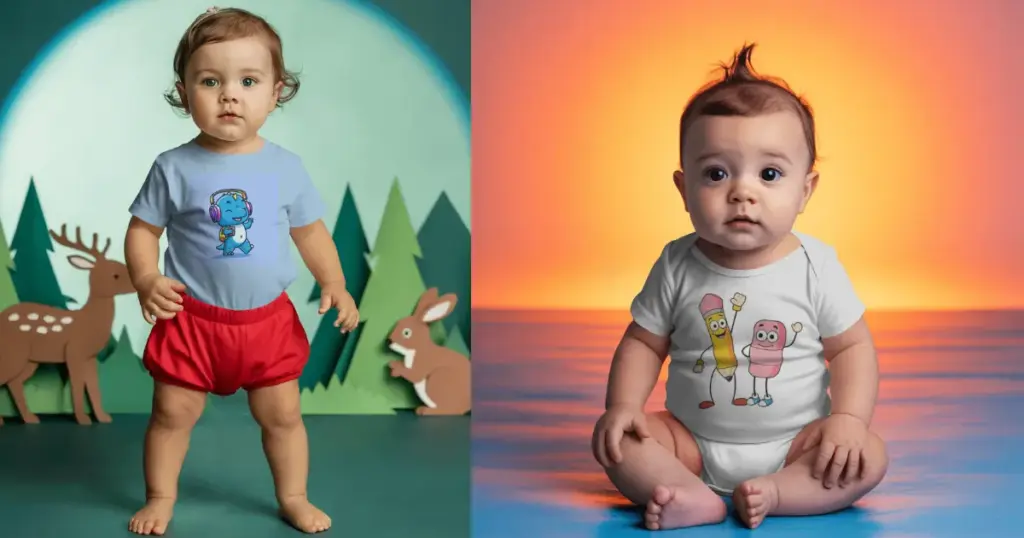
Some Baby Clothing Examples
How to Create Baby Clothing Mockups in Mockey.ai
You can create baby clothing mockups using Mockey.ai’s free plan, or move to a paid option if you need more features. Simply head to the Pricing section and pick what works best for you.
Step 1: Select a Baby Clothing Template
Start by signing up on Mockey.ai. Click the Login/Sign up button.
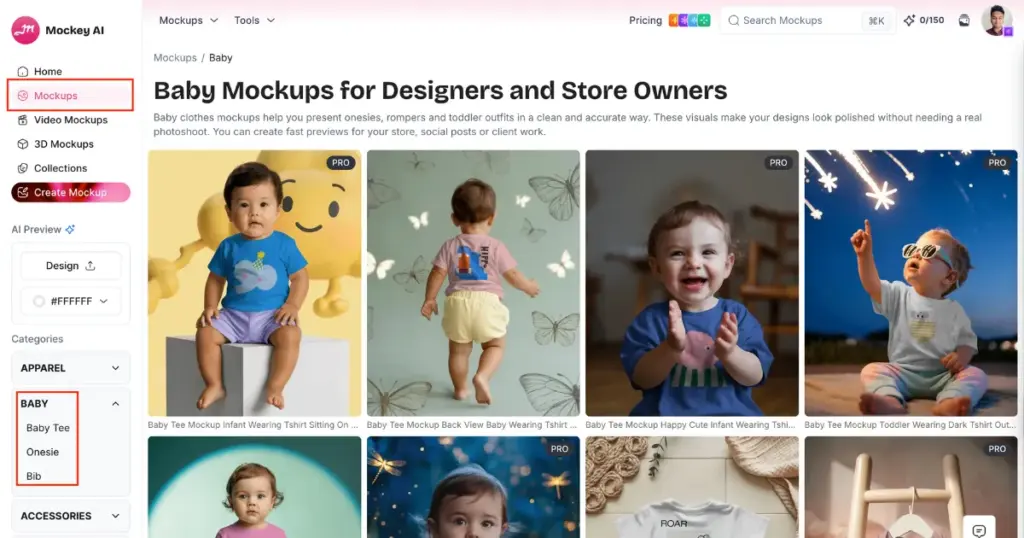
Once you’re logged in, head to the Mockups section. From there, open Categories, choose Baby, and select from tee, onesie, or bib. You’ll find a range of templates featuring babies wearing a tee playing in the garden, or wearing a onesie drinking milk.
Step 2: Add a Design to Personalize
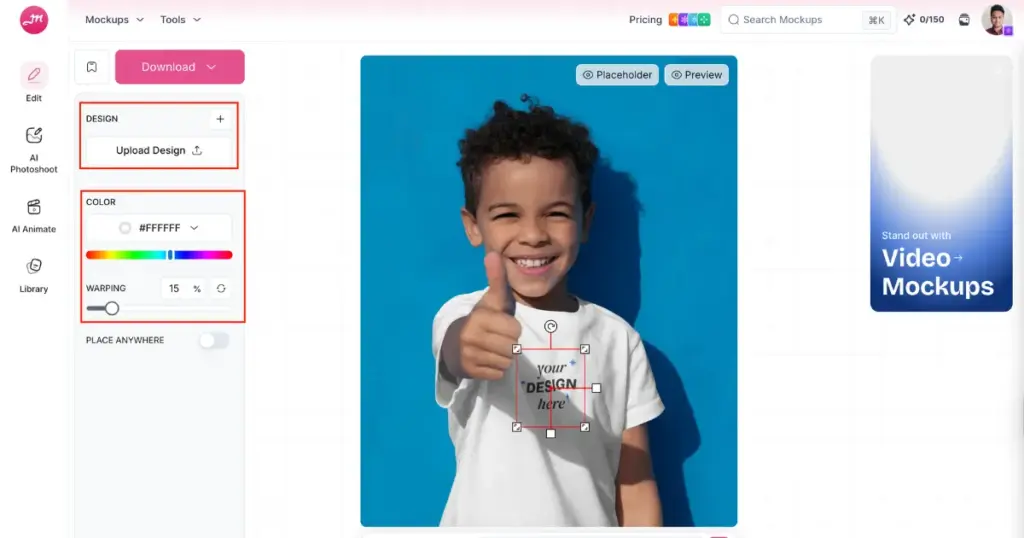
Now, you will land on Mockey.ai’s editor page. Click the Upload Design button to add your own image to the template. You can then refine it further by adjusting colors, applying warp effects, or using built-in AI tools to modify the background or elements.
Step 3: Click Download to save the Baby Clothing Mockup
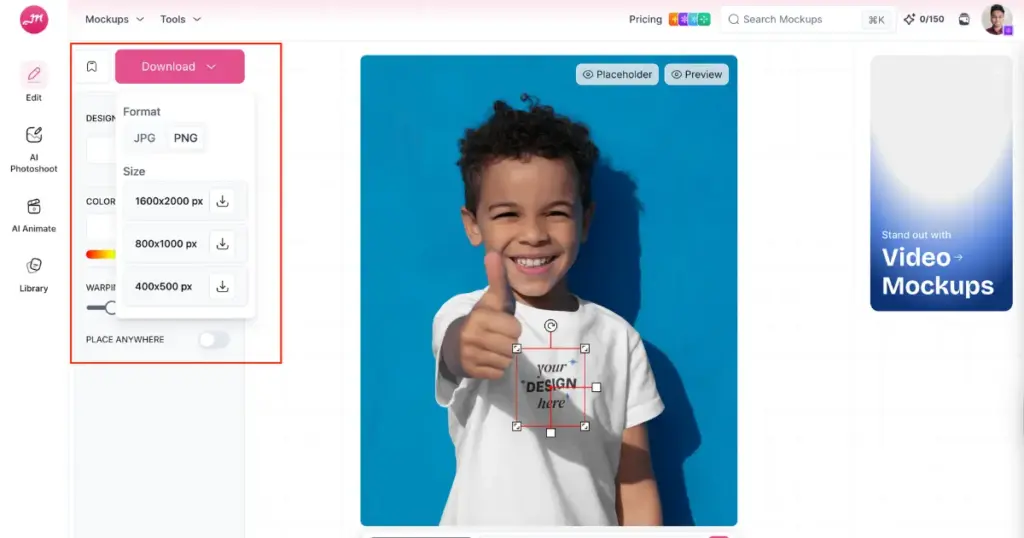
Once you finish editing, tap “Download” and select the format and size you need. Your baby clothing mockup is then saved and ready to use.
Why Use High Visual Mockups for Baby Clothing?
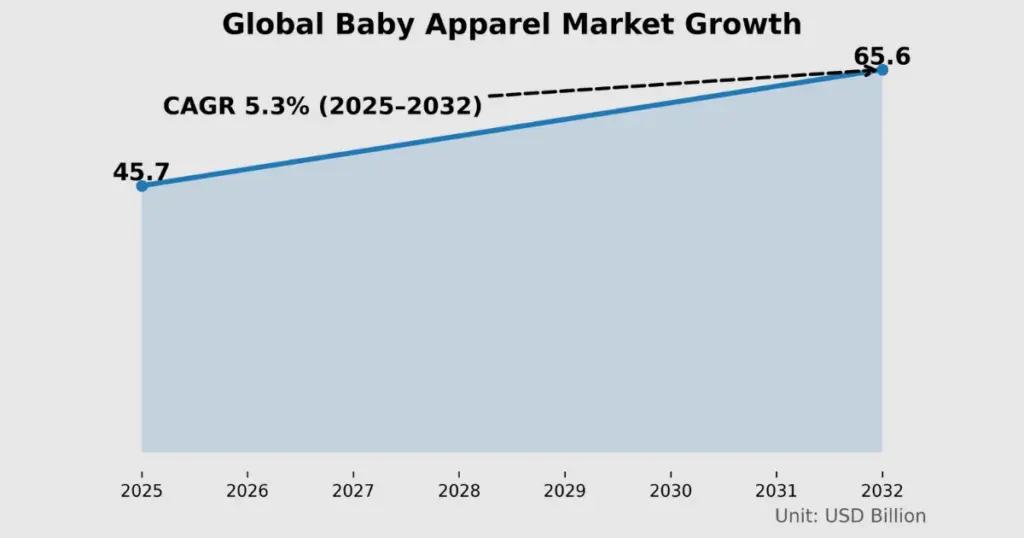
The global baby clothing market is expected to be worth about US$45.7 billion in 2025 and could reach nearly US$65.6 billion by 2032. As parents focus more on comfort, quality, and safety, the sector is growing at 5.3% each year.
The majority of parents don’t buy baby clothes on impulse, the way they purchase a graphic tee for themselves. They zoom in, compare, and judge quality based on visuals before they ever read descriptions.
That’s why mockups for baby clothing get held to a higher standard. A wrinkled flat lay or an awkward fold doesn’t just look bad; it quietly signals low quality.
There is no doubt that the market for baby clothing is going to be huge in the future, so anyone who is thinking of starting a print-on-demand business should take note of this.
Conclusion
Follow this guide on how to create baby clothing mockups step-by-step. Everyone used to struggle while creating baby mockups. They try a few options, get frustrated, lower their expectations a bit, and move forward anyway. Most people end up using something good enough, not perfect.
It is honest to say that if you use the baby clothing templates that Mockey.ai offers, buyers will definitely feel interested in purchasing your product. Baby clothing is one of the strongest print-on-demand niche business ideas, and it can perform extremely well in terms of sales, depending on how well you present the mockups.
FAQs
Are baby clothing mockups harder than adult clothing mockups?
Yes. Baby clothes are small, soft, and don’t hold shape the way adult apparel does. Flat mockups look lifeless, and model mockups are hard to edit because babies don’t pose in predictable ways.
Do model mockups work better for baby clothing?
Model mockups tend to convert better because they feel more real. The downside is that they’re harder to find, harder to edit, and harder to scale. But no more in today’s time. Mockey.ai is offering the best AI templates for baby clothing with baby models, making it a better option for brands.
Why are there so few good baby mockups for print-on-demand?
Most mockup creators focus on adult apparel. Baby and child clothing is a smaller niche, so fewer resources exist. Brands often describe this as a gap in the market, even though baby apparel can perform well alongside other best selling print on demand products when the mockups look realistic and trustworthy.
Do baby clothing mockups need front and back views?
You must show both the front and back of your baby clothing mockup if your design is on the back. Many brands skip listings that don’t show the back. It feels incomplete and unclear, especially for print-on-demand products. Better to use Mockey.ai’s baby mockup for all kinds of templates.

Sangram Sahoo
I’m a content writer with 4 years of experience. I specialize in creating practical content around mockups, print-on-demand, apparel, and e-commerce design.
