AI Filter: Turn Your Photos into AI Anime, AI Art, and More
Experience the magic of AI Filter at your fingertips! Transform photos into art, ai anime filter, etc for free. Apply AI manga filter to create unique digital art or turn selfies into anime characters, Mockey AI Filter offers endless creative possibilities.
Digital Art and Images, Made with AI Filter
AI simplifies the process of creating art. With Mockey’s advanced AI art filters, transforming your photos into exceptional digital artworks is just a matter of seconds. Discover how Mockey effortlessly converts your photographs into beautiful paintings using its state-of-the-art AI photo filters.
AI Manga Filter/AI Anime Filter – Explore Generative Art Filter
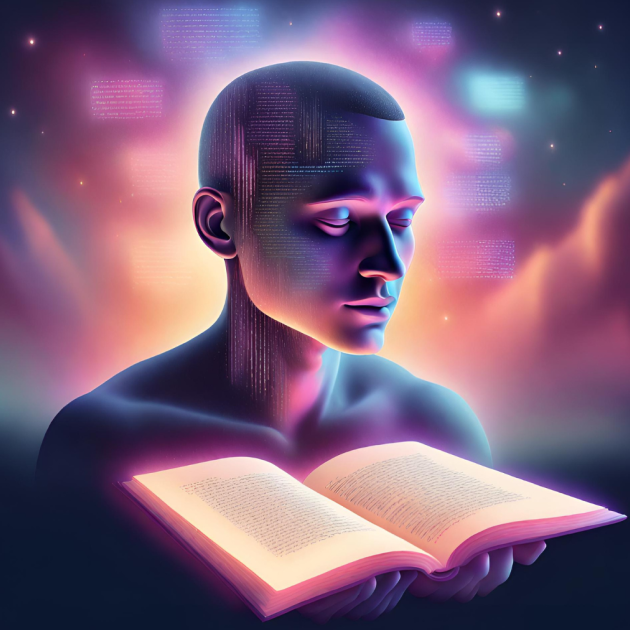
If you’ve ever imagined seeing your favorite characters in anime style, Mockey AI manga filter can make it for free in a few seconds. Upload your portraits, images, and phots on AI Manga Filter tool by Mockey and transform them into anime or manga styles in just a few seconds with its advanced AI filter.
Experience the simplicity and fun of creating anime AI art with Mockey today!
Turn Your Images into AI Art and NFTs That Are Ready to Sell
Mockeys AI filter not only can you transform your photos into aesthetic AI-generated art, but you can also enter the world of Non-Fungible Tokens (NFTs) for potential profits. Utilize our AI art filters to convert your paintings and images into digital art, creating unique and marketable NFTs right at your fingertips.
NFTs have revolutionized the art world, offering artists globally a new way to monetize digital assets. By selling artwork as NFTs, you can tap into a market where digital assets are traded and valued. With Mockey AI filter, creating NFT-worthy art is now more accessible than ever!
Create digital art without drawing using AI Filter
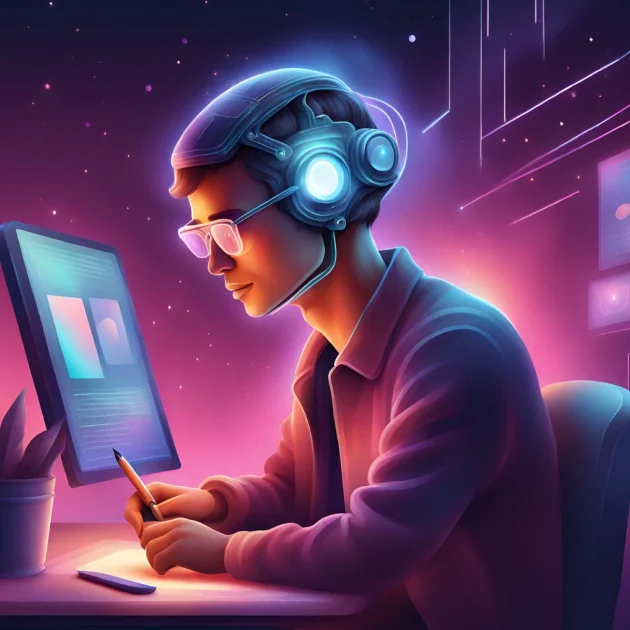
Harness the power of AI to create stunning digital art effortlessly with Mockeys AI Filter tool. Without the need for traditional drawing skills, you can transform your existing photos into unique artistic creations. Choose from a diverse range of AI Filters to revolutionize your visuals within seconds.
The Mockey AI Filter, integrating advanced AI models like Dall-e and Imagen, offers a seamless way to generate high-quality AI art. Whether it’s for jazzing up your social media profiles or creating visuals for marketing campaigns, Mockey provides a user-friendly interface to bring your vision to reality without the complexities of drawing from scratch.
Filters Vs. AI Filters
You might be thinking about what makes AI filters different from normal photo editing filters? The difference is quite notable. Traditional photo filters overlay your original image with predefined color layers.
On the other hand, AI filter by Mockey utilize generative AI to entirely recreate a new image from scratch, based on your original image. This process is akin to an image-to-image AI art transformation, offering a unique and innovative approach to image enhancement.
Different Styles of Mockey AI Filter
AI Image Generators are useful for eCommerce brands, creators and artists, and businesses alike with multiple use cases.
AI Manga Filter
Instantly turn your photos into manga art with AI Manga Filter. Build new characters from your imagination.
AI Anime Filter
Convert your photos into anime art that resembles your favorite anime characters.
AI Art Filter
Create extraordinary digital fine arts with various artistic styles, pain styles, and brushes.
AI Face Filter
Turn your selfies and photos different avatars including anime, Disney, and Barbie styles.
Photo to Sketch
Transform your photos into artistic pencil sketches in seconds.
Photo to Cartoon
You love cartoons? Give your photos a playful makeover with AI Cartoon Filter.
AI Watercolor Filter
Watercolor paintings are hard to make, but with watercolor Ai filter, your photos turn into watercolor paintings with ease.
AI Tiktok Filter
Generative artificial intelligence (AI) tool helps you create AR effects for TikTok, Instagram, YouTube, etc.
Baby AI Filter
Turn photos into baby face with AI or find out about
And many more…
Businesses can experiment with different styles and concepts quickly and without significant investment, enabling them to find the most effective visual strategies for their brand.
Features of AI Art Filters
Photo to Cartoon/AI Cartoon Filter
Use Mockey AI cartoon photo effects for turning photos to cartoon. Image-to-art converter transforms photos into cartoons. Try AI Disney filter to turn your photos into Pixar cartoon characters. Start cartoon art creation with Mockey AI filter today!
Photo to Sketch/AI Sketch Filter
Transform your photos into pencil sketches easily with Mockey’s AI photo to painting converter. Apply the AI filter, and enjoy turning photo to sketch art within seconds.
Unique Results
Get unique results with sky replacement, background removal and background replacement, and by writing anti generative ai queries.
Photo to Art
Magic edit is a blend of creativity and technology, allowing users to transform ordinary photos into extraordinary works of art.
Photo to Watercolor/AI Watercolor Filter
With one click, transform images into watercolor art using Mockey AI filter. Upload your photo to Mockey AI watercolor digital art maker and start creating your digital art effortlessly with AI photo effects.
Ever growing AI Filters Library
Choose from preset configurations and apply styles like vintage photography, black and white, or artistic textures to an image. Enjoy the ever growing library of ai filters.
AI Aesthetic Filters
Turn photos into dreamy, aesthetic, playful, retrowave, etc. AI aesthetic filters are great for Instagram Photos, Twitter Photos, and for other social media platforms.
Instant Filter
Instantly change the images into black & white, dreamy layouts, filmy, etc. using AI Instant Filters.
Steps to Use AI Filter in Mockey
Step 1
Upload your image and choose “Apply AI Filter” option to get started.

Step 2
Upload the image you want to edit using filters with our AI filter.

Step 3
AI tool will take a few seconds to process and convert your photo into art. You will get 3-6 AI Art Images with AI manga filters in various styles
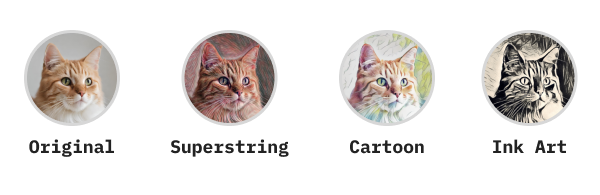
Step 4
Download your favorite images in high resolution

FAQs on AI Filter
Unlike standard filters that apply pre-set modifications (like color adjustments or texture overlays), AI filters analyze the content of the image and make more complex alterations. They can include: Image-to-image transformation, generative art, enhancement, and editing. The technology behind these filters often includes advanced machine learning models, such as neural networks, which have been trained on vast datasets of images.
To filter an AI-generated image, you typically use an AI image editing tool like Mockey.ai or software that provides AI filters. The simplified process is that you’ll upload your image, apply filters, save and download. Each tool will have its own set of features and methods for applying filters.
While the basic features of AI Filters like Mockey are often free (for example: AI Mockups by Mockey), the advanced features are always behind a paywall because there’s a certain cost associated with generating and editing images using AI. Try out Quicktools by Picsart or Character AI for free ai image generation.
Adobe Photoshop, PicsArt, Figma, SnapSeed, FaceApp, etc. are traditionally used for photo filters but these apps have also recently introduced AI features. The new age ai filter apps are Fotor, Canva, etc. Mockey AI Filter app is also used for image filters which is available on web and Android.
1. Mockey AI Filter App
2. YouCam Perfect: Best Anime Filter App.
3. Meitu: Anime AI App.
4. Anime Camera, Manga, Comics: Anime Photo Creator.
5. ToonApp: AI Cartoon Picture App.
6. Anime AI: The AIGC App.
7. Fotor: Photo to Anime App.
8. Anime Filter: Photo to Anime Online Converter.
Use Mockey AI Manga Filter and AI Anime Filter app to create manga using AI. To create manga using ai, upload your photos or selfies, apply the manga ai filter, and get the 3-6 photo results. From there, you can download the photo of your choice.
Yes, you can use AI manga filters on Android devices to create manga-style images. There are several apps and online tools available that make this process easy and accessible.

Start Editing Images with AI Filter Today!
Unleash your creativity and turn your visions into reality with Mockey AI Filter. Join our community of artists and photographers who are already exploring the wonders of AI-powered image transformation.
