

Learn how to use AI for print on demand with real seller insights, niche research tips, POD mockups to use, and common mistakes to avoid.
If you’ve spent time in POD Facebook groups or Reddit threads, you’ve likely seen two views on AI.
The first group believes AI will replace designers and let anyone launch a POD store. The second group thinks AI-generated designs are ruining the industry.
After reading dozens of discussions from print-on-demand sellers, the truth sits somewhere in the middle. Most successful POD sellers aren’t using AI to create a design, upload it, and watch sales roll in. They’re using it to speed up parts of their workflow that normally take hours.
The sellers making progress treat AI like an assistant, not a business model. Let’s learn how to use AI for print on demand.
Table of Contents
How to Use AI for Print on Demand in 6 Steps
Learn how to use AI for print on demand in six steps.
1. Begin With a Niche, Not an AI Prompt
Most beginners use AI tools before deciding who they’re selling to.
AI can generate thousands of mug design ideas or t-shirt design ideas in seconds. The majority of them are generic, which is the issue. In POD sales, broad designs rarely performed well. The designs that gained traction were highly specific.
The lesson is simple. Look at the example:
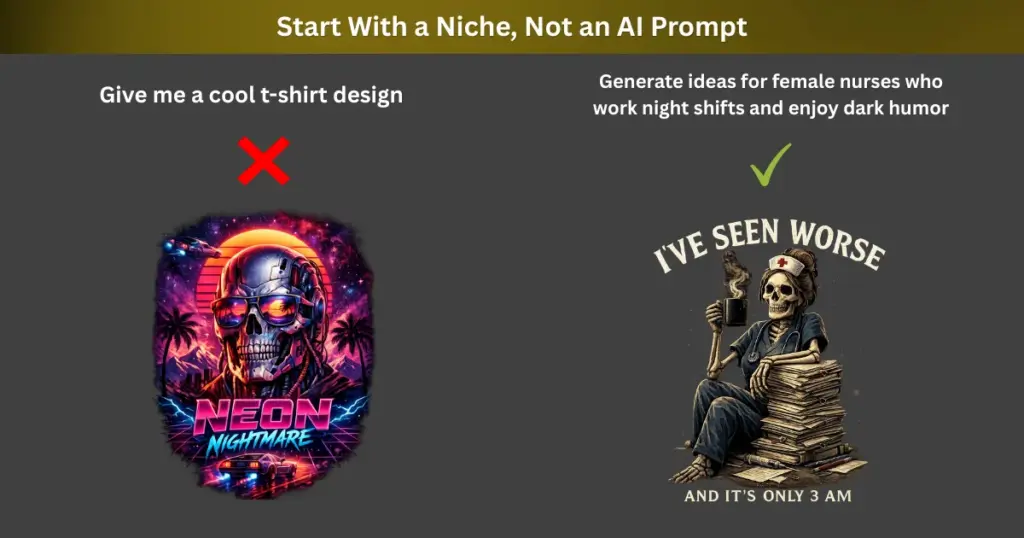
The people you sell to matter a lot. Even a nice design may not sell if the wrong people see it. If you don’t know who to create designs for, take a look at some popular print-on-demand niches.
2. Generate Design Concepts, Not Final Products
AI gives ideas, but people decide what they like.
Many sellers use some of the best AI tools for print on demand to make small design pieces. Instead of creating a whole t-shirt design, they make animals, flowers, watercolor art, retro pictures, cartoon characters, and other fun objects. Then they put these pieces together with text and different layouts to create a new design.
Let’s say you wish to sell a dog lover t-shirt. Don’t ask AI to make the whole design. Just ask it to create a cute Golden Retriever. Then add your own words, like “Life Is Better With a Dog.” You can also change the font and rearrange elements until the design looks the way you want.
If you’re not sure where to start, you can use Mockey‘s Text-to-Image. Just type what you want to create, and it will make an image for you.
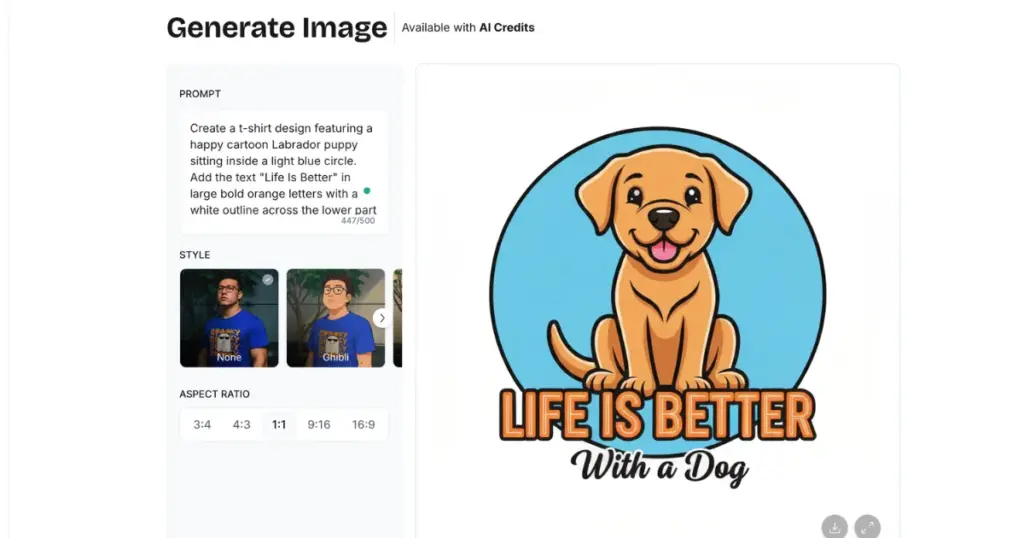
Prompt: Create a t-shirt design featuring a happy cartoon Labrador puppy sitting inside a light blue circle. Add the text “Life Is Better” in large bold orange letters with a white outline across the lower part of the circle. Below it, add smaller black script text that says “With a Dog”. Cute vector mascot style, thick outlines, friendly expression, clean composition, professional print-on-demand design, high resolution, isolated on white background.
After that, you can use the design on t-shirts, mugs, posters, stickers, and other products.
3. Don’t Skip the Editing Stage
Most AI-generated designs look the same. Many sellers solve this problem by treating AI output as a draft.
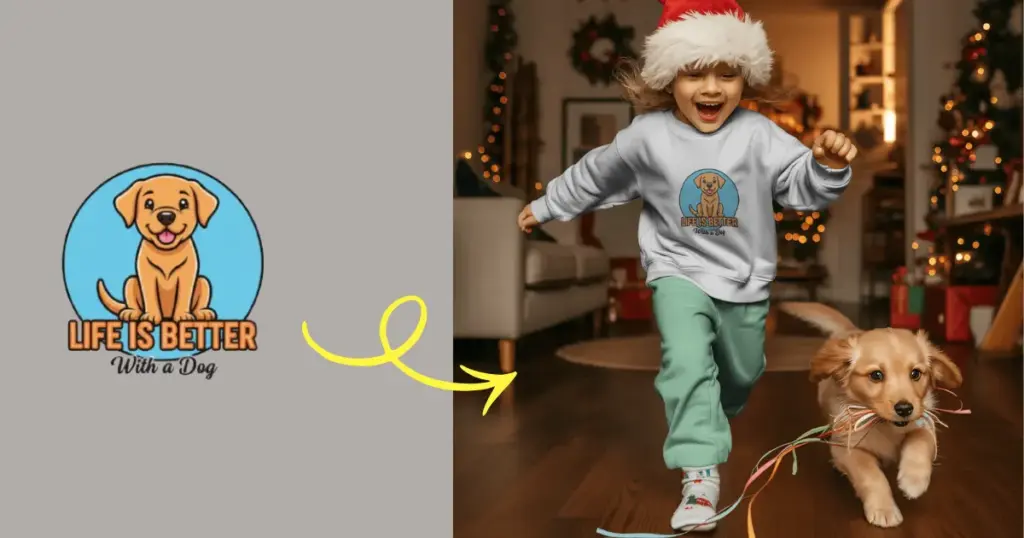
For example, someone might use AI to make a dog picture for a t-shirt. The picture looks nice at first. But before selling it, they put it on a t-shirt mockup to see how it really looks. Sometimes the picture is too small. Sometimes the design looks off. They can address these issues and improve the design by checking it first.
After generating artwork, they adjust colors, improve composition, remove visual errors, add typography, add decorative elements, and refine spacing and readability.
4. Use AI to Create Variations Faster
Making one design is not very hard. The hard part is making lots of designs.
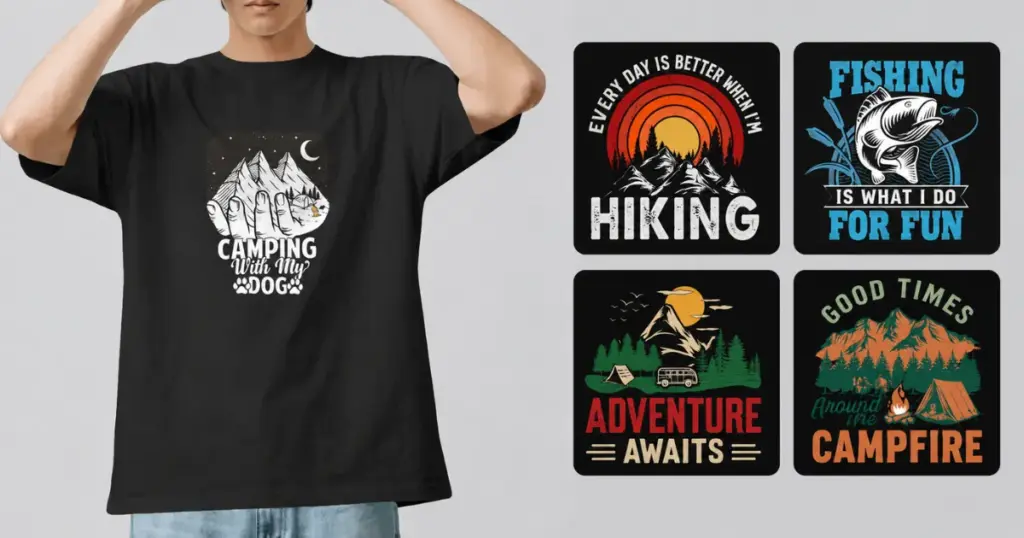
Let’s say your camping t-shirt starts selling well. Use AI to create various versions. One design can be for hikers. Another can be for people who love fishing. Another can be for RV owners. You can even make one for campfire lovers.
5. AI Is Good for Product Descriptions
Most people talk about using AI for designs. But many use it for writing too. They use AI to write:
- Product descriptions
- Etsy listings
- Shopify descriptions
- Marketing emails
- Social media posts
- Blog articles
But there is one problem. AI text can sound weird if copied exactly. You can tell it was AI-written.
A better way is to let AI write the first draft. Then make changes yourself. Add details about your product. Use words you would normally use. Remove anything that sounds too generic.
6. Upscaling and Image Cleanup
One problem with AI art is that the image is not always ready to print.
Some common tasks include:
Background Removal
Sometimes the design has a background that you don’t like. Sellers remove it and keep only the design. You can use Mockey AI’s Background Remover.
Upscaling
Sometimes the image is too small. It may look fine on a phone screen, but when you print it on a t-shirt, it can look blurry. Use the upscaling tool.
Vector Conversion
Some sellers convert their artwork into vector files. This makes it easier to edit the design and keeps the edges looking clean when printed.
Why Some AI-Generated Designs Never Sell
AI helps, but it can still make mistakes.
Communicating a Message
A design looks impressive and still fails commercially. Most people buy t-shirts because they mean something to them. It could be a funny joke. It could be about their job. It could be about their dog, hobby, or favorite sport.
AI can make beautiful pictures. But a pretty picture alone is not always enough. People won’t buy what they don’t communicate with.
Understanding Context
AI can make good designs, but it never knows what people like.
For example, teachers have funny classroom stories. Nurses have things only other nurses understand. There are dog jokes that make owners laugh.
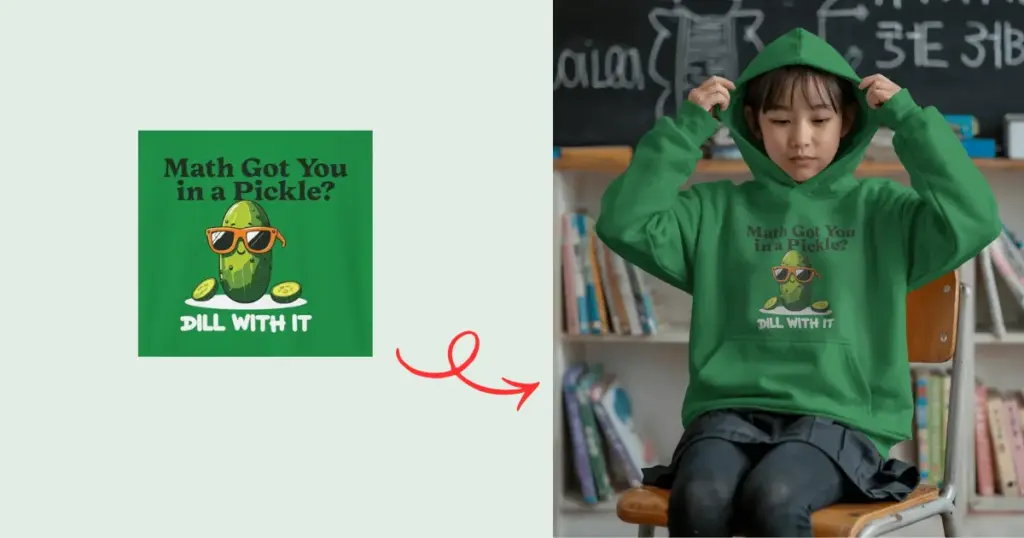
Learn these things first if you want to make designs that people love. That means doing some research and seeing what people talk about.
Building a Brand
AI can create pictures, but it cannot make people trust your brand. People come back when they like your products and have a good experience. They remember how you treat them. They remember your brand.
The Biggest Lesson From POD Sellers
Just uploading random AI images usually does not work. The people making sales do a lot more than that. They look for good niches, learn what customers like, make their designs better, write better product descriptions, test different products, and build a brand that people remember.
AI helps with some of the work. But it still cannot decide what people want to buy.
If you want to know how to use AI for print on demand, think of it as an assistant. Let it do the boring tasks so you can spend more time creating products that people actually want.
The next step is picking a print-on-demand website. Decide which option is best for you by comparing the options.
FAQs
How can beginners use AI for print on demand?
If you are new to print on demand, AI can help you come up with product ideas, design concepts, product descriptions, and social media posts. But don’t let AI do everything. You still need good ideas, real demand, and great designs.
Can AI create print-on-demand designs automatically?
AI can create a full design in a few seconds. But many sellers don’t use it exactly as it comes out. They make changes to it. They add text, change colors, or tweak the design. Then they upload it to their store.
Does AI improve print-on-demand sales?
AI can help you come up with more ideas and make designs faster. But that doesn’t mean people will buy them. A good design can get no sales if it is in the wrong niche. And even a good product can be hard to sell if nobody sees it.

