
In Mockey AI vs Canva Mockups, Mockey AI is a better choice if you need realistic mockups for Shopify, Etsy, Amazon, or a print-on-demand business.
A Quick Comparison
| Feature | Mockey AI | Canva Mockups |
| Number of Mockup Templates | 30,000+ | 8000+ |
| Product Categories | Apparel, Home & Living, Print, Accessories, Packaging, Device, Baby, logo, and seasonal | Technology, Print, Packaging, Apparel, Home & Living |
| Print-on-demand products | Extensive | Basic |
| Shopify & Etsy ready | ✅ Yes | ✅ Yes |
| Editing Features | Fit, Fill, Alignment, Flip, Color, Warping, Place Anywhere | Fit, Fill, Alignment, Flip, Color |
| Live Preview | ✅ Yes | ❌ No |
| Lifestyle Scenes | ✅ Yes | Yes |
| Create Multiple Angles | Yes with Multi Shot | ❌ No |
| 3D Mockups | ✅ Yes | ❌ No |
| Video Mockups | ✅ Yes | ✅ Yes |
| Static Mockups to Animation | ✅ Yes | ❌ No |
| Filter | ✅ Yes | ✅ Yes |
| Custom Mockup | ✅ Yes | ✅ Yes |
You need more than a pretty mockup if you run POD, ecommerce, or sell online. The product is better understood before purchase.
Let’s compare both tools.
Table of Contents
Mockey AI vs Canva Mockups (Side-by-Side Comparison)
This is a side-by-side comparison of Mockey AI and Canva Mockups.
1. Number of Mockup Templates
| Number of Mockup Templates | Mockey AI | Canva Mockups |
| Apparel | 8500+ | 100+ |
| Packaging | 3500+ | 100+ |
| 10,000+ | 300+ | |
| Accessories | 2000+ | ❌ |
| Home & Living | 2000+ | 100+ |
| Baby Products | 400+ | ❌ |
| Tech | 3000+ | 400+ |
| Logo | 100+ | ❌ |
| Jewelry | 300+ | ❌ |
| Seasonal | 400+ | ❌ |
For example, you’re running a print-on-demand store.
Today you launch T-shirts.
Next week you add tote bags.
Then you introduce Christmas mugs and Valentine’s Day packaging.
With Mockey AI, you can keep using the same mockup generator instead of looking for another.
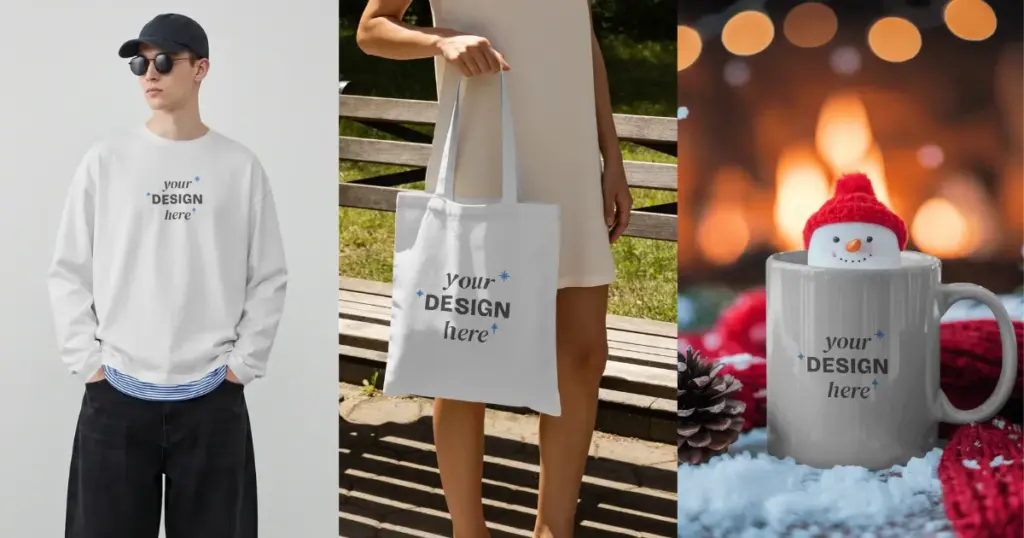
Canva, on the other hand, is better suited for users who only need basic mockups.
If your business launches new products across different categories on a regular basis, Mockey AI gives you far more templates to work with.
Need Mockups, Not Just Designs?
Need product mockups beyond basic design templates? Use Mockey AI to turn your artwork into realistic product visuals for ecommerce, ads and brand campaigns.
2. Editing Features
| Editing Features | Mockey AI | Canva Mockups |
| Adjustment (Fit, fill, flip, or align) | ✅ Yes | ✅ Yes |
| Warping | ✅ Yes | ❌ No |
| Place Anywhere (Move your design to any surface) | ✅ Yes | ❌ No |
| Live Preview | ✅ Yes | ✅ Yes |
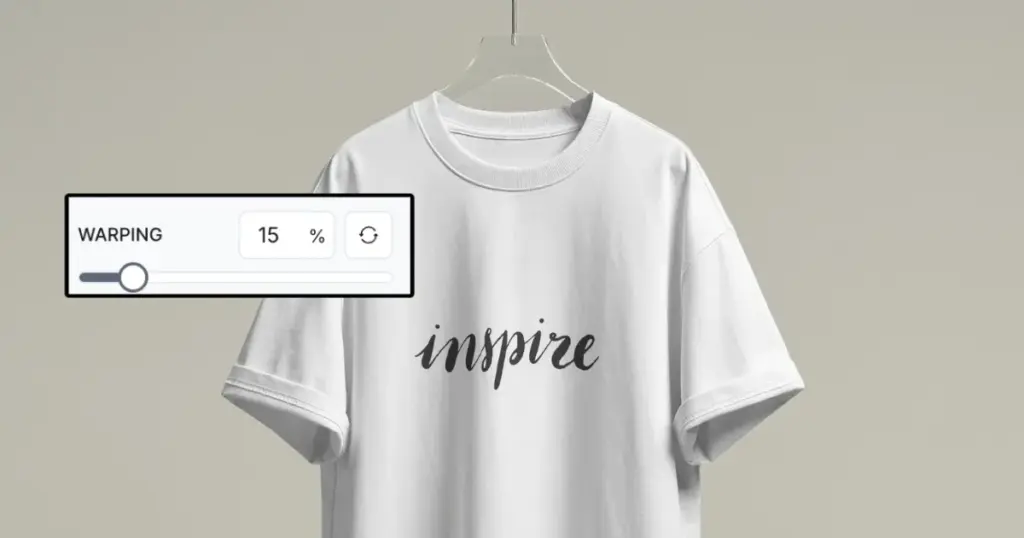
Mockey AI includes Warping, which helps your design follow curved or folded surfaces. This is useful for T-shirts, hoodies, and bottles, where a straight design placement can look unrealistic.
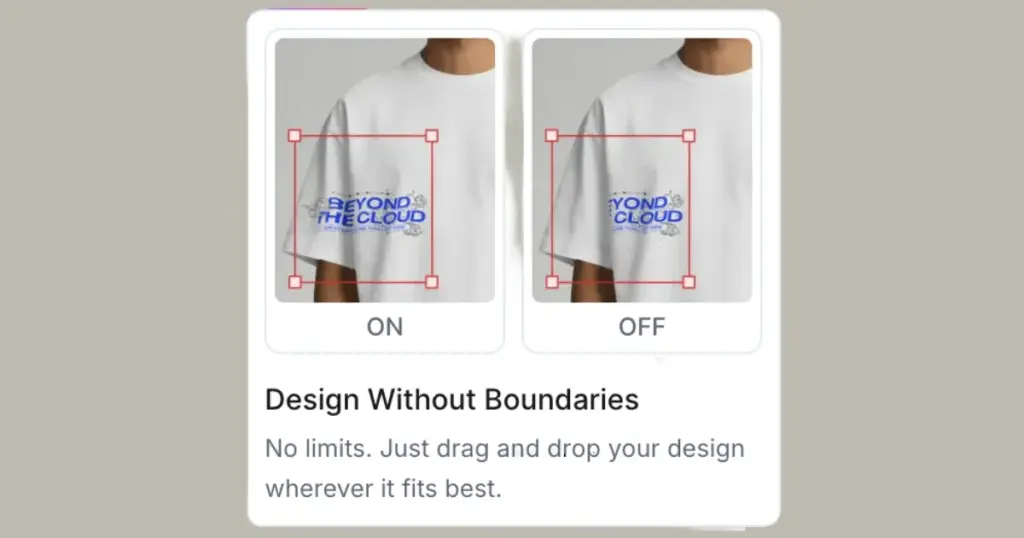
It also offers Place Anywhere. For example, if you’re creating a tote bag mockup or experimenting with a different print position on a sweatshirt, you aren’t limited to a preset placement.
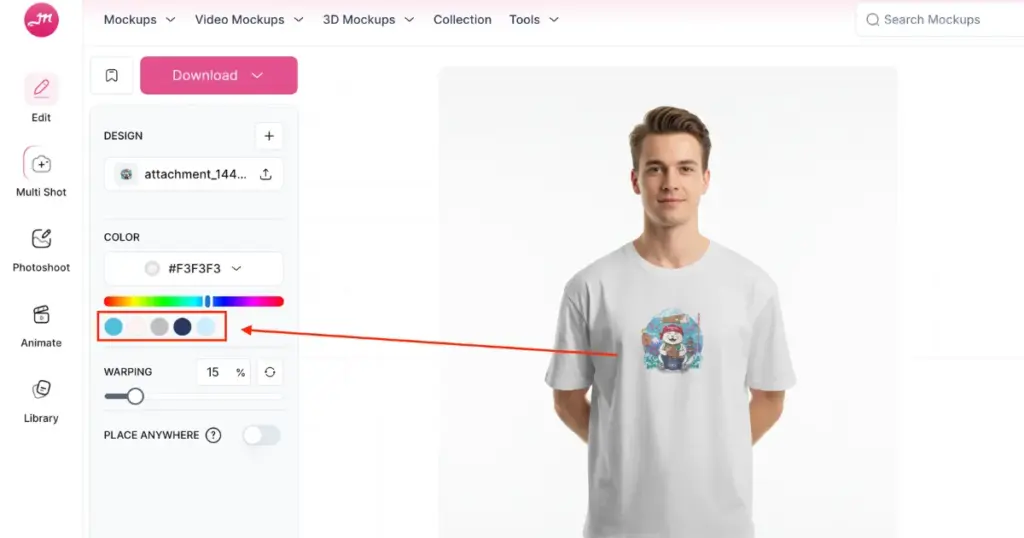
Also, Mockey’s Color Picker detects colors from your uploaded design and suggests matching product colors.
Canva Mockups focuses on basic editing. For a better editing experience with higher control over design placement, use Mockey AI.
3. AI Tools for Mockups
| AI Tools for Mockups | Mockey AI | Canva Mockups |
| Custom Mockup | Yes, from your own image | Yes, from your own image |
| Multiple angle views from one design | Yes, Multi Shot | ❌ No |
| Turn mockup into animation | Yes, Animate | ❌ No |
| Bulk mode (Generate mockups in bulk) | ✅ Yes | ❌ No |
| Create print-ready designs for your brand | ✅ Yes | ✅ Yes |
The difference becomes noticeable when you need to create multiple versions of the same product.
Nearly 8 in 10 online shoppers want multiple versions of product images. Mockey AI has Multi Shot, which creates multiple angle views from one design. Look at the tshirt mockup example:
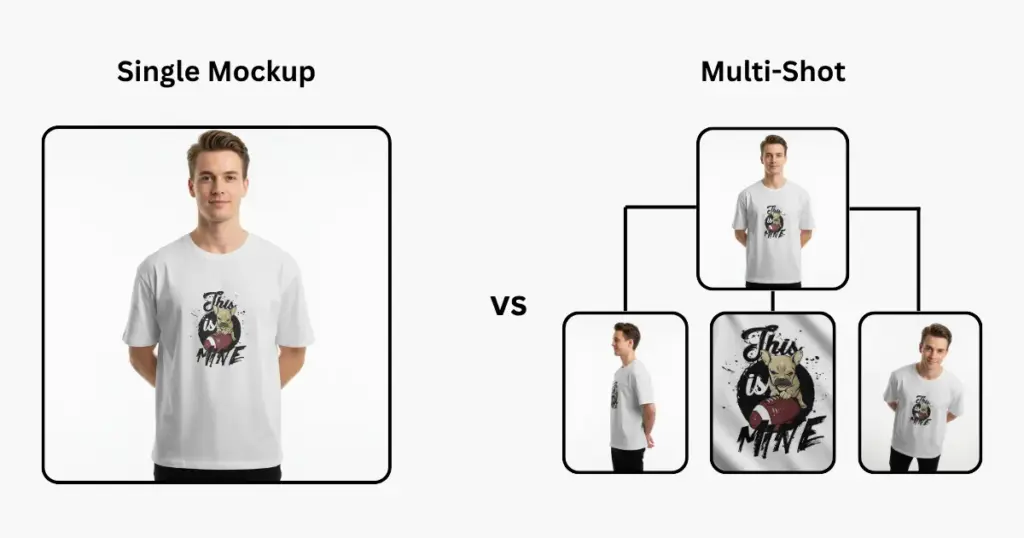
It also has Animate, which turns a static mockup into an animation, and Bulk Mode for generating multiple mockups at once.
Canva Mockups doesn’t offer the same Multi Shot, Animate, or Bulk Mode features shown in the comparison.
4. Video Mockups
| Video Mockups | Mockey AI | Canva Mockups |
| Number of video mockup templates | 6000+ | 300+ |
| Products | Apparel, Home & Living, Print, Accessories, Packaging, Device, Baby, logo, and seasonal | Apparel, print, devices, and accessories |
| Editing features | Fit, Fill, Alignment, Flip, Color, Warping, Place Anywhere | Limited |
| Output file format | MP4 | MP4 |
| Best for ecommerce and print-on-demand | ✅ Yes | ❌ No |
If you only need occasional video mockups, Canva can work.
If video is part of your ecommerce or POD marketing, Mockey AI’s mockup videos have more templates, product categories, and editing features.
Which Tool Is Best for Your Use Case
If you’re running a print-on-demand business and need lots of product mockups, Mockey AI is the more focused option.
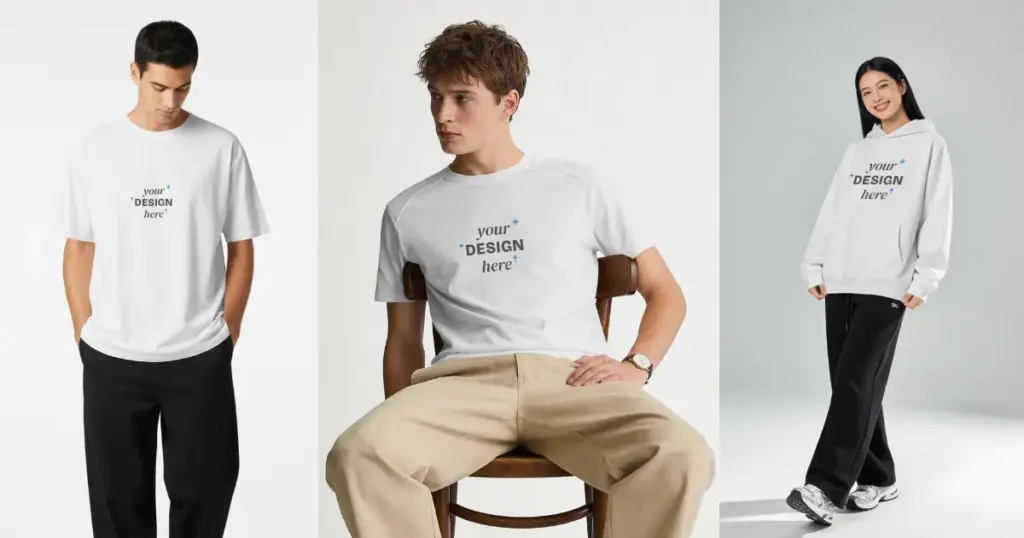
Get a large template library, product categories, bulk generation, multiple-angle views, video and 3D mockups.
Create multiple product visuals for Etsy, Shopify, and more with Mockey AI.
For example, a new hoodie design needs a front view, back view, lifestyle image, and video mockup. You can create those without treating each image as a separate design project.
FAQs
Is Mockey AI better than Canva for creating product mockups?
For product mockups, Mockey AI is far better. Canva is good for general design work, but its mockup tools are basic. Mockey AI has over 30,000 templates, real-time fabric warping, video mockups, 3D rendering, and AI tools for photoshoots and animation that Canva doesn’t have.
Is Mockey AI good for print-on-demand businesses?
For POD sellers on a budget, Mockey AI is a practical choice. You get apparel, tech, accessories, and home decor without touching design software or paying for a photoshoot. Templates look more realistic than others, so it’s worth checking a few before you commit to one for your listings.
In Mockey AI vs Canva Mockups, which has more mockup templates?
Mockey AI has more than 30,000 mockup templates, while Canva has around 1,000. However, mockups are just one feature within Canva, which is primarily a design tool.