How to Make a Billboard Mockup in Photoshop (2026)
How to make a billboard mockup in Photoshop? Use a smart object, match perspective with transform, blend shadows using multiply, and export at the right scale.
If you sell print-on-demand products, a high-quality mockup decides whether a customer clicks Buy or scrolls away.
Most sellers create mid-mockups and do not understand resolution or DPI, resulting in fake-looking designs or massive files that slow everything down. This guide shows how to make billboard mockups in Photoshop, without ruining quality or workflow.
Table of Contents
How to Make a Billboard Mockup in Photoshop from Scratch?
It doesn’t require a PSD or AI to get started, just the right steps.
Step 1: Choose the Right Base Image
For POD sellers, use organized stock images, flat surfaces and good lighting work best. Avoid extreme shadows or blur. You do not need a blank product printed already.
There’s an even easier way. You can download high-quality billboard templates as PNG files using an online mockup generator. Right now, Mockey AI is offering the best billboard mockups, available in many different varieties.
Step 2: Create the Design Area
Use the Rectangle Tool. Then, match your product’s real aspect ratio, and place it where the print would naturally sit. This is just a placeholder layer.
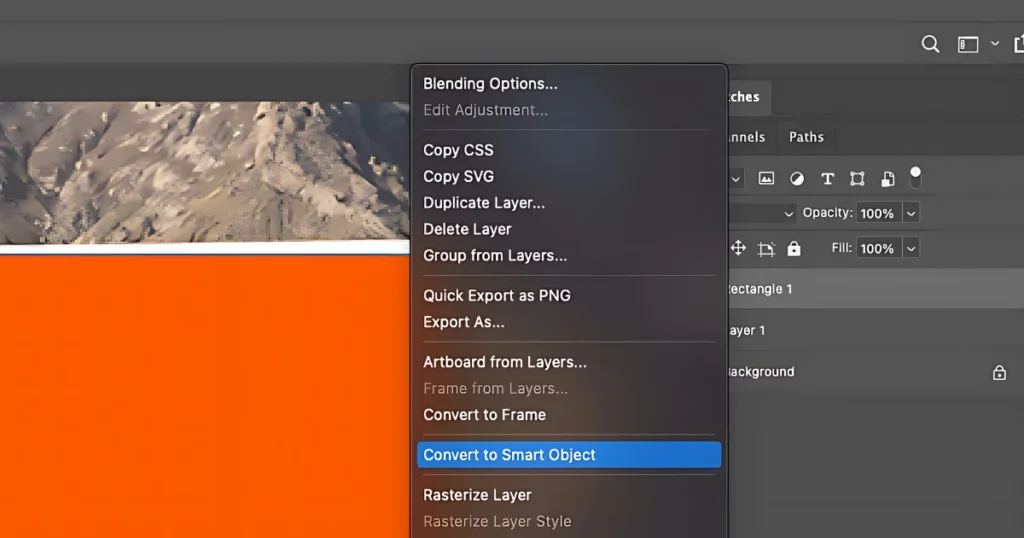
Step 3: Convert to Smart Object
Follow “Right-click > Convert to Smart Object”. POD sellers should always use Smart Objects to swap designs instantly.
Step 4: Match Perspective Properly
Press Ctrl/Cmd + T. Use Distort / Perspective / Warp. Align corners to fabric folds or wall angles. If the perspective is wrong, the mockup will never look real. Blend modes cannot fix this.
Step 5: Blend the Design With the Billboard
Best-practice blending:
- Set design layer to Multiply or Overlay
- Follow Duplicate background > clip above design
- Lower opacity (10–30%). You can add a very slight blur if needed.
What Is the Ideal DPI or Resolution for Billboard Printing?
DPI does NOT mean quality. For print-on-demand Viewing distance, Product size, and file size matter. If someone asks for 300 PPI on a billboard, they don’t know what they’re asking for.
Realistic Guidelines
| Product | Recommended PPI |
| T-shirts / Hoodies | 150–300 PPI (design file) |
| Posters (wall art) | 150 PPI |
| Large posters | 72–150 PPI |
| Billboards | 30–72 PPI |
How Professional Mockups Are Made?
High-end print-on-demand brands shoot real photos using blank apparel. The colors stay neutral, mostly white or gray. Designs are added later in Photoshop using Smart Objects. Some brands also mix in 3D renders, then refine them in Photoshop for a polished finish.
The realism does not come from ultra-high resolution. It comes from good lighting, right angle, natural fabric texture, and most of all, restraint.
Another practical option for POD sellers is to use the best mockup generator. This is where Mockey AI fits in. Modern POD sellers want speed, consistency, realistic previews, and zero Photoshop complexity for every product. Mockey AI bridges that gap.
How to Make a Billboard Mockup in Mockey AI?
Mockey.ai is the best alternative to Photoshop for billboard mockups. There are a variety of templates available on Mockey AI that will help you make a billboard mockup without any hassle.
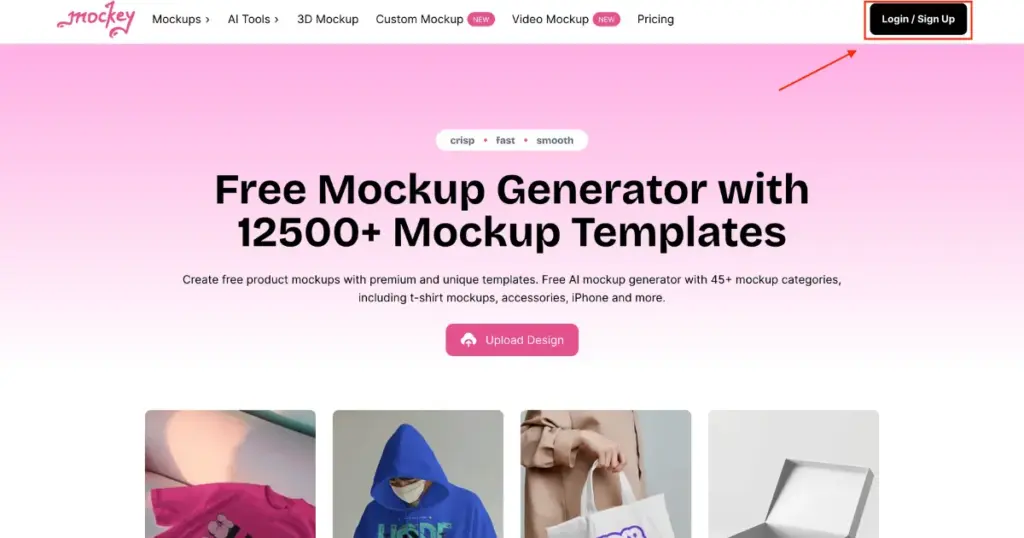
1. Sign in or Create an Account
Start by logging in to your Mockey.ai account. If you’re a new user, you will need to sign up first by clicking the “Login/Sign up” button.
2. Select Mockup category
Once logged in, explore the available options on the dashboard. Click on “Mockups“, then the “Print” category, and after that select “Billboard.”
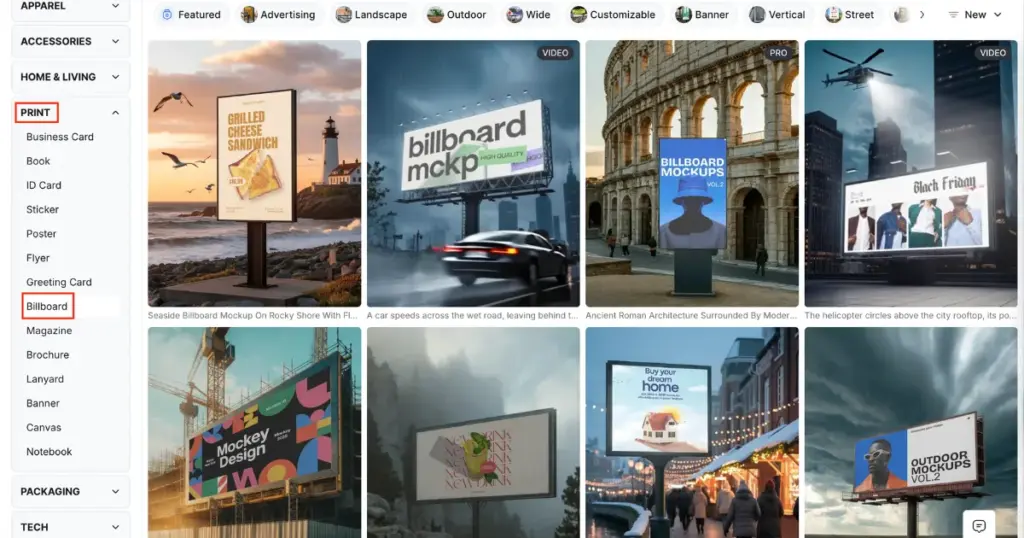
3. Choose a Template
Next, click on “Billboard” and upload your design by selecting the “Upload” option in the left corner. Pick a template that best suits your project and begin customizing.
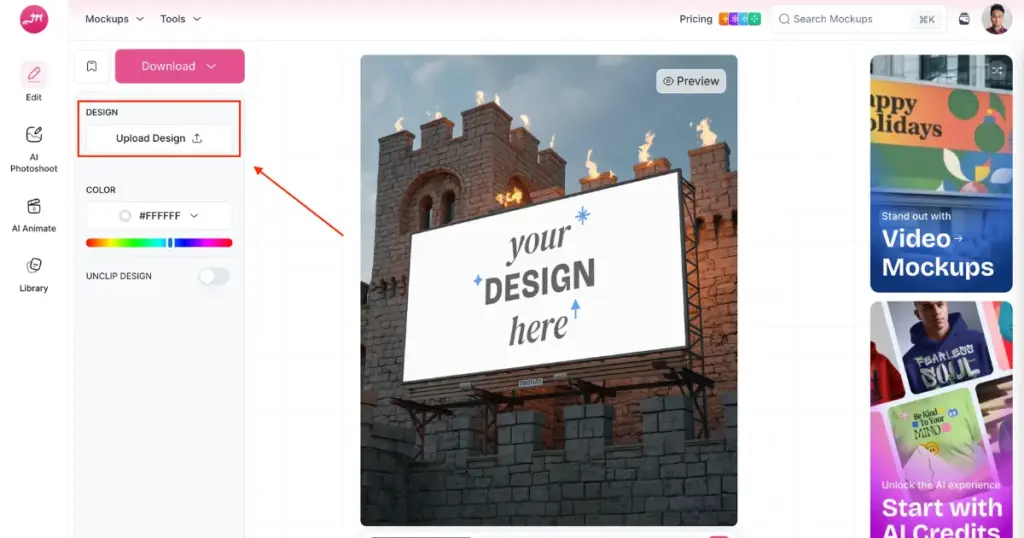
4. Design with Tools
Use Mockey AI’s easy-to-use tools to adjust the design according to your needs. You can modify by changing the color and personalizing the template using AI tools. It also allows you to easily animate mockups, alter backgrounds, and much more.
5. Download Your Billboard Mockup
Once you’re satisfied with the design, simply download the completed mockup in high resolution.
Where Can I Find the Best Billboard Templates?
Mockey AI offers a user-friendly platform to create billboard mockups easily. With its vast collection of templates, users can visualize their designs in realistic outdoor and indoor settings. The billboard mockups feature high-quality visuals that bring advertising concepts to life, making Mockey.ai an ideal tool for designers and marketers looking for professional mockup solutions.
1. Large Billboard
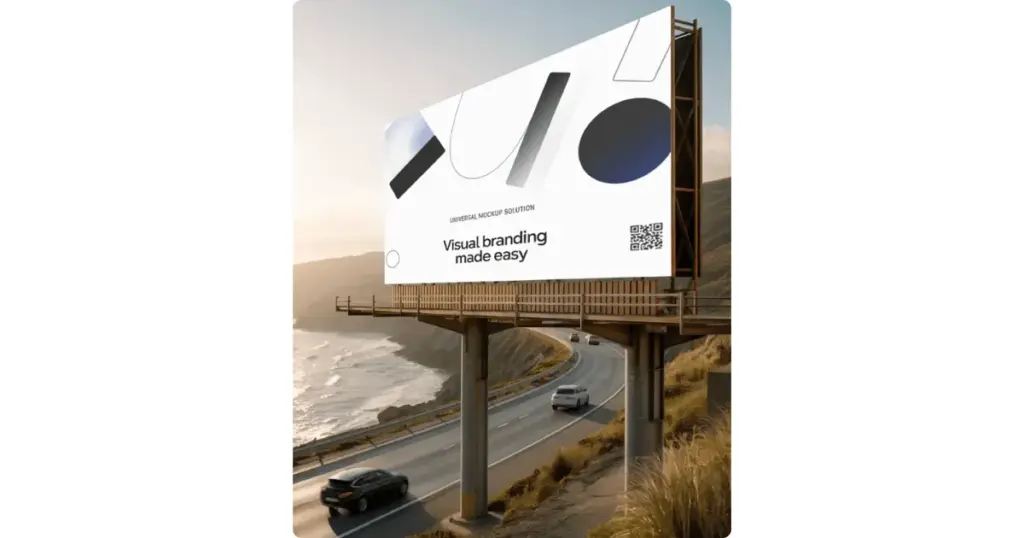
Mockup with a blank billboard in an urban setting, with modern buildings and a clear sky in the background. This clean, soft design provides a perfect canvas for creative advertising in a busy city environment. The billboard is placed where it can capture maximum visibility, which makes it ideal for brands looking to reach a large audience with bold and engaging messaging.
2. Billboard Side View
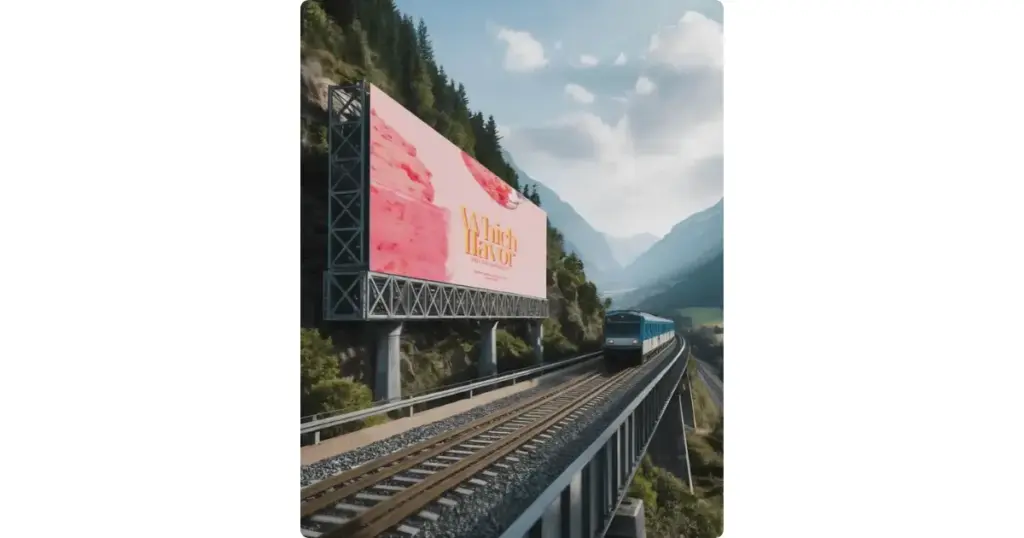
The mockup features a large, blank billboard on a tall metal setup. The billboard stands against a bright sky, offering a clean and clear backdrop that highlights the advertising space. Its modern design makes it ideal for getting attention in high-traffic areas like Highways. The open sky in the background gives it a sense of peace, ensuring that any displayed message will stand out effectively to everyone passing through the way.
3. Billboard With Trees
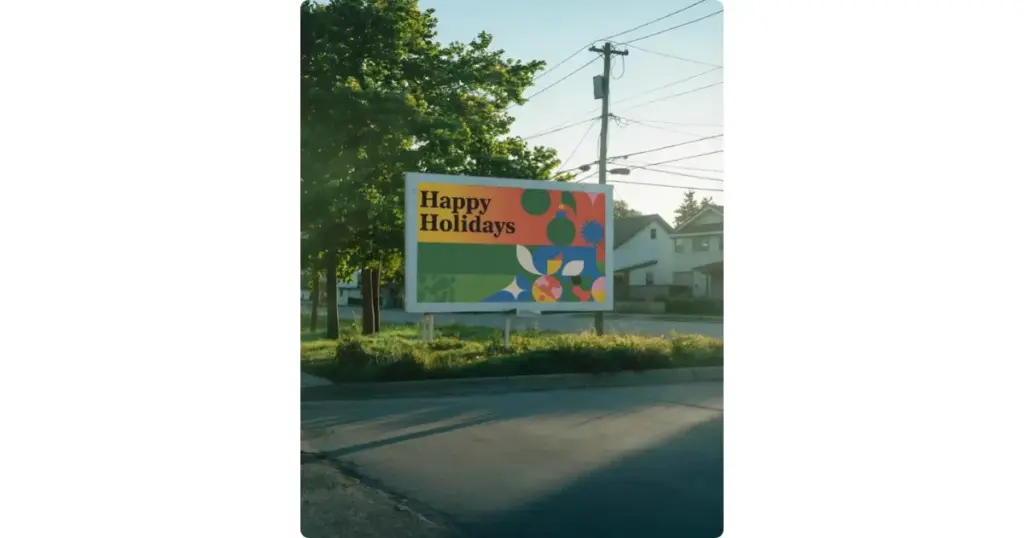
This mockup showcases a large, outdoor billboard set against a backdrop of trees in a parking area. The blank surface of the billboard offers enough space for designers to visualize their advertisements. The mockup shows the billboard’s prominence, giving an accurate preview of how large-scale promotions will look when displayed outdoors.
4. Large Billboard Under Lights
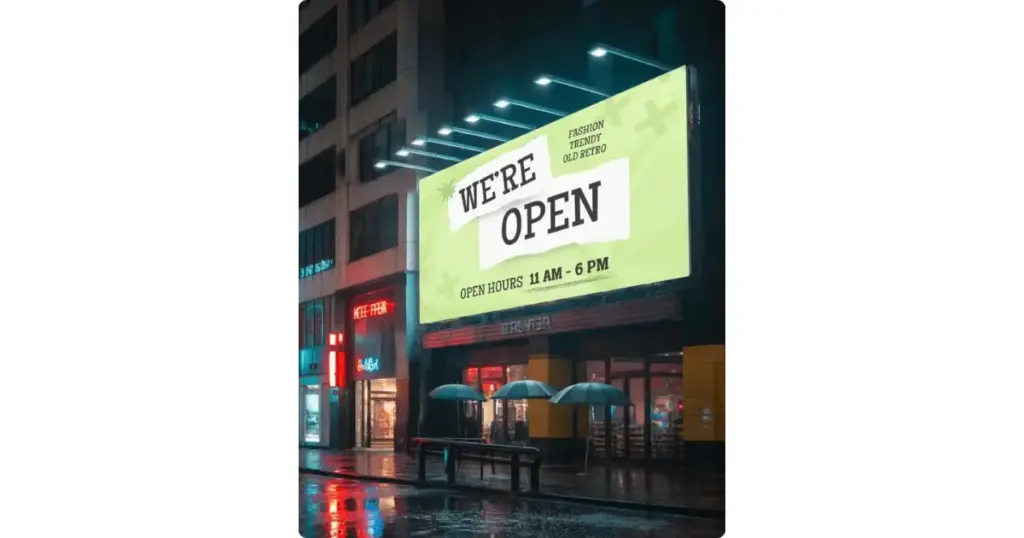
The billboard is placed on a structure made of containers, which adds a rustic, industrial feel to the setting. Surrounded by trees and a clear sky, the surroundings are perfect for large public advertisements. The screen is ready to display engaging content, ensuring visibility for all the vehicles that are parked in front.
Final Words
Now that we have learned how to make a billboard mockup in Photoshop. We know that creating a billboard mockup in Photoshop not only enhances the visualization of your design but also allows for crucial adjustments before final production. Utilizing tools like Mockey AI streamlines the process, enabling designers to present their ideas effectively and ensure impactful advertising.
FAQs
Why Use Mockey’s Billboard Mockup?
Mockey’s Billboard Mockup lets you customize and download designs for free, with a huge collection of templates and an easy-to-use interface. Mockups look great even if you don’t know anything about design.
Are the billboard mockups available in various sizes and styles?
Yes, Mockey provides billboard mockups in sizes of 400 x 500 pixels. You can also download various billboard styles in 800 x 1000 pixels and 1600×2000 pixels if you upgrade to the premium plan.
Can I download Billboard mockups in high resolution for printing?
Yes, you can download high-resolution billboard mockups for printing from Mockey.ai. Just upload your design, adjust the template to your liking, and download your mockup in high quality without watermarks.
How to mock up a billboard in Photoshop?
To mock up a billboard in Photoshop, first, upload your design to a pre-made template or create a blank billboard canvas. Adjust the perspective using Photoshop’s transformation tools, blend the design with the surrounding environment using lighting and shadow effects, and fine-tune the details for a realistic appearance.
How do I mock up labels in Photoshop?
Start by importing your label design into Photoshop. Apply the design onto a 3D object or a flat surface template. Use the “Transform” tool to adjust its position, scale, and perspective, then add shadows or highlights for a more realistic look.
How to create billboard size in Photoshop?
Set the canvas size based on the dimensions of a real billboard. For large billboards, you can start with a canvas of around 14,000 pixels wide, maintaining a resolution of 72-150 DPI. Adjust the size based on where the billboard will be viewed from, ensuring the proportions match the actual billboard display.
How do I use Photoshop to design a large-format billboard mockup?
If you design large banners, hoardings, or store signs, keep one rule in mind. People view them from far away. Fine details disappear with distance. Pushing files to 150–300 PPI is unnecessary. It only makes files heavy, slows exports, and strains your software. In real-world printing, most large formats look good at just 50–100 PPI.
How to export a billboard mockup in video format?
If you want to create billboard video mockups, there’s nothing better than the video mockup generator by Mockey AI. You get ready-made billboard video templates. Simply upload your design and download the final mockup in MP4 format.
Can I use the same design on other signboards?
Yes. The same design can often be adapted for different types of signboards, such as banners, posters, storefront signs, and billboards. Just make sure to adjust the dimensions and resolution for each format. If you’re creating a banner version, you can preview it with our Banner Mockup before printing.

Palak Roy
