How to Create Product Photos With AI for Ecommerce Stores
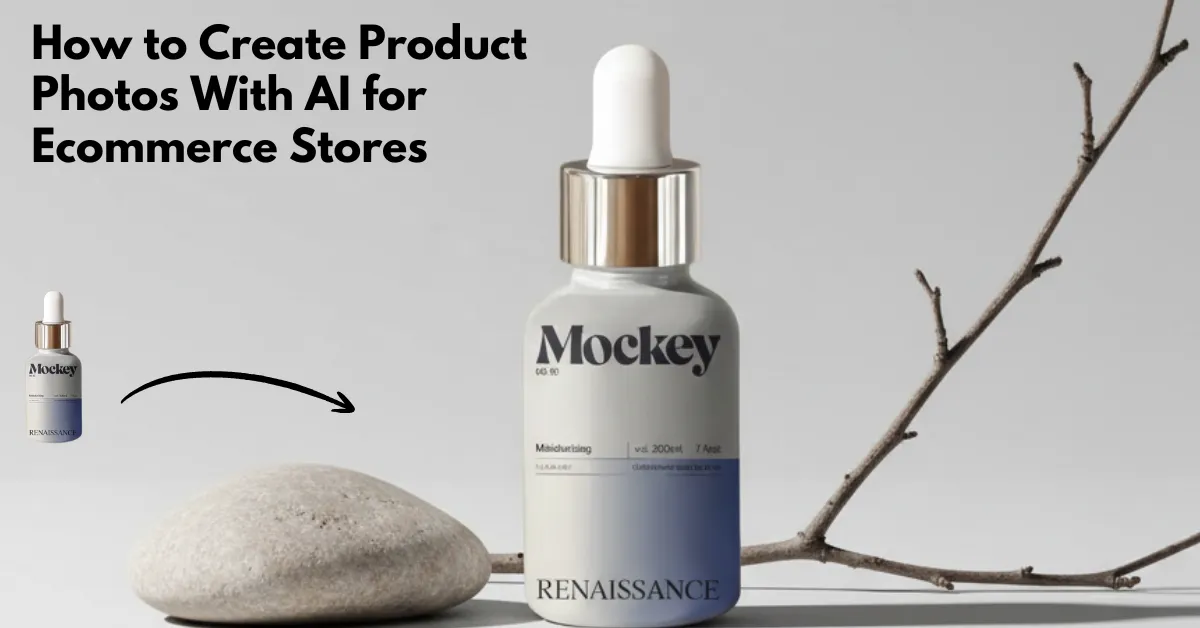
How to create product photos with AI? Try Mockey AI’s AI photoshoot tool to upload the image and type a prompt. The AI will generate a realistic result.
E-commerce, DTC, and print-on-demand companies complain about product photoshoots as slow, expensive, and logistically challenging. You need the product in hand, a studio setup or a photographer, and decent editing skills to make everything look professional.
Now, an AI product photography can generate product photos, ad creatives, and even Amazon listing imagery. Market forecasts expect AI product photography to reach USD 8.9 billion by 2034, growing 15.7% annually.
This blog will explain how to create product photos with AI, which tools people use, AI taking over product photography, what works, and what doesn’t.
Table of Contents
Is AI Taking Over Product Photography?
There are three big reasons why AI product photos are becoming more common:
Cost and Time Pressure
Traditional product photography eats margins. Studio lighting, hiring a photographer, and paying for retouching add up quickly. AI cuts that down to upload an image, choose a background, and export.
No Inventory Required
Pre-launch brands using AI to create product concepts, build landing pages, test demand, showcase prototypes, and pitch to investors. They used AI photos to fake the photoshoot until the inventory arrived. That’s the kind of lean entrepreneurship that brands love.
Creativity Without Equipment
AI unlocks new creative directions with zero lighting or photography skills. You just tell AI, “A perfume bottle reflected in sunlight on a marble counter,” and it builds the scene for you.
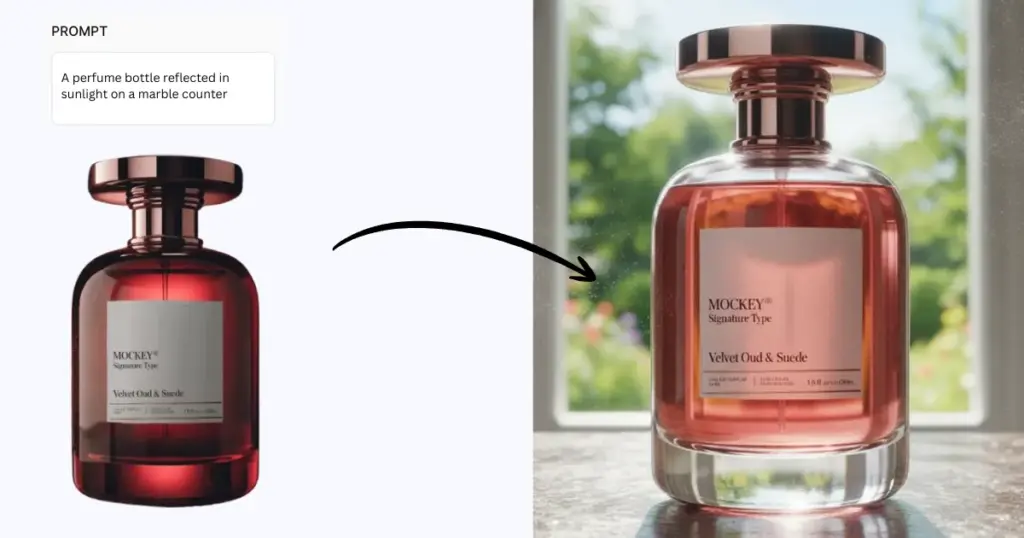
Prompt: A perfume bottle reflected in sunlight on a marble counterHow to Create Product Photos with AI (Best Method)
The best method to create product photos with AI for your e-commerce store.
STEP 1: Start With a Good Product Image
Most users who got good results didn’t rely on AI to hallucinate the product from scratch. They uploaded a real product photo instead. Use a PNG with a transparent background, shoot a simple white-background photo, and avoid harsh reflections or weird angles.
AI is better at backgrounds than at objects. If you don’t have a product image yet (pre-launch), some brands use mockups or basic renders as starting points.
STEP 2: Remove the Background
Most AI product photography tools can remove backgrounds automatically. But transparent PNGs lead to well-shot results.
You can quickly eliminate the background of any product using Mockey.ai’s remove background tool.
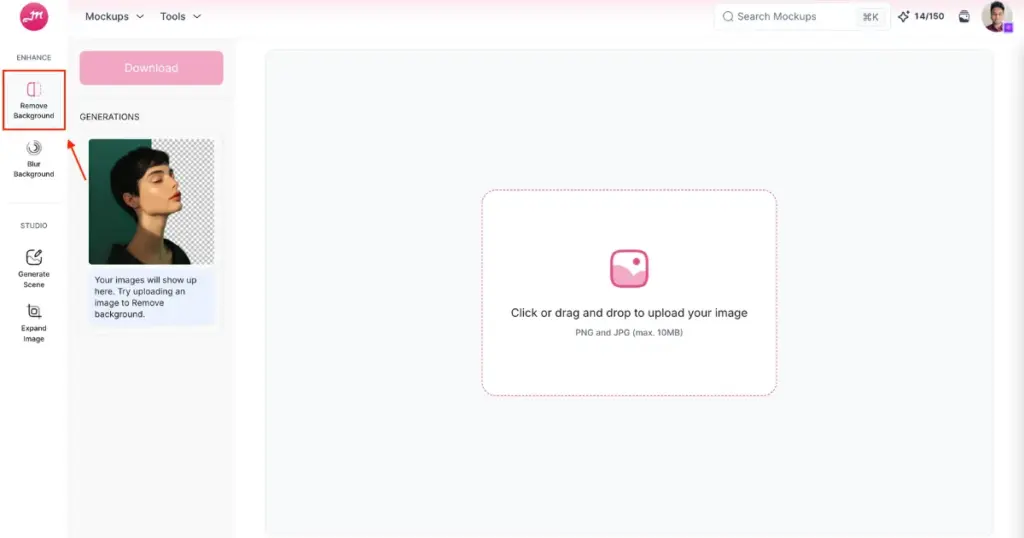
This step is foundational; good cutouts lead to better compositing and scene realism.
STEP 3: Upload the Product Image into an AI Tool
Here’s where AI starts creating product photos. You need to use Mockey.ai for a virtual photoshoot. After visiting the platform, go to the Pricing page and buy the CREATOR plan. You will get 150 credits per month, and each generation will use 2 credits.
After buying the plan, go to AI Studio and look for “Photoshoot”.
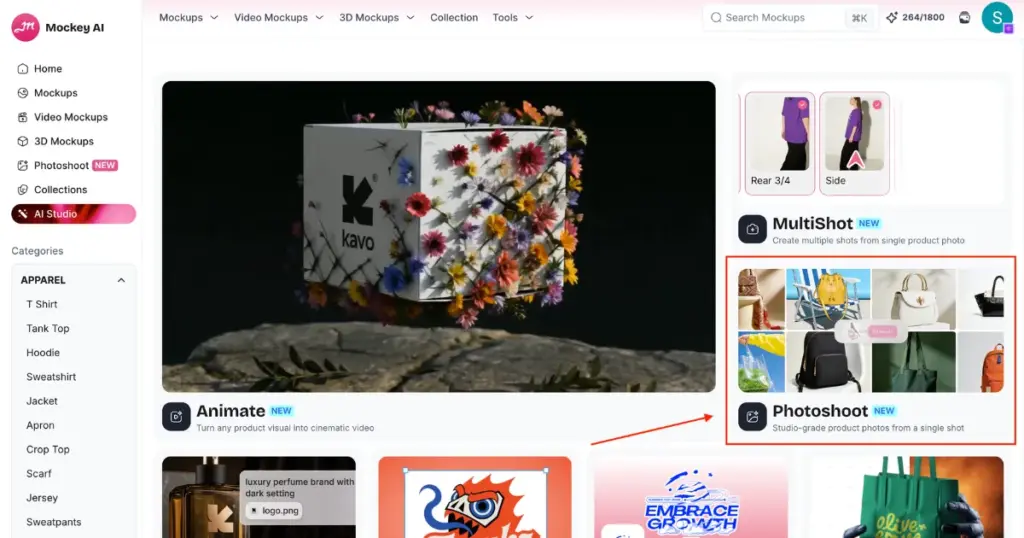
You will get an option to upload your product image by tapping “+ Add product photo“.
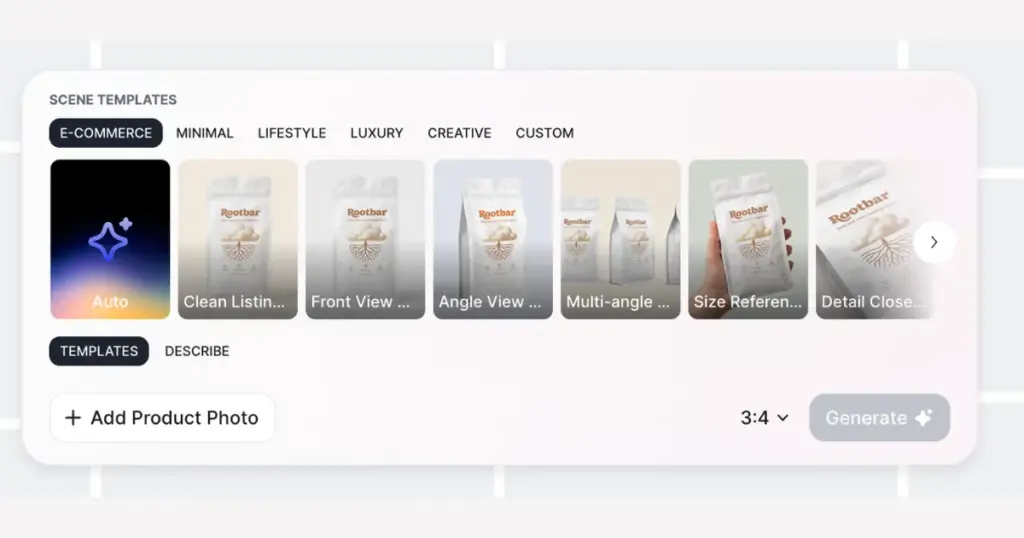
After uploading, describe the scene or choose from presets. To create scenes, prompts like:
- Geometric composition, minimum plane, split lighting on the dropper bottle
- In a light gray background with a stone and a branch, lighting, and minimal styling
The trick is to use lighting words, not just location words. For example, gentle shadows, golden hour, hard key light, backlit, and directional light.
Step 4: Download in PNG
Click “Download” to save the AI product photo in PNG.
Brands rarely settle for one; they export dozens. Because AI is unpredictable. Exporting multiple angles also helps with A/B ad testing, social carousel posts, PDP gallery images, and seasonal themes. One user even exported summer, winter, and holiday variants to match campaign calendars.
What Are Examples of AI Product Photos?
Now you know how to create product photos with AI. Now we will show some examples from the same tool so you can see what kind of output you will get along with the prompts.
Prompt 1: Geometric composition, minimum plane, split lighting on the dropper bottle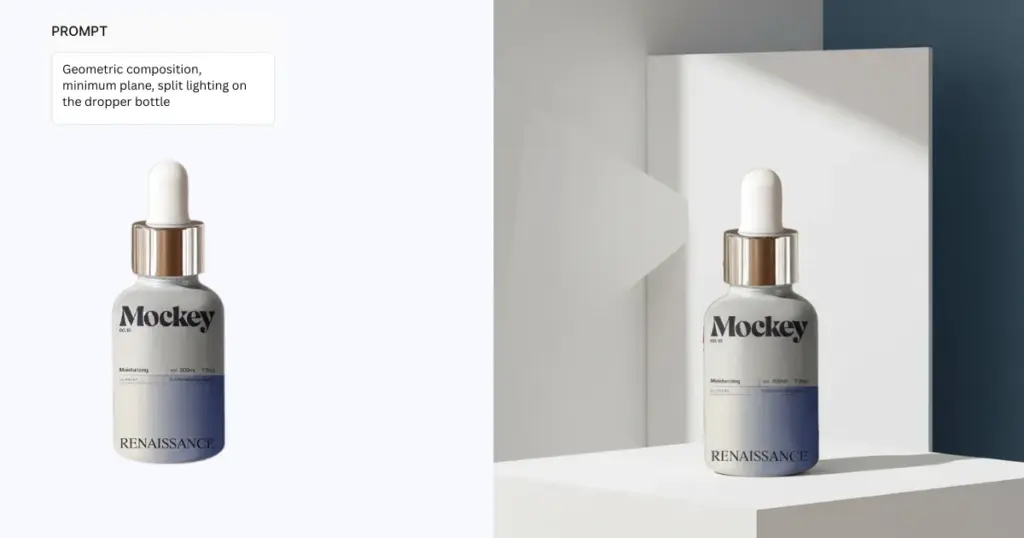
Prompt 2: In a light gray background with a stone and a branch, lighting, and minimal styling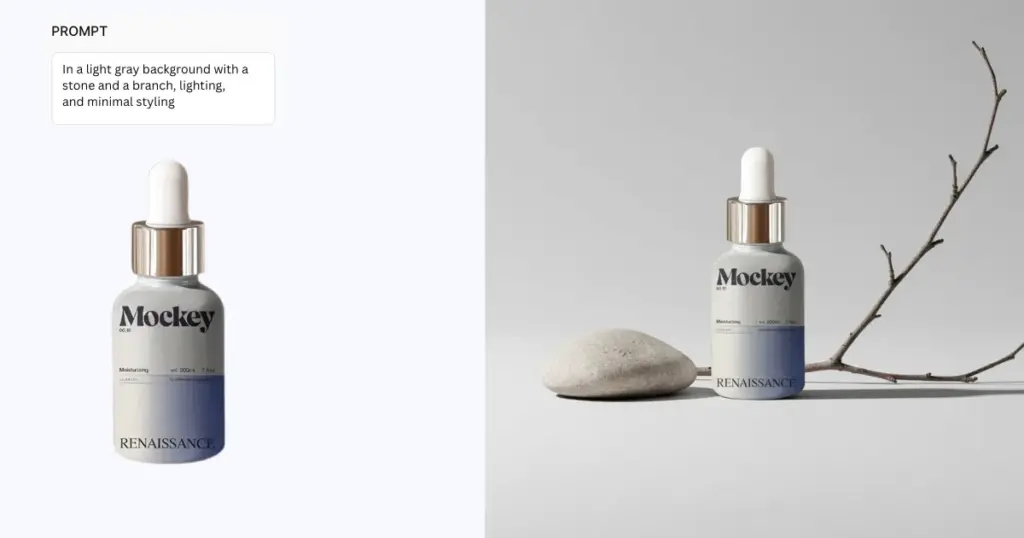
What Makes AI Product Photos Look Real?
There are three technical factors brands obsess over:
Lighting
Insufficient lighting realism is the number 1 failure mode. AI over-diffuses light, ignores reflectivity, mismatches light direction, and adds flat 2D surfaces with no depth. If you want realism, prompt lighting deliberately.
Shadows
Without shadows, the product looks like a sticker. Remember to avoid purely white and gradient backgrounds and floating products.
Scale
AI often misjudges size. Examples include perfume bottles larger than bowls, supplements smaller than mugs, and lipstick larger than flashlights. To fix, use prompt scene elements carefully, keep surfaces minimal, and use product-only compositions.
Conclusion
AI product photography is replacing prototyping, concepting, and ad creative processes. It changes how brands launch, test products, and market visually.
Small founders, digital merchants, and those who are starting a print-on-demand business, they can benefit from these types of tools.
You now understand how to create product photos with AI. Take or source a product photo, remove the background, upload it to an AI product photography generator, deliberately prompt the lighting with the environment, and export multiple variations.
FAQs
What is the best AI for product photos?
For full scene generation of your products, use Mockey.ai’s AI Photoshoot. Users like it because it preserves product details, generates realistic environments, and works without photographic skills.
Which AI displays designs on products without photography?
An AI mockup generator lets you display custom designs on products without needing a photoshoot. You get ready-made product packaging mockup templates, such as boxes, tubes, perfume bottles, dropper bottles, and pouches, where you can upload your design and download it as a PNG.
How to use AI photography in business?
AI product photography isn’t just for portfolio aesthetics. You can use it for e-commerce ads, landing pages, pre-launch & Kickstarter, Amazon listings, and moodboards & branding.

Sangram Sahoo
I’m a content writer with 4 years of experience. I specialize in creating practical content around mockups, print-on-demand, apparel, and e-commerce design.
