How to Create and Sell Mockups (A Quick Guide)
How to create and sell mockups? Use Mockey AI to create free mockups in minutes and sell them on the Etsy platform with easy setup. Let’s talk about it step by step. This blog post will provide a lot of useful information about mockups.
Table of Contents
A Quick Guide on How to Create and Sell Mockups
To create mockups, you need unique pre-made templates, a genuine free plan, and excellent AI tools. A free mockup generator like Mockey AI offers all of these. Once you create your mockups, you can open a store on a platform where you plan to sell and start your mockup business in just a few minutes.
Use Mockey AI Mockup Generator to Create Mockups
If you’re a beginner, you’ll find it more convenient to use a mockup generator to create your mockups. Using Photoshop or Illustrator will take too much time and effort, so you should avoid them.
A mockup generator gives you a significant advantage by providing many ready-made templates. For example, if you need mockups for the Christmas festival, you can go for seasonal mockups where you can use templates with a Christmas theme. Use Mockey AI mockup generator for mockups.
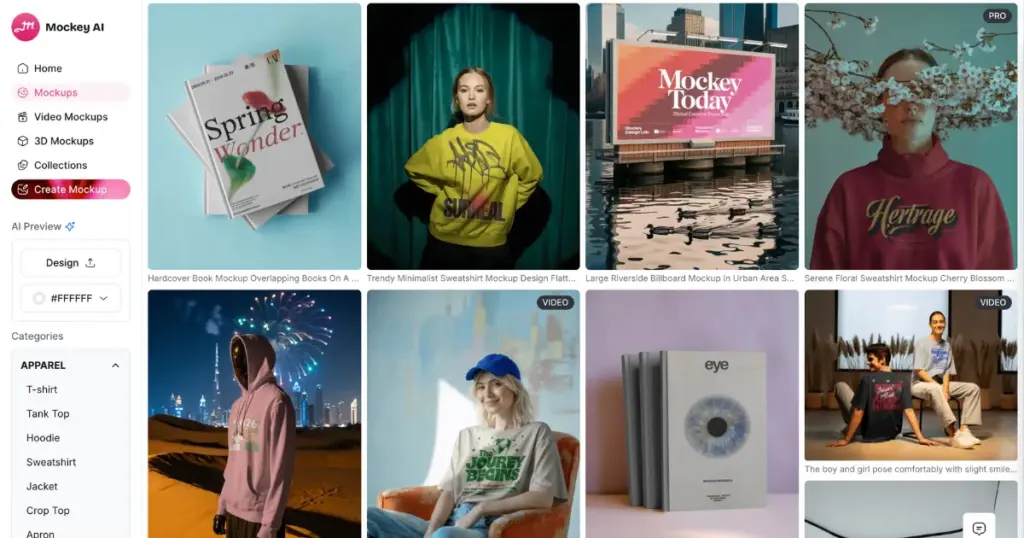
The benefits you get are:
- 30,000+ ready-made templates
- 60+ products
- A free plan (with no watermark)
- AI design tools
- 3D mockups and video mockups
- High-quality output
- Convert mockups to animation
How to Create Mockups in Mockey AI (Step-by-step)
We’ve written a detailed blog post on how to make a mockup, which you can read. Let’s briefly discuss here on how to create mockups to sell:
- Click the Login/Sign up button. You can go with the free plan, or you can tap Pricing and purchase a paid plan.
- Click Mockups.
- Select a product from the Categories.
- On the catalog page, pick a template to upload a design.
- Edit it.
- Press Download
- Select a format and size.
- Your mockup will be saved.
Use Etsy to Sell Mockups
Etsy draws nearly 500 million visits every month. It’s a strong place to sell a product. Plus, with 97.3 million active buyers across the world, the opportunity is huge. For those building their business with various reselling apps. Most of its sales come from loyal shoppers, with repeat buyers making up nearly 81% of all purchases.
Etsy is simple to use for both buyers and sellers. The site makes listing products, taking payments, and managing shipping easy. You spend less time handling the backend and more time creating your designs. Opening a shop on Etsy also costs much less than building your eCommerce website.
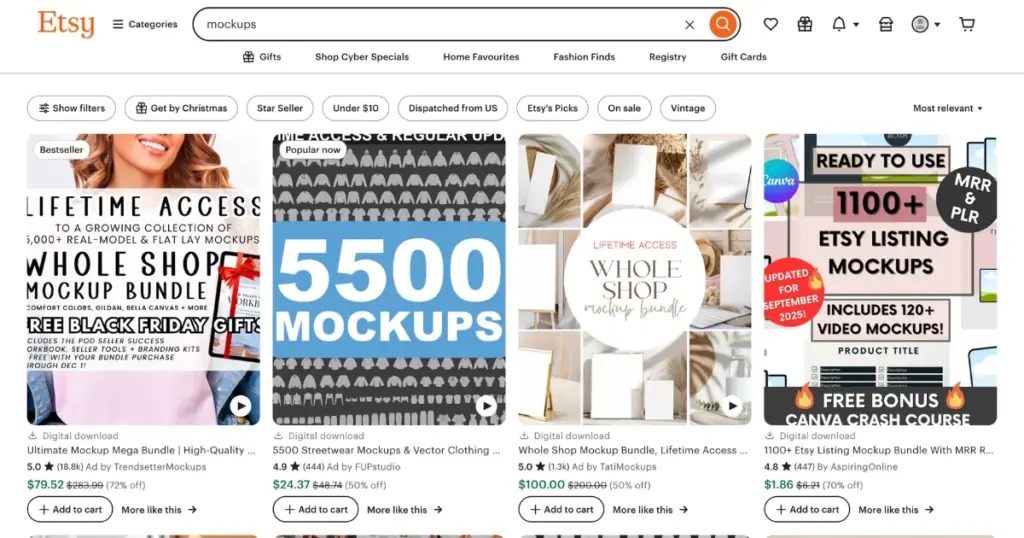
Etsy charges a small listing fee and a commission on each sale. You don’t need to spend big on building or hosting a website. You can set up your shop, upload the logo, write a clear announcement, and update your policies and product details to match your brand.
Etsy’s search system helps shoppers find your products through the right keywords as well.
How to Sell Mockups on Etsy (Step-by-step)
When you create a listing on Etsy, you can upload up to 10 photos. If you sell digital items like wall art or printable designs, you can’t upload the original image as it is. You need to protect your artwork. You want buyers to download the final file only after purchasing, not from your listing photos. That’s why mockups are important. They show how your art will look on a wall, without giving away the actual file.
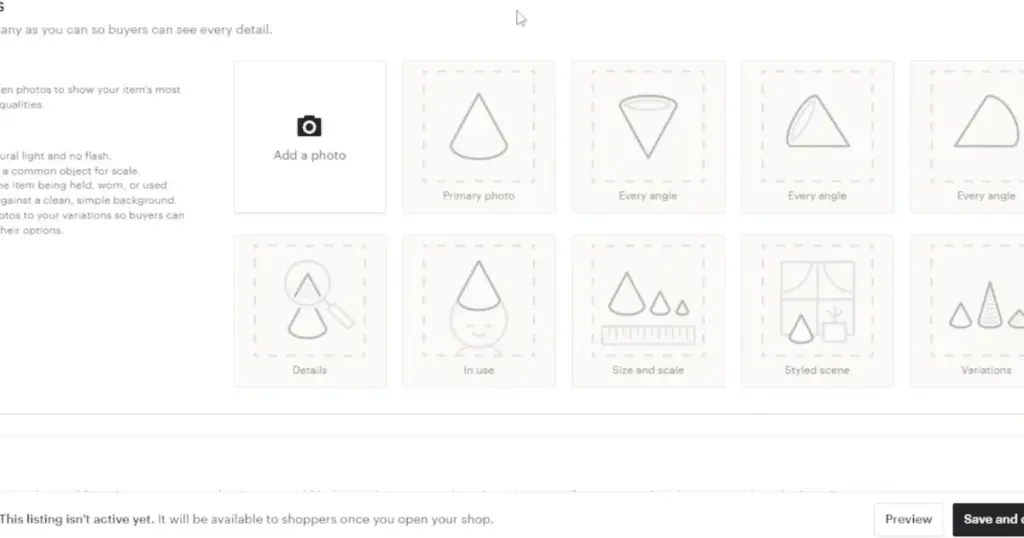
Add your photos one by one. These mockups will now appear as your product images. They protect your art while showing how it will look once printed and framed.
Complete the rest of your listing by adding the title, description, tags, and price. Select “Digital” as the product type and upload the final PDF file. Now you can sell your artwork without worrying about people copying your images from the listing. You can also create a thumbnail using a mockup to make your listing more attractive.
What Should I Consider When Selling Mockups on Etsy?
Etsy is a marketplace, so it works differently from a personal online store. Every seller has to follow a set of rules that protect buyers. One key rule is Etsy’s Creativity Standards. It asks sellers to be clear and honest about how their products are made.
Every product on Etsy must fit into a group. Some items are made by the seller. They can be handcrafted, altered, or put together using simple tools.
Others are designed by the seller. This includes original artwork or AI-assisted designs that the seller guides, even if a third party prints them.
Some goods are sourced by the seller, such as craft materials or party décor that help buyers create their own projects. And finally, a few products are vintage pieces that the seller picks and curates with care.
Conclusion
In the same way, you can learn how to create and sell mockups. Use Mockey AI to create mockups and Etsy to sell them. Obviously, there is a lot of competition on Etsy, but when it comes to creativity and uniqueness, no other platform gives you this level of profit potential.
FAQs
Can we upload video mockups on Etsy?
You can upload video mockups on Etsy, but the file size cannot exceed 100 MB. All the video mockups generated by Mockey AI’s Video mockup generator are very high-quality and come in MP4 format.
Can you make money selling mockups?
You can earn money by selling mockups using a platform like Etsy. These are digital products, so the investment is low.
Can I use Mockey AI mockups for Etsy?
You can use Mockey AI mockups for Etsy. Many sellers use them to show their products clearly, whether they sell physical items or digital downloads. Just make sure you follow Mockey AI’s licence rules and Etsy’s mockup policies, especially if you work with print-on-demand.

Sangram Sahoo
I’m a content writer with 4 years of experience. I specialize in creating practical content around mockups, print-on-demand, apparel, and e-commerce design.
