How to Create an Envelope Mockup in Mockey AI
How to create an envelope mockup? Use a mockup generator like Mockey AI, choose from 100 templates, upload a design, and create envelope mockups.
Envelope mockups look simple. In practice, they decide how professional your branding work feels to a client. Most designers talk about this often, especially when dealing with tight budgets, fast revisions, and print-ready expectations.
This guide discusses everything about how to create an envelope mockup, pricing pressure, client confusion, print mistakes, and why envelope mockups often save projects from going wrong.
Table of Contents
Why Need an Envelope Mockup?
Before opening an envelope mockup generator, be clear about why you need the mockup. designers usually create envelope mockups for portfolio presentation, client previews and approvals, and marketing visuals for websites or listings.
A portfolio mockup focuses on aesthetics, a client mockup must feel realistic, and a marketing mockup needs clarity at small sizes. The purpose decides everything that follows. Now, let’s understand how to create envelope mockups step-by-step.
How to Create an Envelope Mockup (Step-by-step)
This is a step-by-step guide on how to create an envelope mockup.
Step 1: Choose the Right Envelope Type
Many problems start here. Designers often forget to confirm size (DL, C5, C4, A7, etc.), orientation (landscape or portrait), and windowed or non-windowed envelopes. If you guess, revisions multiply. If you confirm early, mockups stay organized and usable.
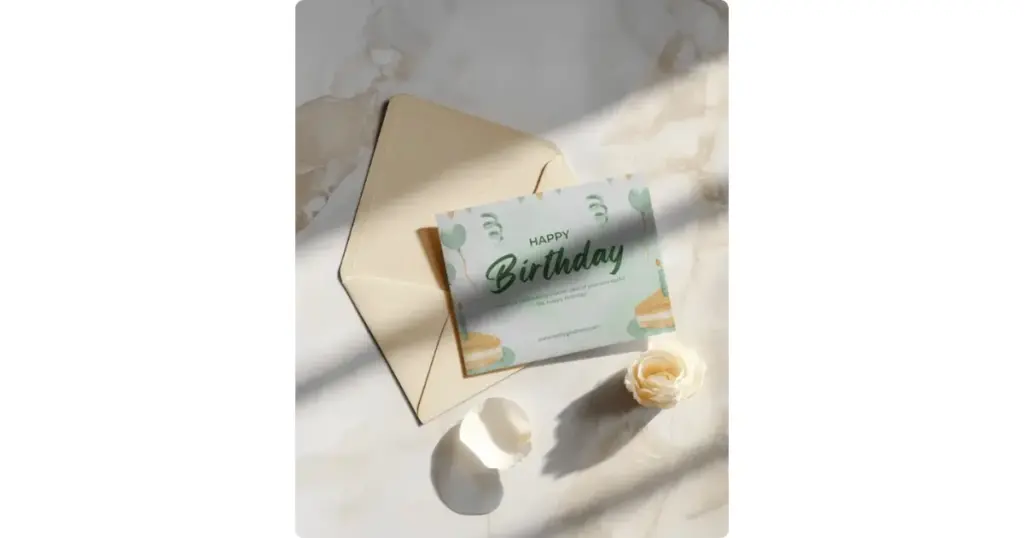
Step 2: Start With a High-Quality Mockup Template
Visit Mockey AI for high-quality, ready-made envelope templates available in a large number and wide varieties. Experienced sellers recommend always using high-quality templates, and nothing works better than Mockey AI.
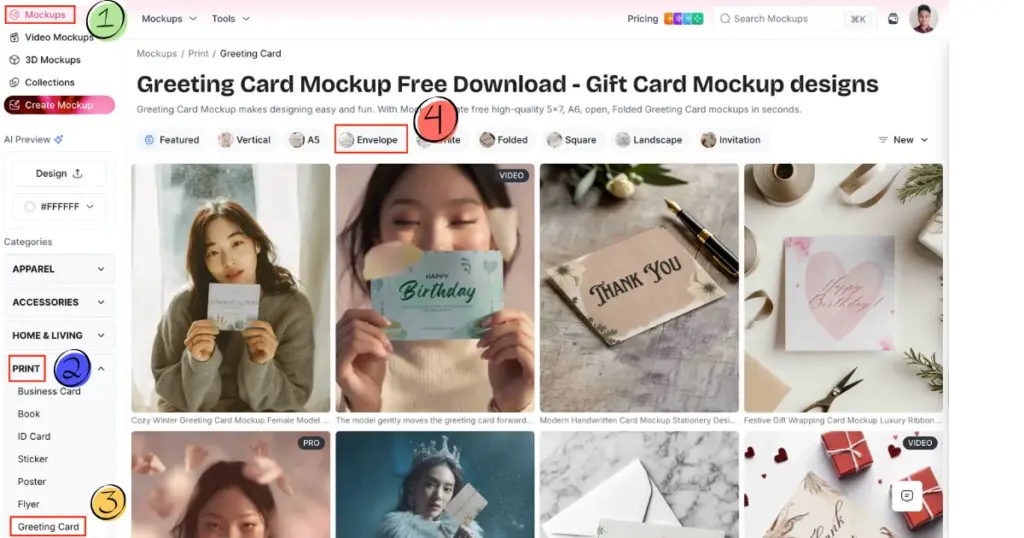
When you visit Mockey AI, first click “Login / Sign up” to create an account. Then click on “Mockups” and follow Print > Greeting Card > Envelope. Now, simply choose an envelope template.
Step 4: Place the Design Correctly
This is where many mockups fail. Designers make mistakes in their designs, such as floating above the envelope, incorrect scaling, and ignoring folds and flap areas.
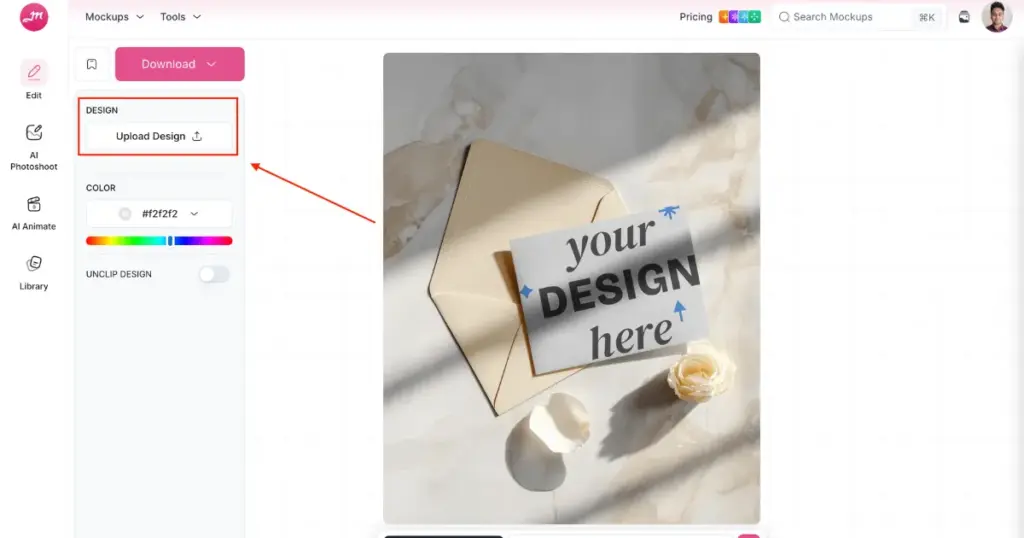
When you upload a design by clicking “Upload Design,” the design is automatically applied to the template. You can then expand or resize it and also adjust the angle.
Step 5: Adjust with Color or Use AI Tools
Flat mockups look fake. Simple improvements like changing the color are easy to make. If you want, you can also use the Bring to Life feature to turn the mockup into an animation.
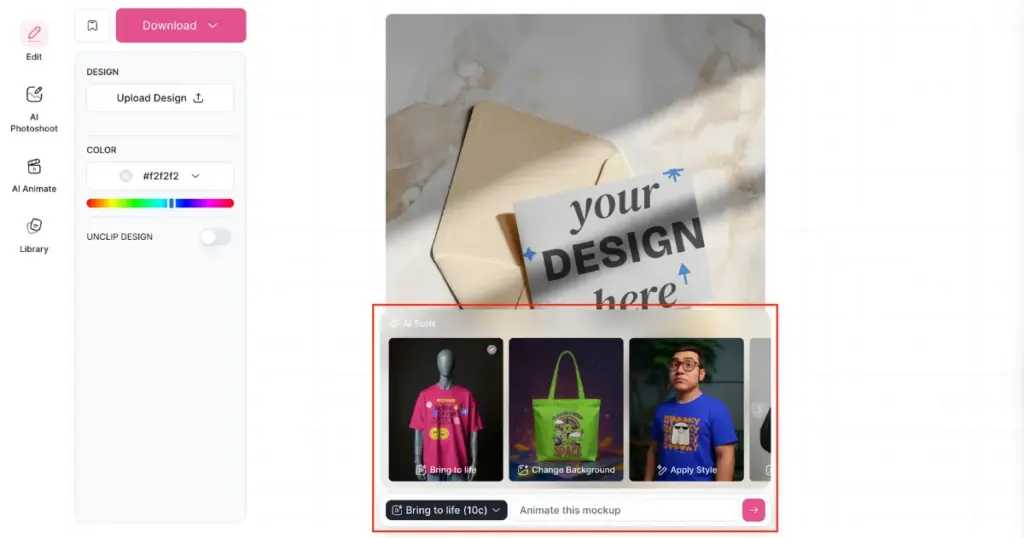
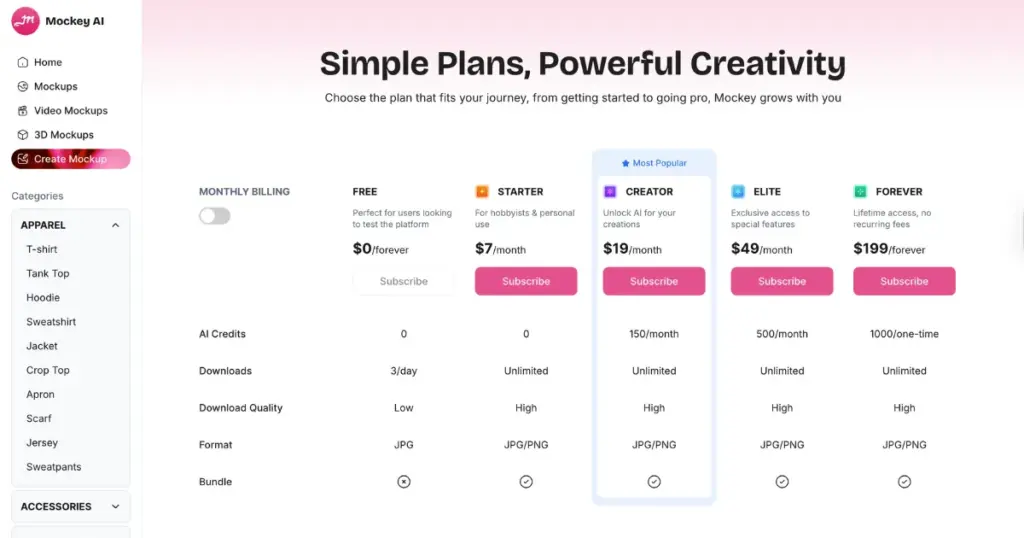
To use AI tools, you need to subscribe to the CREATOR or ELITE plan. With these plans, you can modify elements and change the background as well. These small tweaks make mockups feel printed, not pasted. Visit the Pricing page for full details.
Sometimes use multiple views for presentation. One mockup is rarely enough. Designers often show the front view of the envelope, the back view with the flap visible, and a stacked or angled composition.
You can use Mockey AI’s Mockup Bundle to use different angles of the envelope. This helps clients understand the full design without confusion.
Step 6: Prepare Files for Client and Print Use
Mockups are for visuals. Print files are separate. Export mockups as JPG or PNG for preview. You get both files in Mockey AI.
Always ask the printer for templates or cutter guides. Never send a mockup PSD to a printer.
Step 8: Avoid Costly Print Mistakes
Designing full-bleed envelopes or custom-cut envelopes can increase printing costs drastically. Pre-made envelopes are cheaper and more common. Knowing this helps you design smarter and protect your client’s budget.
Conclusion
Now you know how to create an envelope mockup step-by-step. Creating an envelope mockup is not just about placing a logo on paper. It is about realism, clarity, and understanding how envelopes are actually printed and used.
A good envelope mockup saves time, avoids confusion, and makes your work look far more professional than a flat design ever could.
It will be easier to win more trust and have fewer revisions if you use envelope mockups as presentation tools rather than simply visuals.
FAQs
What is an envelope mockup?
An envelope mockup is a visual representation of an envelope template where you can add a design. It shows how the printed envelope will look before actual printing.
What file format should I send to a client?
Send mockups as JPG or PNG for review. Send print-ready designs separately as PDF files with bleed and crop marks.
Can printers use mockup files for printing?
Mockups are only for presentation. Printers need flat, print-ready files based on their specific templates and guidelines.

Sangram Sahoo
I’m a content writer with 4 years of experience. I specialize in creating practical content around mockups, print-on-demand, apparel, and e-commerce design.
