10 Best AI Product Photo Generators in 2026
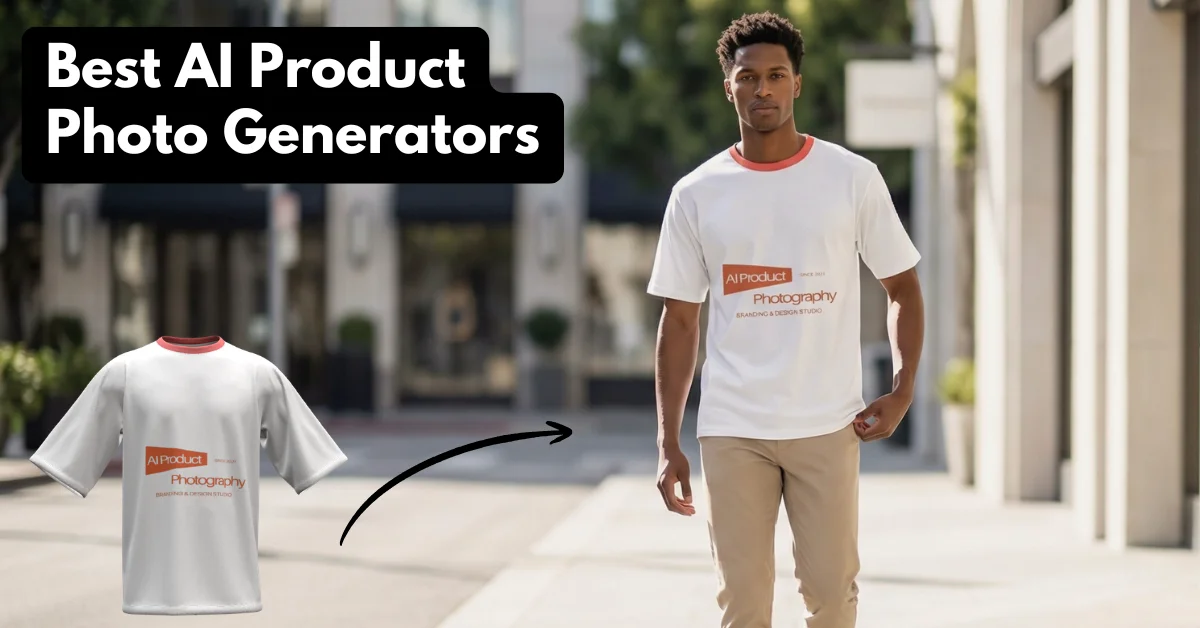
The best AI product photo generator is Mockey.ai’s AI Photoshoot tool for e-commerce and advertisements. Use a prompt and download as PNG.
Analysts expect the online AI product photography market for e-commerce to grow at about 24.5% a year between 2025 and 2035. After going through research, here’s a breakdown about AI product photos, the best AI product photo generators, and where AI still fails hard.
Table of Contents
Should You Use AI for Product Photos?
Let’s explore whether AI is even acceptable before we discuss which are the best AI product photo generators.
Most brand-focused founders and restaurants are using an AI product photo generator if it shows real product visuals, zoom-in quality, and authenticity.
Marketers, PPC buyers, and dropshippers use these AI generators the most. They know that consumers don’t care as long as the product is accurate. AI saves a ton of time and money, good for ads and variations, not for hero shots.
A List of the Best AI Product Photo Generators People Actually Using
Here is a list of the best AI for product photos that people actually use.
- Mockey.ai’s AI Photoshoot
- Rewarx Studio AI
- Nightjar
- Pikes AI
- Pictra.ai
- Flair.ai
- Claid.ai
- Fiddl.art
1. Mockey.ai’s AI Photoshoot
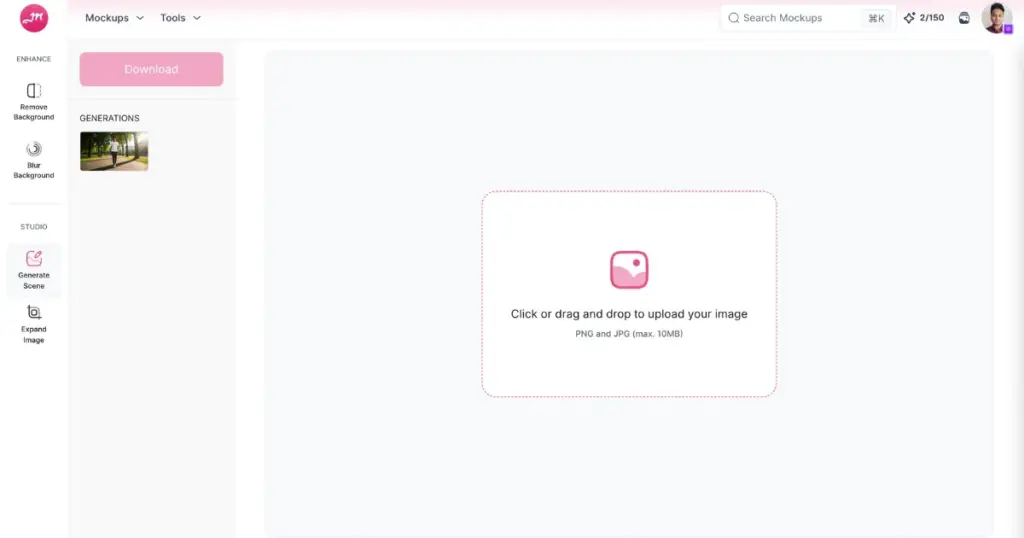
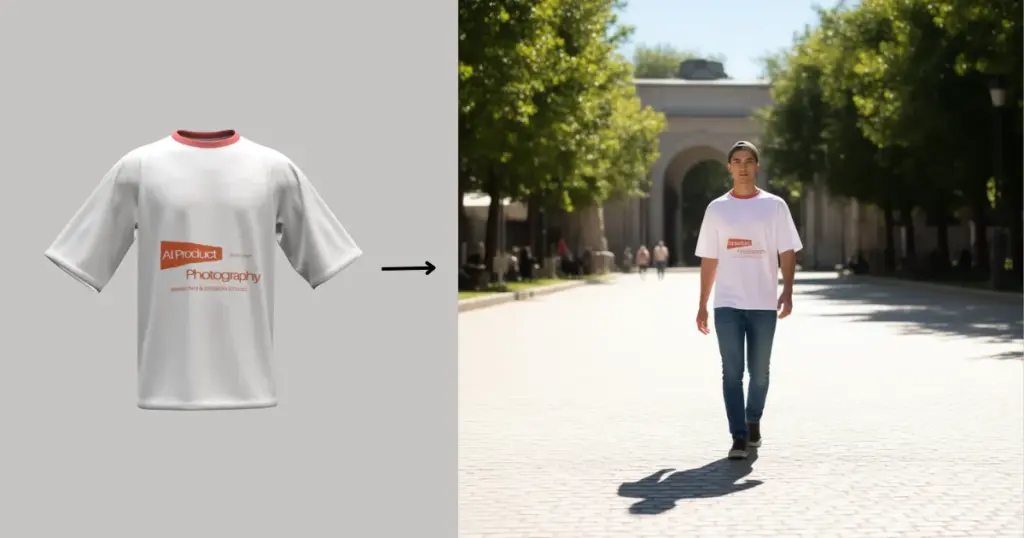
Mockey.ai’s AI Photoshoot is one of the best AI product photo generators for its model shots and consistency. You upload your product image, type a prompt, and it generates a scene in 15 seconds.
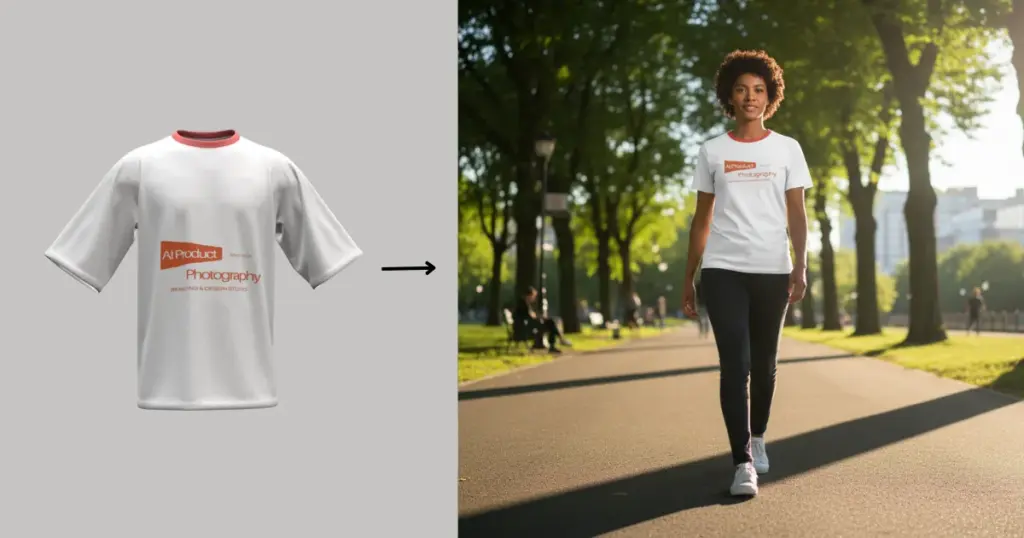
The drape, folds, and proportions usually stay believable, especially compared to other AI tools for product photography. A lot of users say it’s the first AI tool where they felt comfortable using outputs for ads and ecommerce listings, not just mock concepts.
This AI product photo generator is not a free option, but it is one of the few tools where the price actually matches the quality.
How to Use
We’ve already discussed in detail how to create product photos with AI in a separate blog. Here, we’ll explain it briefly:
- Click the “Login/Sign up” button. Create your account.
- Look for “Tools” in the navigation bar.
- Follow “AI tools > AI Photoshoot”.
- Upload an image. You can also drag and drop.
- Type a prompt. We used ‘Model wearing it, walking in sunlight with clear shadows.’
- Click “Generate”.
- Lastly, use the “Download” button to save.
Output Image Example
The image we are going to use was created using Mockey.ai’s 3D t-shirt mockups.
Pros & Cons
- ✅ Drag & drop
- ✅ Prompt feature
- ✅ Quick output
- ✅ The text on the image remains high resolution
- ✅ PNG download
- ✅ No watermark
- ❌ NA
Pricing
- $19/month
2. Rewarx Studio AI
Rewarx Studio AI is rapidly becoming a go-to AI product photo generator for e-commerce brands and marketers who demand hyper-realistic visuals. Instead of just swapping backgrounds like older tools, this AI product photography platform excels at global illumination and retaining accurate material textures. It seamlessly blends your item into the new environment without that fake, floating look, making it an incredibly reliable ecommerce image generator for creating high-converting hero shots and testing social media ads at scale.
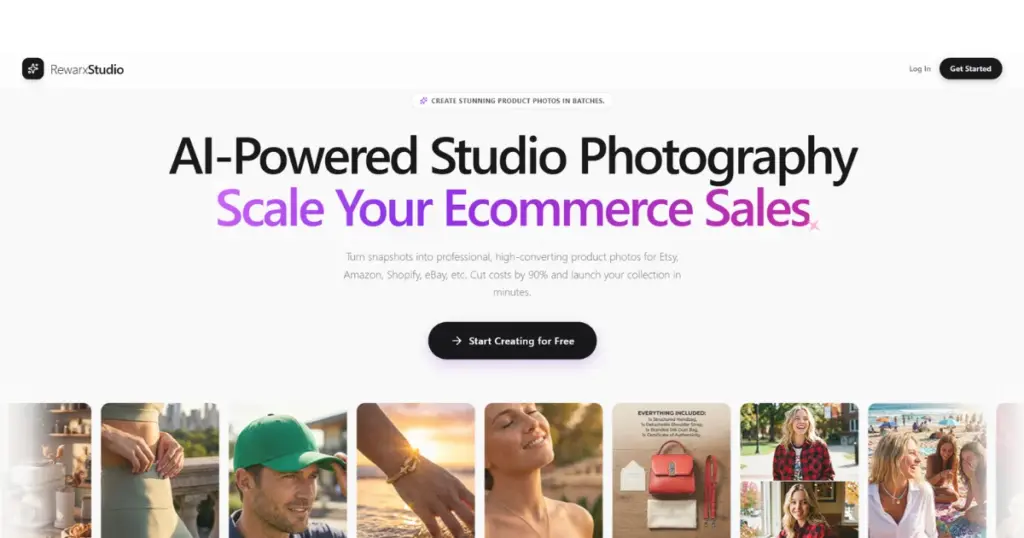
The platform balances a user-friendly interface with the precision required for professional product photo AI generation. If you run an online store and need product images that actually look like they were shot in a professional studio, Rewarx Studio AI is one of the most reliable AI product photo generators out there.
Unlike basic background removers that make products look like they are floating, Rewarx focuses heavily on realistic shadows, global illumination, and material textures. This makes it a go-to tool for Shopify/Etsy/Amazon merchants and DTC brands who want to quickly test different aesthetic visuals for their ad campaigns without hiring a photographer team.
How to Use Rewarx
- Go to and upload your raw product image.
- Let the tool automatically remove the background and do the rest.
- Hit generate and download the commercial-ready image.
Pros & Cons
- ✅ Produces incredibly natural shadows and lighting
- ✅ Excellent for generating cohesive brand aesthetics
- ✅ High-resolution output suitable for social media ads
Pricing
- Free trial available, with Starter plans starting at $9.9/month.
3. Phot AI
ListingLab by Phot.AI is rapidly establishing itself as the ultimate all-in-one conversion rate optimization tool for e-commerce entrepreneurs who need more than just a pretty picture. While other tools stop at background removal, ListingLab functions as a full-scale digital production team, generating comprehensive 8-image PDP (Product Detail Page) sets in a single workflow. It doesn’t just place your product in a scene; it understands the visual storytelling required to convert a browser into a buyer.
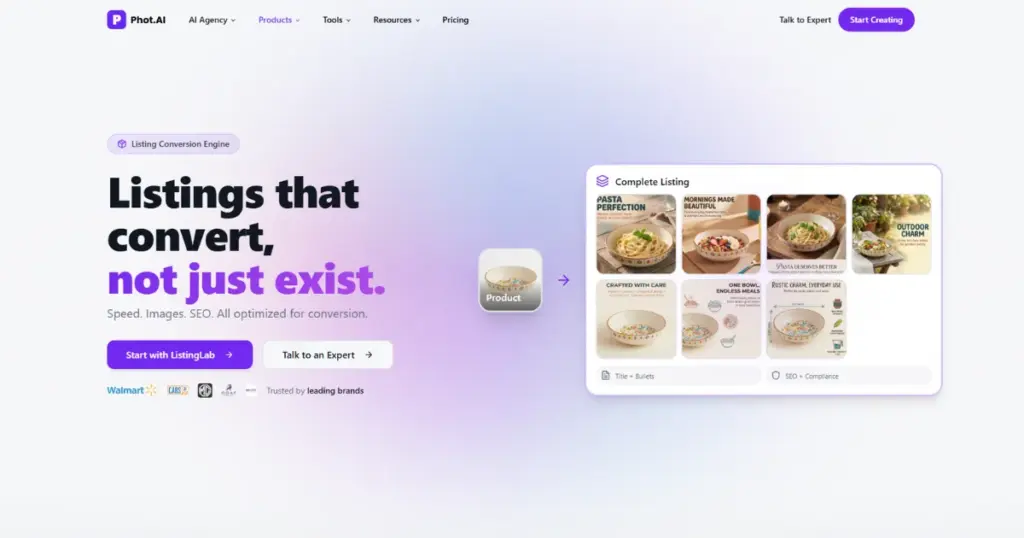
The platform is a powerhouse for Shopify, Amazon, and Walmart sellers who need to scale their operations without the friction of multiple apps. By blending high-end AI product photography with deep-learning SEO tools, ListingLab ensures your listings are both visually stunning and algorithmically optimized. If you’re looking to dominate marketplaces with professional-grade content that feels like it was shot in a high-end studio, ListingLab is the most comprehensive AI product photo generator on the market.
How to Use ListingLab
- Upload & Analyze: Upload your raw product image to the Phot.ai ListingLab dashboard.
- Generate the Suite: Select your aesthetic to automatically generate a full 8-image PDP set, including lifestyle and infographic-style shots.
- Optimize & Sync: Review the AI-generated SEO titles and descriptions, then use the direct API connection to publish the listing to Amazon, Shopify, or Walmart instantly.
Pros & Cons
- ✅ Full PDP Generation: Creates a complete 8-image deck for a professional, cohesive storefront.
- ✅ Built-in E-commerce SEO: Generates high-ranking titles and descriptions alongside visuals.
- ✅ Direct Platform Integration: Seamlessly connects with Amazon, Shopify, and Walmart for one-click publishing.
Pricing
Free trial available; Pricing plans offering full PDP suites and marketplace integrations start at approximately $25.85/month for the starter plan.
4. Nightjar
Nightjar is an AI product photography system built for ecommerce brands that need a consistent catalog, not just one good image. It turns the variables that matter (camera style, composition, model identity, background) into reusable ingredients you can apply across every product. Over 10,000 brands use it for Shopify, Etsy, Amazon, and ad creative.
How to Use
- Sign in at nightjar.so, or install the embedded Shopify app.
- Upload your product images in the Create tab.
- Pick a Photography Style, Composition, Fashion Model, and Background, or apply a saved Recipe.
- Add any Custom Directions, then set aspect ratio, resolution, and output format.
- Click Create. Generated images land in your Team Library, where you can edit them, upscale to 2K or 4K, or expand one shot into a cohesive four-image Photoshoot.
Output Image Example
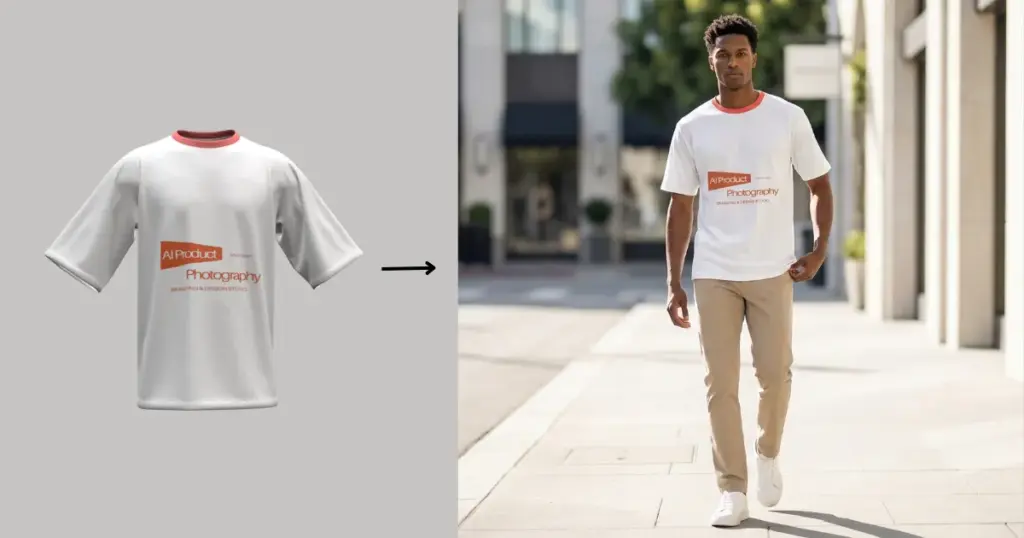
Pros & Cons
- ✅ Reusable Photography Styles, Compositions, and Fashion Models keep the catalog visually consistent
- ✅ Recipes save the full setup so the same look applies across SKUs in one click
- ✅ 150+ curated Photography Styles and 80+ pre-built Fashion Models out of the box
- ✅ Multi-image editor with @image references and inline /color, /ratio, /format controls
- ✅ AI semantic search across the Team Library
- ✅ Embedded Shopify app with Shopify auth and Shopify billing
- ❌ Subscription-based; a free trial Credit grant is included, but heavier usage needs a paid plan
- ❌ Purpose-built for product photography, not general illustration or art
Pricing
- Free trial Credits on signup (no card required). Paid plans start at 150 image Generations per month and scale up to 2,800 from the dashboard
5. MagicShot AI
MagicShot is one of the most complete AI product photo generators in 2026, especially for brands running ecommerce stores, Amazon listings, and Shopify catalogs. You upload your product, pick a scene or model style, type your prompt, and the platform returns a finished shot in around 10 to 15 seconds.
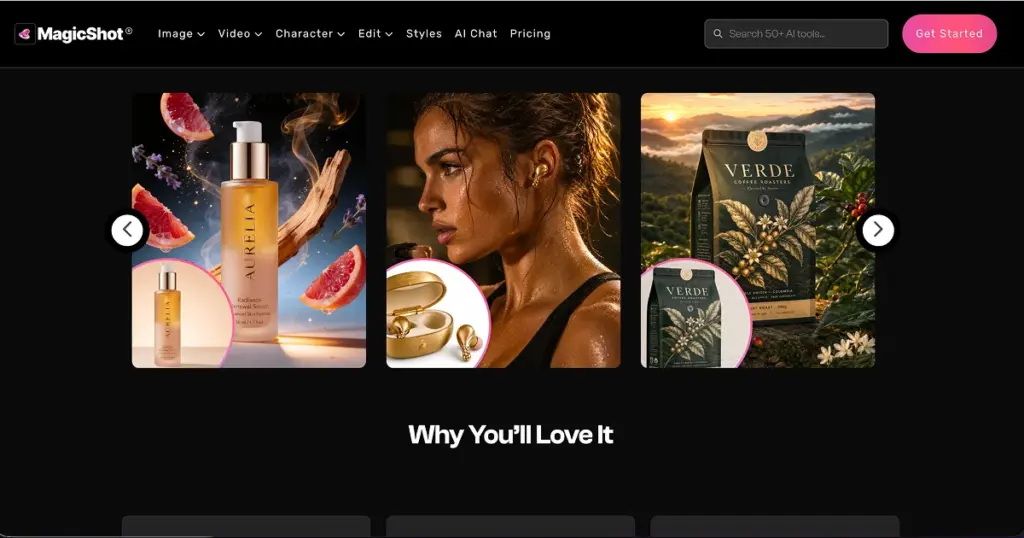
The lighting, shadows, and surface reflections come out clean enough that most outputs go straight into a listing without needing a separate retouching pass. A lot of users move over to MagicShot after testing free AI tools, simply because the product photos actually look like they came from a real studio shoot, not a stock library. It covers model shots, flat lays, lifestyle scenes, and lookbook-style content from the same dashboard, so you’re not switching tools mid-workflow.
How to Use
- Sign up at magicshot.ai
- Open the AI Product Photography tool
- Upload your product image (PNG or JPG works)
- Pick a scene style or write your own prompt
- Choose your model, aspect ratio, and background
- Click Generate and wait around 10-15 seconds
- Download in 4K or push straight to your listing
A skincare bottle uploaded against a plain background, generated into a marble bathroom scene with soft window light, ready to drop into an Amazon hero shot.
Pros & Cons
- ✅ Studio-quality product photos in 10-15 seconds
- ✅ Covers model, lifestyle, flat lay, and lookbook scenes
- ❌ Best outputs are locked behind paid plans
Pricing
- Paid plans start at $9/month
6. Pikes AI
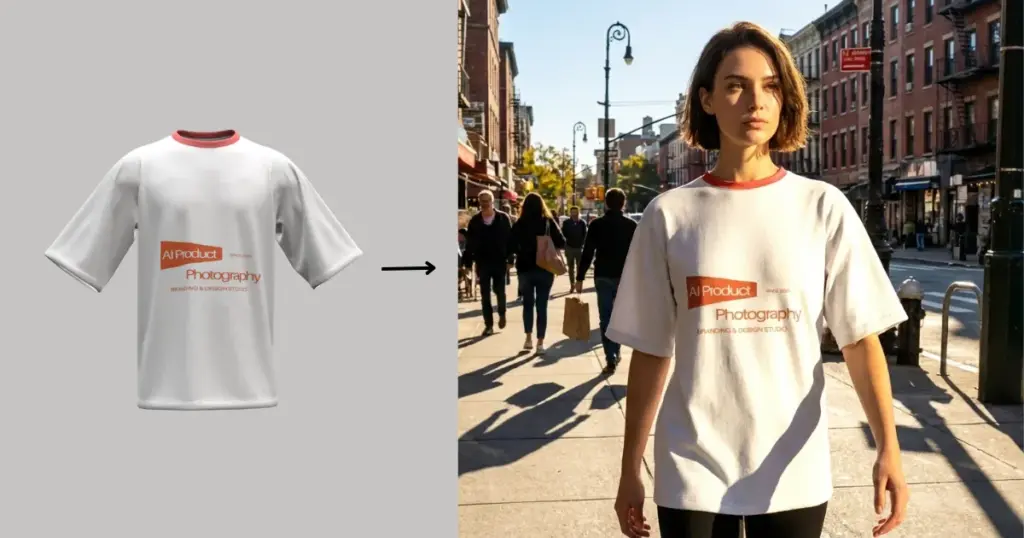
Pikes AI is a favorite among marketers due to its consistency model. Product stays real, background changes, and scene blending without melting product details.
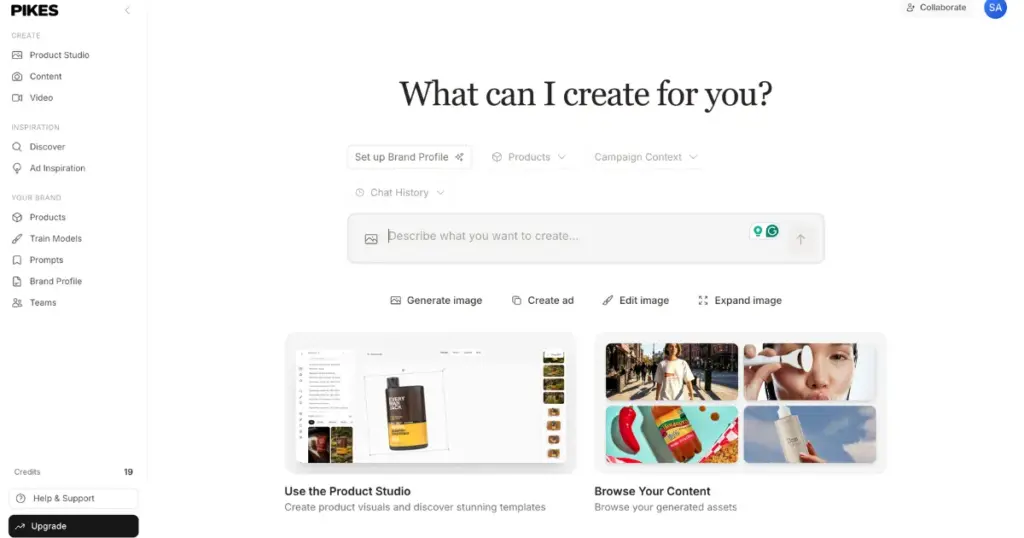
You can use it for cosmetics, electronics, skincare, and jewelry ads.
How to Use
- Click on “Get Started for Free”. Create your account.
- Upload the image and type a prompt.
- Tap the arrow to save the image.
Output Image Example
Pros & Cons
- ✅ 20 credits in a free plan
- ✅ Prompt feature
- ✅ Output is good
- ✅ No ads are running
- ✅ No watermark
- ❌ NA
Pricing
- Free
- Plan starts from $49/month
7. Pictra.ai
The Pictra.ai tool is called an AI designer more than a generator. It generates product pictures from text descriptions. This is even for first-time or non-technical founders.
How to Use
- Click on “Start Designing for Free”
- Upload by pressing the “Add Images” button.
- Type a prompt.
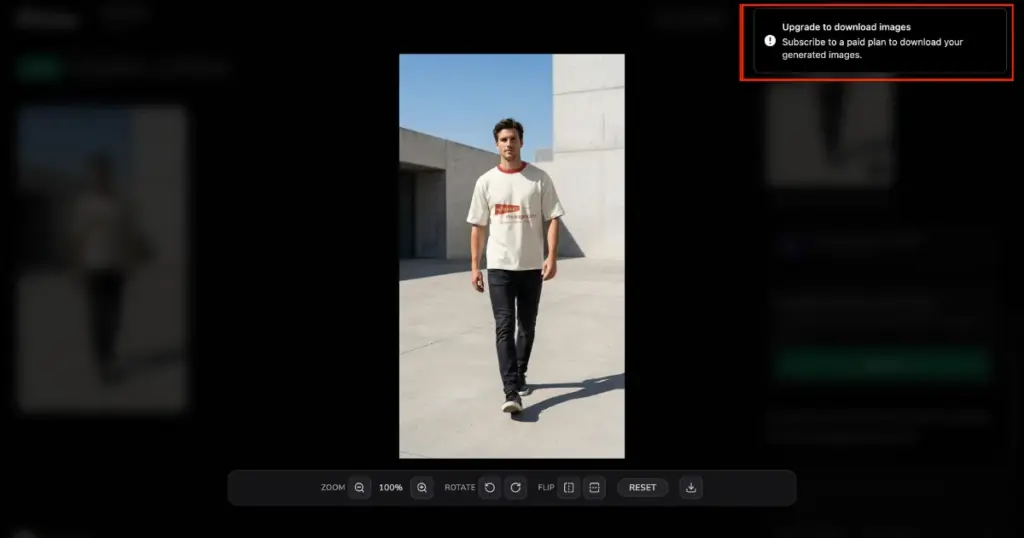
Output Image Example
The download requires a paid plan. Check out the example like this.
Pros & Cons
- ✅ No watermark
- ✅ Prompt feature
- ✅ Output is good
- ✅ No ads are running
- ❌Can’t download without upgrading to a plan
Pricing
- Plan starts from $15/month
8. Flair.ai
Flair.ai is good for lifestyle transformations, Canva-like editing, and e-commerce branding.
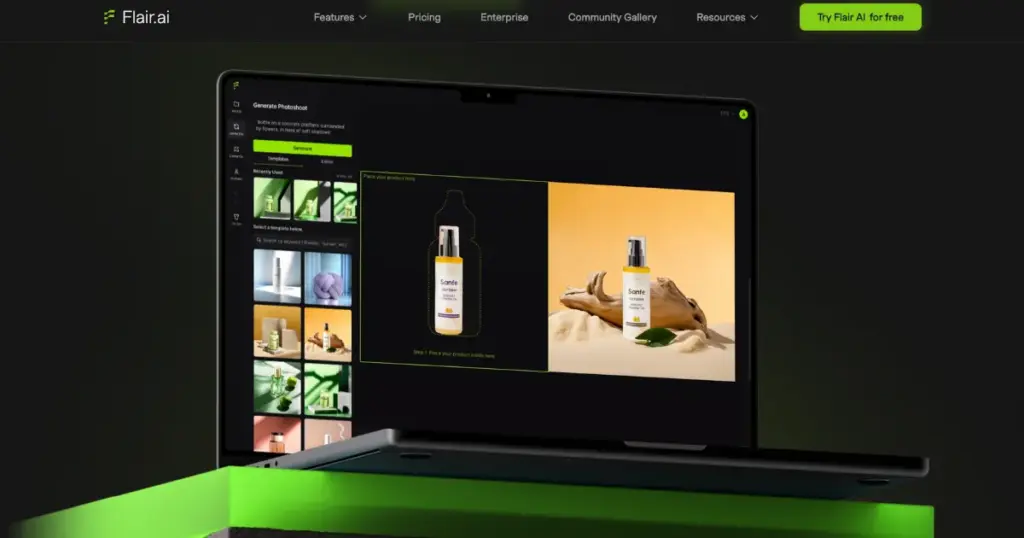
You can use it for digital catalog visuals and Instagram ads.
How to Use
- Click on “Get Started -Its Free”. Create your account.
- Upload an image. Also, you can add an image URL.
- It will automatically write a prompt for you. If you have any, you can write in the “Scene Description” box.
- You get the option to add product category, aspect ratio, human models, and background.
- Then, click “Generate”
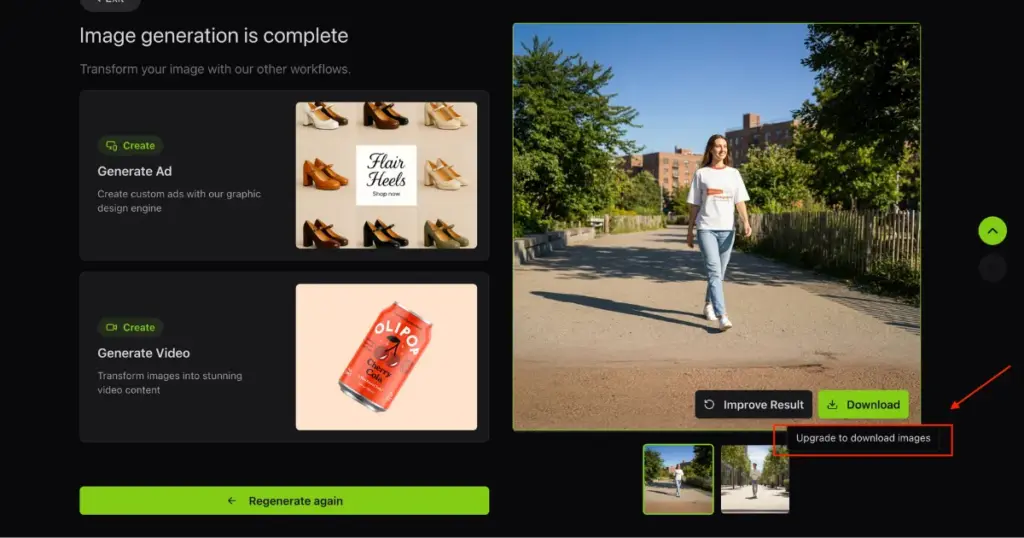
Output Image Example
You need to buy a plan to download it. View the example like this.
Pros & Cons
- ✅ Affordable pricing plan
- ✅ Drag and drop feature
- ✅ Output is excellent
- ✅ Better shadow and lighting
- ❌ Take some time to generate a scene
- ❌ No free plan
- ❌ Can’t download without upgrading to a plan
Pricing
- Plan starts from $8/month
9. Claid.ai
Claid.ai is praised for upscaling low-resolution images into 4K, uniform background output, and color correction & sharpness boost. You can use it in stores with many SKUs that need uniformity.
How to Use
- Click “Start Creating for Free”. Create your account.
- Look for “AI Photoshoot” and click it.
- Change aspect ratio and generation mode.
- Type a prompt.
- Click “Apply Operation”.
- Lastly, tap “Download”.
Output Image Example
Pros & Cons
- ✅ Drag and drop
- ✅ 50 credits in a free plan (4 credits/generation/image)
- ✅ Different generation mode
- ✅ Multiple formats
- ❌ Quality could be better
Pricing
- Free
- Plan starts from $15/month
10. Fiddl.art
Fiddl.art AI product photo generator provides HD output with 4K download support and consistent lighting. This tool is suitable for furniture and interior design contexts. You can use it for furniture, home decor, and upholstery.
How to Use
- Click “Start Creating”.
- Select a model to input images
- Press “Create”
Output Image Example
- NA
Pros & Cons
- ✅ Variety of AI models
- ❌ Very Tough to use
Pricing
- $10 (+1000 points)
- $18 (+2000 points)
What Is the Best AI Product Photo Generator at a Glance
| AI Product Photo Generator | Category | Stand out Feature | Pricing |
| Mockey.ai’s AI Photoshoot | All-in-one e-commerce | Faster output and an affordable plan | $19/month |
| Nightjar | Fashion | Completely free | Free |
| Pikes AI | Background scenes | Better understanding through a prompt | – Free – Plan starts from $49/month |
| Pictra.ai | E-commerce studio shots | Customize product visual brief | $15/month |
| Flair.ai | Background scenes | Better output than other generators | $8/month |
| Claid.ai | Batch scaling | The most number of file formats | – Free- Plan starts from $15/month |
| Fiddl.art | Multi-model | Variety of AI models | $10 to buy points |
AI Product Photography vs Traditional Photography
AI photography works best when accuracy matters less than speed. When accuracy matters most, humans still win.
| Where AI Product Photography Wins | Where Traditional Photography Wins |
| Speed (minutes vs days) | Fabric accuracy |
| Cost (no studio, model, lighting) | Zoom-in details |
| Variations (poses, backgrounds, styles) | Hero product shots |
| Ads and social media creatives | Print catalogs |
Conclusion
After reading this blog post, you now know that AI product photography is useful for speed, scaling, variations, and ideation. It is important to choose the best AI product photo generator based on the category of the product.
Some generators offer free credits, while others require starting with a paid plan. We’ve explained the pros and cons, examples, and pricing in detail for each generator. By now, you should have a clear idea of where to invest. Start your journey now.
FAQs
What is an AI product photo generator?
An AI product photo generator is a tool which can take an existing product photo and generate new visuals using a prompt out of it, like new backgrounds, scenes, or model shots.
Which is the best AI product photo generator for e-commerce product shots?
Mockey.ai’s AI Photoshoot is one of the best AI product photo generators for e-commerce product shots that delivers quality studio-style photos and marketplace compliance.
Can AI replace traditional product photography?
AI replaces repetitive work like backgrounds, variations, and test creatives. But real photography is best for hero images, close-ups, and anything print-related.
Can small sellers benefit more from AI than big brands?
Micro-brands and solo founders use AI because they don’t have model or studio budgets. For them, AI unlocks visuals they couldn’t afford before.
What’s the biggest mistake people make with AI product photos?
The biggest mistake people make with AI product photos is treating AI as a replacement instead of an assistant. When brands skip cleanup and quality control, images look fake and damage trust.

Sangram Sahoo
I’m a content writer with 4 years of experience. I specialize in creating practical content around mockups, print-on-demand, apparel, and e-commerce design.
