
Bulk Mockup Generator
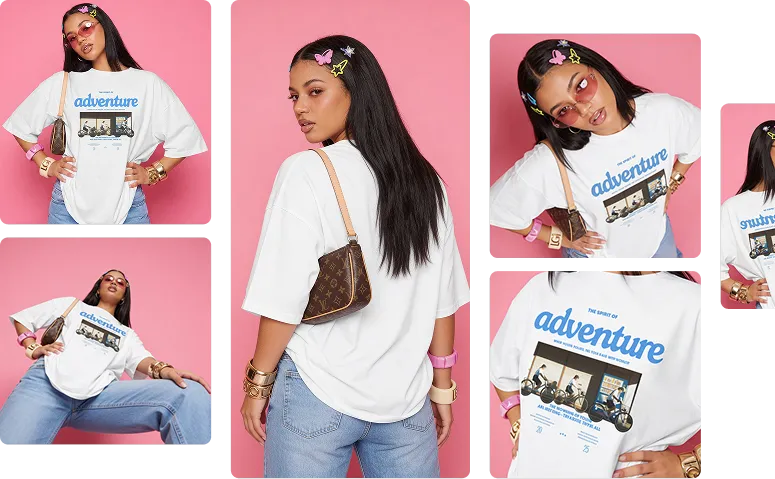
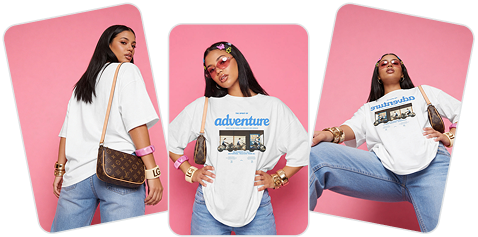
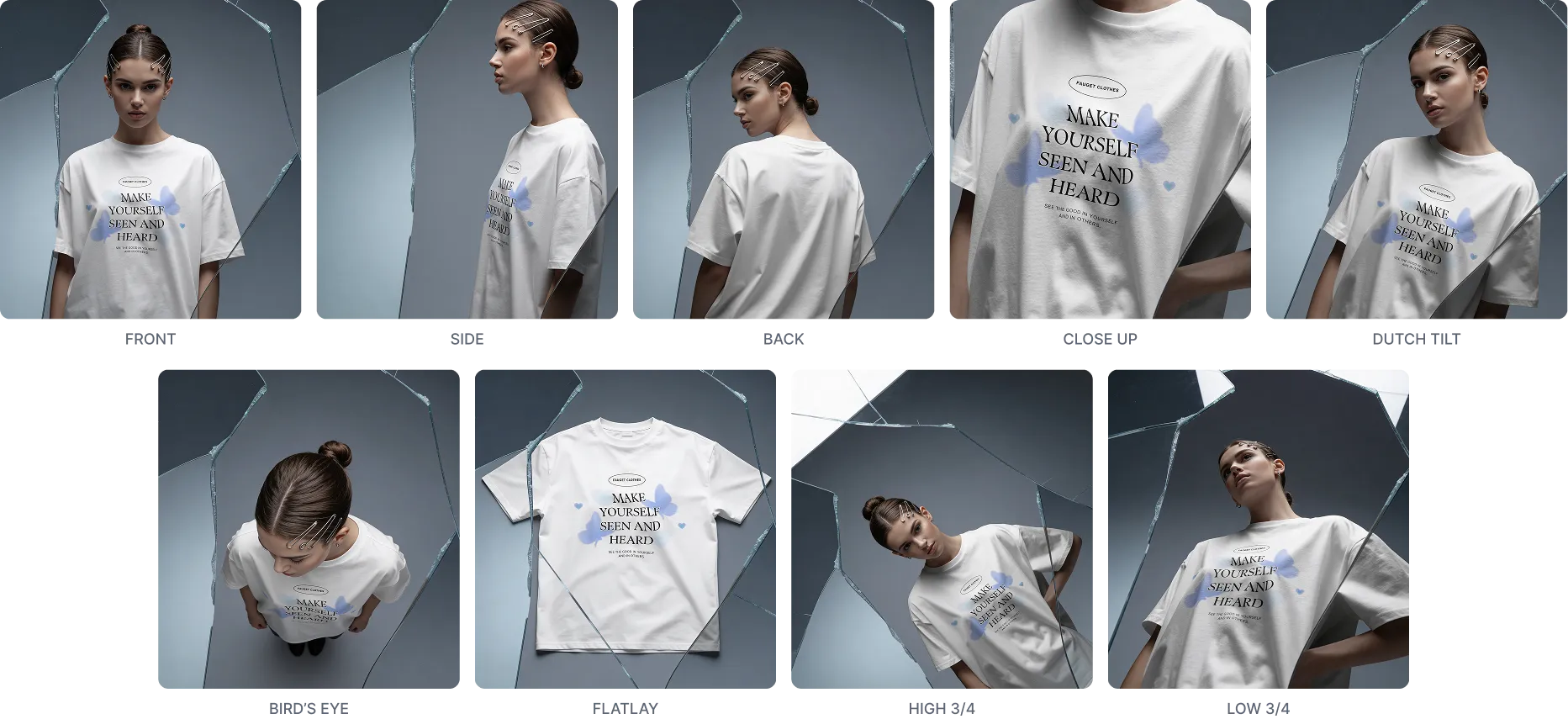
Create multiple mockup angles with our bulk mockup generator. Upload your design, choose different shot options like front, side, or close-up, and generate all variations at once. Try Mockey AI’s Multi Shot feature instead of a real photoshoot.




REALISTIC
DYNAMIC
IMPACTPUL
CONVERSTION-BOOSTING
PROFESSIONAL
CUSTOMIZABLE
ENGAGING
MODERN
VERSATILE
REALISTIC
DYNAMIC
IMPACTPUL
CONVERSTION-BOOSTING
PROFESSIONAL
CUSTOMIZABLE
ENGAGING
MODERN
VERSATILE
Still Creating Every Mockup Angle Manually?
No need to repeat the same steps again and again just to get different views. Our bulk mockup generator generates all angles at once.
How to Create Bulk Mockups from One Design?
We’ve broken it down. Learn how to create your bulk mockup in just 3 steps.
01
Buy Creator Plan & Choose Product
Go to Mockey and purchase the CREATOR plan by clicking on Pricing. Then tap on Mockups. You’ll see many products—pick one and select a template.
02
Upload Design & Use Multi Shot
You’ll reach the editor page. Upload your design and adjust it. Then select the Multi Shot feature.
03
Select Shots & Download
You’ll get 12 shots. Choose the ones you like and press the Create button. In any format you want, you can download your mockups in bulk.
Manual vs Multi-Shot Mockups
See how generating multiple angles changes everything using our bulk mockup generator
Manual Workflow
Multi-Shot
| Feature | ||
| Time Required | Minutes for each angle, repeated work | Seconds for all angles at once |
| Process | Edit > Export > Repeat for every angle | Select angles > Click Create > Done |
| Output | One mockup per effort | Multiple angles in one go |
| Scalability | Hard to scale for bulk needs | Generate dozens instantly |
| Workflow Speed | Slow | Fast |
Why Use Our Online Bulk Mockup Generator?
See how generating multiple angles changes everything using our bulk mockup generator
Strategic Shot Selection and Accurate Output
You can select the exact angles you need, and all of the mockups will be created at the same time. Maintain perfect alignment and design placement across every angle automatically.
Fast Result
Your bulk mockup will be created in just a few seconds using our bulk mockup generator. Once you select the shots and press the Create button, you’ll get the result within seconds—and that too in high resolution. There will be no flaws in the design quality.
Works Across 50+ Products
You can use the Multi Shot feature on more than 50 products. Whether you create sweatpants mockups or tote bag mockups, you will find this feature available on the editor page. Create a full set of product images using one mockup.
Explore More Mockup Generators
Explore more with our mockup generators. Visually engage your audience with the video mockup generator, use three-dimensional templates with the 3D mockup generator, design clothing easily with the apparel mockup generator, etc. On these pages, you can preview some mockup examples and also get a bit of guidance.
Turn One Mockup Into a Full Photoshoot
Making mockups one by one is tiring, isn’t it? With our bulk mockup generator, Multi-Shot will handle all the boring work while you take all the credit like a true design genius.
Frequently Asked Questions
We have given answers to the most popular questions below
How do I use Mockey for bulk mockups?
To create bulk mockups in Mockey AI, buy the Creator plan from Pricing, then open Mockups and choose a product template. Upload your design to the editor, adjust it, and use Multi Shot. Pick your favorite shots, click Create, and download all mockups together.
Is a bulk mockup generator browser-based?
You can access Mockey’s bulk mockup generator directly from your web browser. Upload your design to a product mockup template, then use the Multi Shot feature to generate multiple-angle shots in bulk from a single mockup.
How many mockup variations will I get from a single mockup?
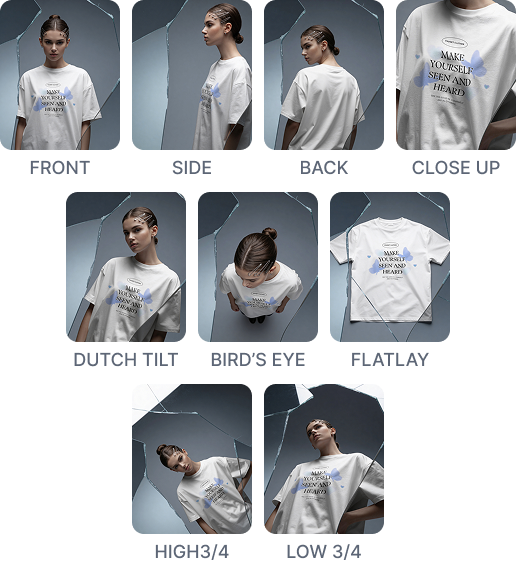
You will get 12 different angle variations from one mockup, such as front, side, flat lay, back, close-up, and more. You can download all of them together in bulk as PNG files.
How much time does it take to download mockups in bulk?
It won’t take even 5 seconds for your bulk mockups to download. No matter the size or number of variations, everything will be saved to your device super fast.
How to Create Bulk Mockups in Mockey AI?
Use Bulk mockups to showcase your designs effectively. Promote them easily on social media and your website with great visuals. Offer more than just a product—create an experience!
Step 1: Select a product template in the Mockups section.
Step 2: Upload your design, position it properly, and tap on the Multi Shot feature.
Step 3: Choose your shots from the available options. Lastly, click Create, preview, and press the download arrow to save the bulk mockup.