

Are you wondering how to make a tumbler mockup? Visit Mockey to choose a tumbler mockup template and add the logo or design. Edit, and save it as PNG.
Most people are not creating tumbler mockups the way YouTube tutorials make it seem. They’re not spending hours in Photoshop manually warping every design.
Some people are selling wraps. Others are testing sublimation designs. Many Etsy sellers are trying to create product photos without ordering samples for every new design.
The best option is to make a tumbler mockup with Mockey AI. That’s our topic for today. Let’s understand why you should use this mockup generator and how to create one step by step.
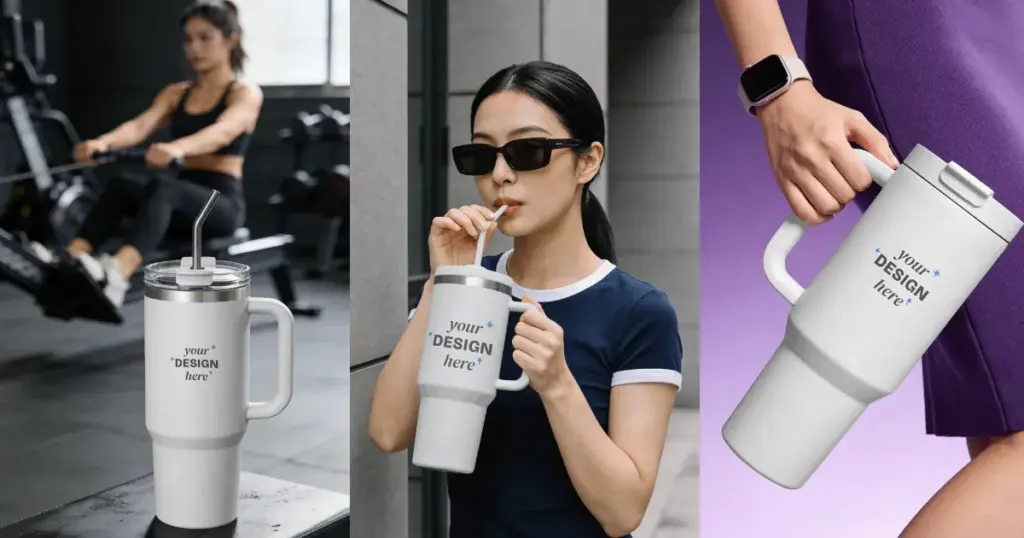
Table of Contents
What is a Tumbler Mockup?
A tumbler mockup is a way to see how your design will look on a tumbler before you print anything. A lot of sellers use tumbler mockups when they’re testing new wraps, checking design placement, or creating Etsy listings without ordering a sample first.
You can see your design wrapped around a tumbler. Then catch problems before you spend money on materials, printing, or product photos.
If you wish to understand in detail why mockups are important, you can check out our separate blog.
Why Use Mockey for Tumbler Mockups?
Most POD/Etsy sellers recommend Mockey when making a tumbler mockup.
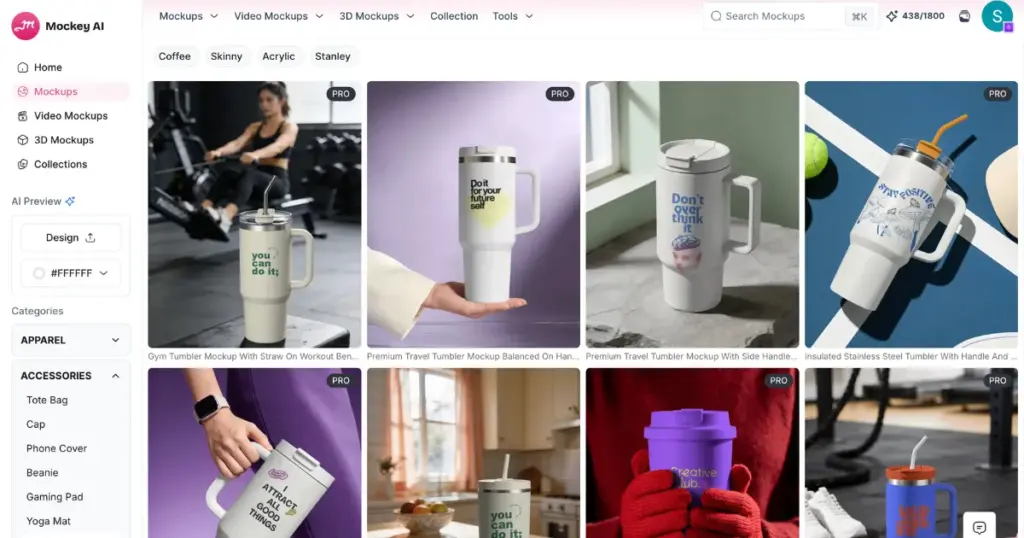
A lot of beginners use it when they need a quick tumbler preview without learning Photoshop. The benefits you get:
- 100+ tumbler mockup templates
- Different types like Acrylic, Coffee, Stanley, and Skinny tumblers
- Create multiple angle shots
- Change color using code
- Warping
- Place Any Where
- Convert to animation
- Tumbler video mockups
How to Make a Tumbler Mockup (Step-by-step)
Follow the steps below to create a tumbler mockup.
1. Select a Tumbler Template from Accessories
First, create an account on Mockey. You can make tumbler mockups even on the free plan. However, if you need PNG files, unlimited downloads, and high-quality tumbler mockups, you can purchase the Starter Plan.
Next, you’ll land on a page where you can create projects. You can give your project a name and save it. Later, if you want to use the tumbler mockup again, you can open it and keep working on it instead of starting over.
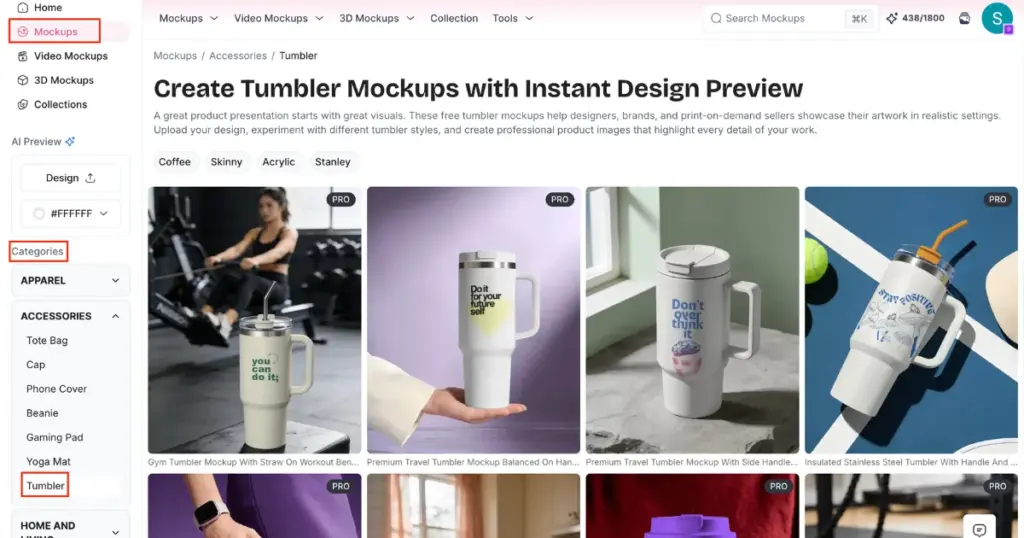
Now, look at the Categories section on the left. Select Tumbler under Accessories.
2. Upload the Design or Logo
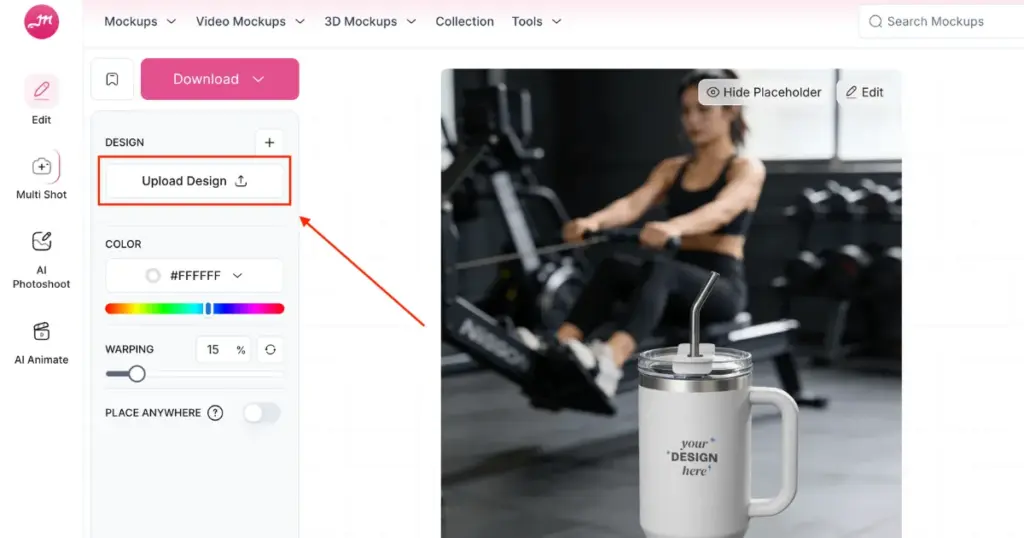
You’ll see a variety of tumbler templates. There are also tags such as Skinny, Coffee, Acrylic, and Stanley, making it easy to find the type of tumbler you want. Once you pick a template, click the Upload Design button to add your logo or custom image.
3. Personalize Using Different Features
As soon as the design is uploaded, it will appear on the tumbler. You can then adjust its position, make it larger or smaller, and customize it using editing tools such as:
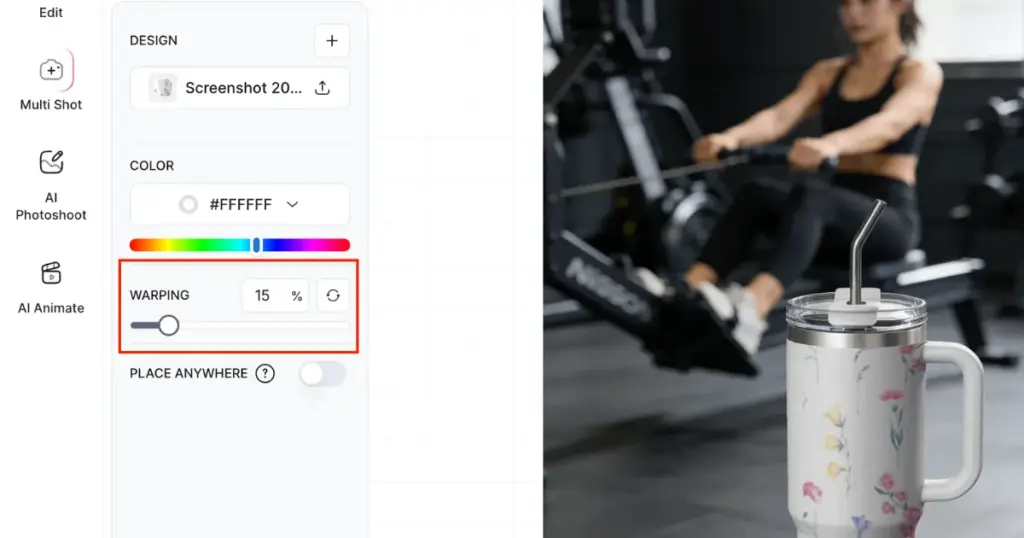
Warping
The Warping helps the design follow the shape of the product more naturally. As you increase the warping percentage, the logo design curves and bends to match the tumbler’s surface.
Color
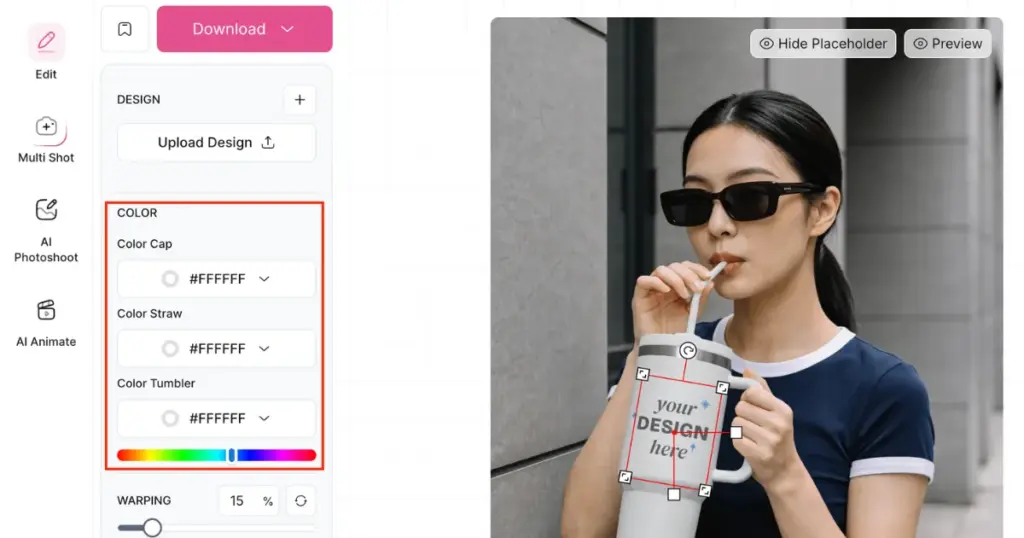
The Color feature lets you change the color of the placeholder or design area directly inside the mockup editor. You can choose a color using the picker, enter a HEX code, and adjust RGB values.
Not only the tumbler, but you can also even change the straw or the cap color too.
Multi Shot
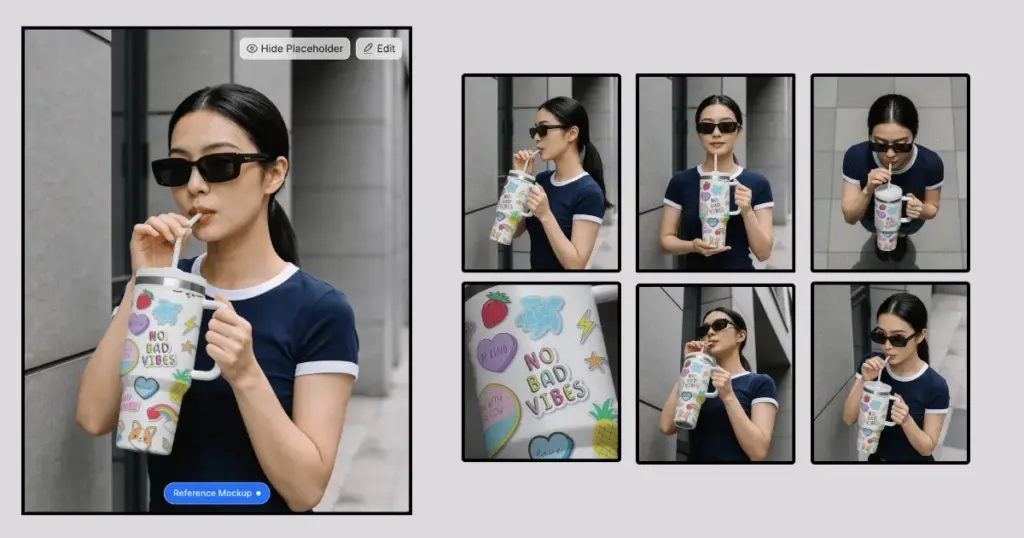
The Multi Shot lets you generate multiple mockup angles from a single tumbler design. Select different perspectives, such as Front, Front 3/4, Close-Up, and High 3/4, then generate several product shots at once.
Animate
The Animate turns the static tumbler mockup into a short product video. Pick an animation style you like. You can make the tumbler zoom in, spin around, show lighting, or move like a movie scene.
4. Preview and Save the Tumbler Mockup
After finishing your customization, preview the mockup and click the Download button.
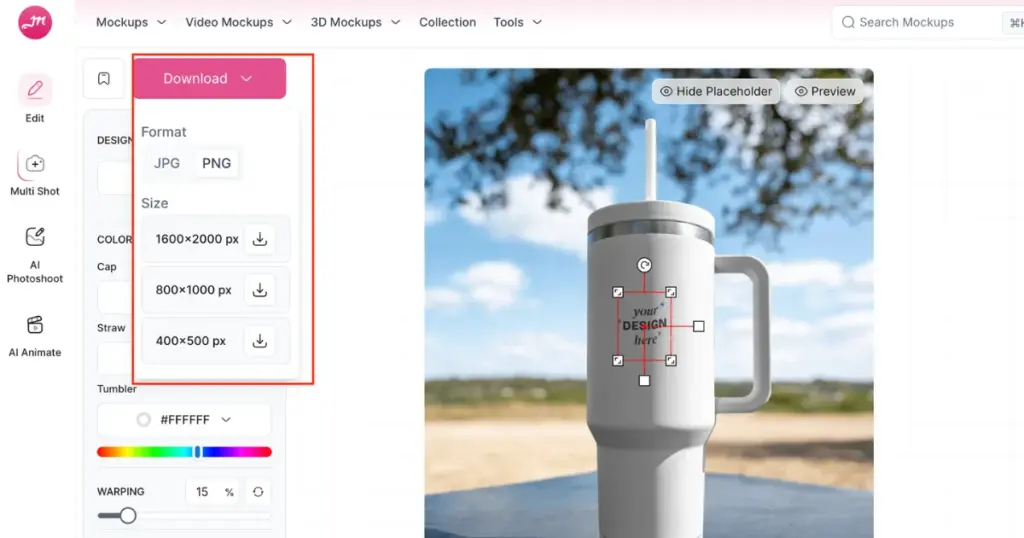
A window will open where you can choose the file format and size for your tumbler mockup. The file will be downloaded and saved.
How Important are Tumbler mockups on Etsy?
Many sellers don’t order samples for every design. Why test 10 tumbler wraps, 15 color variations, and multiple holiday designs?
Ordering physical samples for everything gets expensive pretty quickly. Sellers create previews first and see what actually looks good before spending money. Some even test different listing images before ordering a single tumbler.
Conclusion
Most sellers start by searching for software. But what people repeatedly care about is whether the design actually looks like it belongs on tumbler.
That’s why experienced sellers don’t worry about choosing the best product mockup site, but rather check wrap alignment, tumbler shape, placement, and accurate sizing.
That’s why we chose Mockey to create a tumbler mockup, because it fulfills the needs and demands of sellers.
FAQs
What’s the mistake people make when creating tumbler mockups?
According to many tumbler sellers, ignoring the curved surface is a big mistake. A design might look perfect on a flat screen but completely different once it’s wrapped around a tumbler. That’s why checking placement and sizing is such a big deal.
Do customers care if a tumbler mockup looks fake?
If the tumbler shape, size, or design placement looks different from the real product, customers may notice it right away. That’s why experienced sellers spend time checking details instead of uploading the first mockup they create.
Why do some sellers make their own tumbler mockups?
Some sellers get tired of seeing the same templates used across hundreds of listings. Creating a custom mockup gives them something unique and helps their products stand out.

