
This guide covers how to make a phone case mockup in Mockey AI using ready-made templates and AI Studio prompts. Pick what works for you.
Key Takeaways
- Mockey AI’s ready-made phone case mockup templates are free to start
- Templates cover Android, Galaxy, and multiple iPhone models
- Create a phone cover mockup from scratch by typing a prompt
- Editing tools for phone cases include Color, Warping, and Place Anywhere
Table of Contents
Do Phone Case Mockups Matter?
Using a phone case mockup, you can preview your design before printing.
Phone cases are the most popular smartphone accessory, used by 68% of smartphone owners.
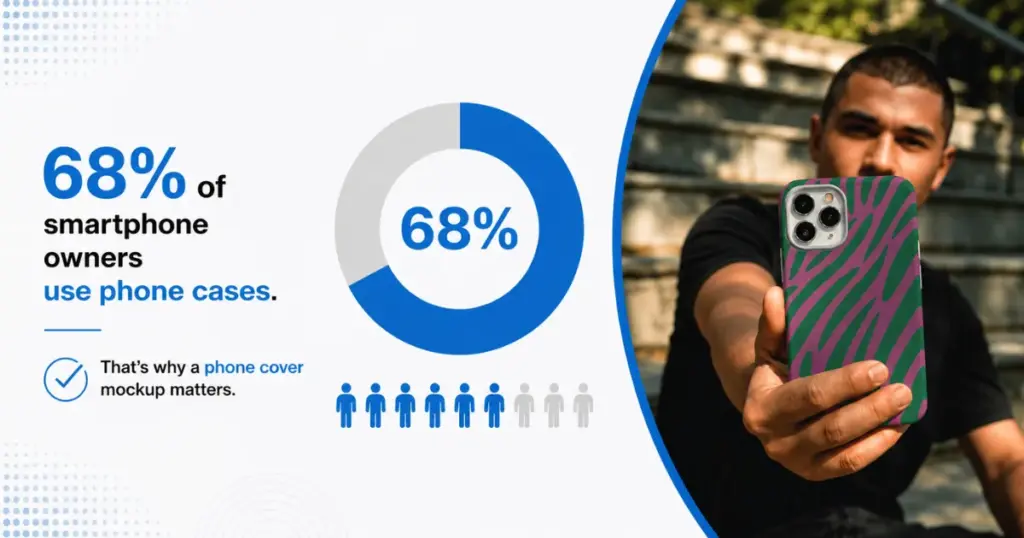
That’s two out of three phone users buying a case, which is exactly why a mockup is important. It’s one of the most commonly bought accessories out there.
How to Make a Phone Case Mockup in 2026
There are several ways to make a phone case mockup.
Method 1: Ready-made templates
The first method is to use pre-made templates.
1. Sign up for a free Mockey AI account.
2. Go to Mockups, then Accessories, then click Phone Cover.
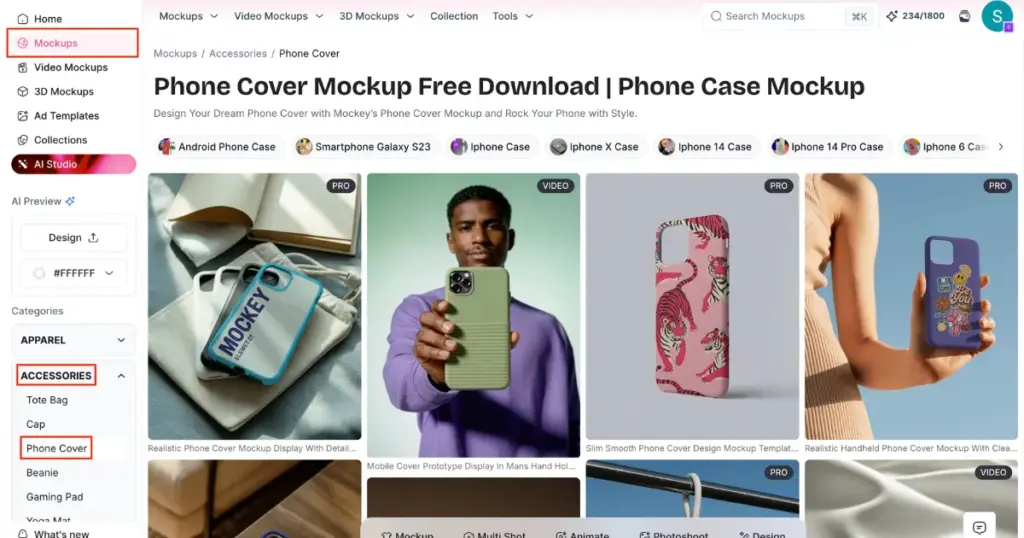
3. Choose your phone model from the filters:
- Samsung Galaxy S23
- iPhone X
- iPhone 6
- iPhone 14
- iPhone 14 Pro
- iPhone 11 Pro, and more
4. Pick a template. Options include lifestyle shots, held-in-hand angles, and pattern designs.
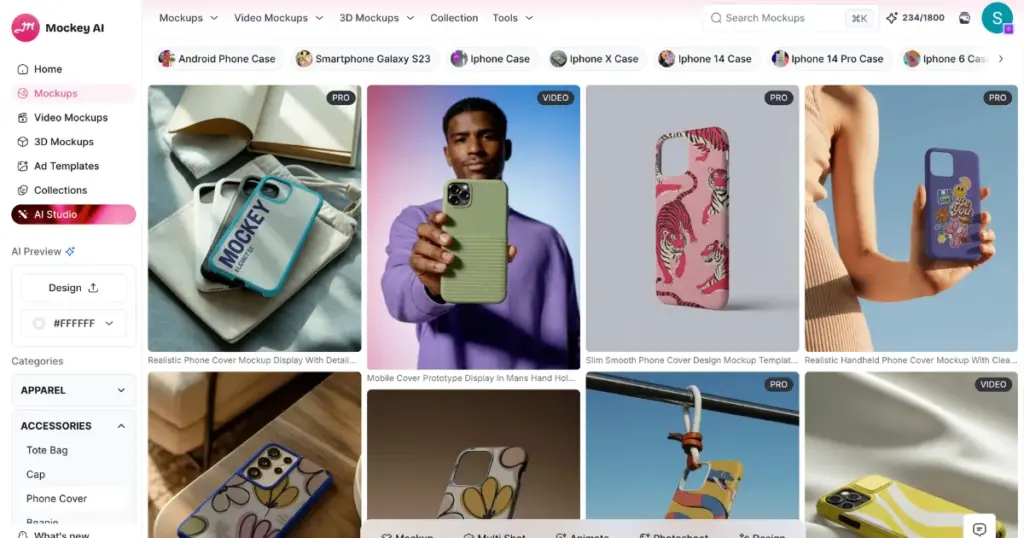
5. Click Upload Design to add your artwork.
6. Adjust Color using the hex input and rainbow slider, use Warping percentage, and toggle Place Anywhere if needed.
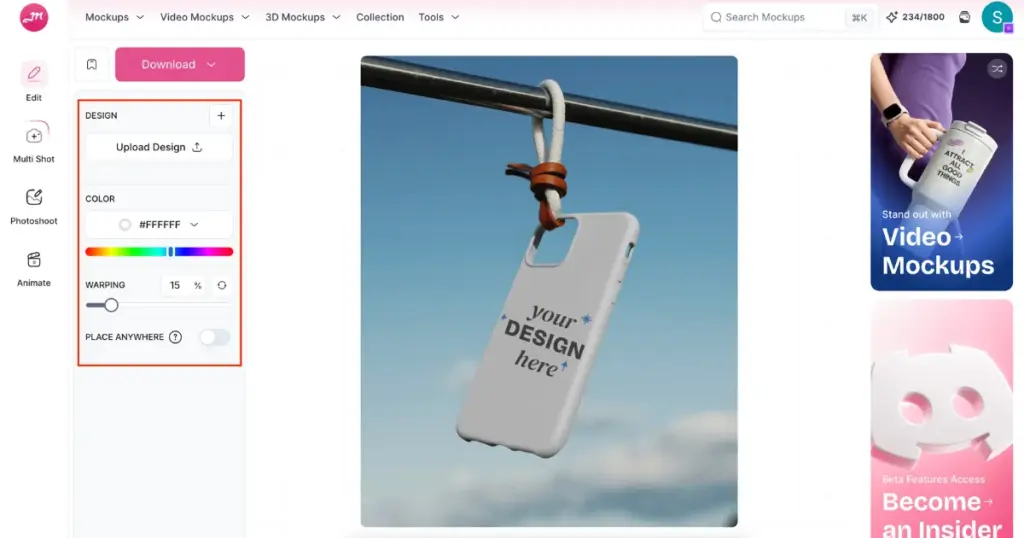
7. Click Download.
Pricing Plan for Phone Cover Mockup Templates
This method works on the Free plan. But for commercial use, unlimited downloads, and PNG export, you need Starter ($7/month, price varies by country).
Method 2: AI Studio Prompt-Based Mockup
The second method is to create a phone case mockup using a prompt.
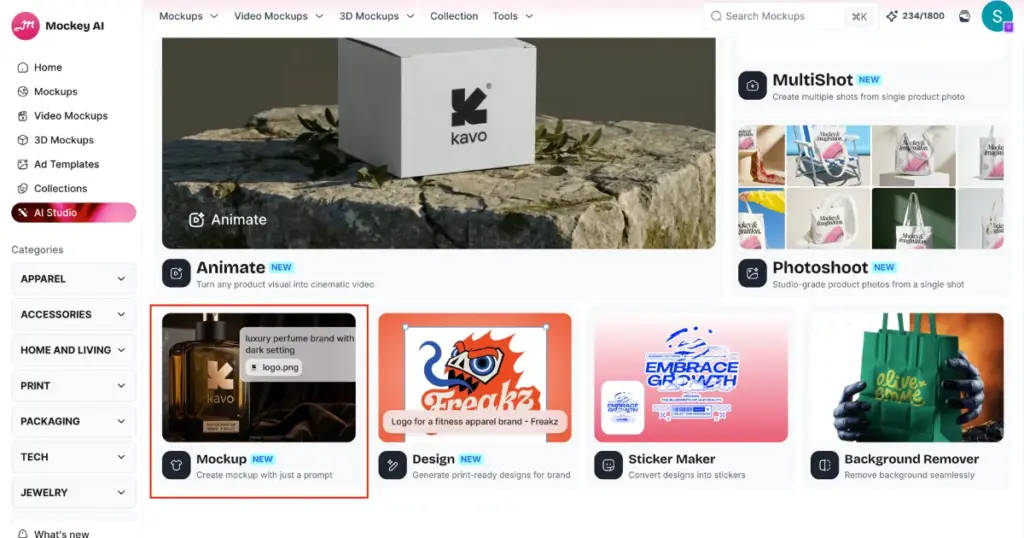
1. Go to AI Studio, then click Mockup.
2. Click Add Design and upload your phone case artwork.
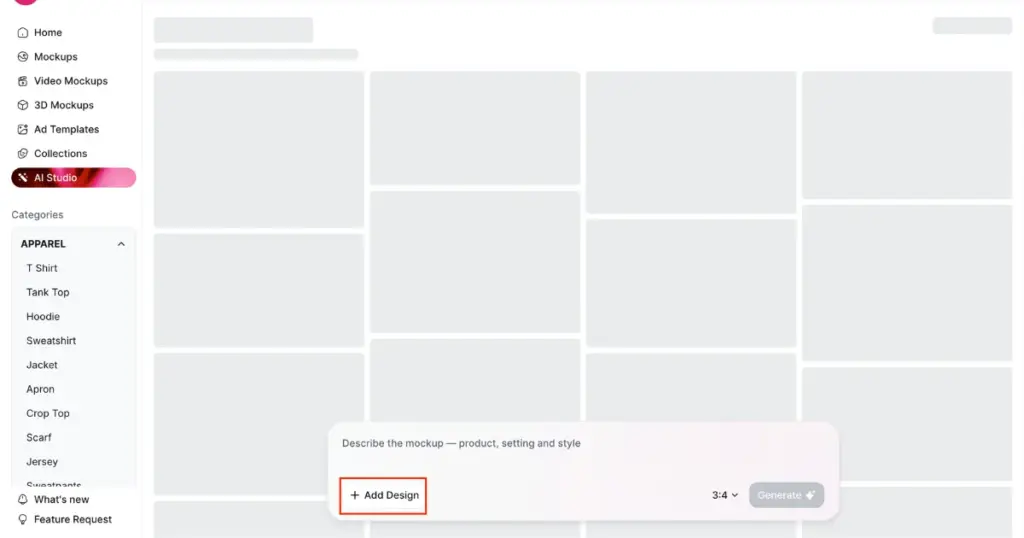
3. In the prompt field, describe the mockup, the product, scene, and style.
4. Choose an aspect ratio (3:4 is the default).
5. Click Generate.
6. Once generated, click Download, or send it to Animate with a short prompt to turn it into a video.
Pricing Plan for Prompt-Based Mockup
This method requires
- Creator plan ($19/month)
- Forever plan ($199 one-time)
Bonus: Use Ad Templates for a Photoshoot-Style Result
Take advantage of ad templates to achieve a photoshoot-style result with your ads.
1. Go to Ad Templates in the left sidebar.
2. Under Accessories, choose a phone case. These come as pre-styled scenes.
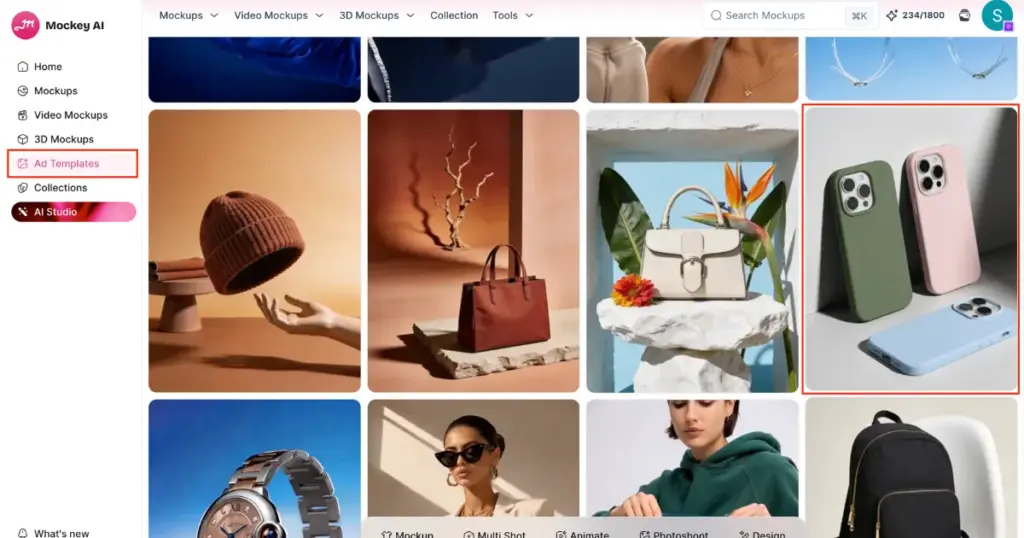
3. Click Replace Product to swap in your own design.
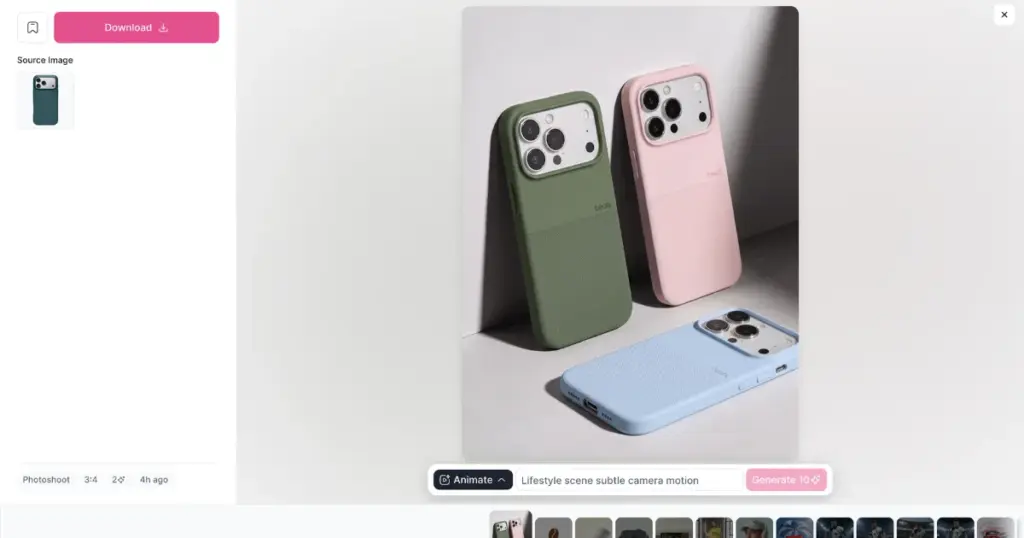
4. Choose an aspect ratio.
5. Click Generate.
6. Download the result, or send it to Animate with a prompt for a video version.
Pricing for Ad Templates
Like Method 2, this also requires the Creator plan or Forever plan, at 2 credits per generation. For animation, you need 10 credits.
Why Use Mockey AI?
Reasons to use Mockey AI are:
- This phone case mockup generator covers more phone models.
- Get ready-made 200+ templates, prompt-based mockups, and Ad Templates
- Editing options such as color, warping, and Place Anywhere
- You can turn the mockup into a short video through Animation
Which Method Should You Use?
If you’re just starting out or want to try for free, phone case mockup templates are the easiest entry point.
If you want a fully custom scene described in your own words, a prompt-based mockup gives you that control. If you want a polished, photoshoot-style result without writing a prompt, ad templates are the fastest way to get there, as long as you’re on a paid plan.
FAQs
Is making a phone case mockup free on Mockey AI?
Yes, using ready-made templates. To create a phone case mockup from scratch, you need the Creator or Forever plan.
How many credits does an AI-generated phone case mockup cost?
2 credits per generation, whether you use AI Studio’s prompt tool or Ad Templates.
Can I turn a phone case mockup into a video?
Yes. After generating or downloading a mockup, you can send it to Animate with a short prompt to create a video version.