How to Create Print on Demand Mockups (Step-by-step)
How to create print on demand mockups? Use Mockey AI to explore 12,500+ templates and create a mockup for your POD store.
When you step into print-on-demand, you’re wondering how to create mockups for print on demand that look real and trustworthy. It sounds simple, but if you’ve ever used blurry POD platform previews or stiff-looking templates, you already know the struggle.
But with the help of the Mockey AI free mockup generator, you get access to high-quality templates, a preview feature, and the best design tools, which will improve customer engagement and boost sales. Let’s talk about it in detail.
Table of Contents
Can I Trust My Mockup to Represent the Real Product?
People were tired of Redbubble’s blurry previews and wanted lifestyle photos. But the biggest fear is what if the mockup doesn’t represent the real product that customers receive?
Most buyers assume mockups are digital anyway. As long as the colors match and the placement is right, you’re fine. Hyper-realistic photos are key because customers compare thousands of similar designs.
Today, most sellers don’t shoot photos themselves. They use a high-quality mockup generator, and that’s completely normal. Add designs on top using Mockey AI. This gives you consistency and realism.
How to Create Print on Demand Mockups and Display Their Products
A step-by-step guide on how to create print on demand mockups and how to display their products.
Step 1: Choose the Right Mockup Generator
You must already have some print-on-demand design ideas. Use the ones that are trending right now for your mockups. Also, make sure you keep your design as a transparent PNG, resolution at 300 DPI for a sharp look. Leave the background clear unless the product truly needs a solid base.
If there’s one mockup generator that stands out right now, it’s Mockey AI.
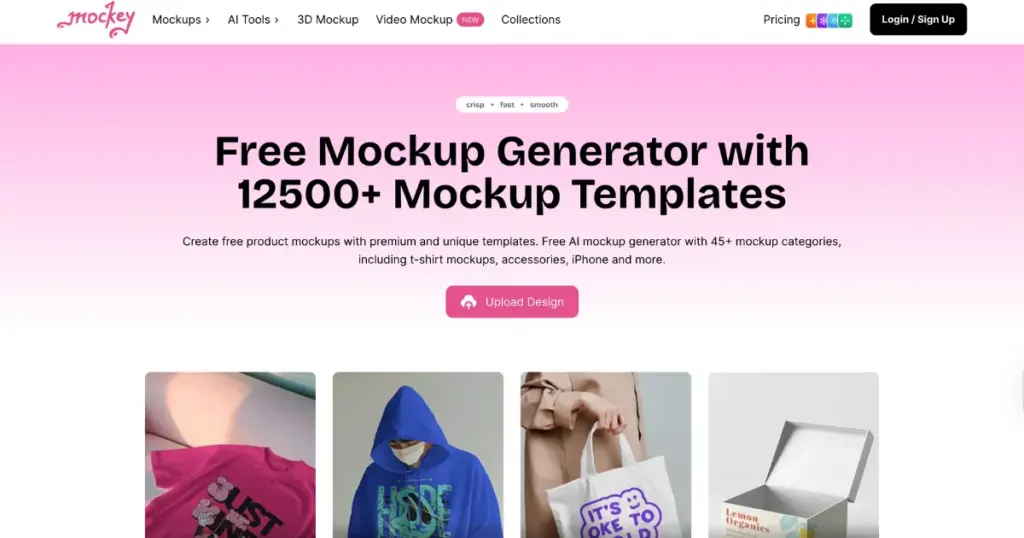
If you’re starting a print-on-demand business and need to create mockups, there’s no better option. Whether it’s Tshirt mockups or mug mockups, you get a wide range of templates to add your designs.
Once the design is uploaded to a template, you can align it properly. You can add brand colors or include backgrounds using AI tools. All of this is possible in Mockey AI.
Step 2: Create Mockups in Minutes
To create print on demand mockups using Mockey AI:
- Click the Login/Sign up button. Your account will be created.
- Look for Mockups
- In the Categories, select a product.
- Use a template.
- Click Upload Design.
- Edit it.
- Click Download to pick a format and a size.
- Your mockup will be saved.
Step 3: Upload to the Store
Upload your design to your store if you have any. If you haven’t chosen a platform yet, our blog on the best print-on-demand sites will help you understand which one to use.
Give each file a name that helps it show up in search. Pick the strongest design for your main image. Try testing a couple of mockups side by side if your platform lets you.
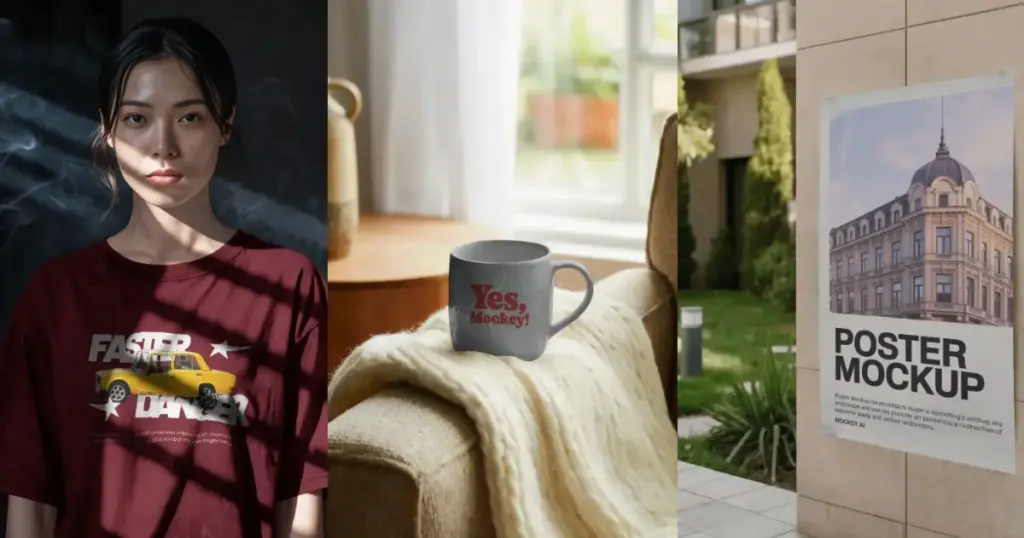
Examples of Mockups Generated Using Mockey AI:
Why POD Sellers Recommend Mockey AI?
There are a lot of reasons why POD sellers recommend Mockey AI.
- Instant AI mockups, realistic lighting, free to use, fast results
- Good for apparel, wall art, mugs, and more
- Background removal with AI visuals
- 45+ products to use
- Options for 3D mockups and video mockups
What Makes a Mockup Look Real?
- Blend your design with fabric textures
- Avoid overly perfect AI models
- Don’t rely on flat PNG overlays. Buyers can spot when the design doesn’t match the shirt’s curves.
- Keep colors accurate
- Lifestyle backgrounds boost conversions
Are AI-Generated Mockups Better Than Traditional Ones?
The topic has sparked a lively debate. Fans of AI mockups say they look fresh and stylish. They like the range of models and the ease of creating many lifestyle scenes. They also feel these visuals perform well on social media.
But not everyone is convinced. Some point out that a few platforms, including Etsy, do not allow AI-made product images. Others say the faces look a bit unreal at times. There are also worries about legal trouble if the mockup doesn’t match the real product.
A middle path works best. Use AI mockups, but keep them close to your brand and as true-to-life as possible. Skip the dramatic lighting and flawless skin that make the image look artificial.
Conclusion
You know now how to create print on demand mockups. Most sellers think too much about mockups. Buyers don’t. They only want clear images, true colors, and a professional look. No one zooms in to check if the mockup came from AI or Photoshop. They just want to see what they are paying for.
And today, tools like Mockey AI make realistic mockups quick and easy for anyone. Even if you’re selling on Etsy, Mockey AI is the best mockup generator for Etsy sellers.
FAQs
What’s the biggest problem beginners face with mockups?
Most new sellers start with generic, low-quality mockups provided by marketplaces. These look repetitive and don’t reflect the real fit, texture, or feel of the product.
What are the easiest tools to create mockups?
Many sellers use Mockey AI because it has a large library and is easy to use. It’s popular, reasonably priced, and works well if you want quick results without design skills.
Are AI-generated mockups recommended?
Opinions are mixed. Some sellers strongly avoid AI mockups, especially on Etsy. They feel that real photos of real products build more trust and lead to happier customers. Others believe AI mockups can work if used carefully and help brands stand out with unique visuals.

Sangram Sahoo
I’m a content writer with 4 years of experience. I specialize in creating practical content around mockups, print-on-demand, apparel, and e-commerce design.
