15 Best T-Shirt Mockup Generators and How to Create a T-Shirt Mockup
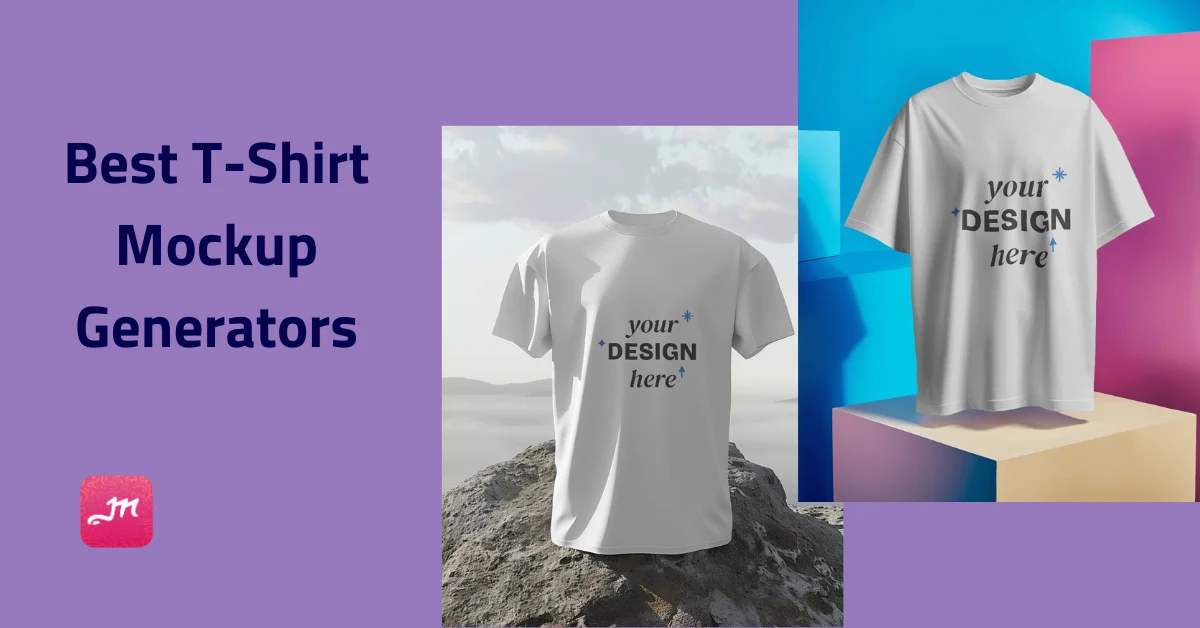
Are there any free t-shirt mockup generators that generate t-shirt mockups without any watermark?
If you run a print-on-demand or eCommerce store, You may search for the ideal strategies to display your designs on t-shirts or generate pictures of models wearing your designs. The good news is that the procedure can be simplified with t-shirt mockup generators.
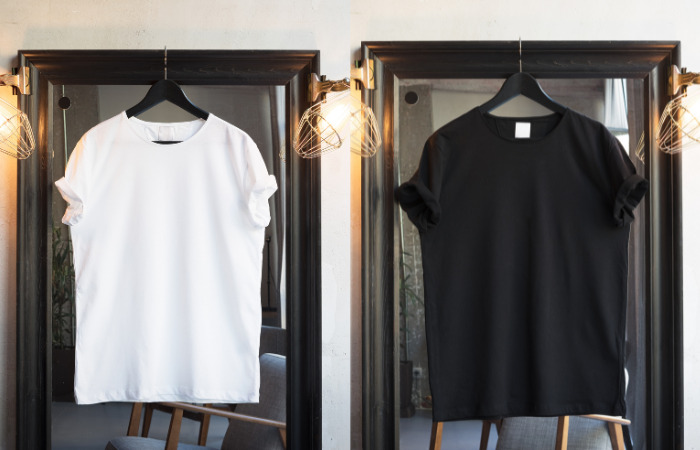
However, not all mockup generators and t-shirt mockup templates available online provide the level of quality you may look at. You’re lucky because we tested out all the popular t-shirt mockup generators and compiled a list of the top ones for your benefit.
This article will look at the top 15 free t-shirt mockup generators available. you can also browse our curated clothing mockup resources for fast and easy mockup creation. From realistic 3D models to sleek flat-lay designs, these tools will help you transform your ideas into stunning visuals!
Table of Contents
Introduction
With the best AI image generators like Stable Diffusion and Midjourney gaining popularity, many will aim to grab a share of the $6.9 billion market.
This article will share the tools to help you battle the competition and build your customized apparel brand.
You can’t rival online stores with captivating mockup images without the best t-shirt mockup generator.
You might believe you only need to upload designs, add your brand tag, and the t-shirt line is ready to sell, but it’s not that simple.
Here are some resources that you can check out to obtain T-shirt mockups.
What Is a T-Shirt Mockup?
T-shirt mockups are downloadable images of blank shirts. Adding your design on top lets you visualize the finished product. You’ll find various t-shirt models and options in the free t-shirt mockup generators.
How to Use T-Shirt Mockup?
To use T-shirt mockup:
- Open a mockup generator
- Select the T-shirt category
- Click on “Add Design”
- Choose your preferred templates
- Customize it by adding color and background and resizing it.
Lastly, download high quality t shirt mockup for free.
How Does a T-Shirt Mockup Work?
Once you upload your design, the best t-shirt mockup generator will allow you to choose from a variety of templates and customize your design.
Here Is the 15 Best T-shirt Mockup Generators List
- Mockey
- Smart Mockups
- Vexels
- Media Modifier
- Placeit
- Renderforest
- MockupMark
- Canva
- Mockup Zone
- Freepik
- Mockup Bro
- Visme
- Pixelied
- Kittl
- Mock It
Here is a brief explanation of a **AI mockup generator **in case you haven’t heard of it before.
A T-Shirt mockup generator is a tool that allows you to create realistic images of a T-Shirt with your design or logo on it.
These generators typically use templates of existing T-Shirts and allow you to upload your design, which is then superimposed onto the template to create a final image.
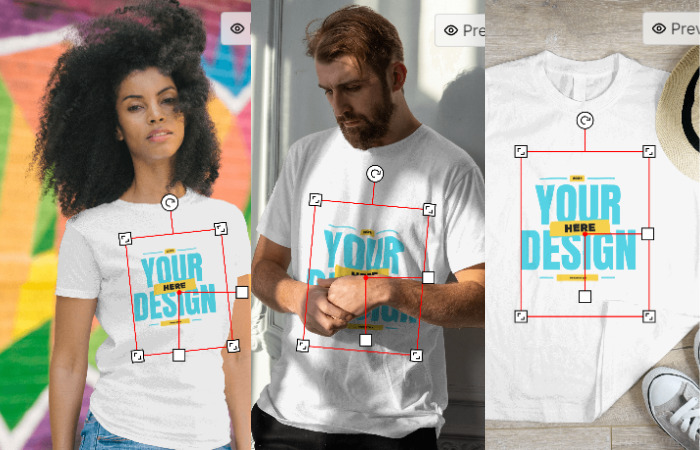
This can be useful for creating product images for an e-commerce store or social media or presenting a design concept to a client. They can be found online as a website or as a software program to download.
How to Create a T-Shirt Mockup With Mockey Step by Step Guide
To create a t-shirt mockup with Mockey step by Step guide:
Launch Mockey
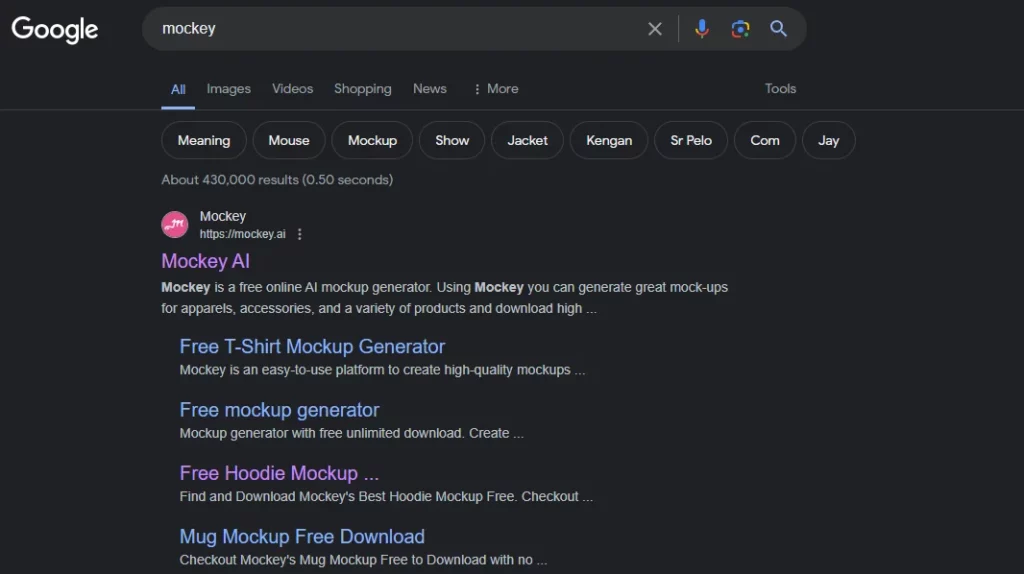
Search Mockey in your web browser and click the first one. Once you click it, the home page will open. You will see a clean UI and will be focused on exploring more.
Click Apparel and Select T-shirt
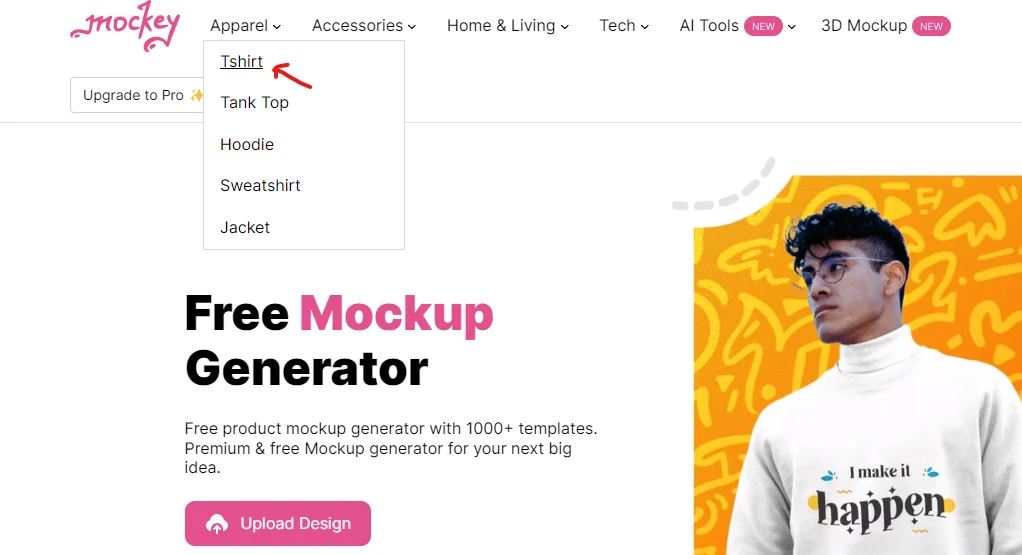
In the top navigation bar, click on Apparel and select the t-shirt category to upload your design or logo.
Add Design and Choose Your Template
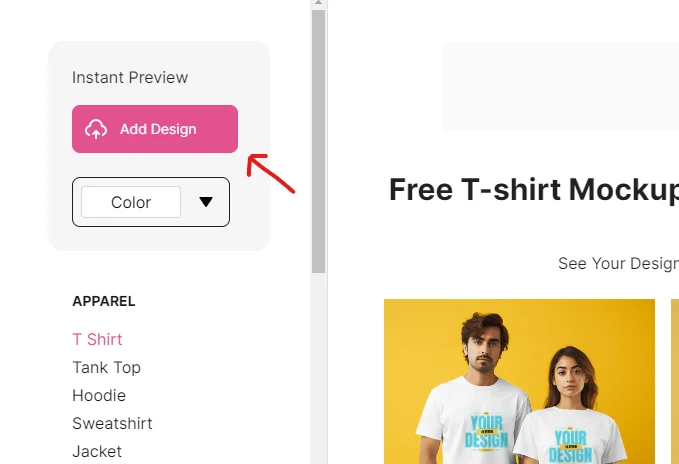
There is an option to “Add Design” on the left. Once you click it, this will allow you to add your design or logo from your computer.
Then you will see the various t-shirt templates to choose from. Select your preferred template to customize.
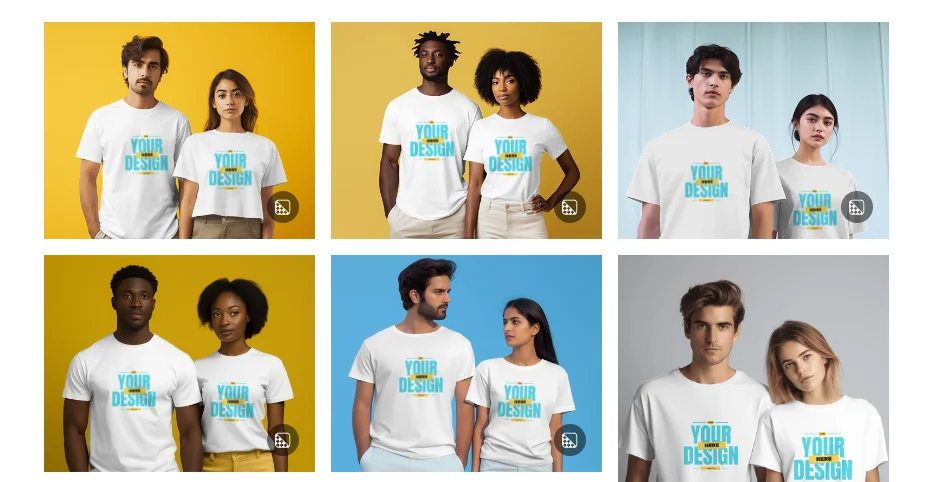
Customize Your Design
Customize your design by clicking the “Design” option. Then personalize such as adding color, removing/transparent background or resizing your design. It is very easy to use.
Download T-shirt Mockup
Lastly, you can download your t-shirt mockup by clicking the “Download Mockup” button for free in JPG format without a watermark.
Tip: Upgrade to Pro to get more benefits from Mockey such as No ads, Mockups Bundle, High-resolution option, and more. And one more thing, don’t forget to sign up in Mockey to get important updates and helpful guides via email.
Evaluation Criteria
We have already reviewed the websites using the metrics below.
- Pricing: How much do they charge?
- Categories: How many categories do they provide?
- How do they** Stand out from the crowd?**
15 Best T-Shirt Mockup Generators (Free & Paid)
Here are the top 15 free t-shirt mockup generators.
1. Mockey
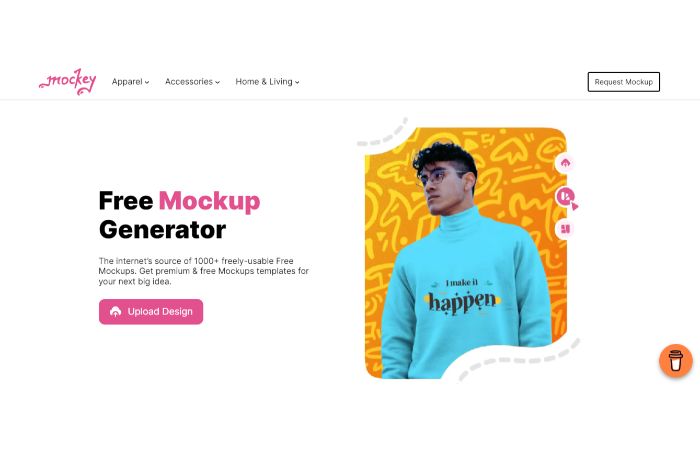
In Mockey, you can generate and design 27,000+ free mockups without spending a single penny because it is completely free.
You can create awesome mockups for clothing, accessories, and a range of products using Mockey and download high-quality images for any use. Also, every month Mockey comes with new categories.
You can easily create a free mockup on Mockey following these simple and easy steps.
- Simply click the “upload design” option to add your image( PNG or JPEG). Also, for high-quality mockup photos, you can use transparent images.
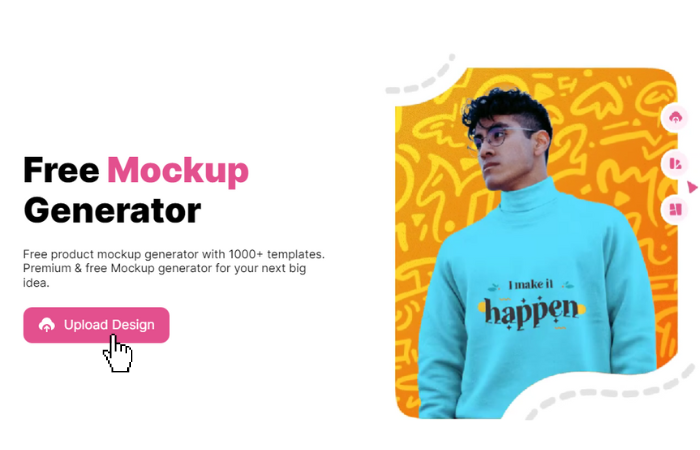
- All of the products on Mockey will feature your design; you can select the product mockups you wish to download and make changes to the design.
The best thing is that Mockey creates images without watermarks. Various free mockup platforms in the market, like MockItUp, MockuPhone etc., come with watermarks.
However, Mockey creates watermark-free images. That’s why Mockey is also known as free online t-shirt mockup generator no watermark tool. Also, You can download the Mockey app from the play store.
Pricing
- Free Plan: No cost.
- Starter Plan: $7/month. Benefits: No ads, special backgrounds, mockup bundles, resolution up to 1600 x 2000 pixels.
- Creator Plan: $19/month. Benefits: AI background remover, blur background, video mockups, & other AI feature.
- Forever Plan: $199 one-time fee.
Categories
T-shirts mockup, Hoodie mockup, Tank top mockup, Sweatshirt mockup, Tote bag mockup, Cap mockup, Box Mockup, Bottle mockup, Sticker mockup, Poster mockup, Can mockup, Mug mockup, Cushion mockup, Book mockup, Business Card mockup, Id Card Mockup, Laptop Mockup, Phone Display Mockup, Flyer Mockup, Greeting Card Mockup.
Stand out from the Crowd
- Free & Premium Mockup templates
- No watermark
- Various categories ( new categories every month)
- A great number of templates are available
- Several stunning and trendy mockup templates
- User-friendly and easy-to-use app/website
Visit: Mockey
2. Smart Mockups
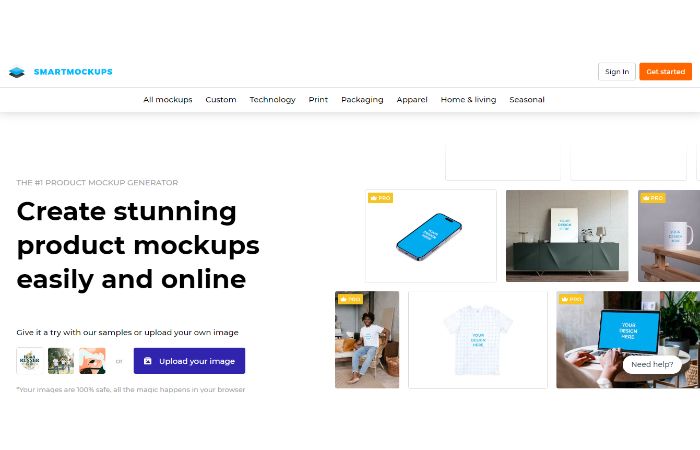
The next tool is Smart Mockups which is a mockup creation tool. They offer a wide selection of premium t-shirt mockups, some of which are free!
When compared to Mockey, Smart Mockups is not completely free. You have to pay $14 per month to discover their full features.
However, they do provide people with the option to make their mockups. You can easily upload your photos and create a mockup from them.
Besides the other tools on this list, Smart Mockups also features integrations, such as the capability to import designs directly from Canva. Using Canva, you can easily create a design and import it into your Smart Mockups account with just one click.
They also have other integrations, like with Unsplash, that enable you to modify the background photos of the mockup you’re making with Smart Mockups using their image database.
Pricing
- Unlimited downloads for a monthly membership of $14, $24, or $84.
- Annual subscriptions are available for $108, $228, or $828, all with unlimited downloads.
Categories
T-shirts, smartphones, Magazines, Books, Laptops, Frames, Mugs, Face Masks, Tablet, Desktop, Watches, TV & Screens, Vehicles
Stand out from the Crowd
- Ability to include other designs from URLs
- Excellent integrations
Visit: Smartmockups
3. Vexels
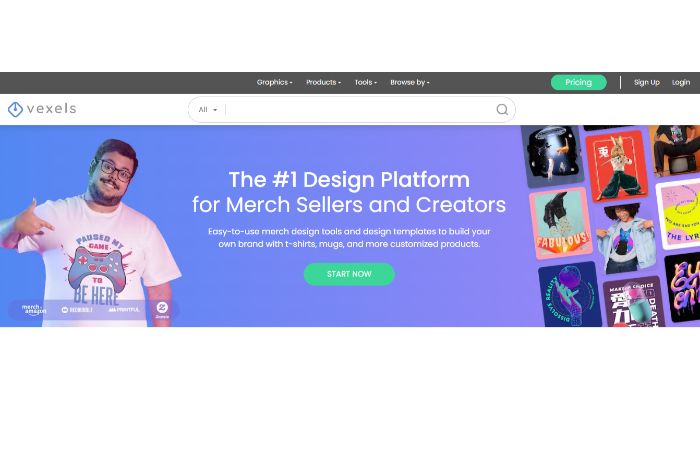
There is a large collection of pre-made graphic materials on the website Vexels. Vexels mockup generator is user-friendly and slick.
They currently provide a wide variety of mockup templates, most of which fall under the t-shirt and apparel category and include mockups for leggings, different types of hoodies, onesies, hats, and onesies.
Additionally, they only offer a limited number of free mockups; they’ll add more in the future.
The subscription is quite valuable, so it’s worth thinking about!
Although unlike some of the other tools on our list, their mockup generator does include some distinctive features, such as the option to edit your templates and to rotate your t-shirt design.
Also, we came across another feature we truly enjoyed: when you update a mockup, similar mockups in the interface’s sidebar also show your design. You can choose another if you like how the design looks on one of these templates.
Pricing
- Plans for monthly subscriptions: $9.99 to $89.99
- Annual subscription prices range from $90 to $816.
Categories
T-shirts, Phone cases, Pillows, Tote Bags, Posters, Mugs
Stand out from the Crowd
- The ability to rotate your t-shirt designs
- The tool doesn’t require any special skills to use it.
- Pretty quick to generate the images.
- Easy and simple UI
Visit: Vexels
4. Media Modifier
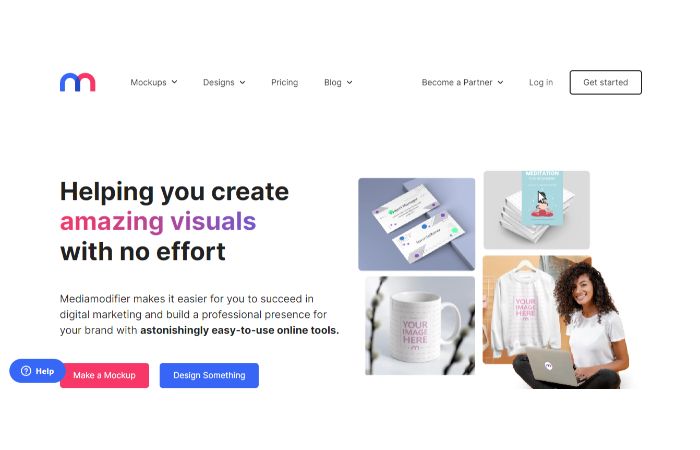
Similar to Smart Mockups, Media Modifier started its journey as a simple mockup maker. But now, they expanded the number of templates, including designs for Facebook, Instagram, and YouTube.
Although they don’t currently have a wide variety of t-shirt mockups, the ones they do have are of excellent quality.
This is one of the free t-shirt mockup generators, but the mockup will be generated with a watermark.
Similar to most of the other tools on our list, your mockup design can be ready to use in a few seconds, which means You can easily customise mockup templates. They also offer mockups for many additional categories and hoodie mockup generators.
Media Modifier includes certain features that the other tools still need to have, such as the option to download the mockup file as a PSD.
You can download the mockup as a PNG or JPG file.
Pricing
- Free ( but images with watermark)
- Monthly membership for $19 ( Unlimited downloads)
- Annual membership for $108 ( Unlimited downloads)
Categories
- Technology ( Phone, Tablet, Laptop, Smartwatch, TV & Screen, E-Reader, Online Course)
- Print ( Business Card, Greeting Card, Book, Poster, Magazine, Picture Frame)
- Apparel ( T-shirts, Sweatshirt, Hoodie, Toddlers)
- Social Media ( TikTok, Instagram, Twitter)
Stand out from the Crowd
- The choice to download photos in the following formats: PSD, PNG & JPG
- The tool doesn’t require any special skills to use it.
- Pretty quick to generate the images.
- Simple to modify their mockups
Visit: Media modifier
5. Placeit
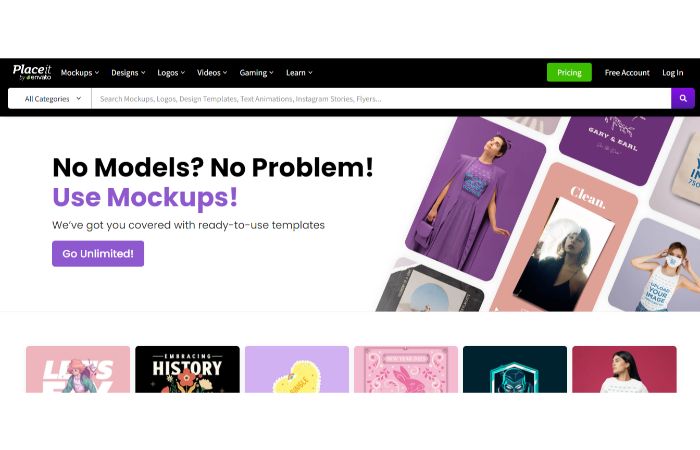
You can design a wide range of products using Placeit, such as t-shirts, logos, and much more. Though, The mockup generator is undoubtedly their most well-liked feature.
More than 10,000 t-shirt mockups are available in Placeit. But the sad part is that it is not completely free, which means you have to pay monthly/yearly to access their largest library of exclusive designs or photos.
However, they offer mockups and a book mockup generator for almost everything you can think of.
The product has the amazing feature of quickly filtering the templates to discover the exact model or mockup you’re looking for. You can search, for instance, by ethnicity, age, gender, and many other criteria.
Simple steps include:
- Selecting a template you prefer.
- Uploading your design.
- Adjusting the position and size.
Like any other tool, you can generate beautiful photos in a matter of seconds. Even many t-shirt mockups of the same design can be made quickly.
Placeit also provides some free t-shirt mockups. If you’re on a low budget, there’s something for you.
Overall, we believe Placeit provides outstanding value for your price.
Pricing
- Individual mockup for $7.95
- Unlimited monthly downloads are available for $14.95.
- Unlimited downloads are included with an annual subscription for $89.95.
Categories
- Apparel & Print ( Business Cards, Book Covers, T-shirt designs, Posters, Flyers, Tote bag designs)
- Gaming ( Twitch templates, Lower third banners, Discord themes, YouTube templates)
- Music & Podcasts ( Podcast Covers, Music T-shirts, Album covers, Poster templates)
- Social Media ( Facebook, Instagram, Twitter)
Stand out from the Crowd
- Many different mockups from which to pick.
- Pretty quick to generate the images.
- The tool doesn’t require any special skills to use it.
Visit: Placeit
6. Renderforest
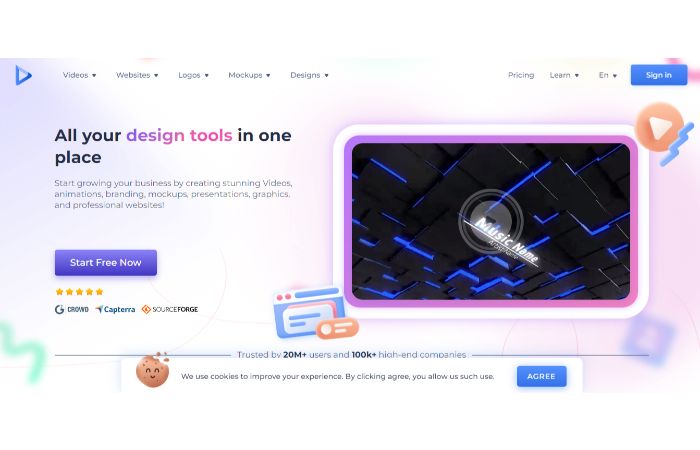
With the help of the online design tool Renderforest, you can make various items, such as logos, websites, and videos. Their mockup generator, which offers a good range of t-shirt templates, was also recently introduced.
Finding the perfect style can be challenging because there are few filters for t-shirt mockups. To help customers identify similar collections of mockups, Renderforest has generated certain “mockup packs.“
Customizing Renderforest’s mockups is quite simple. Simply select a template, upload your design, pick the colour you want for the shirt, and download it.
A useful feature of the Renderforest mockup generator is that it displays how your design appears on related mockups when you customize a template. You can choose another template if you like how your design appears.
Pricing
- Free mockups with watermark
- Individual mockup- $3.99
- Monthly subscription plans for $19.99 to $59.99 include unlimited downloads.
- Annual subscriptions range from $83.88 to $599.88 and include unlimited downloads.
Categories
- Apparel ( Face masks, Crop tops, T-shirt designs, Fitness tank tops)
- Devices ( Phones, Desktop)
- Product ( Mug, Napkin, Cosmetic, Wristband)
- Print ( Book, Magazine, Envelope, Business Card, Flyer, Postcard, Letterhead)
Stand out from the Crowd
- A good number of mockup templates
- Easy to customize mockups
- No skills required
- Easy to create photos
Visit: Renderforest
7. MockupMark
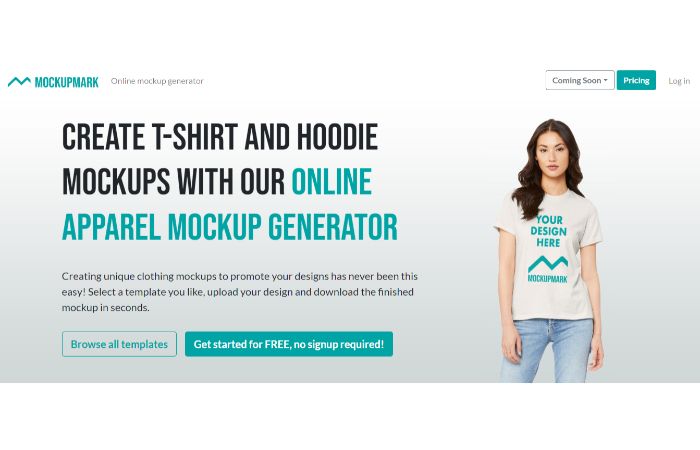
MockupMark is a new player in mockup generators, but they appear to already have a decent number of mockup templates available, some of which are free.
They have some interesting t-shirt mockup templates. Also, one thing you will love about MockupsMarks products is you can filter the mockups by brand. American Apparel or Bella + Canvas are two examples.
The customization choices are currently somewhat limited. Now, you can only position and resize any uploaded photographs and change the shirt colour on some of their mockup designs, but not all.
However, MockupMark is worth checking out if you’re seeking fashionable and unique mockups and need your images made quickly.
Pricing
- Monthly subscription plans for $14.99, including unlimited downloads.
- Annual subscription plans for $119.88 and includes unlimited downloads.
- One-time fee of $299.99 for lifetime access
Categories
T-shirts, Hoodies, Sweatshirts, Tank Tops, Long sleeve shirts, Lifestyle, E-commerce
Stand out from the Crowd
- Quick upload of your design to various mockups.
- No special skill is needed to use this tool.
- Several stunning and trendy mockup templates
Visit: MockupMark
8. Canva
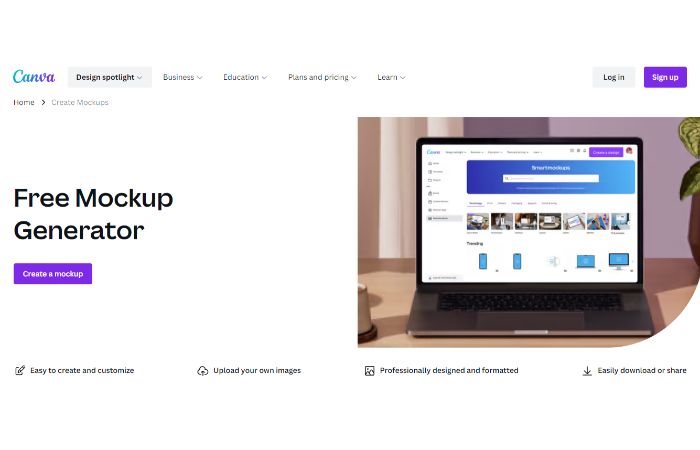
With no prior design knowledge, you can use Canva’s mockup generator to bring your ideas to life. You can use mockups for product promotions, design ideas, and more.
The free mockup generator from Canva offers to upload, customize, and review your final product’s look. Create quick design mockups that showcase your idea for the final product on clothing, printing, and computer screens.
Canva’s Smartmockups provide professional, realistic mockup templates to help you express your ideas creatively and visually.
Here is a simple and easy step to follow for generating mockups.
-
First, open your Canva, look for “Smartmockups,” and click it. Also, you can use the search option to find a mockup you wish to use.
-
Click the image you wish to use in the Uploads section.
-
Click the “Select” box to apply your design to the appropriate mockup quickly.
-
Now, click the “Adjust image” option for any changes to the alignment or size of your image. Once you’re happy with your changes, click “Save” to keep them.
-
Now, save the final mockup on your device.
However, Canva is not completely free. You can use the free version, but you will only get limited templates to design. You can use all the templates if you buy the Pro version.
Pricing
- Free (With Watermark)
- Canva Pro: Rs 499/month (For individuals) and Rs 3999/month ( For individuals)
- Canva for Teams: It depends on the number of people. For detailed information, see the table.
| People | Pricing (Monthly) | Pricing (Yearly) |
| 2-5 | 659 rs | 6590 rs |
| 10 | 3779 rs | 37,790 rs |
| 25 | 13,139 rs | 1,31,390 rs |
| 50 | 26,989 rs | 2,69,890 rs |
There is a custom option also available where you have to specify the number of people. Canva will automatically generate the amount.
Categories
-
Office & Business ( Resumes, Business cards, ID Cards, Presentations, Letterheads, Portfolios, PDF Maker, Websites, Timetables, CV, Cover letters, Media kits)
-
Social Media ( All Platform )
-
Custom Prints ( Invitation cards, T-shirts, Hoodies, Sweatshirts, Stickers, Calendars, e-cards, Announcements, Diwali cards, Christmas tags)
Stand out from the Crowd
- Simple to design and customize
- Easy download and sharing
- Easy to use
Visit: Canva
9. Mockup Zone
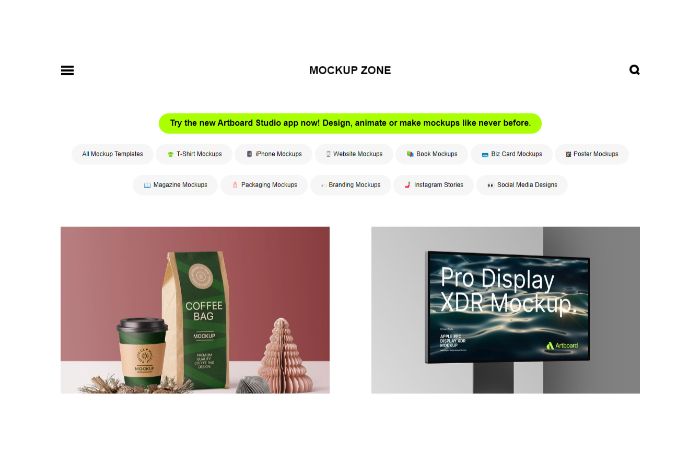
Use Mockup Zone’s free mockup generator to begin designing in your browser. A collection of the logo, product, and screen mockups that keeps expanding.
You can quickly create your scenes with the drag-and-drop editor in Artboard Studio. There is no need for Photoshop, mockup PSD files, or smart layers.
To show off your packaging designs in real-time, we also provide a tonne of UI design, square box, free branding, and bag mockups.
Now, the question is how to create t-shirt mockup? Follow these steps to generate a beautiful design for a t-shirt.
- First, you have to choose your template.
- Then, click the “Start Designing Now” option for the Artboard studio app.
- Now, you must create an account through your Mail ID to customize this mockup template in your browser.
However, it is not free. I have given the details of complete pricing briefly in a table. You can see.
Pricing
| Plan | Monthly | Yearly |
| Lite Plan | $9 | $7 |
| Professional Plan | $15 | $12 |
| Ultimate Plan | $33 | $29 |
Categories
T-shirts, Box Mockup Collection, Website Mockup, Magazine Mockups, iPhone mockup, Branding Mockups, Business Card Mockup, Book Mockup, Poster Mockup, Packaging Mockups, polaroid Template, Hoodie, Social Media Design
Stand out from the Crowd
- With the Artboard Studio app, you can create unique and beautiful designs.
- Easy UI
Visit: Mockup Zone
10. Freepik
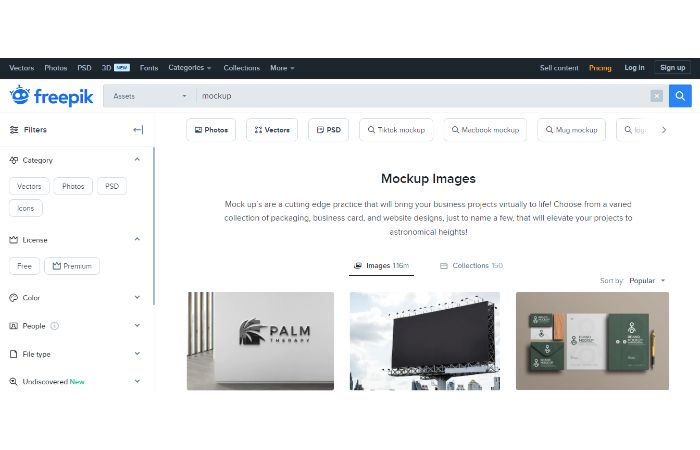
Freepik mockup generators are a new and exciting way to create digital images with your designs. Whether you’re an experienced graphic designer or starting, this powerful tool allows you to quickly and easily create professional-looking results.
With Freepik’s mockup generator, you can upload any image to instantly customize it with custom text, shapes, colors, and even 3D effects! The best part is that the process is fast and easy to use — no coding or design experience is necessary.
It is not completely free. You can use limited templates and designs in Freepik. So, to unlock their file and access tonnes of design, go for Premium.
Pricing
- Free (Limite assets)
- Premium:
| People | Monthly | Yearly |
| Individual | 1200 rs | 8700 rs |
| Teams | 1075.20 rs per seat | 38,976 rs |
Categories
Business & Marketing, Nature, Food & Drink, Sport, Lifestyle, health & Wellness, People & Emotions, Education & Learning, and Industry & Technology
Stand out from the Crowd
- Easy to use
- Simple to design and customize
- Easy download and sharing
Visit: Freepik
11. Mockup Bro
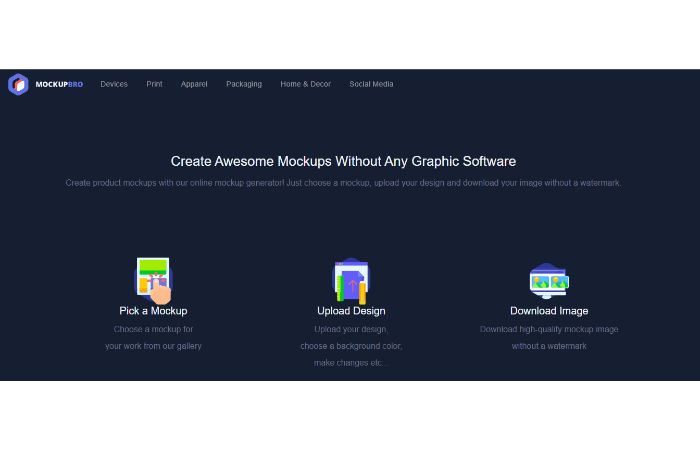
MockupBro is one of the free t-shirt mockup generators designed to be intuitive and user-friendly. Anyone from graphic designers to entrepreneurs can use it to generate beautiful visual content with ease quickly. It is very easy to use.
- Simply choose a mockup.
- Then, upload your design.
- Download the image without any watermark – and that’s it!
You’ll have an amazing-looking product mockup within seconds. And best of all? It’s completely free! No strings attached!
Create as many awesome visuals as you want without worrying about breaking the bank.
Pricing
Free
Categories
- Devices (Phone, Tablet, Desktop)
- Print (Business card, Poster, CD Artwork, Wooden hand holding card, Wire Bound Notebook, Van Side view, CD case, Bag Top)
- Apparel (T-shirt, Sneakers)
- Packaging (Chips bag, Cosmetic jar, Market bag, Shopping bag, Pizza bag, Chewing gum packaging, Coffee bag)
- Home & Decor (Wall dock, Food plate)
- Social Media (Instagram, Twitter, Facebook, LinkedIn)
Stand out from the Crowd:
- Easy UI
- Easy download and sharing
Visit: MockupBro
12. Visme
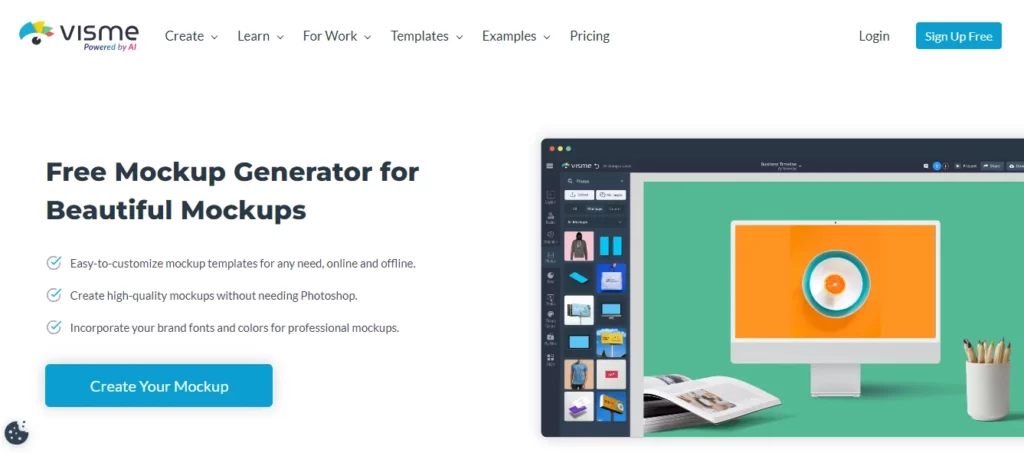
With Visme, you can easily customize t-shirt mockup templates online or offline, make high quality t shirt mockups without Photoshop, and use your brand colors and fonts for pro-looking mockups.
Pricing
- Basic: Free
- Starter: $29/month
- Pro: $59/month
Categories
Social Media, Product, Print, Packaging, Branding, and Devices
Stand out from the Crowd
- Free version available
- Clean UI
- Customization features
13. Pixelied
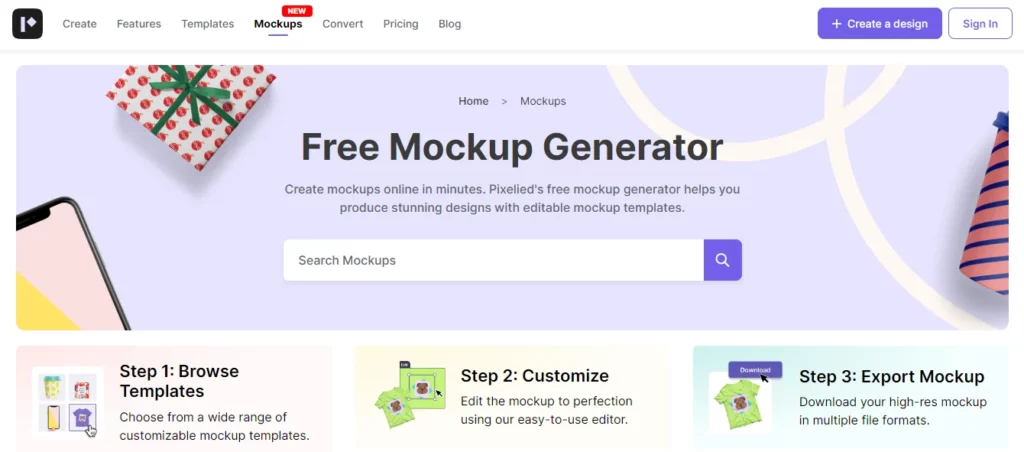
Easily make mockups online fast with Pixelied, one of the best t-shirt mockup sites. Create amazing designs using editable templates and export them in multiple formats in Pixelied.
With a drag-and-drop editing feature, many templates, and image tools, the Pixelied mockup generator lets you make great designs easily.
This t-shirt mockup generator is user-friendly, making it easy to start designing right away with its clean layout.
Pricing
- Free (Limited features)
- Pro: $9.95/month
- Pro+: $16.95/month
Categories
Device, Packaging, Print, Advertising, Branding, Stationary, Apparel, Poster, Flyer, Book cover, and Business card
Stand out from the Crowd
- Various categories
- Drag-and-drop editor
- Extensive templates
- Easy customization
14. Kittl
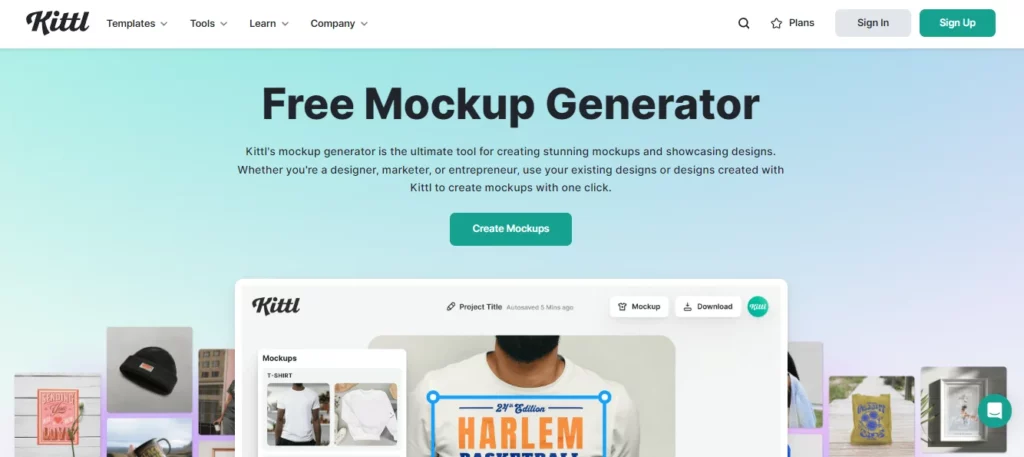
Kittl’s t-shirt mockup generator is the best for making beautiful t-shirt mockups and displaying designs.
Choose from a wide range of templates for various categories such as apparel, packaging, and wall art to craft professional mockups.
Easily upload your design or create one using Kittl, then generate personalized mockups with just a click.
Pricing
- Free (Only 20 credits)
- Pro: $15/month
- Expert: $30/month
Categories
Headpieces, Books, Greeting Cards, Bottles, Cups & Mugs, Wall Art, Pillows, Bags, Apparel Flatlays, Tops, Hoodies, and T-shirts
Stand out from the Crowd
- Easy customization
- Free
- Excellent output
15. Mock It
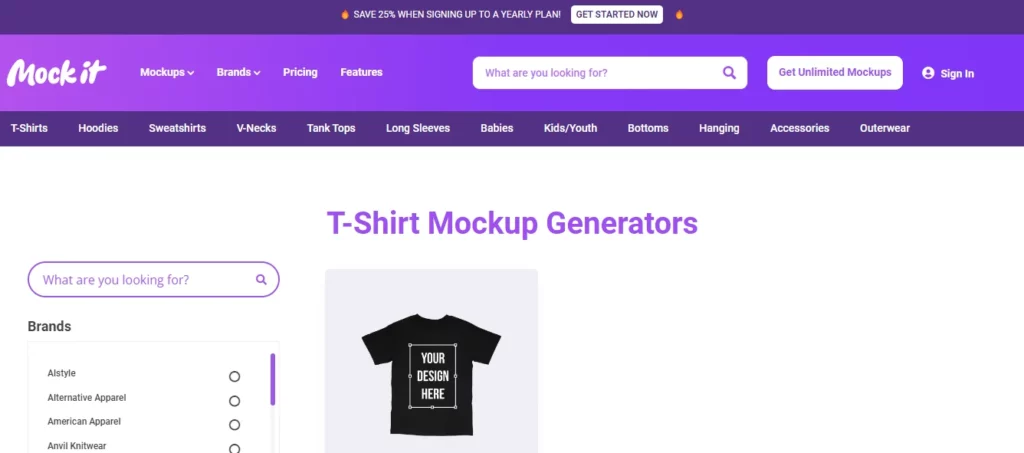
Mock It helps designers easily make realistic mockups for various products. No design skills are required—turn your ideas into eye-catching visuals for promoting products.
Design realistic t-shirt mockups in your browser quickly. Explore Mock It’s collection of realistic mockup templates.
Pricing
- Free 7-days trial
- Standard: $9/month
- Pro: $19/month
Categories
T-shirts, V-necks, Hoodies, Long Sleeves, Sweatshirts, Bottoms, Babies, Tank tops, Accessories, and Outerwear
Stand out from the Crowd
- 3000+ templates
- 30+ brands
- Unlimited downloads
- Background remover
- Quarterly updates
Why Is Mockup Important?
Now, you might be thinking, Why is mockup important? Well, there are a few reasons.
First of all, they can help designers and developers get a better idea of what they’re working on. Instead of just talking about a design or product, they can actually see it and make changes as needed.

Another reason mockups are important is that they can help people give feedback on a design or product.
For example, if you’re designing a website, you might create a mockup to show what it will look like.
Then, you can ask people for feedback on the design. They can tell you what they like and don’t like, and you can make changes based on their feedback.

Mockups can also help save time and money.
Imagine if you were designing a product and you didn’t create a mockup first. You might spend a lot of time and money creating the product, only to find out that it doesn’t work the way you wanted it to.
With a mockup, you can catch any problems early on and make changes before you start building the actual product.
So, as you can see, mockups are important for a lot of different reasons.
15 Best T-shirt Mockup Sites (Free/Paid)
We’ve got you covered! In this article, we’ve listed the top 15 websites that offer free mockups commercial use.
This concludes the discussion, folks – the top 15 websites for free mockups commercial use. Happy designing!
Conclude
You now have access to 15 free t-shirt mockup generators. It is not easy to produce excellent images that showcase your work in the best way possible. However, this is getting much simpler as online mockup generators’ quality rises.
With the variety of options available, there’s something for everyone and every project. From realistic 3D models to simple graphic designs, you can find the perfect mockup generator for any occasion. We hope you found this tutorial for 15 free t-shirt mockup generators useful!
So why wait? Get creative and take your design projects to the next level! Let’s revolutionize the world of fashion and art one T-shirt at a time!
FAQs on T-Shirt Mockup Generators
How can I get a free T-shirt mockup?
Follow the steps below for Mockey, which is one of the free t-shirt mockup generators.
– Launch Mockey
– Upload Your Design and customize it.
– After completion, Mockey will generate a high-quality image without any watermark.
Where can I get free shirt mockups?
You can create awesome mockups for clothing, accessories, and a range of products using Mockey and download high-quality images for any use. In Mockey, you can generate and design 27,000+ mockups without spending a single penny because it is completely free.
How can I quickly create a mockup?
– Draw out your ideas first.
– Consider mobile screens.
– Utilize Tools For Wireframing & Prototyping That Are Compatible With The Mockup Tool.
– Examine Additional Visual Successes.
– Eliminate unnecessary components.
– Construct a grid system.
– Use the free UI Icons and Elements.
What exactly is a mockup generator?
You can create digital photos of products using a product mockup generator without learning complex graphic design software. The simple step is uploading a design, and the tool generates a high-quality mockup. After that, download in the desired size and file format.
What is the best free shirt mockup generator?
Mockey is the best free shirt mockup generator.
How can I make my own t-shirt mockup for free?
To make your own t-shirt mockup for free, use the Mockey tool to customize and download mockups for free without any watermark.
How to create t-shirt mockups for free?
To create free t-shirt mockups, launch Mockey, upload a design, customize by adding colors and background, and download it in high quality.
Are there any free mockup generators?
Yes, Mockey is the only mockup generator that is 100% free to use.
Where is the best place to make t-shirt mockups?
Mockey is the best place to make t-shirt mockups.
Related reading:

Sangram Sahoo
I’m a content writer with 4 years of experience. I specialize in creating practical content around mockups, print-on-demand, apparel, and e-commerce design.
