How to Make a 3D Box Mockup (Step-by-step Tutorial)
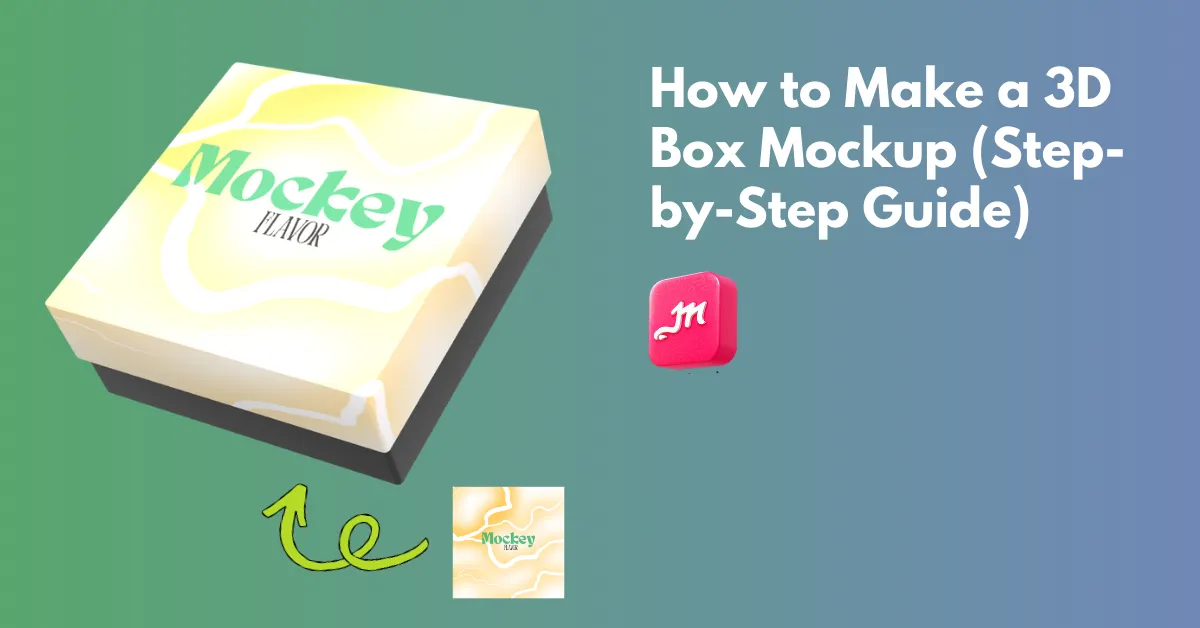
How to make a 3D box mockup? Use Mockey.ai’s 3D box mockup generator to choose a 3D box, upload a design, and download it as a high-quality PNG or MP4.
If you searched how to make a 3D box mockup, you probably tried Photoshop, got lost in Smart Objects and warp tools. An alternative to Photoshop, this tutorial shows how designers actually do 3D box mockups using a free online 3D mockup generator.
What is a 3D Box Mockup?
A 3D box mockup is a digital three-dimensional box on which designs can be added for packaging and product branding purposes.
No matter what type of box it is, you can add multiple designs, change colors and backgrounds, and then download it as an animation or image. When done right, mockups improve the design and give clients a clear view of how it will look in real life.
How to Make a 3D Box Mockup Using Mockey.ai
Mockey.ai is one of the best mockup websites for creating 3D mockup designs. Follow the steps:
Step 1: Create Your Free Mockey.ai Account
Once you land on the Mockey.ai homepage, the first step is to create an account.
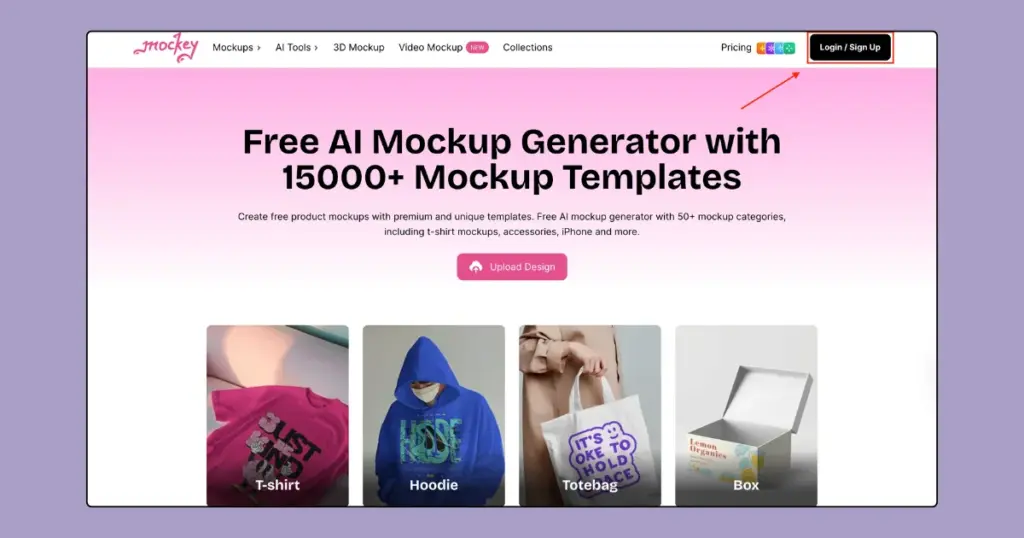
In the top-right corner, click the Login / Sign Up button. You can begin with the free plan by registering with your email.
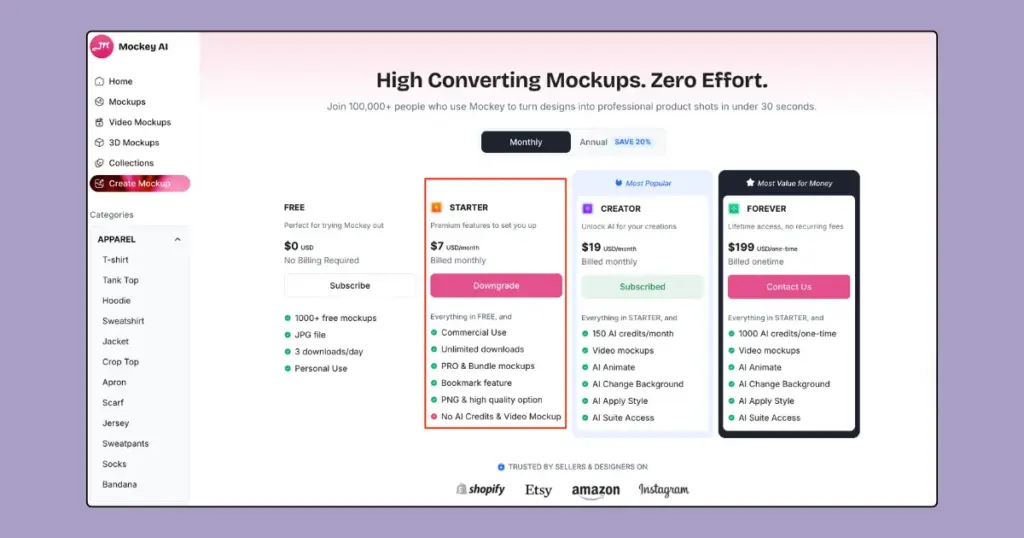
If you want full access to unlimited downloads, motion animation, PNG file and advanced features, click on Pricing from the top menu and choose the Starter plan. The Starter plan costs $7 per month.
Step 2: Choose a 3D Box Mockup Template
From the left sidebar, click on 3D Mockups. This section contains all available 3D mockup categories. Under Packaging, select Box to view box-related templates.
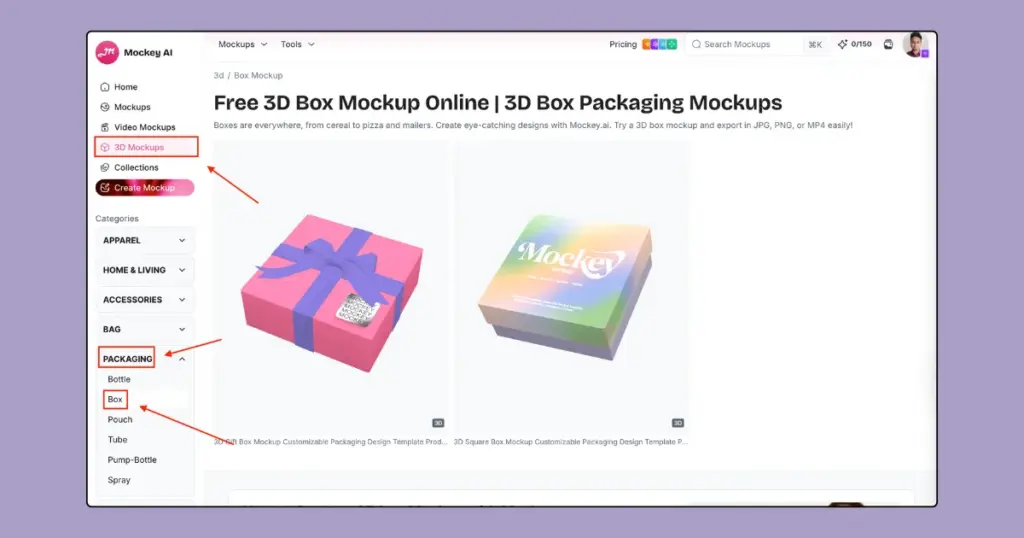
Here you’ll find multiple 3D box mockup options, including gift boxes and square boxes. We chose the square box.
Step 3: Upload Your Design and Place it Properly
After selecting a box template, you’ll be taken to the Mockey.ai editor.
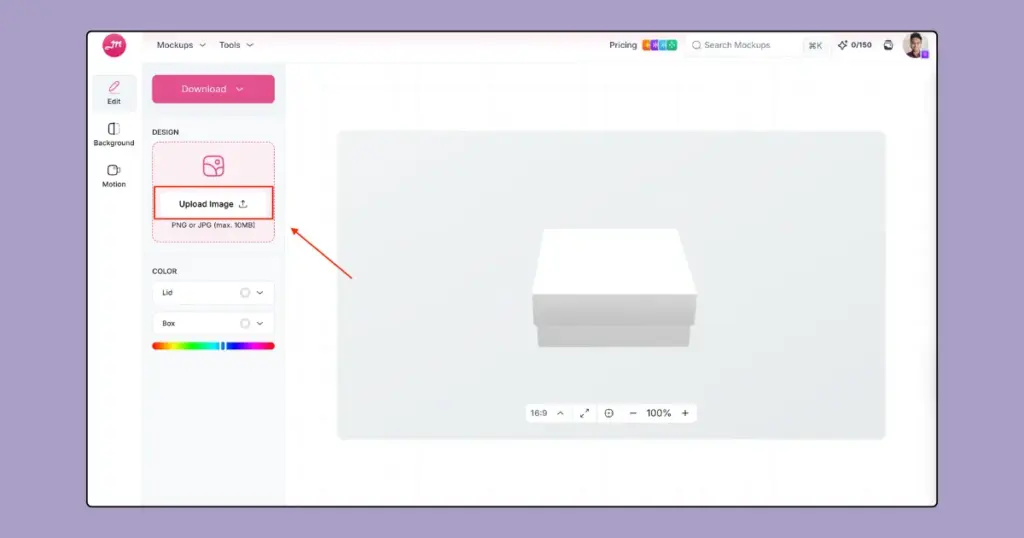
On the left panel, you’ll see the Design section. Click Upload Image to upload your box design. Mockey.ai supports PNG or JPG files up to 10MB. Once uploaded, your design is automatically applied to the 3D box mockup.
After uploading your design, this platform takes you to the image placement screen. On the left side, you’ll see your uploaded design listed under Add Images.
In the center, you’ll see a flat box layout with marked sections such as Front, Back, Left, and Right. These red dashed areas show where your design will appear on each side of the 3D box.
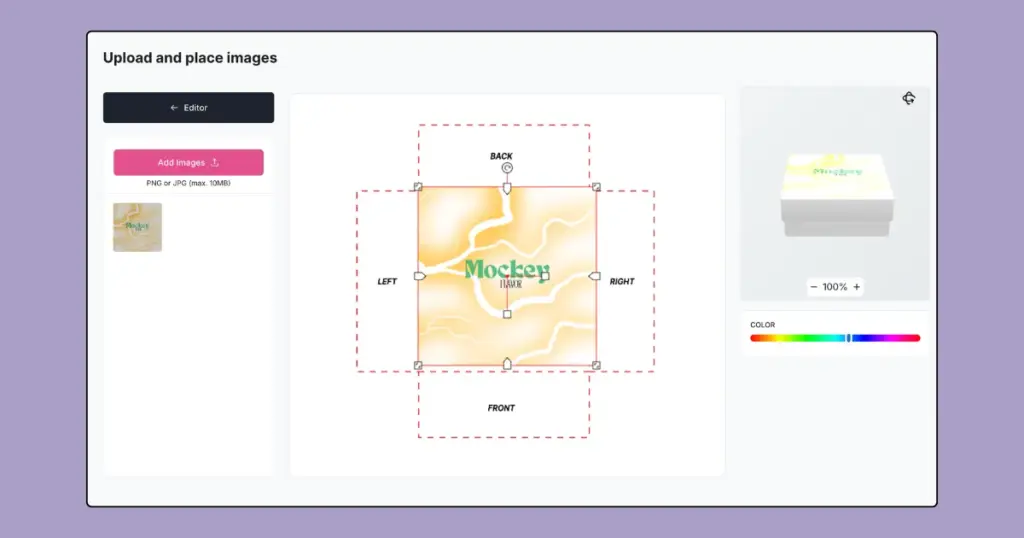
As you make changes, the right-side preview updates in real time, showing how your design looks on the actual 3D box.
Step 4: Customize with Color and Background
Come back to the next editor page.
Edit Color
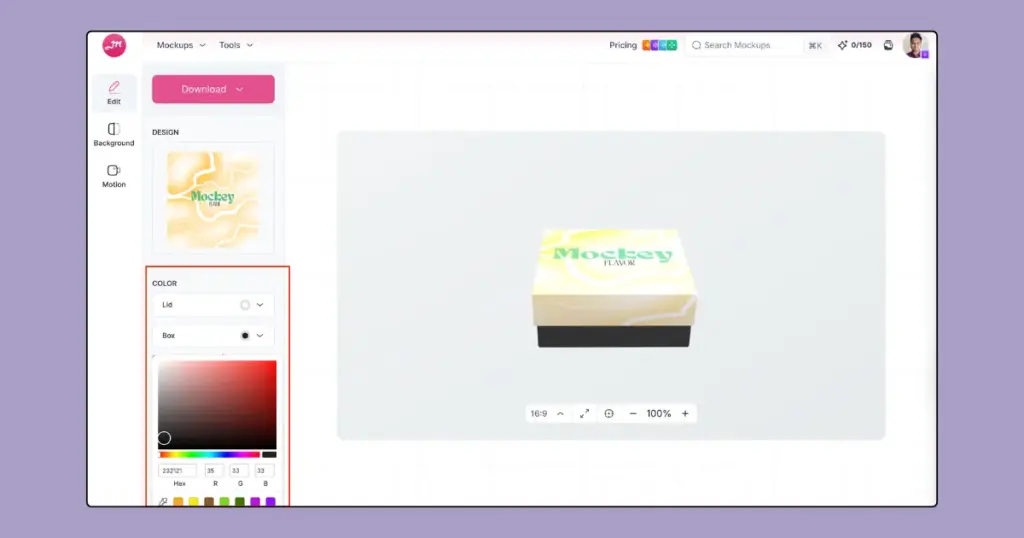
Below the design upload option, you can customize the colors of the box. You can change the color of the lid and the box body separately using the color picker.
Edit Background
From the left panel, click on Background. You can upload your own background image by clicking Upload Background or make it transparent. If you prefer a simple look, you can choose a solid or gradient background color using the color picker.
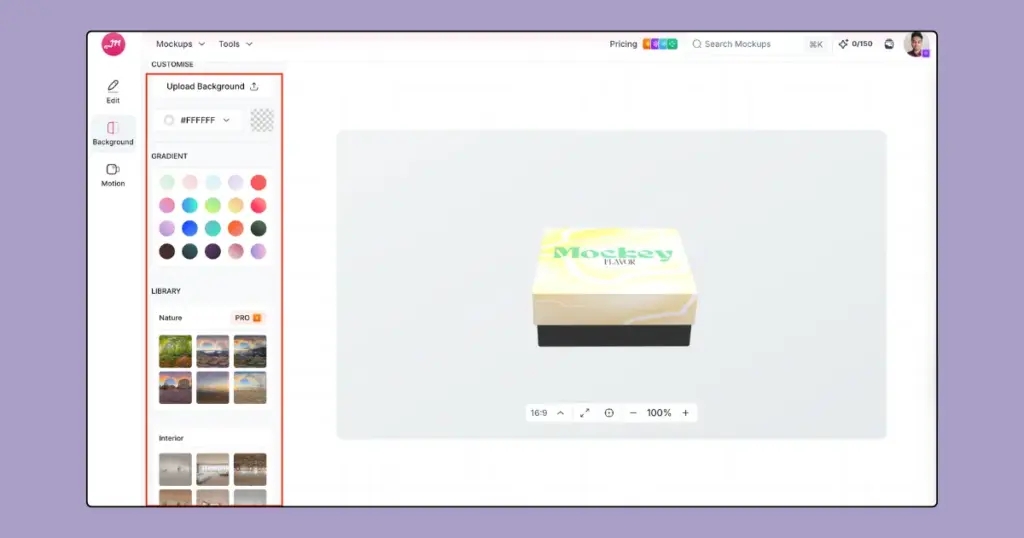
Additionally, you can choose from the built-in background library, which includes categories like nature and interior scenes.
Step 5: Add Motion Effects and Download Your Mockup
Once your 3D box mockup is ready, you can improve it further using the Motion feature.
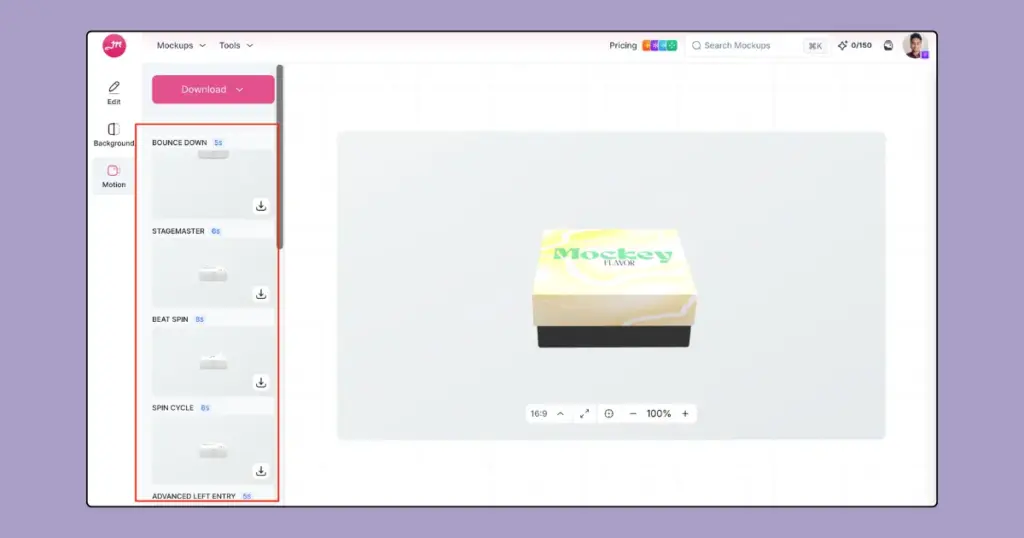
Click on Motion from the left panel. Here, you’ll find 10+ animation styles such as bounce, spin, and rotation effects. Each animation shows its duration, and you can preview how the motion looks directly in the editor before downloading. Use the download arrow icon next to the animation.
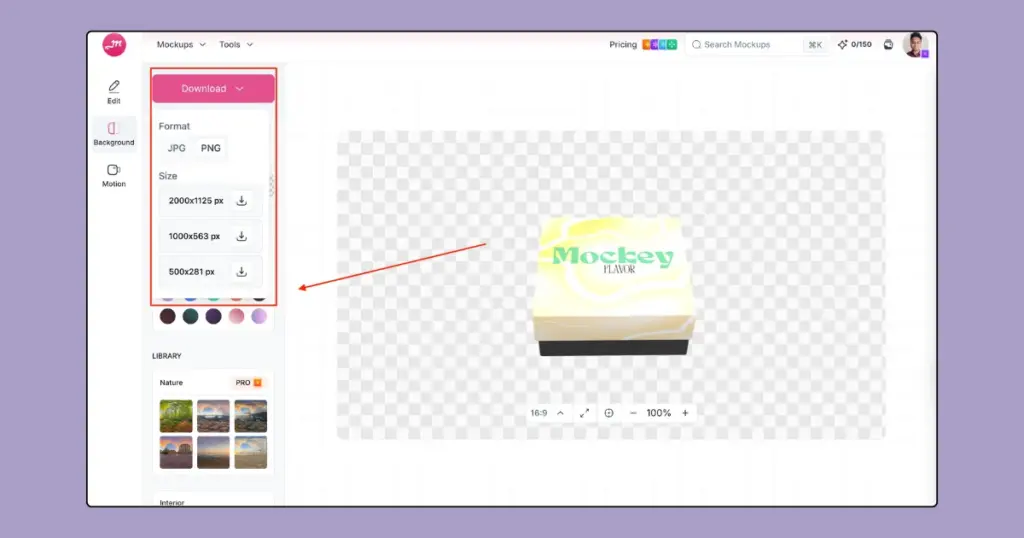
For a static image, click the Download button at the top. You can save your 3D box mockup as a PNG or JPG image and choose different output sizes, up to 2000 × 1125 px, depending on where you plan to use it.
Why Use Mockey.ai for 3D Box Mockups?
Here are some reasons why you should use Mockey.ai for 3D box mockups.
- No Photoshop or design skills needed
- Works directly in the browser
- Ready-made 3D templates
- Motion animation in one tool
- Fast export for marketing and e-commerce
- Free plan available
Mockey.ai vs Photoshop (Quick Comparison)
| Feature | Mockey.ai | Photoshop |
| Templates available | Built-in | No built-in mockup template |
| Ease of Use | Easy | Learning curve |
| Target Audience | Packaging designers, e-commerce brands, and no-designers | Professional designers |
| Customization | Offers template adjustments, color and background modification | Unlimited customization through layers, filters, masks, brushes, and advanced controls |
| Output Types | PNG, JPG, and MP4 | PSD, JPEG, PNG, TIFF, and GIF |
| Best Suited for | Packaging and product mockups | Advanced graphic creation |
| Pricing | Free, paid plan starts from $7/month | USD $22.99/month |
Conclusion
Now you know how to make a 3D box mockup step-by-step. You need one of the best 3D mockup tools and the right level of effort.
Most people asking “how to make a 3D box mockup” don’t need perfect topology, cinematic lighting, and real-time ray tracing. They need something that looks real, loads fast, and sells the idea. Pick the method that gets you there without burning your time.
If you’re looking for a simpler and more affordable alternative to Photoshop, consider using Mockey.ai’s mockup generator. It offers easy editing options and is less expensive, making it a great choice for those who need to create box mockups without the complexity or cost of Photoshop.
FAQs
How to create a 3D mockup box?
To create a 3D mockup box on Mockey.ai, click 3D Mockups and select 3D Box. Choose a template, add your design by clicking Upload Design, and customize the colors, backgrounds, and angles. When you’re done, download your 3D box mockup as PNG or in animation.
How to create realistic 3D box mockups tutorial?
Creating realistic 3D box mockups usually means placing a flat design onto a 3D box shape using a 3D mockup generator or advanced tools like Adobe Photoshop or Blender. In Mockey.ai, many designers use the built-in editing features to match perspective. It offers color and background modification with a motion animation effect.
Which packaging design company produces the best 3D mockups?
Mockey.ai is widely used for 3D packaging mockups because it offers a free plan along with a large library of ready-to-use templates. Users can preview packaging designs instantly and export them as PNG or MP4 for presentations.
What other 3D mockups can be created in Mockey.ai apart from 3D boxes?
Mockey.ai offers 25 products to create 3D mockups, including 3D box mockups, 3D book mockups, 3D mug mockups, and more, all of which you can customize, preview, and download.
Related reading:

Sangram Sahoo
I’m a content writer with 4 years of experience. I specialize in creating practical content around mockups, print-on-demand, apparel, and e-commerce design.
