Want to see how to make a 3D hoodie mockup? We’ll show you an easy way to do it and save you valuable time. You can do it without Photoshop.
If you like to sell your custom 3D hoodies, you need the best 3D mockup generator! A 3D mockup shows your logo or design on hoodies in many colors. You don’t require models or photographers! Also, try various designs and pick the best one easily.
Creating a 3D hoodie mockup is super easy! With Mockey AI, you can make one in just minutes-maybe even seconds! We’ll teach you how to make a 3D hoodie mockup using a tool really, really fast!
However, if you would like to start customizing now, click the button below to generate without a watermark.
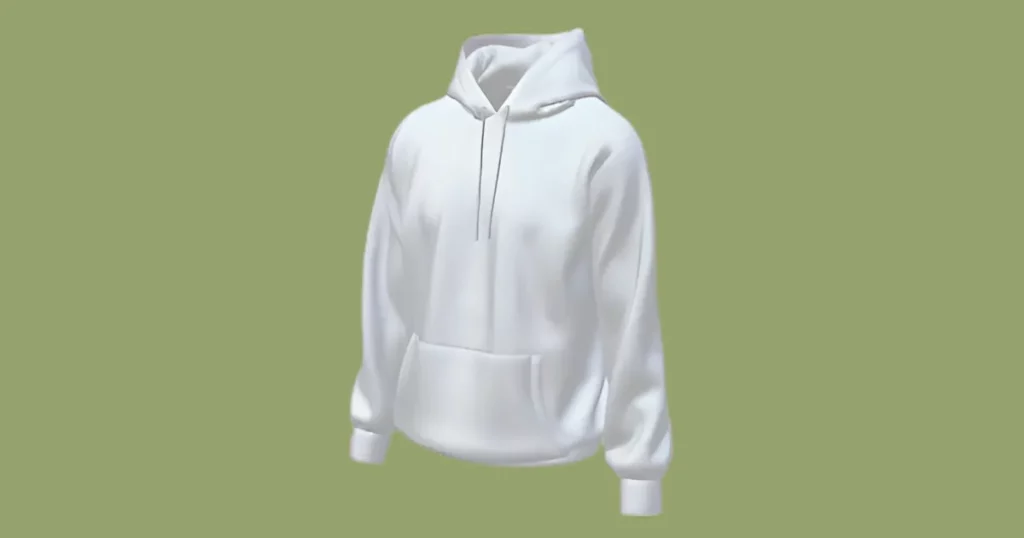
Hoodies are soft and warm clothes that many individuals love to wear. They keep you cozy and even have a pocket for your hands. This makes them a great choice for adding your brand or message. Instead of spending money making real hoodies, you can first try 3D mockups for free. Here’s why mockups are exciting:
This is a great way to make a 3D hoodie mockup without using Photoshop. Zero skill necessary.
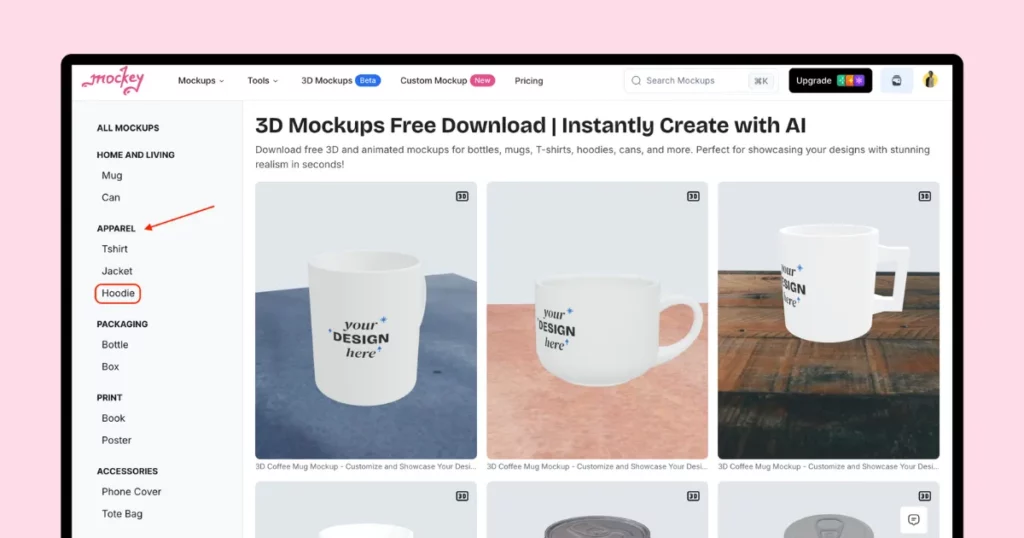
Open Mockey AI. Sign up there. Click “3D mockup” in the navigation bar. You will see many templates, like Apparel, Print, Accessories, and more. Find “Hoodie” in the Apparel section. Then, choose the 3D template.
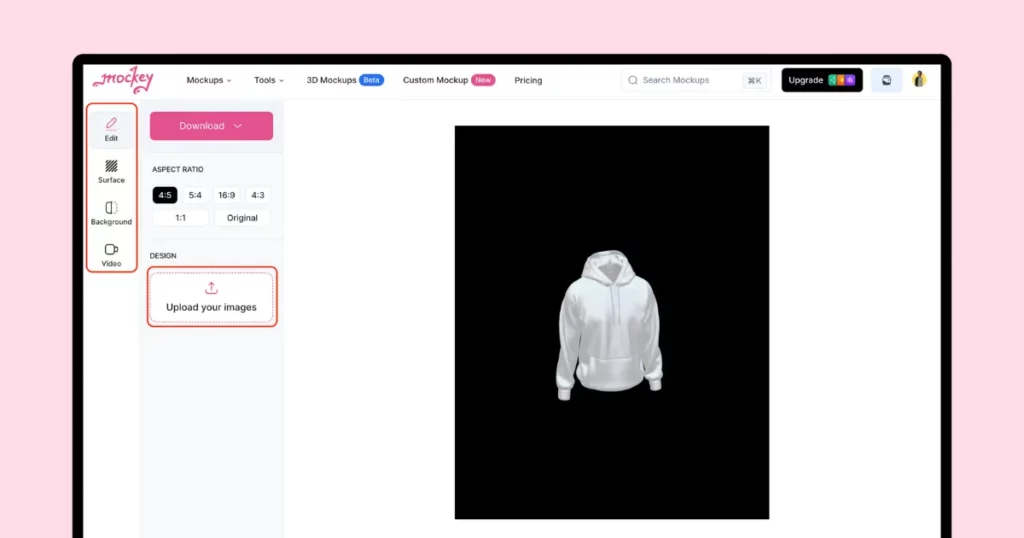
On the next page, you can change how your design looks. You can upload many logos, add textures, choose a background, and change colors.
Let’s start by adding pictures!
Tap “Upload your images” to add many logos or designs. You can also drag and drop from your device. Place your design on the front, back, left, or right side. You can change the color, too!
Now, let’s change the hoodie texture! Click the Surface button, and then you can change the colors of the neck, pocket, strings, cuffs, and bottom.
In the Background section, you can pick a plain color, try a mix of colors (gradient), and add a 360° background, like a room or nature view.
Tap the Video button to download your 3D hoodie mockup as a short animation (up to 5 seconds) in WEBM format.
If you need a PNG or JPEG image instead, go to the Edit section and tap Download. You can choose sizes like:
On the free plan, you can only download JPEG images in 500×625 size. If you upgrade to the PRO plan for $7/month, you get:
You learned how to make a 3D hoodie mockup with Mockey AI. Now, follow the right way to customize it and avoid mistakes.
If you’re new to editing, using a 3D mockup editor like Mockey AI can feel tricky. But don’t worry! Just follow these simple tips on what to do and what to avoid, and you’ll soon create 3D mockups for marketing.
| ✅ Do’s | ❌ Don’ts |
| Pick the right colors & textures | Avoid clashing colors |
| Use 360 background & Video option for a 3D look | Don’t ignore alignment—keep designs straight |
| Keep images high-quality | |
| Keep designs simple & clear | |
| Show different angles of the hoodie |
You can make 3D hoodie mockups fast and easy with Mockey AI mockup generator. Use them for your store, ads, emails, blogs, and anything else! Do not learn Photoshop or pay a designer. Just start now and create real-looking 3D hoodie mockups. Have fun!
Many people use Adobe Photoshop to make 3D mockups of hoodies because it has many tools to change and edit designs. If you don’t have Photoshop, you can use Mockey AI (which is free).
You can use Mockey AI which helps you make 3D mockups easily. They have simple buttons and ready-made designs, so even beginners can create good-looking 3D mockups.
Websites like Mockey AI have free 3D hoodie mockups where you can edit the texture and background and save them without a watermark.
Related Reading:

Sangram Sahoo
I’m a content writer with 4 years of experience. I specialize in creating practical content around mockups, print-on-demand, apparel, and e-commerce design.
