How to Create a Bib Mockup in Mockey AI
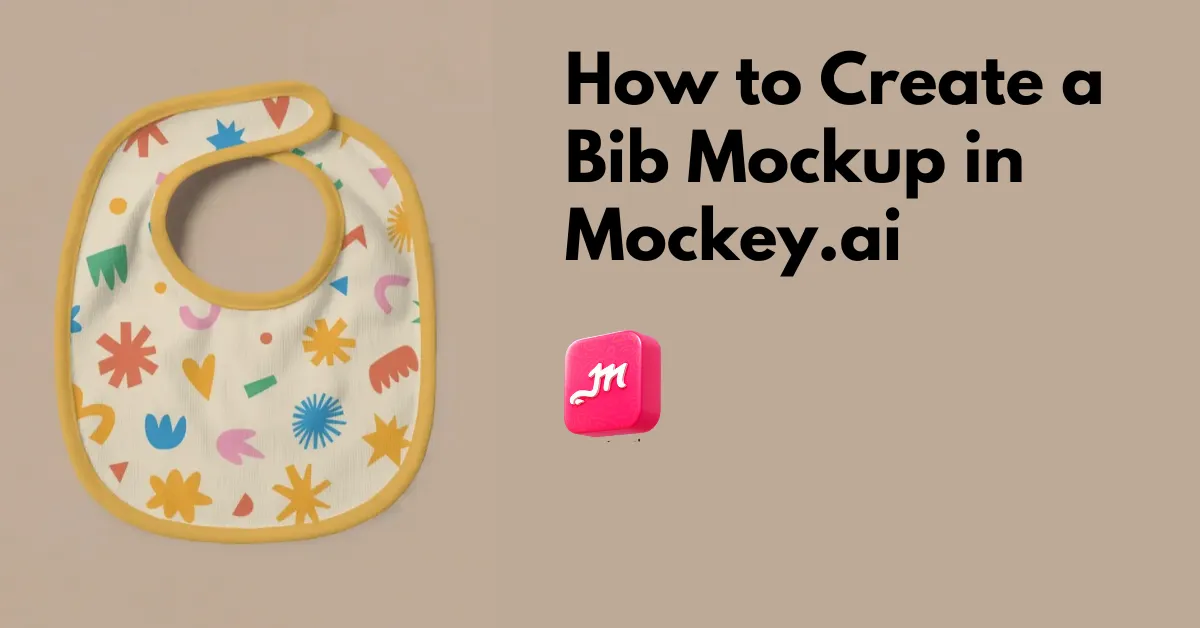
How to create a bib mockup? Visit a mockup generator like Mockey.ai, and use the high-resolution templates to upload a design and create a bib mockup.
Designers often have their designs ready, but they need a mockup generator to create baby bib mockups for preview. For this, Mockey.ai has launched baby mockup categories where templates for bibs, onesies, and tees are available for customization.
If you want, you can visit the bib mockups catalog page using the button below, or you can read the steps on how to create a bib mockup in Mockey.ai using its ready-made templates.
Table of Contents
Global Market Analysis of Baby Bibs
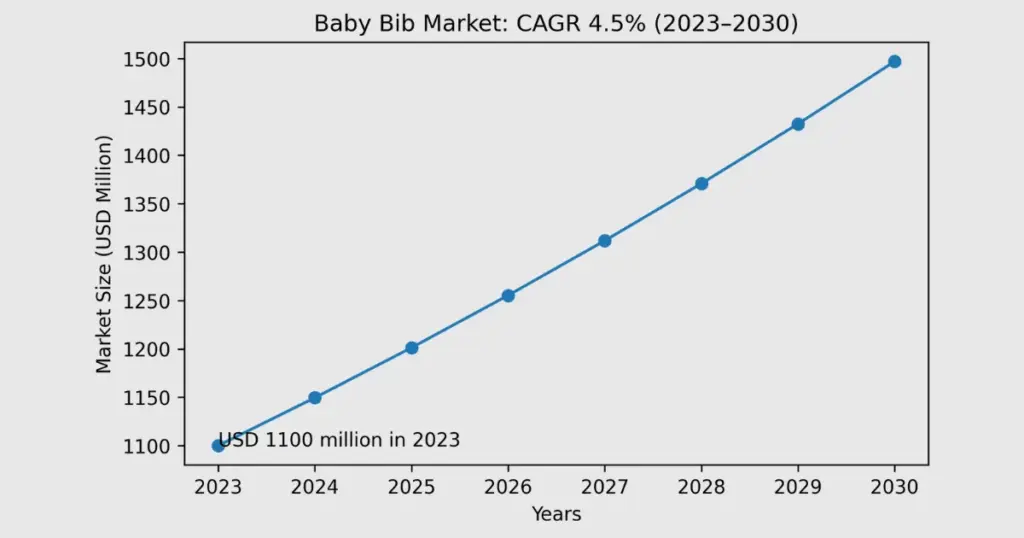
Global baby bibs sales are set for steady growth through 2034. Data from Cognitive Market Research shows the market was worth around USD 1.1 billion in 2023 and is projected to grow at 4.5% CAGR till 2030.
Why Use Mockey.ai for Bib Mockups?
There are many reasons to use Mockey.ai for bib mockups, such as:
High Resolution
The first reason is the high quality of templates. Our team has worked on fine details. The fabric textures look realistic even though they are created with AI. Shadows and lighting are handled well, so the output maintains high resolution.
AI Tools
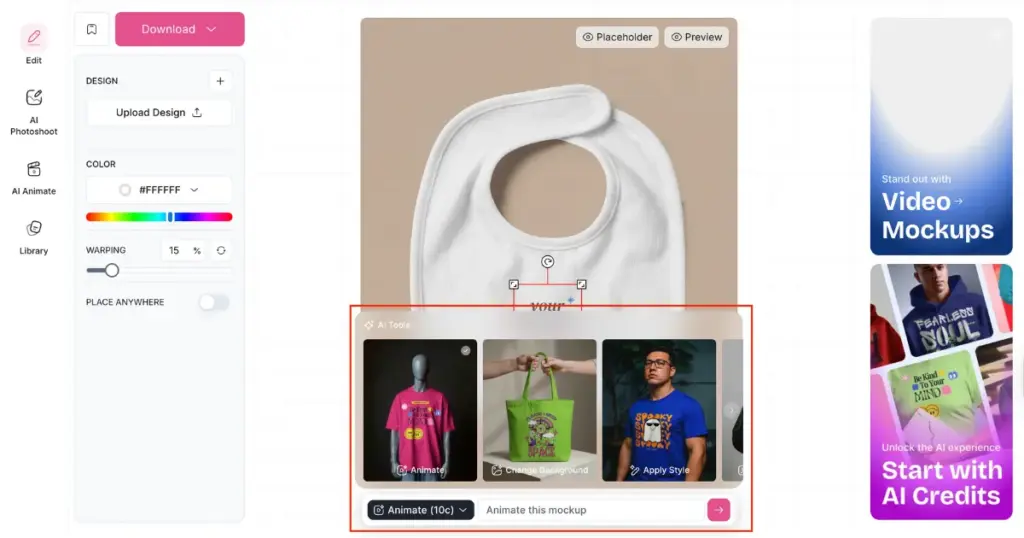
While creating bib mockups on Mockey.ai, you can use AI tools to create animated mockups. This means your bib mockup will appear as an animation just by typing a prompt. You can also modify the background and elements as well.
Video Mockups
You will also be able to create baby bib mockups in video format by using our video mockup generator. There are multiple video templates where you just add your design and download a 5-second MP4 video mockup.
How to Create a Bib Mockup?
To create bib mockups, you can start with the free plan or upgrade to a paid plan if you want more features. Just visit the Pricing page to choose.
Step 1: Set Up Your Account & Select Bib Template
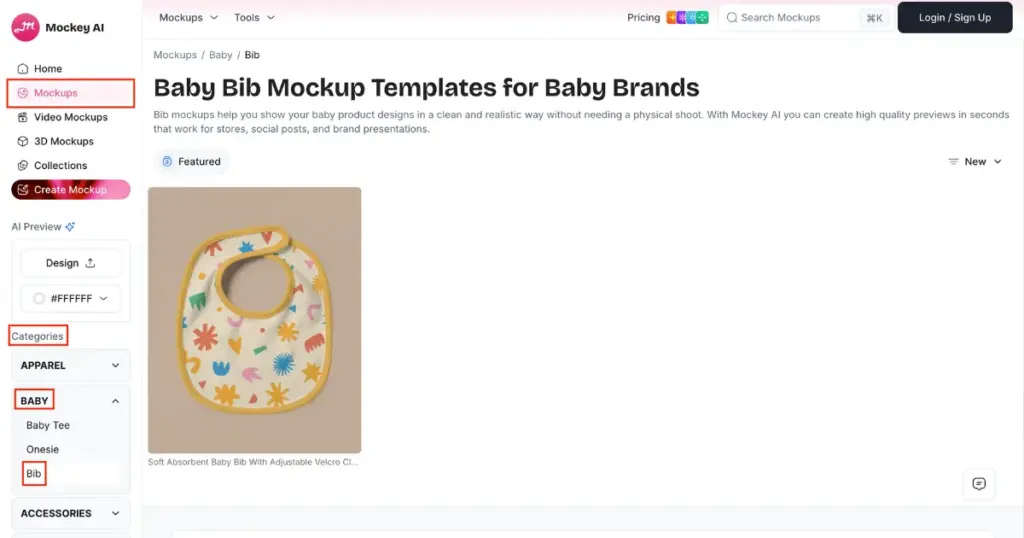
First, create an account on Mockey.ai using the “Login/Sign up” button. After logging in, click on “Mockups.”
Then go to Categories > Baby and look for “Bib.” You’ll now see templates in different styles, scenes, and positions with babies. Select one.
Step 2: Upload Design and Edit
You need to use the “Upload Design” button on the editor page so you can add a custom image to the template.
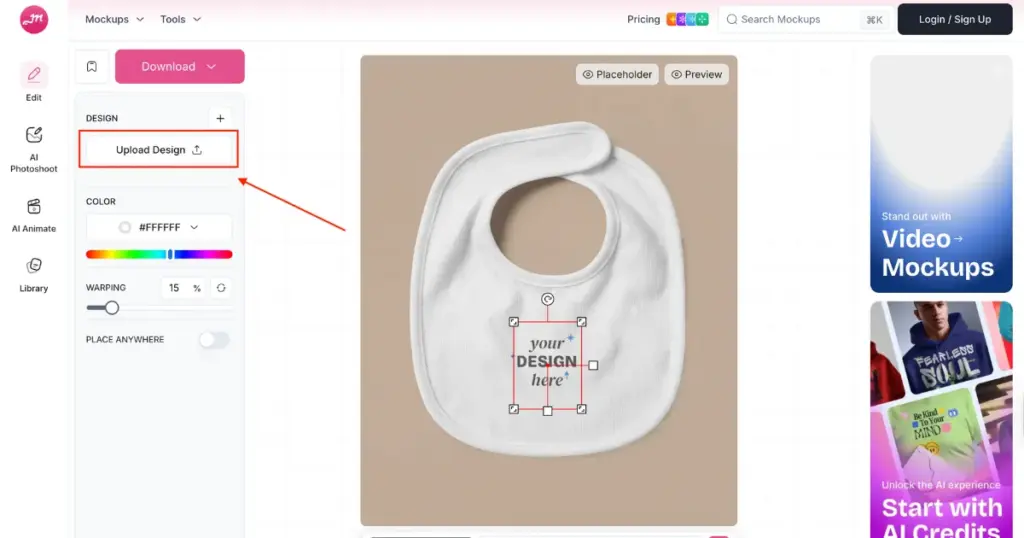
You can also do extra edits, such as adding colors, using warping, or using AI tools.
Step 3: Download the Baby Bib Mockup
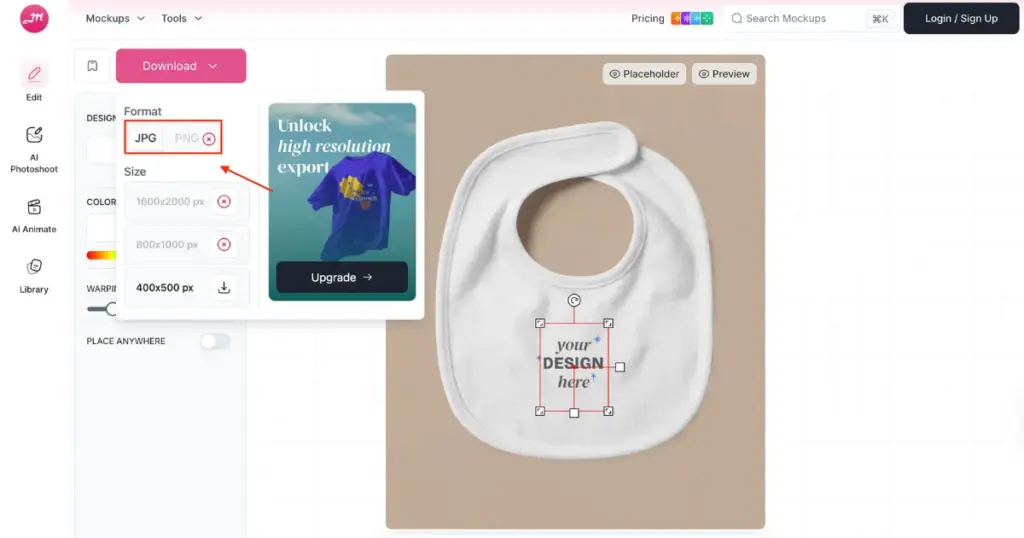
Once editing is done, click “Download” and choose your format and size. Your baby bib mockup will be saved.
Additional Tip
- If you’re on the free plan, only JPG is available. PNG downloads are available only on paid plans.
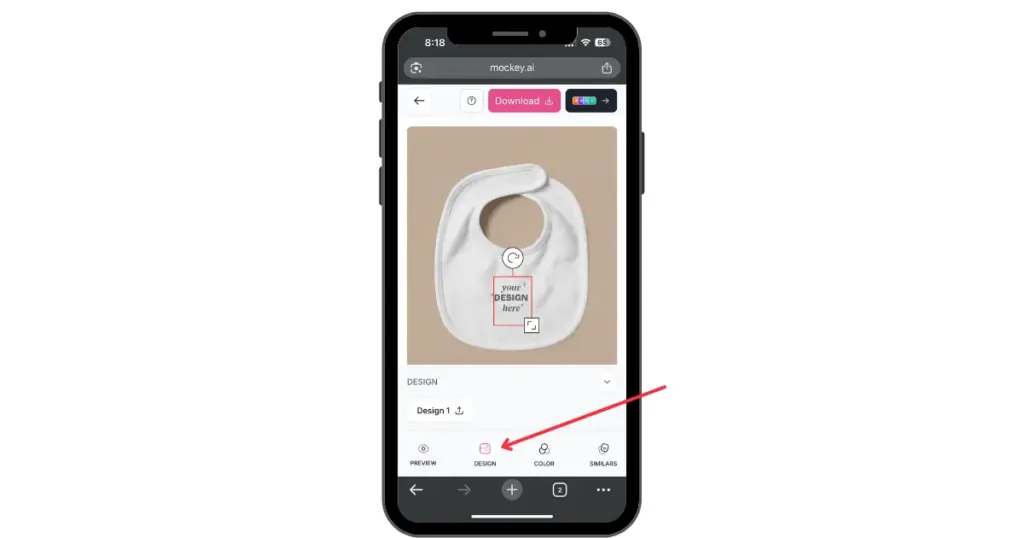
- If you are generating product mockups on your phone, instead of “Upload Design,” you’ll see a “Design” button.
Conclusion
The demand for baby bib mockups is still strong among online sellers. Designers are always looking for a good mockup generator that gives them strong visual templates.
With this guide, you now understand how to create a bib mockup using the best mockup generator, Mockey.ai. For babies, you can create not just bib mockups but also baby onesie mockups and baby tee mockups. Visit now.
FAQs
What is a baby bib mockup?
A bib mockup is a high-resolution template that designers use to add custom designs and show a preview to buyers. This removes the need for samples or printing beforehand, and you can directly list it on the best print-on-demand sites or on Shopify.
What background should I use for baby bib mockups?
For baby bib mockups, use light shades like white and other neutrals help your design stand out. You can also add a floral or nature pattern, cute toys, pastel farmhouse textures or even a simple clothesline look.
Where do designers get bib mockup templates?
Designers use Mockey.ai for bib mockup templates. Unlike simple templates, Mockey.ai offers eye-catching options that look visually impressive to buyers and keep their interest in making a purchase.

Sangram Sahoo
I’m a content writer with 4 years of experience. I specialize in creating practical content around mockups, print-on-demand, apparel, and e-commerce design.
