How to Make a Brochure Mockup With Mockey AI – Quick Guide
Selling brochures on your print-on-demand (POD) store works best when you have awesome mockups!
People like to see how the brochures will look on them, and good mockups help them picture it.
This article will talk about what makes a great brochure mockup and show you how to make a brochure mockup with Mockey AI step by step.
Ready to make your product pictures stand out? Let’s get started!
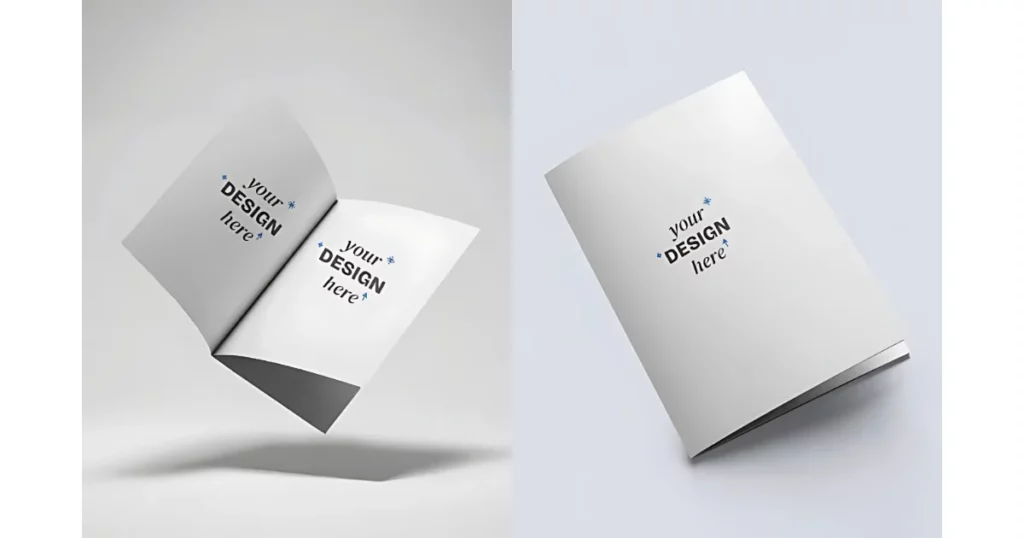
Table of Contents
What are Brochure Mockups?
Brochure mockups are pictures that show how your design will look on a brochure. They let people see the design without needing to print it. Mockups can show the size of the design, how it fits on the brochure, and how it looks in different materials or colors.
How to Make a Brochure Mockup with Mockey AI – (Step-by-step)
Making a brochure mockup is delightful and innovative! Follow this step-by-step guide on how to make a brochure mockup with Mockey AI, and you’ll have awesome designs ready quickly. Let’s get started!
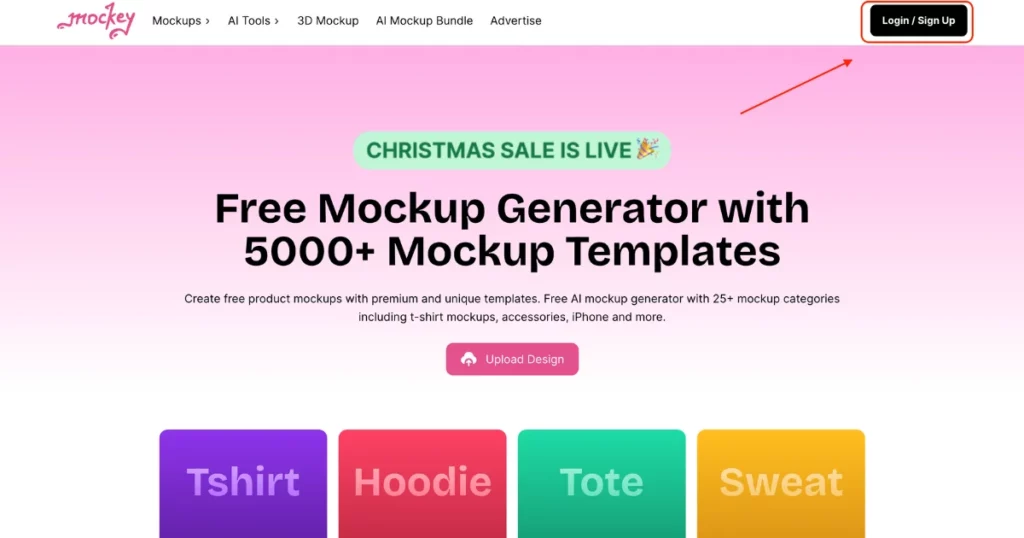
Step 1: Sign Up or Log In
Go to Mockey AI Mockup Generator, a top website for mockups. No design experience is needed.
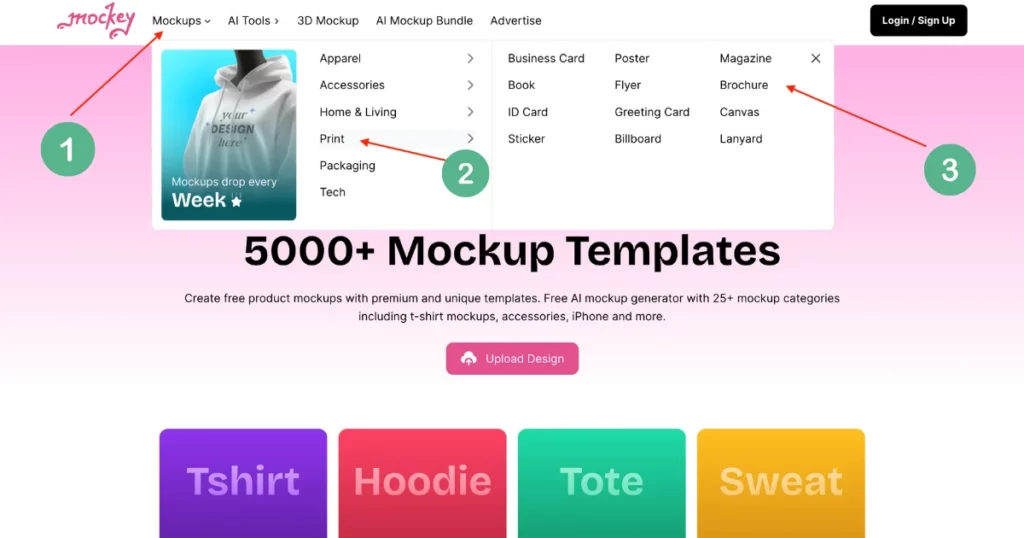
Step 2: Find Brochure Templates
Click on “Mockups > Print > Brochure.” You’ll see lots of ready-to-use brochure templates.
Step 3: Pick and Customize
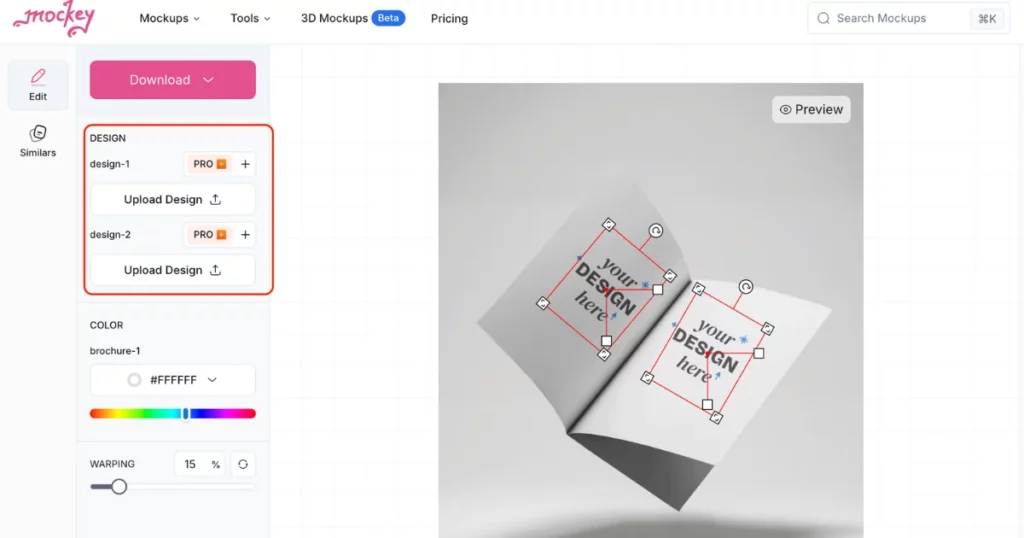
Select a template you like. On the left, click Upload Design. You can then change the colors, shapes, sizes, and backgrounds to make them your own.
Step 4: Download Your Brochure
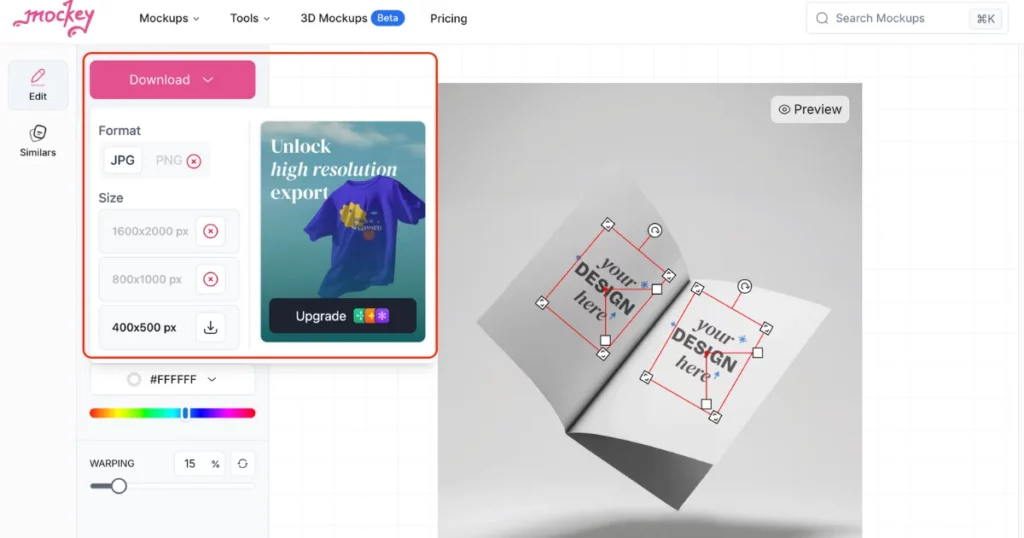
Once you’re happy with your design, click the “Download” button to save your high-quality brochure without any watermark in PNG or JPEG format.
Using Brochures as Mockups in Your E-commerce Store
You can make a big difference with brochure mockups. They can help you grab attention, increase sales, and make customers happier. Here’s how:
1. Show Off Your Brochures
Brochure mockups look super real and give customers a clear idea of what they’re buying. Use them in emails (like newsletters) or on your store’s product pages to make your designs stand out.
The goal? Help people feel confident about buying your product!
2. Customize for Social Media
Every social platform is different, so tweak your mockups to fit their style:
- Instagram: Use lifestyle pics showing people wearing your brochures in everyday settings.
- Pinterest: Go for close-up shots that show off the unique details of your designs.
Matching the vibe of each platform helps more people notice your store
3. Team Up and Advertise
Run contests or giveaways using your mockups to get people excited. Work with influencers who match your audience and ask them to share posts featuring your brochure. Use mockups in ads on social media and search engines to catch attention and get more clicks.
Best Practices for Displaying Brochure Mockups
Make your brochure mockups stand out!
Use a consistent look that matches your brand. This could be the same color or background for all your designs. It helps people recognize your brand.
Make sure your mockups show the true size and fit of your brochures. This helps customers make better choices and feel confident about buying.
Taking Action
Reading is great, but taking action is better! Here’s how to do it:
- Use mockup tools for easy templates.
- Try third-party tools for more customization.
- Pick a brochure color that suits your design.
- Make sure your design fits your brand.
- Show different versions of your design.
- Upload your design to a mockup tool.
- Adjust it to look good on the brochure.
- Ensure the mockup looks like the real product.
- Use mockups in emails and on product pages.
- Customize mockups for social media platforms.
Conclusion
To conclude, we have covered how to make a brochure mockup with Mockey AI.
Making brochure mockups is important if you’re starting an online store!
With the right tools and a good sense of design, you can create mockups that show off your brand and attract customers.
You can also use the Mockey AI app on your phone.
Enjoy designing, and have a great day!
FAQs
Can you make brochure mockups on Canva?
Yes, you can create brochure mockups on Canva. It offers many templates and design tools to help you customize your mockup.
How do you make a realistic brochure mockup?
To make a brochure mockup, pick a high-quality template in Mockey AI, choose the right colors and background, adjust your design to fit the brochure’s folds, and download it for free with no watermark.
Do you have to copyright brochure designs?
You don’t have to copyright your brochure designs, but it’s a good idea to protect your original artwork. Copyright happens automatically as soon as you create and finish your design.
Related reading:

Sangram Sahoo
I’m a content writer with 4 years of experience. I specialize in creating practical content around mockups, print-on-demand, apparel, and e-commerce design.
