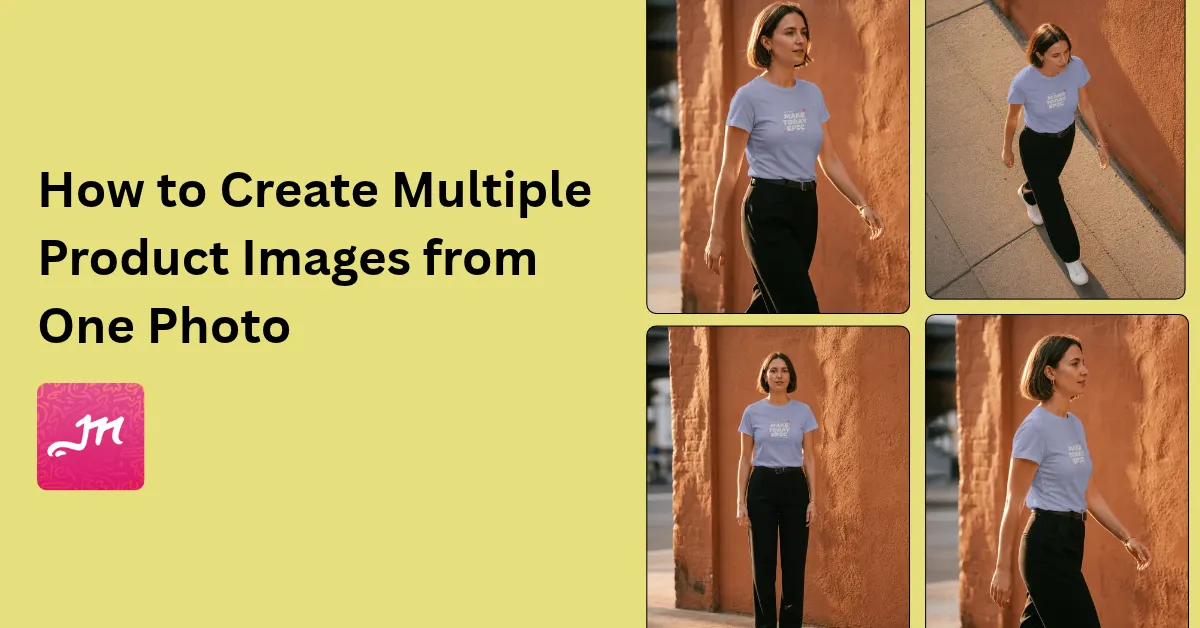
If you're wondering how to create multiple product images from one photo, use Mockey AI’s Multishot tool. Upload one photo and generate different views. Pick the views you need from the available presets: front, back, side, or close-up.
Here's an example:
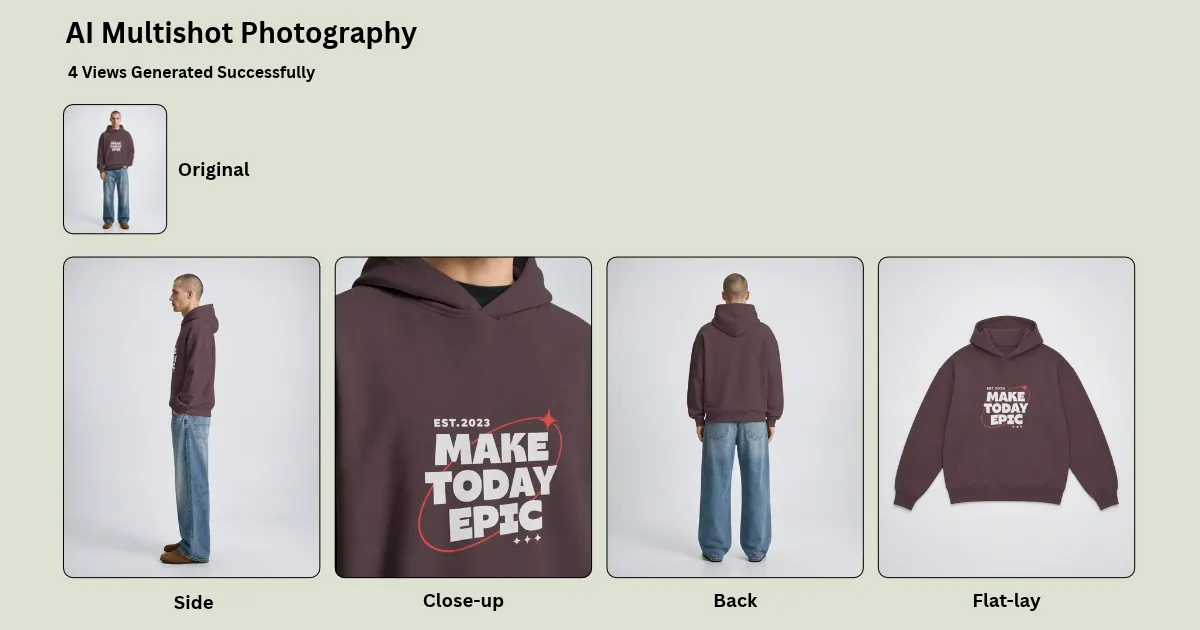
If you're planning to use a regular photo editor for this, hold on. This tool is a great option for creating accurate, high-quality product images to list on Amazon, Shopify, or another online store.
Let's walk through how to create multiple product images from a single photo using Mockey AI and clear up any doubts you may have.
Compared to a single image product listing, BigCommerce benchmark shows that multiple images convert up to 2.5 times better. A listing with five or more images makes shoppers 3.2 times more likely to buy.
We explain the differences in more detail in our blog post, Single Shot vs. Multi Shot.
Some AI tools get the small details wrong while creating multiple product images. A bottle might come back with a changed label, or a shirt with folds that weren't there in the original photo. The results depend a lot on the tool you're working with.
For bottles, cosmetics, and clothing, try Mockey AI. It keeps the product and label details intact while adding shadows, reflections, and lighting.
Need 7–9 images for an Amazon listing? Upload one phone photo to Mockey AI and create the whole set.
Here is a step-by-step guide to creating multiple product images from a single photo.
Avoid harsh shadows.
Take the photo from a slight 3/4 angle so both the front and side are visible. The AI can create new angles with greater depth from this. Look at the image:
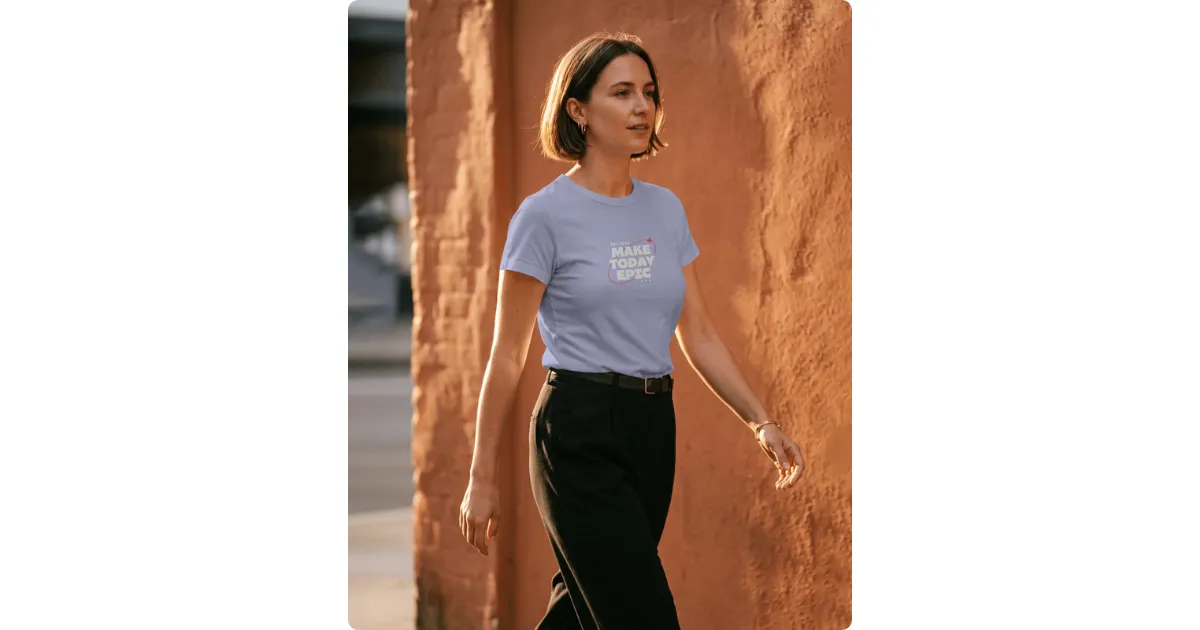
We made this image with Mockey's built-in AI Photoshoot tool. You can try it out yourself, too.
Upload your clear, well-lit product photo, then create versions that match the image requirements of each platform:
| Channel | Image Types | Aspect Ratio | Key Tip |
| Amazon | White-background hero, 4–6 lifestyle or infographic images | 1:1 (1600px minimum) | Fill 85% of the frame. Avoid props and text in the main image. |
| Instagram Ads | Lifestyle scenes, seasonal themes, and text overlays | 4:5 (Feed), 9:16 (Stories/Reels) | Create 3–4 background variations for A/B testing. |
| Your Store | Consistent product shots and close-up details | 1:1 or 3:4 | Use saved templates or Brand Kits. |
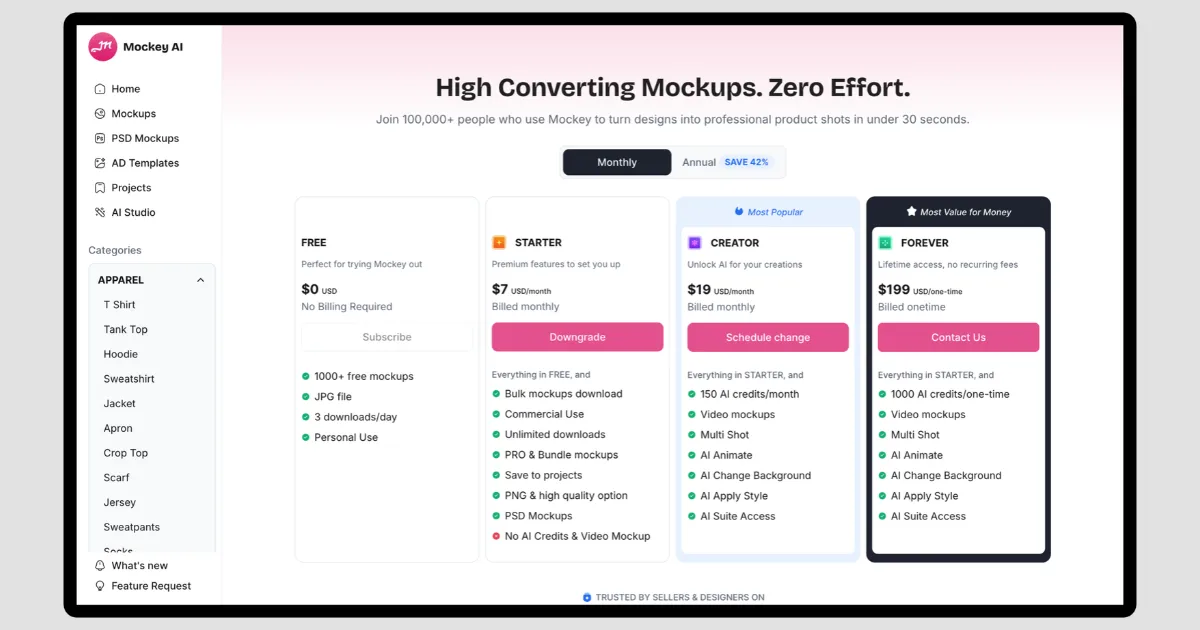
Multi Shot isn't included in the free plan, and there's no trial for it either. To get started, visit the pricing page and subscribe to Creator for $19/month. You'll get 150 credits, with 2 credits deducted for each generation.
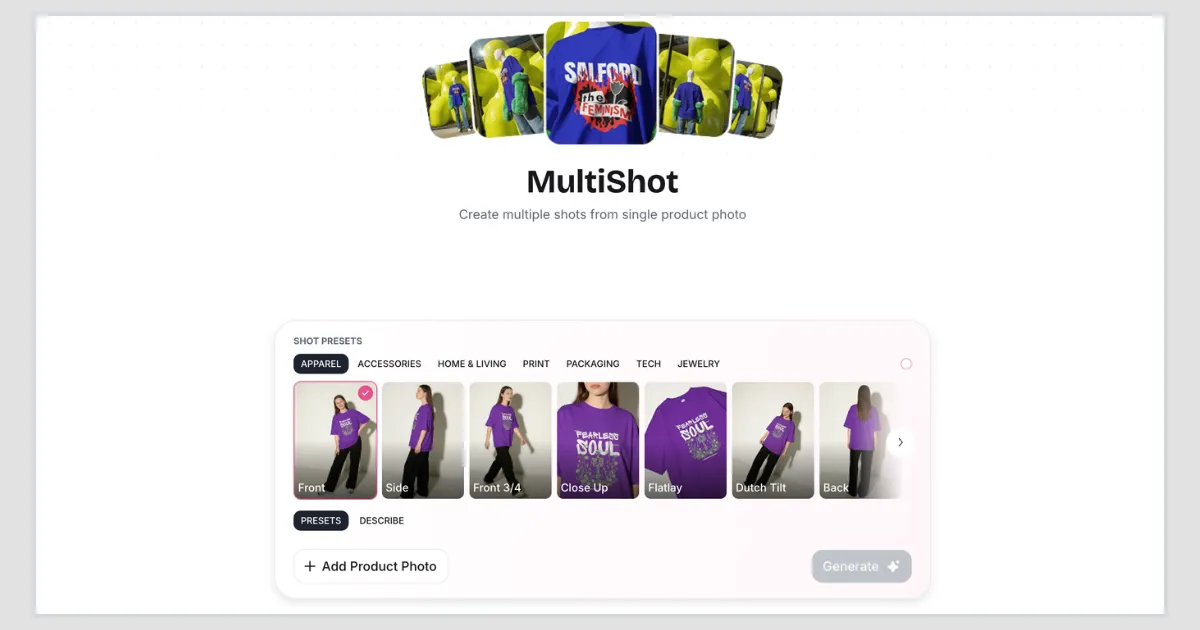
After subscribing, open AI Studio and select Multi Shot. A drawer will appear. Click + Add Product Photo and choose the product image you want to upload.
Choose a category based on your product. Since we're creating for T-shirts, we'll stick with Apparel.
Next, select your preferred presets. You'll find more than 10 views, including front, back, side, flat lay, close-up, rear 3/4, low 3/4, high 3/4, and more.
Once you've made your selections, click Generate. Your images should be ready in as little as 15 seconds.
Go to the Export button and click Download All. All your images will be downloaded together in a ZIP file, each image at extremely high quality.
Output Result:
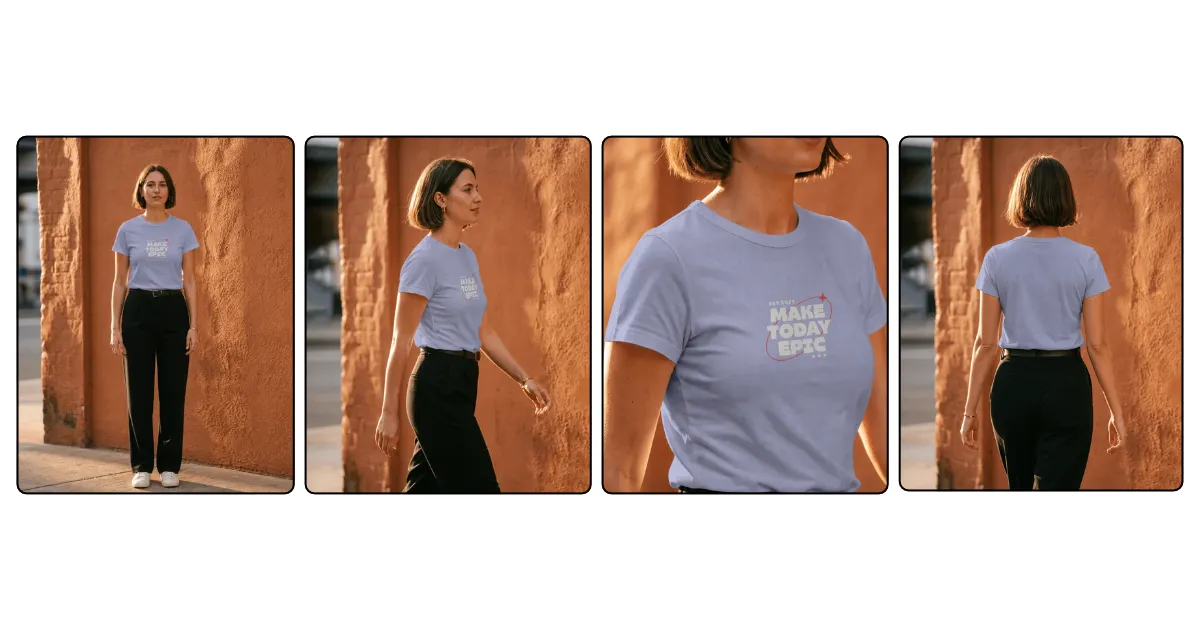
You understand how to create multiple product images from one photo.
Use Mockey AI to create marketplace-ready multiple product images in seconds. Labels, colors, and textures stay true to the original, while the backgrounds, shadows, and lighting look natural. Make sure each image follows the size requirements of the platform where you plan to use it.
Use a product that already gets regular orders for your first try. If the photos look right, you can repeat the process for your other products.
Yes. Add your front-facing product photo to Multi Shot, choose the side and back views you want from the presets, then hit Generate.
Your phone camera will do. Take the picture in daylight, keep the product in focus, and watch out for dark shadows. Don't shoot it straight on; turn it a little so the front and side are both visible.
No. Your product's logo, text, and shape stay the same when you generate different views.

Sangram Sahoo
I’m a content writer with 4 years of experience. I specialize in creating practical content around mockups, print-on-demand, apparel, and e-commerce design.
