Where to generate mockup animation from prompt? With Mockey AI’s Bring to Life feature, you can create mockup animations, even with a prompt.
With the Bring to Life feature, you can turn the best free mockups into animations. Just describe what you want in the prompt, click the arrow icon, and create animated mockups in minutes.
Let’s discuss why you should use the best AI mockup generator, Mockey AI, to generate mockup animations from a prompt.
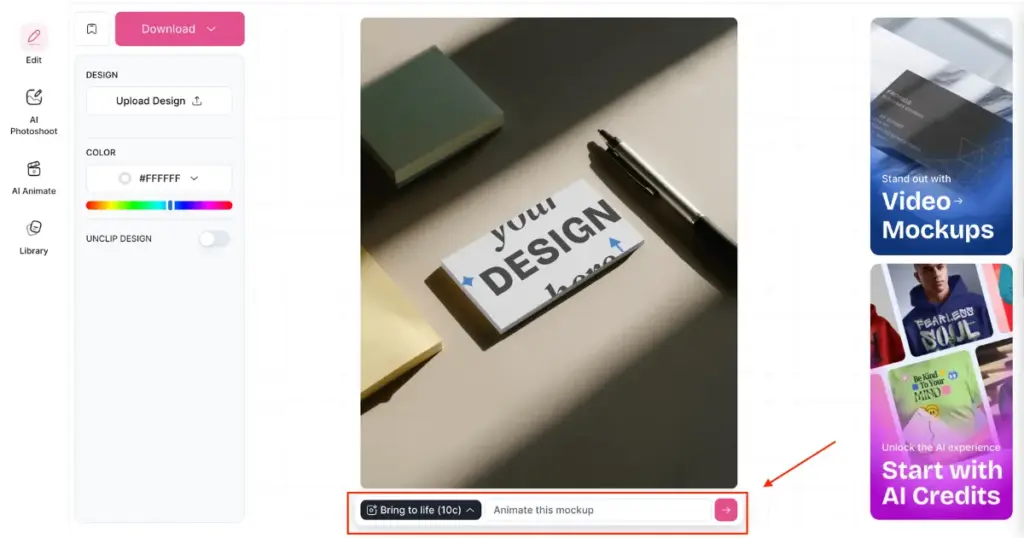
If you want to generate animated mockups, choose Mockey AI. On the editor page, you’ll get the option to convert your design into an animation from a prompt.
Let’s understand this with an example. Suppose you wish to generate a business card mockup with animation. First, you select a template, upload your design, and perform some basic customization.
On that same editor page, you can animate it with the Bring to Life feature using just one button. But you can also use the prompt box there. Just describe anything, like “Somebody is giving a business card to another,” and it will generate exactly that.
The platform has more than 45 products that can be downloaded as animations. All of them will download as MP4 files.
You must buy the CREATOR or ELITE plan in order to use this feature. You cannot generate animated mockups with the free plan. The pricing is:
With these paid plans, you not only get animated mockups but also access to video mockups and AI tools like AI Photoshoot and AI Anime. You can even use AI Anime inside mockup animations. We will explain that part a little later.
To generate mockup animation from prompt:
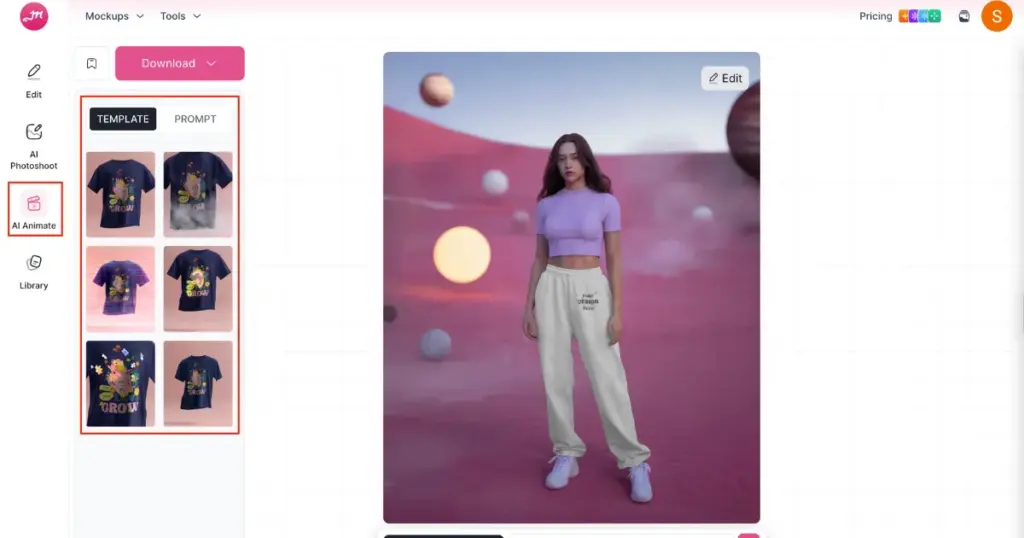
There’s an alternate method to generate mockup animations using the AI Anime tool. It will display 6 templates, and you just have to pick one. You can also modify it using a prompt if you want. Click the Generate button and download your animated mockup.
Now you know where to generate mockup animation from prompt. Showing your mockup in animation for print-on-demand is a genius move. People love seeing it this way.
With the Bring to Life feature, you can not only create animations but also modify backgrounds or elements. For example, if you want to add or remove any object from the mockup template, you can do it with Modify Elements. Or if you wish to have an office setup in the background, that’s also possible with the Change Background option. Just click and express your needs through a prompt.
You get 150 credits with the CREATOR plan and 500 credits with the ELITE plan. One prompt uses one credit. So go ahead and generate now by purchasing a plan. Thank you.
The Mockey AI lets you turn any mockup, whether it’s a t-shirt mockup, banner mockup, or brochure mockup, into an animation.
Yes. On the Mockey AI editor page, you’ll find the Bookmark option next to the Download button. You can bookmark your favourite templates and access them later without searching through the catalog. Just go to your Profile and click on Bookmarks to view them.
To access all PRO or paid mockups, you need the STARTER plan ($7/month). The yearly plan starts at $4.1/month.

Sangram Sahoo
I’m a content writer with 4 years of experience. I specialize in creating practical content around mockups, print-on-demand, apparel, and e-commerce design.
