How to turn a static mockup into a video? Use Mockey AI’s Bring to Life feature and turn the mockup image into a video animation.
You can also convert your content into a video using the AI Anime feature. You can either use pre-made templates or add your own prompt to generate the video.
Mockey AI is an AI mockup generator that offers many design tools, including AI features like Bring to Life and AI Anime. With these two features, you can easily convert a static mockup into a video.
Our first method is using the “Bring to Life” feature to show how to turn a static mockup into a video.
Tap “Pricing” after visiting the Mockey AI website.
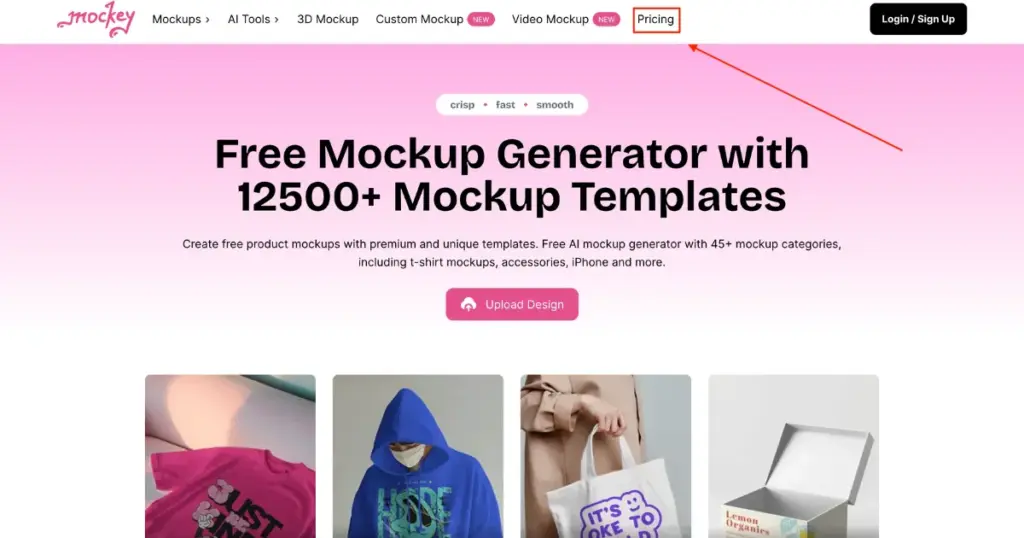
Select either the CREATOR or ELITE plan to unlock all AI tools. When you buy a plan, your Mockey AI account will be created automatically.
On the next page, look at the left sidebar and click on “Mockups.” Then, from the Categories below, choose any product you want to design or customize.
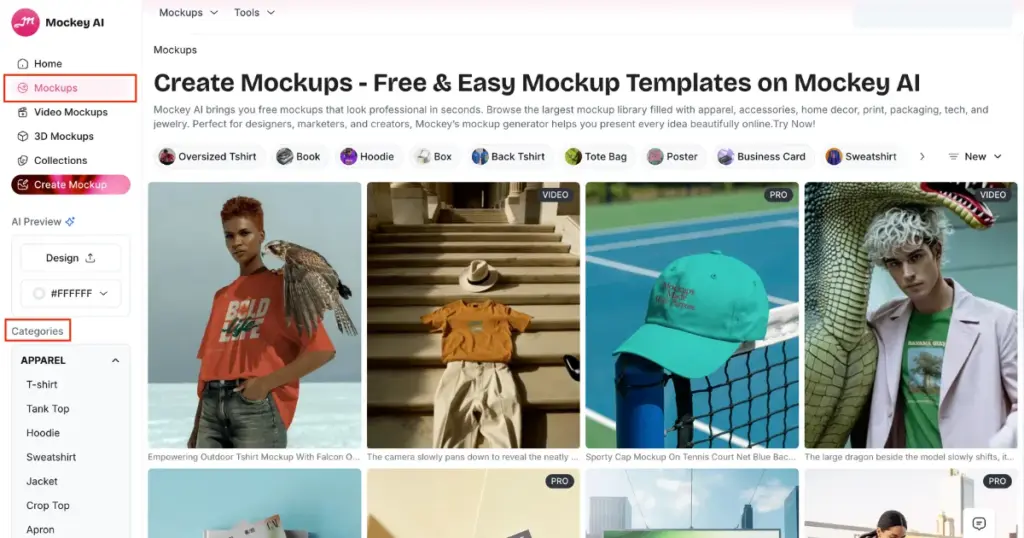
Pick a template and click on “Upload Design” to add your custom image. You can also change the product color to match your brand.
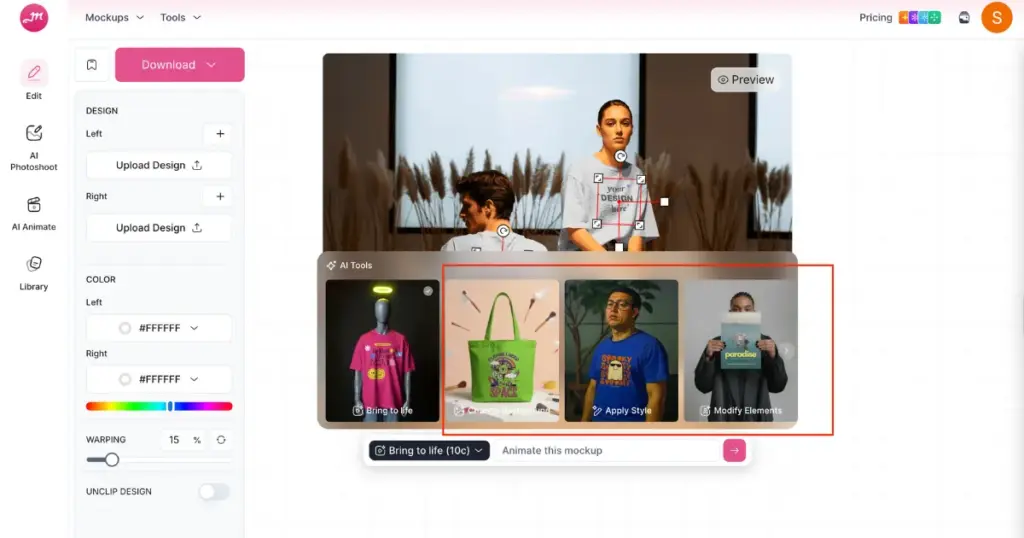
Scroll down to find the “Bring to Life” option in the editor. Click the arrow icon, and your mockup will automatically convert into a video.
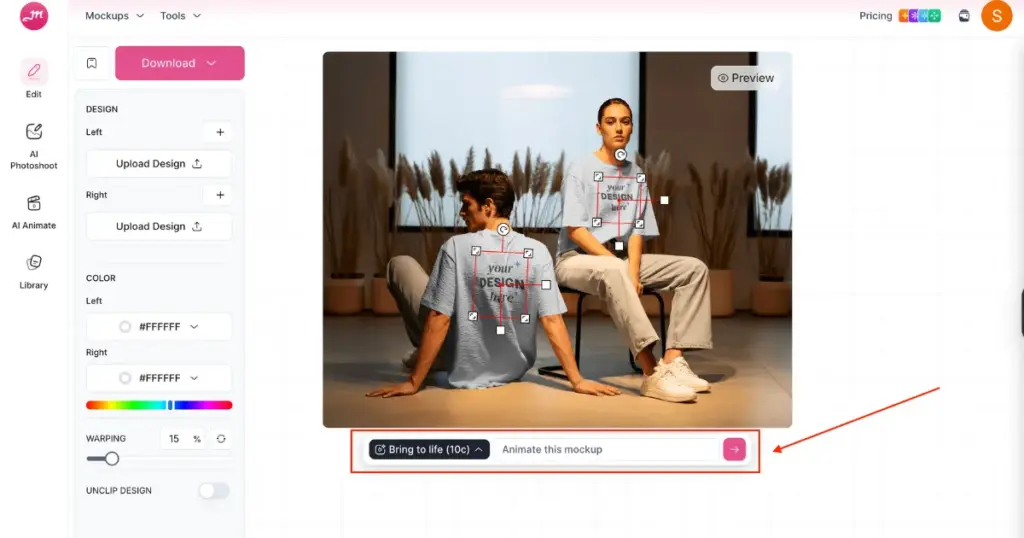
If you want to modify the same template, type your changes in the prompt box and click the arrow icon again. Your mockup will update according to your instructions.
Along with “Bring to Life,” you’ll also find other powerful AI tools such as Change Background, Apply Style, and Modify Elements options.
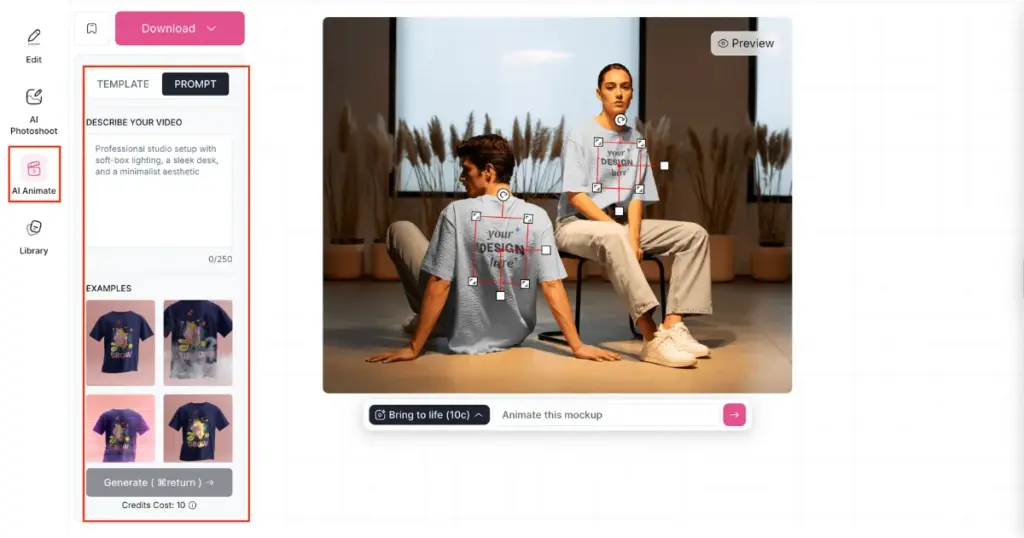
All the steps will be the same. You just need to use the “AI Anime” tool instead of the Bring to Life feature on the editor page. You’ll find it on the left side.
When you click on it, you’ll see Template and Prompt options. You can preview the 6 templates and pick one to generate your video, or you can describe your video using a prompt. Finally, click the “Generate” button to get your output.
Mockey AI’s pricing plans are quite affordable. The plans start with the STARTER plan at $7 per month, which lets you create 2D and 3D mockups. With the CREATOR ($19/month) and ELITE ($49/month) plans, you can also use advanced AI tools like Video Mockups, Bring to Life, AI Photoshoot, AI Anime, and more.
With these two methods, you must have understood how to turn a static mockup into a video. However, this feature isn’t available in the free plan — you’ll need to upgrade to the CREATOR or ELITE plan. But it’s totally worth it for you. You can go for it without any hesitation. Whether it’s t-shirt mockups, book mockups, or magazine mockups, you can turn any static mockup into a video animation. Start now!
Yes, Mockey AI is an excellent AI mockup generator. It offers a huge collection of templates and powerful design tools. The team works with great dedication to improve the user experience. Whenever you want to create mockups, use Mockey AI to showcase your product online without a photoshoot.
The video mockup generator on Mockey AI provides many video templates. You just need to add your design to them. The final output will be a 5-second MP4 video clip.
Yes, you can convert seasonal mockups into video animations using Mockey AI’s Bring to Life and AI Anime tool.

Sangram Sahoo
I’m a content writer with 4 years of experience. I specialize in creating practical content around mockups, print-on-demand, apparel, and e-commerce design.
