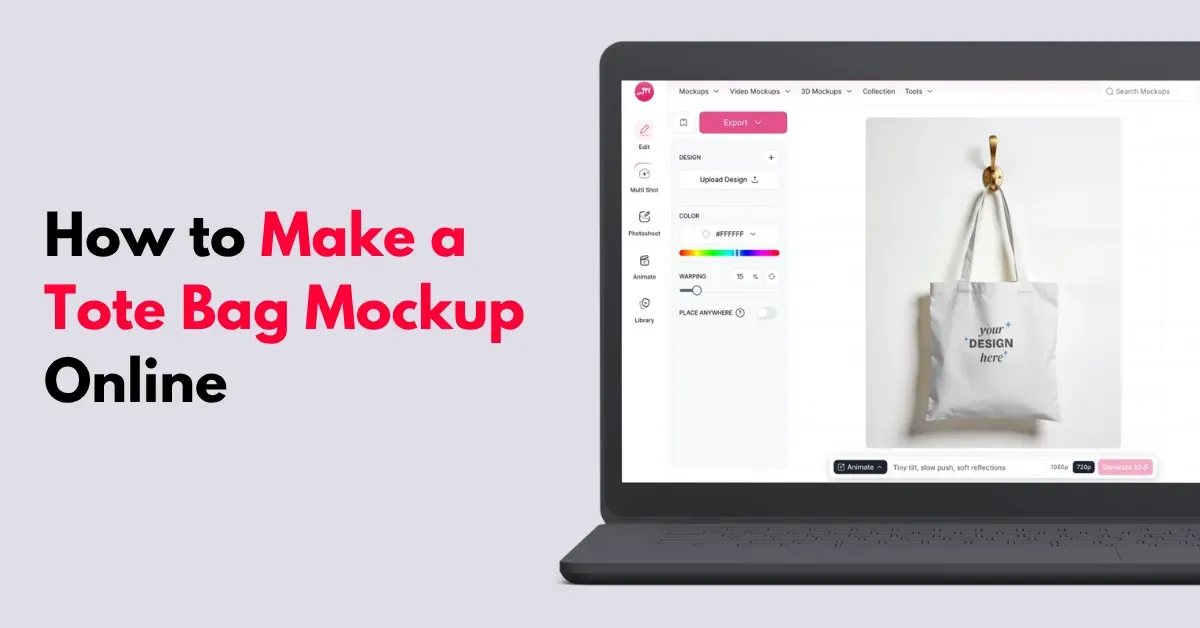
Thinking about how to make a tote bag mockup online? Use an online mockup generator like Mockey AI for templates or create your own.
You’ll find ready-made templates for different tote bag types, such as canvas, aesthetic, and cotton. Add your design and adjust its position as needed.
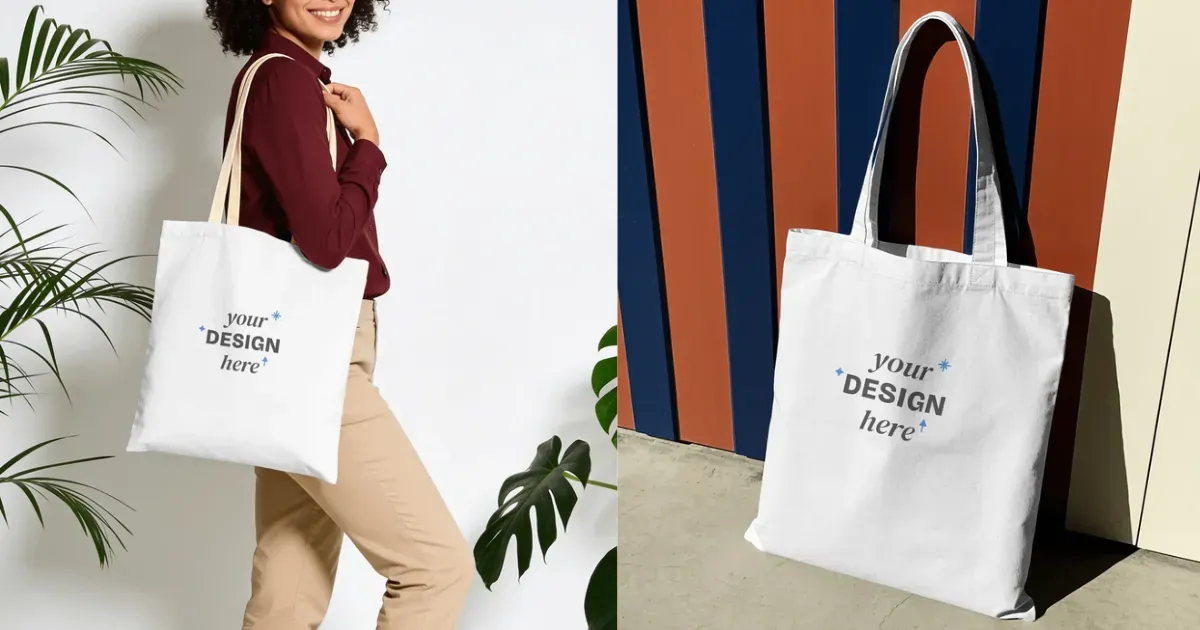
There’s another method too. Simply upload your design and describe the scene you want, such as a model or a specific location. Here’s an example:
Let’s take a detailed look at both methods for creating a tote bag mockup.
A tote bag mockup puts your logo, artwork, or pattern on a bag image, so you can see how the design might look before you make the actual product.
Nearly 45% of tote bag sales now happen online through stores like Etsy, Amazon, DTC websites, and social media shops.
Print-on-demand has made this shift even easier. Small creators can sell tote bags for a POD business without holding inventory or taking much risk.
Reasons to use Mockey AI:
You already know that Mockey has over 500 pre-made tote bag mockups. Now, let’s see how to create one the right way.
| Step | What to Do |
|---|---|
| 1. Transparent Background | Transparent PNGs are best. |
| 2. High Resolution | Export at 300 DPI or at least 2000 × 2000 px. |
Navigate to Mockey AI, one of the best free mockup sites.
Quickly sign up there and in the “Mockups” section, look for Accessories. Then, pick Tote Bag and see a wide range of templates.
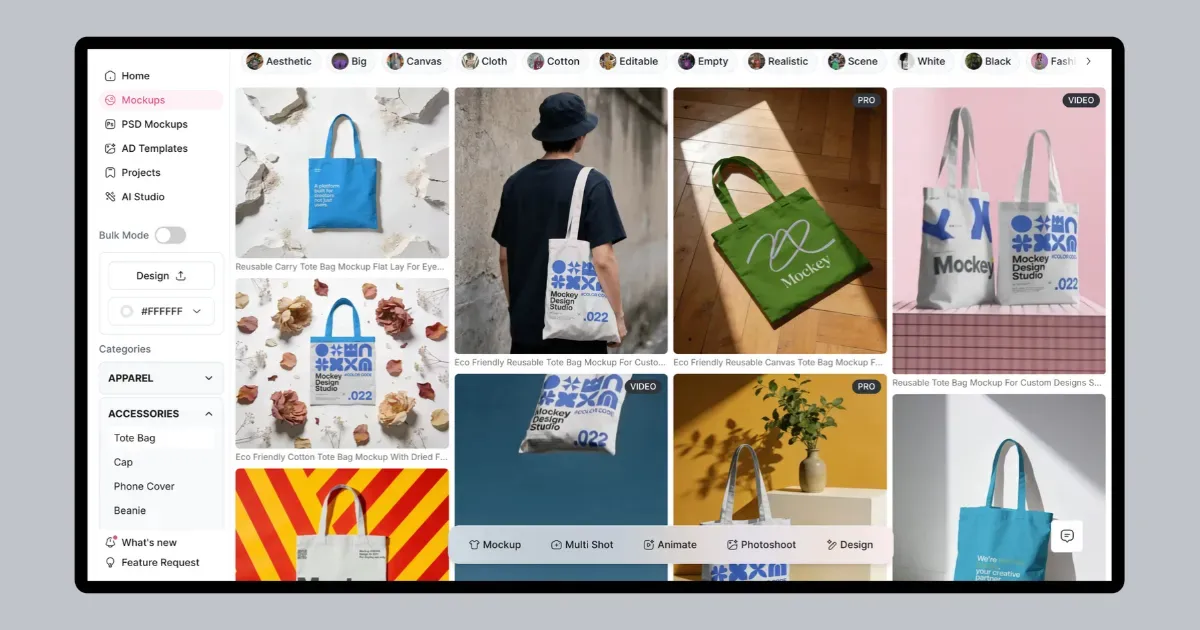
You get different types of tote bag mockups such as:
Choose a template, then upload your design and adjust its scale & position.
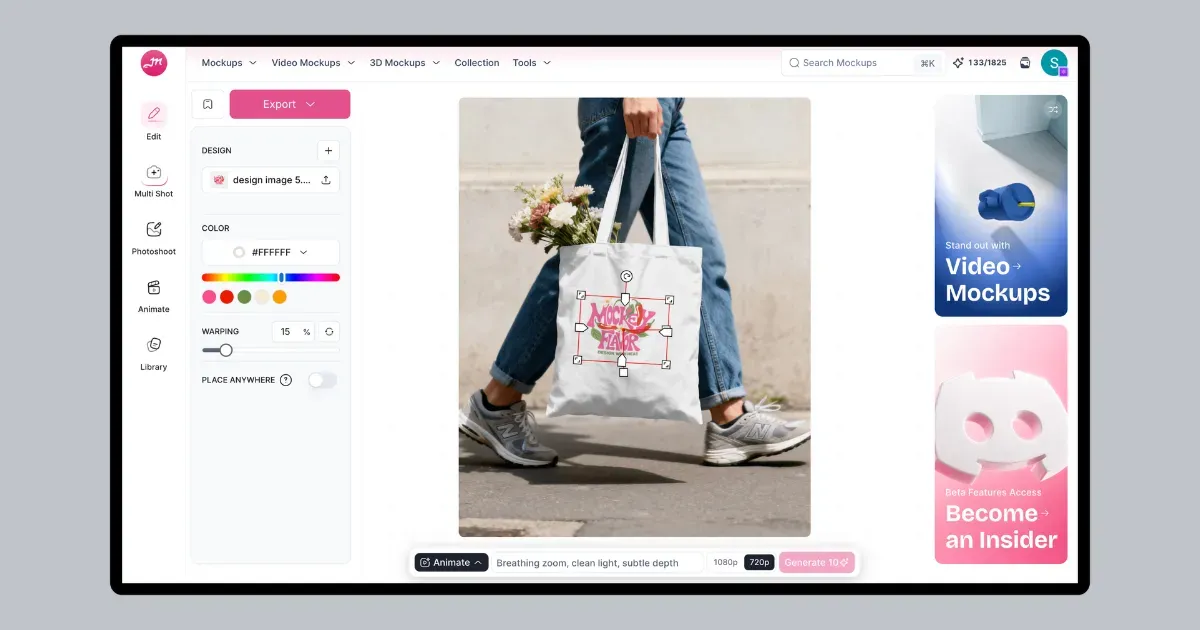
Add more than one design if needed. Resize your artwork by dragging the corners, then use Warping or Place Anywhere when you need to fine-tune its position on the bag.
Change the color of the tote bag, generate multiple views using the Multi Shot tool, or create an animation.
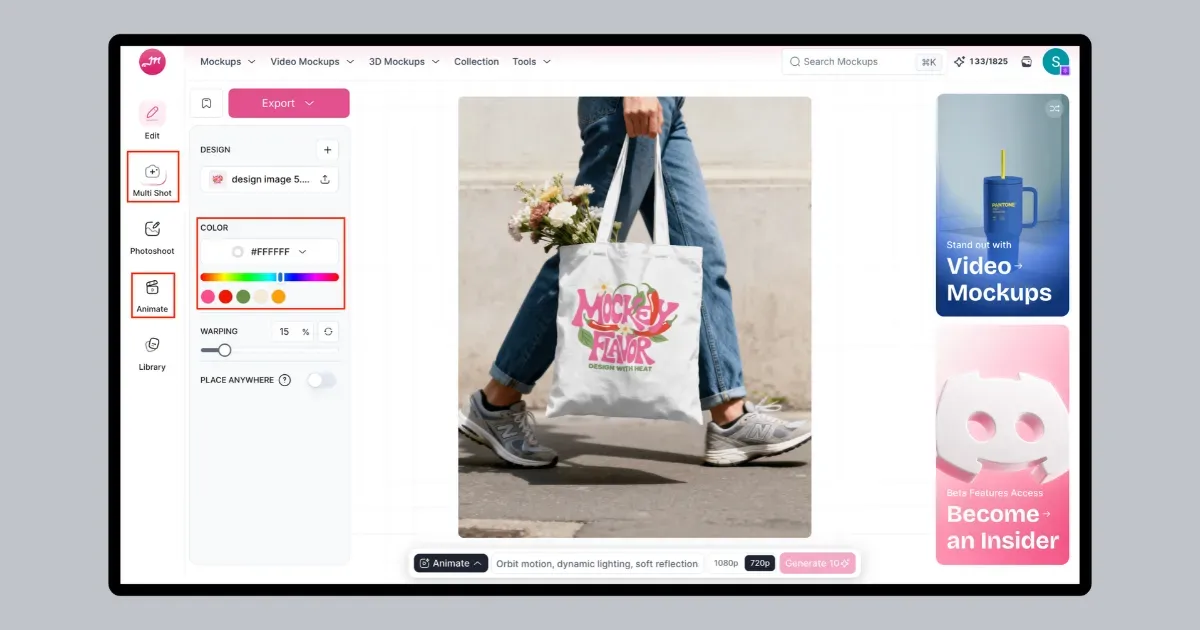
Download the mockup using the “Export” button or list it directly on Etsy or Shopify.
After connecting Mockey to your store, you can add tote bag mockups without downloading and uploading the images yourself. A paid plan is required, with plans starting at around $7 per month.
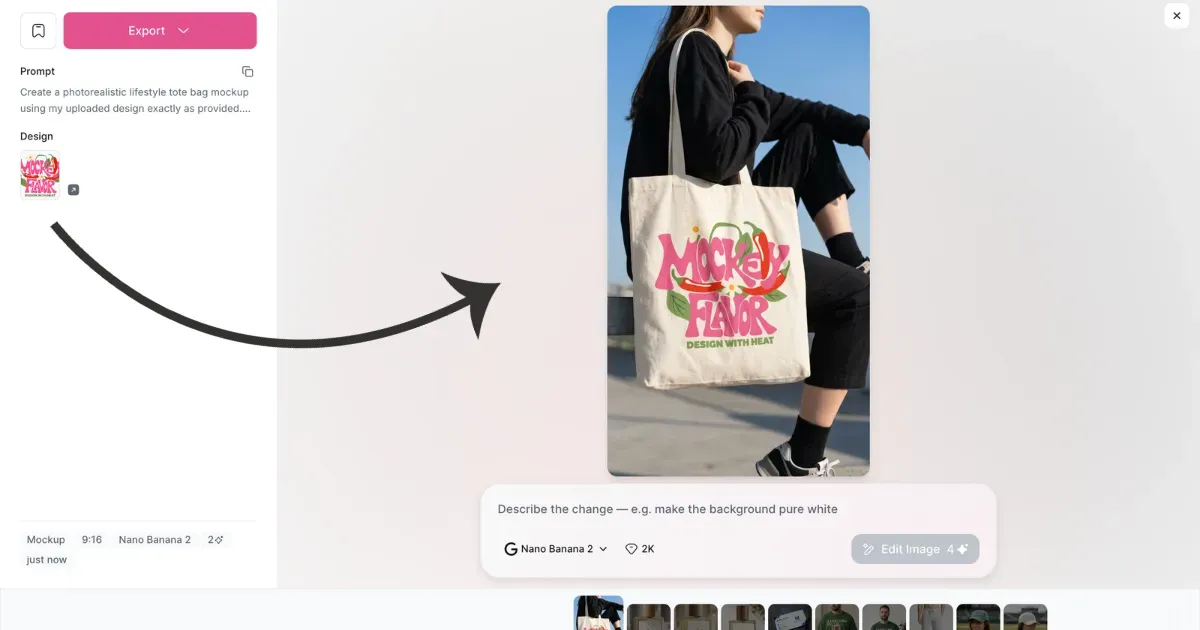
You can also make a tote bag mockup from a scene you describe. Upload your design, write a short description of the scene, pick the image size, and create the mockup.
You can make further edits if needed and get the final result in up to 4K quality. This DIY Mockup feature is available in Mockey’s “AI Studio.”
Look at the result:
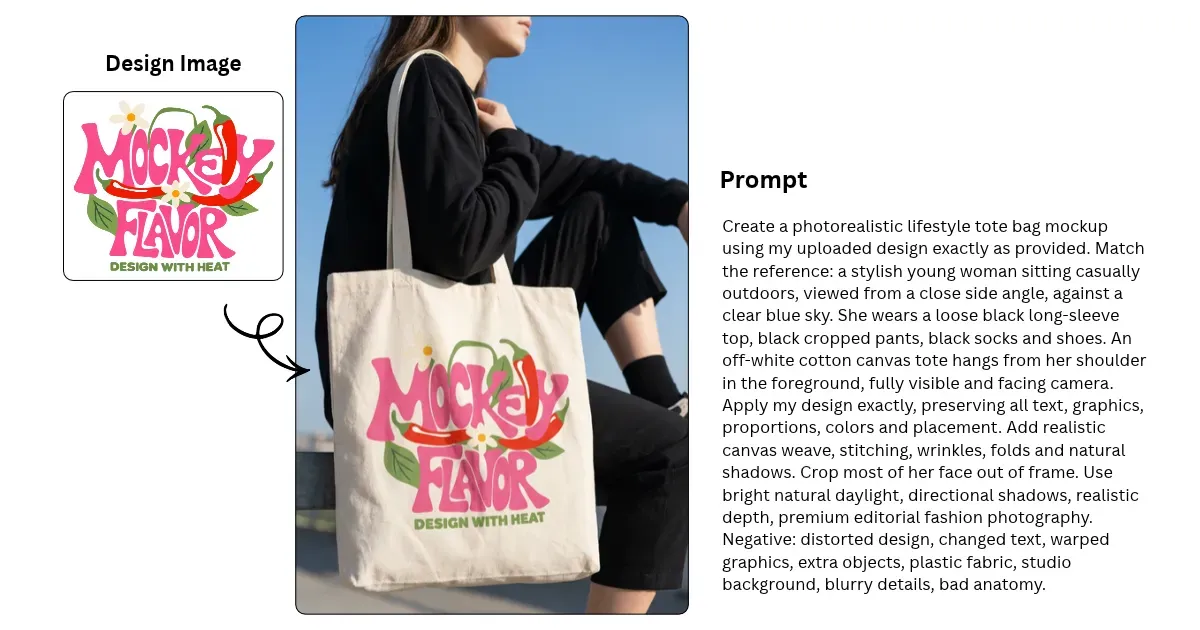
Prompt: Create a photorealistic lifestyle tote bag mockup using my uploaded design exactly as provided. Match the reference: a stylish young woman sitting casually outdoors, viewed from a close side angle, against a clear blue sky. She wears a loose black long-sleeve top, black cropped pants, black socks and shoes. An off-white cotton canvas tote hangs from her shoulder in the foreground, fully visible and facing the camera. Apply my design exactly, preserving all text, graphics, proportions, colors and placement. Add realistic canvas weave, stitching, wrinkles, folds and natural shadows. Crop most of her face out of frame. Use bright natural daylight, directional shadows, realistic depth, premium editorial fashion photography.
Now turn those mockups into a product listing that can actually sell. Here’s what to do next:
Your product title should clearly say what the item is and include popular search terms. This helps shoppers find it on Etsy, Amazon, and Google.
Skip long paragraphs. Use bold bullet points to answer questions about durability and utility.
| Section | What to Include |
|---|---|
| Hook | 1–2 sentences on the design’s vibe or purpose. |
| Material & Durability | Fabric weight, material, strength, and stitching details. |
| Exact Dimensions | Bag size and strap drop length. |
| Care Instructions | Clear washing and drying instructions. |
Price your tote bags competitively. Keep enough margin to make a healthy profit.
| Pricing Method | Quick Rule |
|---|---|
| Standard | Cost (Manufacturing + Shipping) × 2 |
| Market Range | $18-$28 for quality custom canvas totes |
| Premium Features | Inner pockets, zippers, or unique designs can justify higher prices |
You can also list your mockups directly on your Etsy or Shopify store through Mockey. Make sure to add images in this order:
You now have a complete idea of how to make a tote bag mockup online and list it on your store.
Don’t rely on one image to sell your product. Use three mockup views for each listing. Start with a front view for the main image, add a lifestyle shot, and finish with a close-up that shows the print clearly.
Use keyword-rich titles and keep your product details clear and easy to scan.
You can use Mockey’s tote bag mockup generator with the free plan, and there will be no visible watermark.
As soon as you upload your design image onto the tote bag mockup, it will look like it’s actually printed on the bag. For better accuracy, you can use the Warping feature.
A Starter plan covers commercial use of tote bag mockups. Use them in your ads or add them to your store listings.
Mockey’s free plan includes lifestyle mockups. Pick a scene, add your design, make any changes you need, and download the finished mockup without paying.

Sangram Sahoo
I’m a content writer with 4 years of experience. I specialize in creating practical content around mockups, print-on-demand, apparel, and e-commerce design.
