Learn how to create mockups in Figma with three simple steps! Just install the best Figma plugin for mockups and start designing easily.
Figma Design is a tool that helps people make and share ideas for websites, phone apps, and different digital creations. It’s a big drawing board where designers, writers, and developers can work together. Anyone can join in, give opinions, and help make designs better and faster.
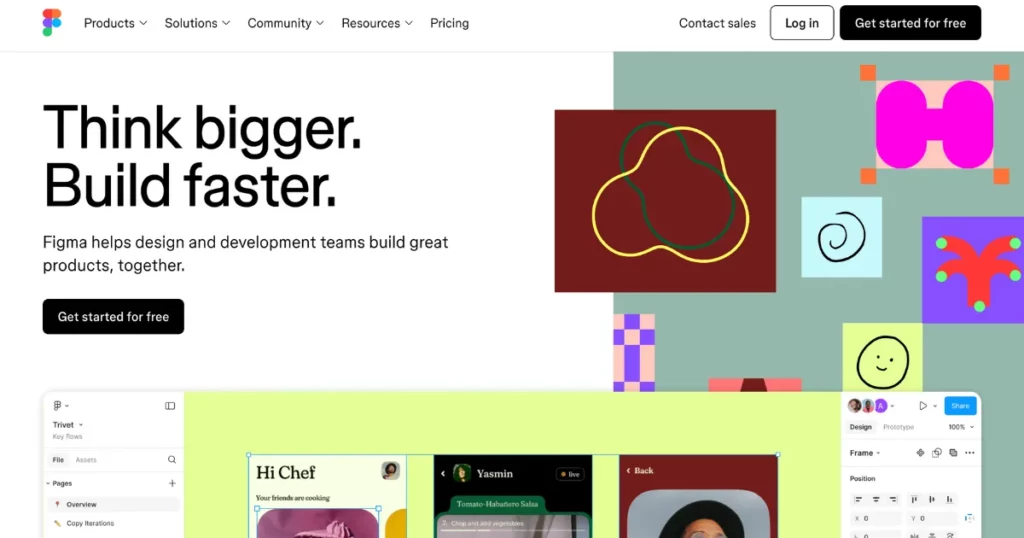
You can have different pages, each with its own space to work on. Shapes, pictures, and words can be added easily using simple tools. Everything in the design can be picked, moved, and arranged just the way you like. Colors, sizes, and other details can be changed in a settings area. Lines and guides help keep everything neat and perfect.
We’ll show you the best Figma plugin for mockups and how to create mockups in Figma.
The free Figma mockup plugin is called Mockey AI. This tool helps you make mockups quickly inside Figma. It has more than 30,000 templates to choose from.
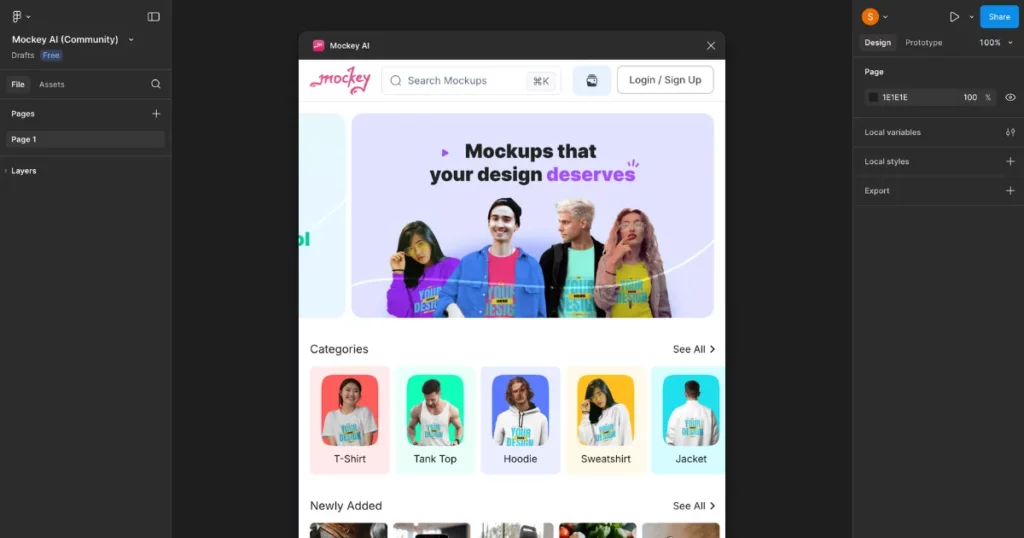
Why use Mockey AI instead of other mockup makers? It’s easy to understand! Mockey AI mockup generator gives you more templates and better tools to edit them. You can also use Anime and Photoshoots AI features to make your designs look professional and save them in animated style.
Making mockups in Figma is super simple with the Mockey AI plugin. Here’s a quick and easy guide to show you how!
Here are step-by-step instructions on how to make a mockup in Figma.
Sign up at Figma and find the “Open in” button and click it. Choose “+ New File” from the list. Click “Run” and wait.
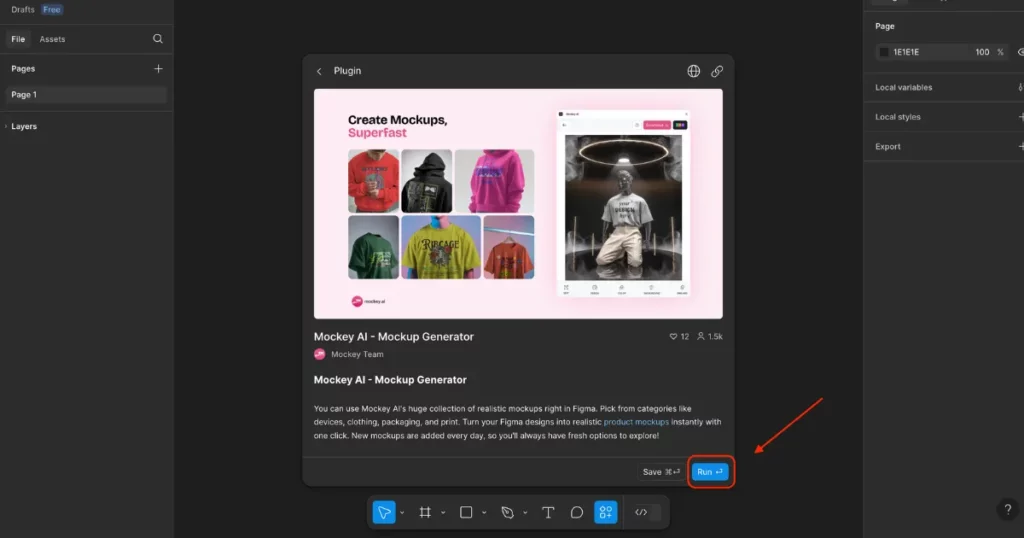
Mockey AI will start by itself. Sign up to make your own account and access all the templates.
After signing up, choose what you want to design, like T-shirts, jackets, or notebooks. Each option has different styles you can change. Pick a style you like, then click the “Design” button to insert your design or logo.
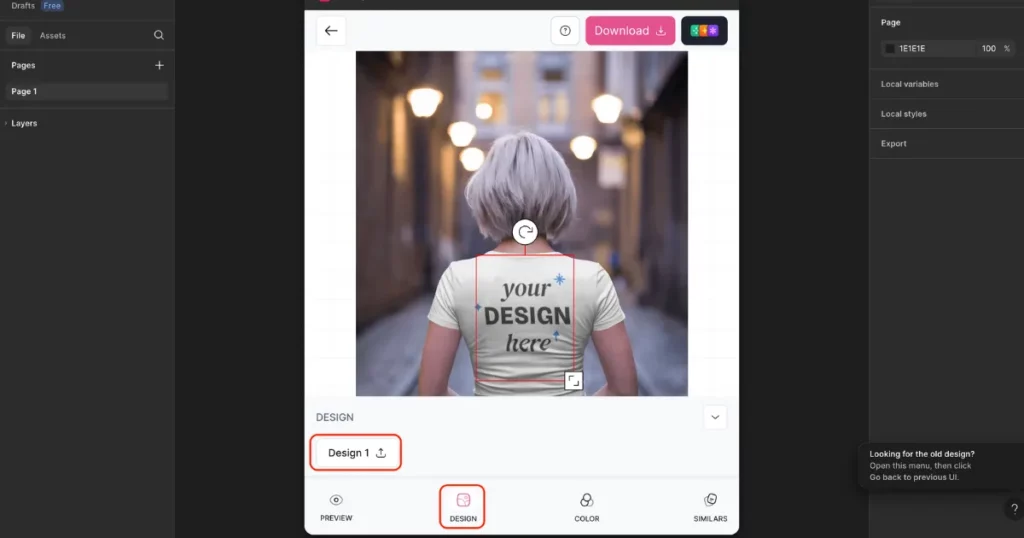
Mockey AI will instantly create a mockup based on your design. You can change colors, and backgrounds, and adjust your logo to make it look exactly how you want. If needed, remove the background for a cleaner look.
Before finishing, use the Preview option to check how your mockup looks. If everything is good, click Download to save it as a PNG or JPG.
Making mockups in Figma sounds good, right? But why do it? First, it saves you a lot of time. Second, it helps you create great designs easily.
When you design, you work with others. This means asking for ideas from your team or showing your work to people who need to see it. Figma helps you do this easily. You can make mockups, share them, and get feedback without wasting time or stopping your work.
It’s hard to show designs on clothes because a plain T-shirt looks boring. That’s why startup founders and marketers, like Fabrizio Rinaldi from Mailbrew, use Figma to make many mockups. These mockups help show app features in a way that grabs attention.
If you have a new business and need money to grow, but don’t have enough to build a real product yet, don’t worry! Mockups help you show your idea clearly and beautifully. This makes it easier for investors to see what you want to create and decide to support you.
If you make designs in Figma, you might want to see them in a nice background. Figma mockups help you show your designs in a unique way that looks professional.
You now know how to create mockups in Figma. Mockey AI is the best mockup plugin to use! It has many templates in 25+ categories. Plus, you can save your mockups without any watermarks on them. Try it now and make your own designs!
Tap Run to get Mockey AI. Sign up to see templates. Choose a product like a T-shirt or notebook and pick a style. Click Design and add your picture or logo. Change colors, background, or logo position. Preview your template, then save it as a PNG or JPG.
Figma is a powerful tool for creating product mockups as it offers an easy-to-use interface, real-time collaboration, and a vast plugin library. Designers can create precise, high-quality mockups, upload designs, and even make 3D presentations.

Sangram Sahoo
I’m a content writer with 4 years of experience. I specialize in creating practical content around mockups, print-on-demand, apparel, and e-commerce design.
