5 Best D-ID Alternatives in 2024
D-ID is one of the best AI video generators out there — maybe even the best. Just because of some drawbacks, users are looking for the best and most free D-ID alternatives.
However, some users are unable to find a better alternative to D-ID. The reason is some are sponsored content and some are clones of others.
Our article completely relies on our experience using this software. We have mentioned this with their key features, limitations, and pricing.
Table of Contents
Why Are Users Looking for a D-ID Alternative?
The reason users are looking for sites like D-ID, just that there are major four drawbacks of D-ID AI such as:
- ❌ Not realistic AI avatar
- ❌ High learning curve
- ❌ Buggy experience
- ❌ Unreliable Features
Don’t worry. In these seven D-ID alternatives, you will get realistic AI avatars, a minimal learning curve, zero-bug software, and extensive features.
The Best D-ID Alternatives
- VEED.IO for minimal learning curve
- DeepBrain for faster output AI-generated video
- Synthesia for the best realistic AI avatars
- Colossyan for extensive features
- InVideo for zero bug experience
How We Evaluate These D-ID Alternatives?
Why would anyone consider these alternative options? Can this article be trusted or is it sponsored content?
You might be wondering about all these things. But let me assure you, we picked these D-ID alternatives after lots of research, trying them out, and comparing them. We wrote about them based on our own experiences.
To understand these D-ID alternative tools better, you must learn about these tools in detail. So, we have covered their key features, some limitations, pricing plans, and our experience using these AI video generators.
1. VEED.IO
We reviewed Veed.IO last because it was harder to find than the different D-ID alternatives on the list. It’s a pity we didn’t discover Veed sooner, we could’ve saved much time.
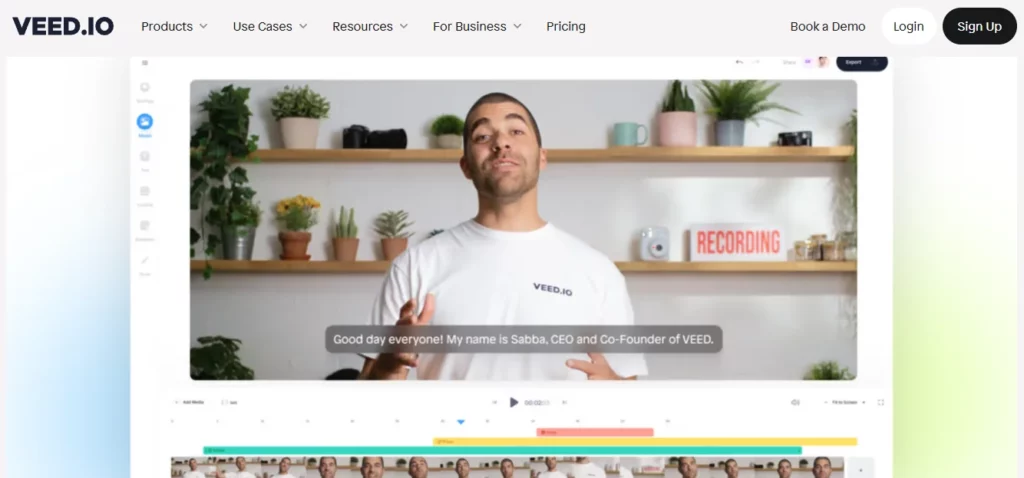
Veed won Best D-ID alternative mainly because it’s incredibly user-friendly. The browser system works like a regular AI video editor with similar features.
If you know Adobe Premiere, you’ll find Veed easy to use. That said, it’s pretty easy to use. Most buttons have descriptions, and for the ones that don’t, helpful tips pop up when you hover over them.
Key Features of VEED.IO
- Custom ChatGPT: For ChatGPT 4 users, Veed provides Custom GPT integration. This lets you make videos using familiar language prompts and edit them within Veed.
- Templates: Veed has lots of ready-made video templates and lets you make your own too. These are perfect for keeping your brand consistent in all your videos.
- Video size: Veed makes resizing videos easy. You can adjust them for social media or personal preferences. It even shows how your video will appear on platforms, preventing text from being hidden by buttons.
- Spaces: One of our top team features is Spaces on their Enterprise plan. It lets users access all project videos and assets separately, making organization a breeze.
- Brand kit: For Enterprise plan users, store brand assets like logos, colors, music, and fonts in Veed for easy access by your content creators.
Limitations of VEED.IO (As Per Users Review)
- Not friendly with Safari browser
- Broader variety in audiograms
VEED.IO Pricing
- Free (with watermark)
- Free trial
- Pro: $24/month
Our Experience with VEED.IO
When you sign up for a free option on Veed, you can either begin with a blank screen or pick from their ready-made templates.
They had many templates, but customizing them wasn’t easy. The timeline layout was confusing, making it hard to edit videos.
If you begin a new project, it’s totally empty. You’ll need to explore the options to decide how to start making your video.
On other D-ID alternatives, starting a project was easier if we had certain kinds of content ready, like text or videos. But on this D-ID free alternative, you must figure out how to add your existing content.
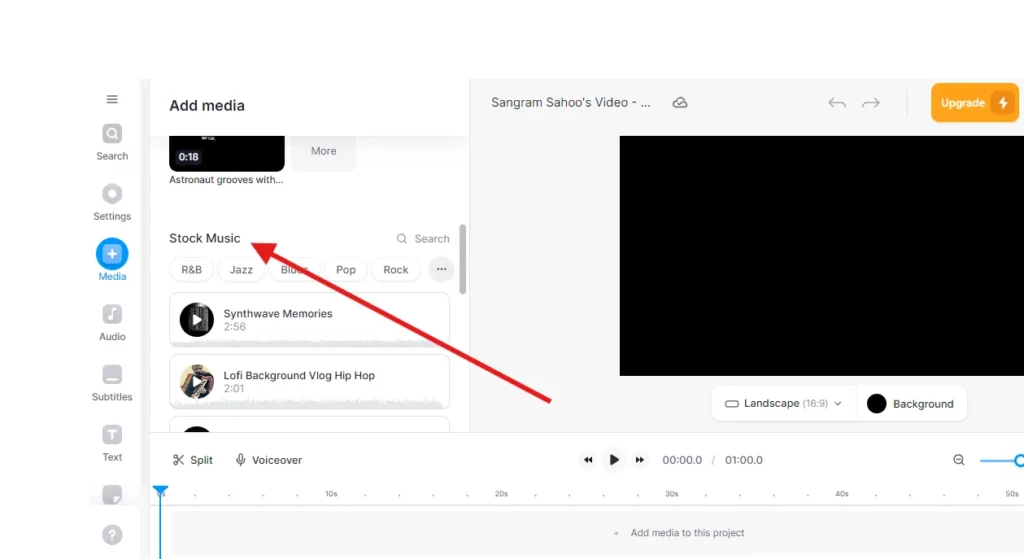
You can include stock music and videos in the timeline on the “Media” tab. Just know that much of it is for paid users only.
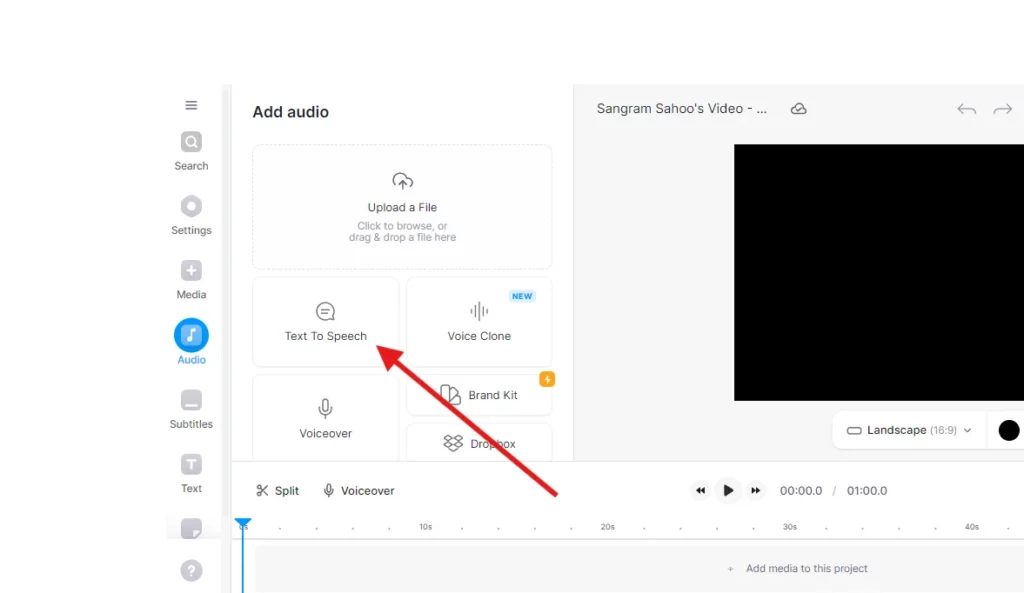
If we talk about the “Audio” tab, you can easily upload audio. But with the free plan, you’re limited to 250 text-characters.
It took us a while to figure out how to make captions from the audio because, on other platforms, we usually do it all in one effort, but here we had to do it in two separate steps.
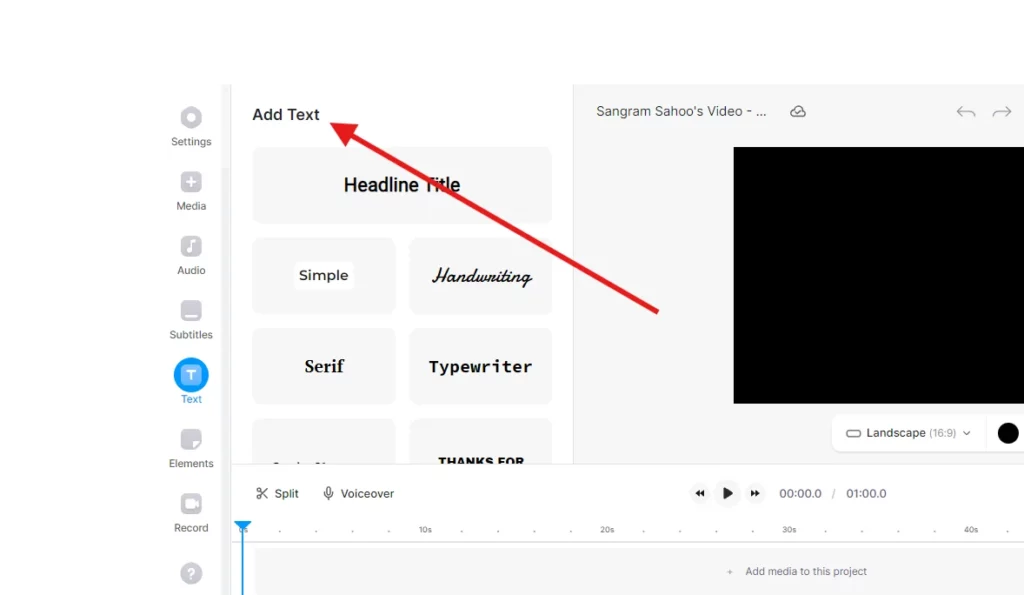
Next is the “Text” section, you’ll find lots of cool animated texts and titles to jazz up your video.
In the “Elements” tab, you can add graphics and emojis. When including an emoji, you can edit it by adding animation and modifying the duration.
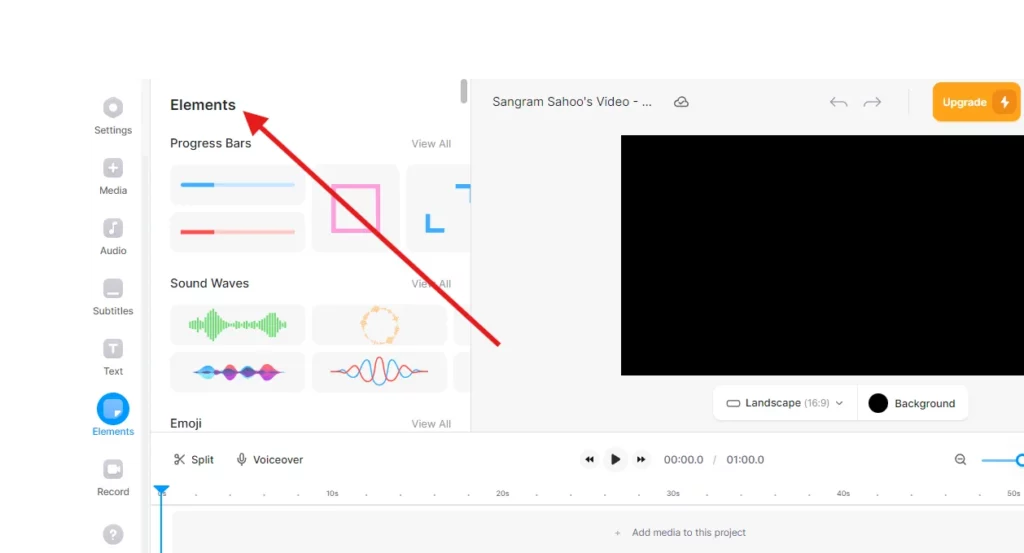
Other D-ID alternatives we tried couldn’t animate emojis-to-video, so we appreciated this feature.
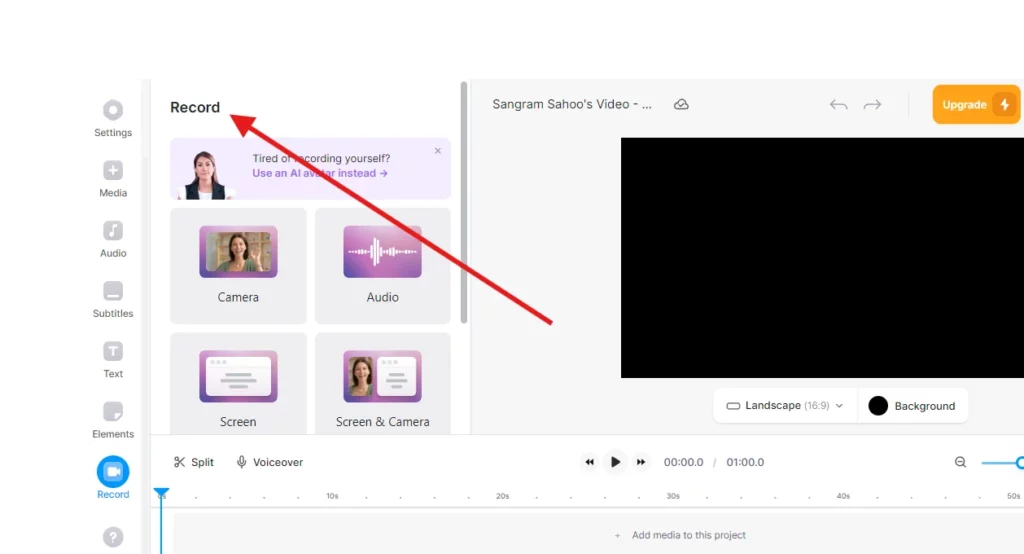
VEED has a unique feature called “Record” where you can capture video of yourself, audio, or your screen directly on the platform.
The “Transitions” section helps you add various transitions between videos. You can easily check how they look by scrubbing through the timeline.
You can tweak the colors of your video clips in the “Filters” tab.
We wish you could adjust the video color manually instead of using pre-made filters.
In short, if you use the free version, a watermark is added to your final video when you export it. To remove the watermark and use the platform fully, you have to pay.
People’s Queries of Veed.io
- Is VEED.IO free?
VEED is the top choice for pros editing videos online for free.
- Does VEED.IO have a mobile app?
VEED has a free mobile app! No sign-up is required!
- How long is VEED free?
VEED is free for 10 minutes.
- Does VEED.IO have an API?
To use VEE.IO API, sign up for a Veed account for free. After signing up, you’ll see the Workspace Dashboard.
2. DeepBrain
In 2016, Eric Jang started DeepBrain, a tech company focusing on AI video synthesis. They have a platform where you can easily make lifelike avatar videos, powered by ChatGPT.
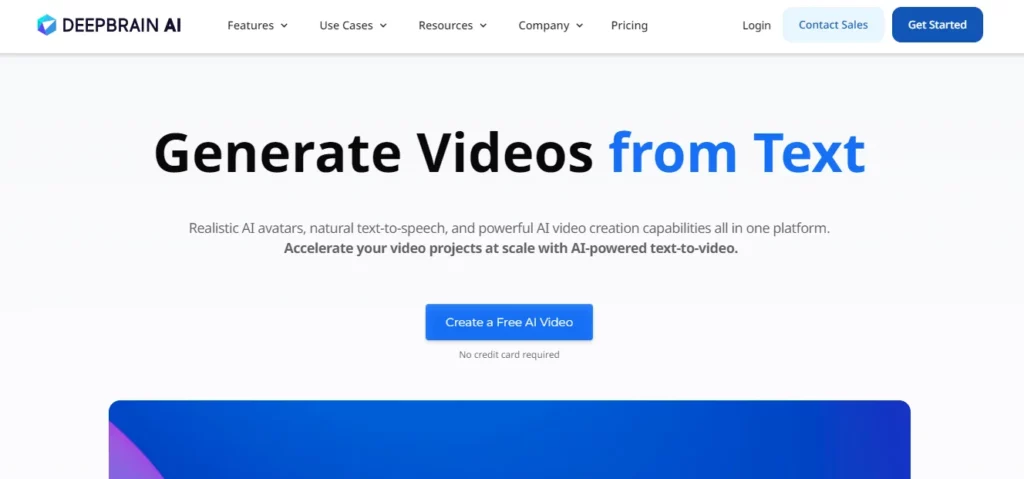
Key Features of DeepBrain
- 100+ AI avatars available
- Seamless ChatGPT integration
- Clean, easy-to-navigate interface for effortless customization
- Multiple export options: Video, Audio, Chromakey
- 65+ templates, with vertical orientation for social media
- Audio recording and uploads for scriptwriting
- Abundant video editing tools, including stock media
- High-quality, realistic AI model
- Text-to-video supports 80+ languages
- Control speed and add pauses
- No watermark on any plans
Limitations of DeepBrain
- No video preview option.
- Limited AI model customization.
- Potential formatting glitches.
- AI-generated models may be discernible.
- Unable to include captions.
DeepBrain Pricing
- Starter: $30/month
Our Experience with DeepBrain
In this part, we’ll tell you about our experience using DeepBrain AI D-ID alternative. We made AI-generated videos using ChatGPT, PowerPoints, Template, and a URL to show you what DeepBrain AI can do.
First, we signed up at DeepBrain using our Google account and clicked “Login”.
We opened the DeepBrain dashboard and saw four options:
- Make an AI Video using ChatGPT: Let GPT3 write the talk for your character.
- Turn a URL into an AI Video: Convert online content like articles or blogs into videos by pasting the URL.
- Change PowerPoint to AI Video: Drop the PowerPoint file and let DeepBrain AI turn into a lively video presentation.
- Begin with a Template: Start an AI-generated video by picking from various templates in the library.
We tried them all to show you what they’re like inside!
- Make an AI Video using ChatGPT
The quickest way to make an AI-generated video using DeepBrain is by choosing the ChatGPT. With this feature, you can use this to note the script for the avatar in the video.
Using DeepBrain is as easy as 1-2-3:
- Write your question or topic.
- Pick a template.
- Hit “Create.”
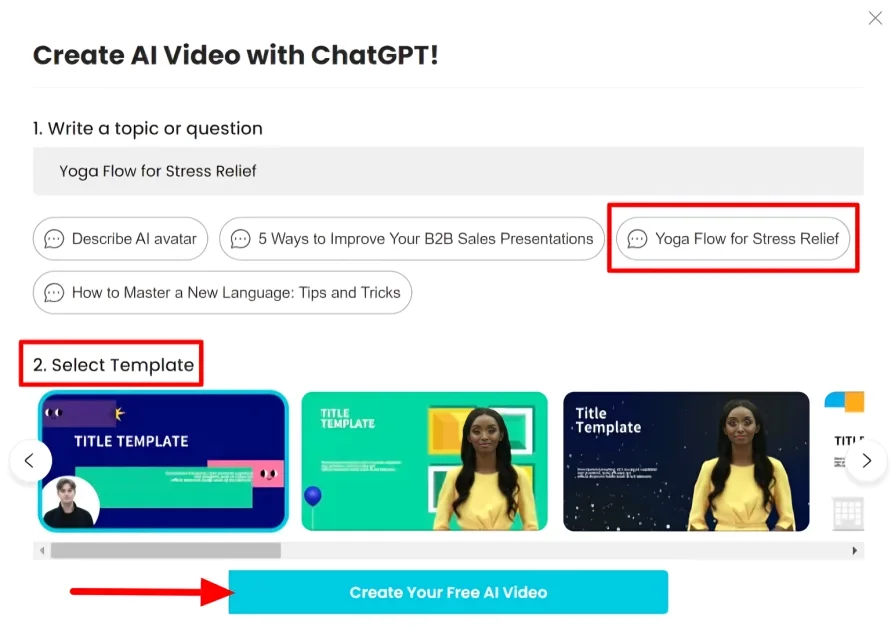
We weren’t sure what to choose, but DeepBrain had suggestions. We went with “Astronaut dancing with monkeys”.
We picked a yoga template and clicked “Create Your Free AI Video.”
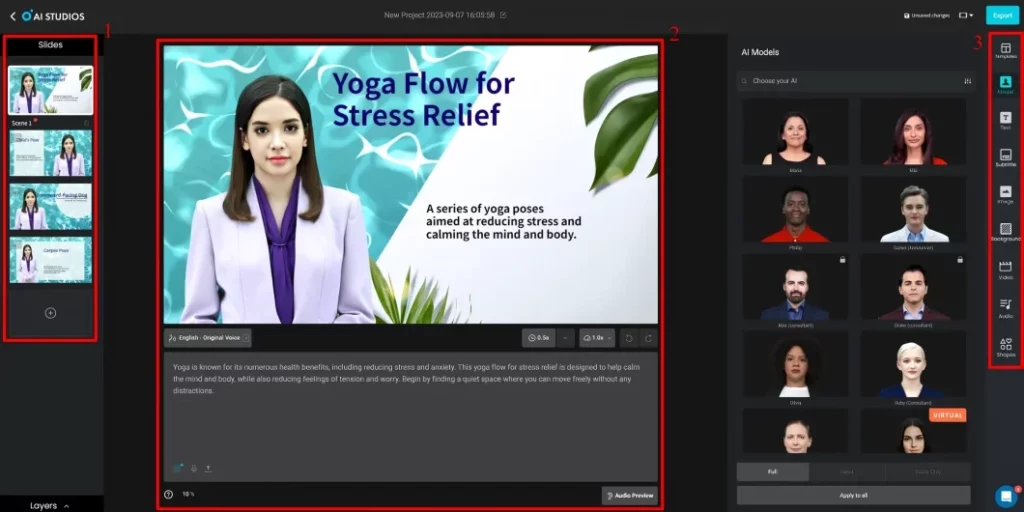
DeepBrain quickly made my video. We could then edit it in their user-friendly AI studio. Here’s a quick guide:
- Slides on the left
- Customize everything in the center
- More options on the right for templates, AI models, text, and more.
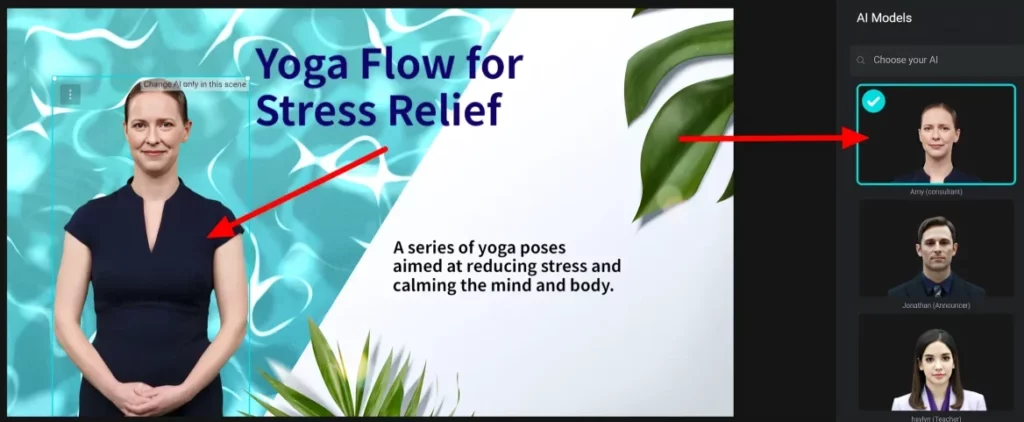
Switching to a better AI model for the video was a breeze. We just picked it on the screen and chose a fresh one.
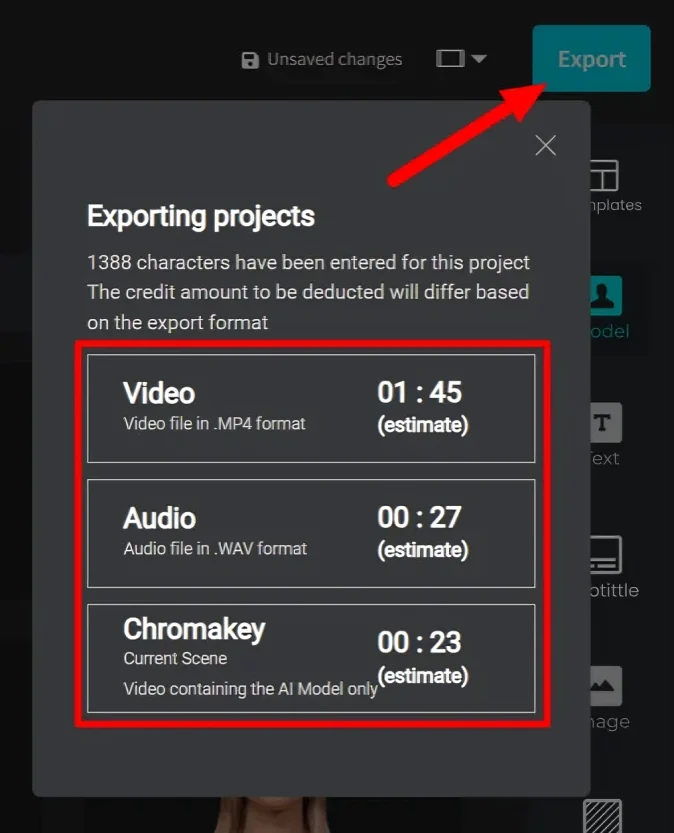
After some adjustments, we click “Export”. Then, you choose from three options:
- Video: Save as MP4.
- Audio: Save as WAV.
- Chromakey: Get the video with an AI model.
2.Turn a URL into an AI Video
We wanted to try out the Convert URL.
We went back to our dashboard and picked “URL to AI Video.”

Converting a URL to an AI video is as easy as:
- Paste the URL.
- Choose a template.
- Click “Create AI Video.”
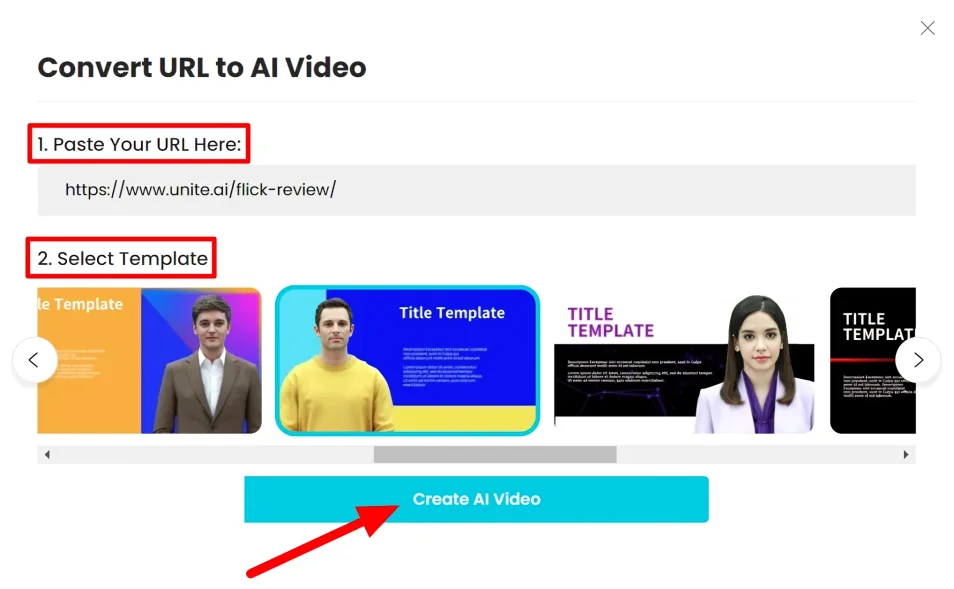
DeepBrain AI quickly made the video, but it missed some stuff from our article and had formatting problems. Even so, we could easily tweak it and add what we wanted because of its simple interface.
3.Change PowerPoint to AI Video
This D-ID alternative lets you turn PowerPoint presentations into cool videos with AI avatars. Great for teachers and businesses who want to jazz up their visuals!
We picked “Import to PowerPoint” on our dashboard.

We uploaded my PowerPoint and chose “Create a new project.”
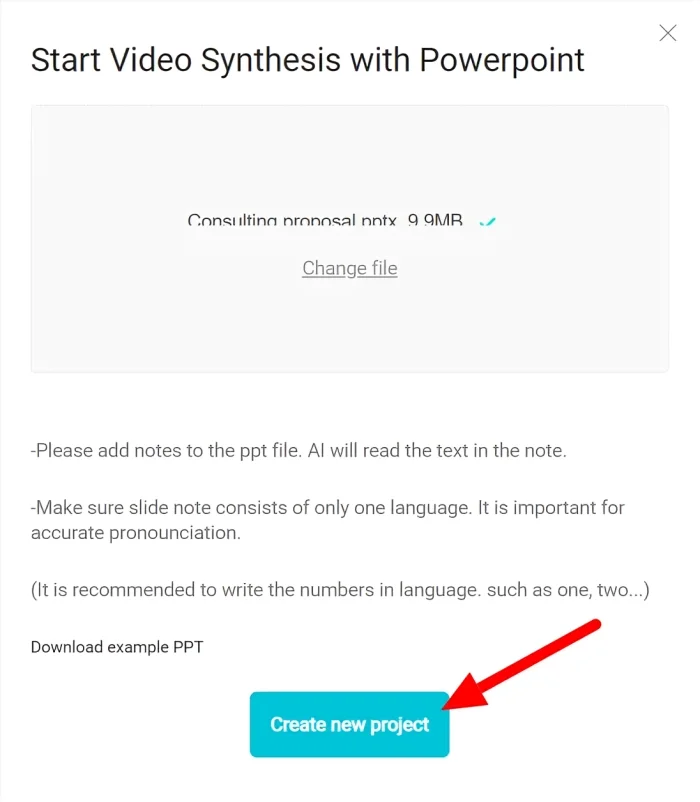
In seconds, DeepBrain put our PowerPoint into our video’s background using AI.
4.Begin with a Template
This D-ID alternative offers ready-made templates for customizing to fit your needs.
We began by choosing a template from the dashboard.
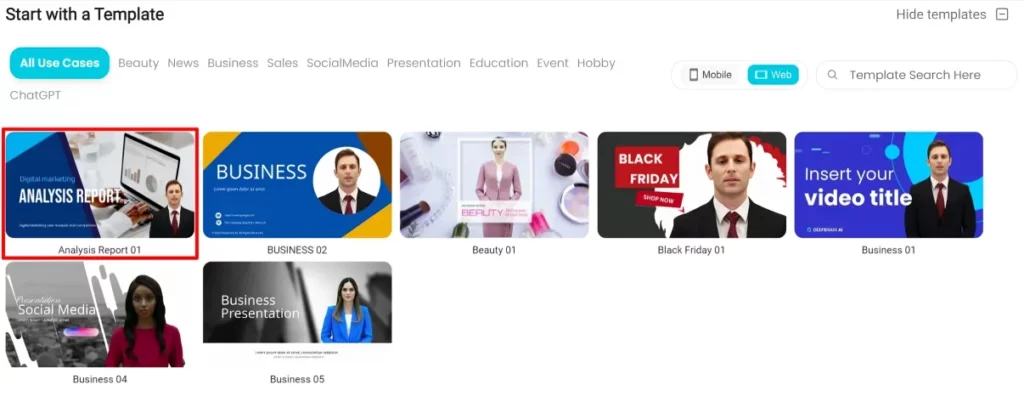
DeepBrain offers another template choice for your AI video. We found a vertical feature for our chosen template that is great for social media like Facebook, TikTok, or Instagram. Now we can reach more people easily.
Lastly, we made an AI-generated video. Just add the script and modify the text.
People’s Queries of DeepBrain
- Is DeepBrain free?
You can test a 1-minute video for free. After that, it’s $24/month billed yearly for 10 minutes. It includes 100+ avatars, 80+ languages, and no watermark.
- What is DeepBrain AI used for?
DeepBrain AI offers easy-to-use text-to-video software with human-like avatars talking 55 languages.
- How much does deep brain AI cost?
DeepBrain AI has monthly and yearly plans. The Starter plan is $24/month, and the Pro plan is $180/month.
3. Synthesia
Synthesia, a D-ID alternative started in 2017 that lets people make top-notch videos without using cameras, mics, or studios. It uses AI to generate videos, add voice-overs, and edit, making great training videos easy.
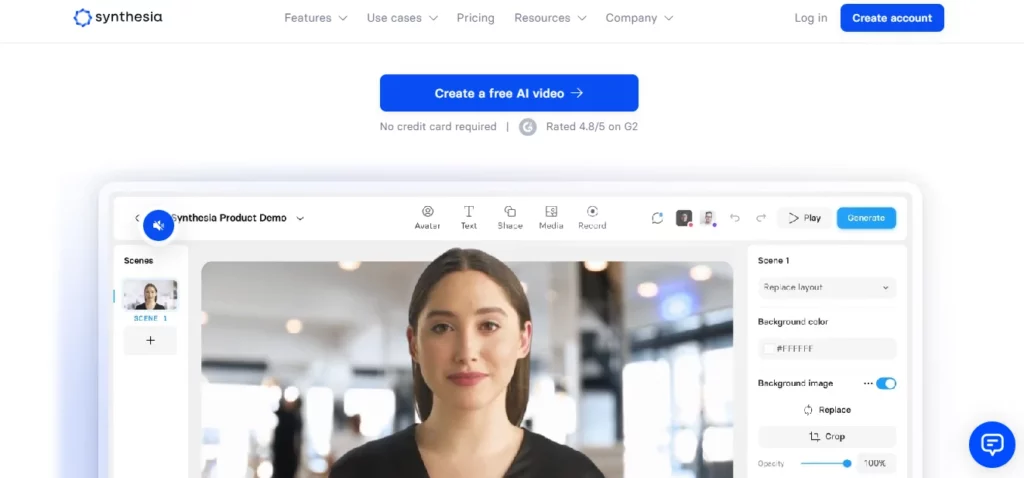
Key Features of Synthesia
- AI Avatars & Voices
- Media & Integrations
- Sharing & Exports
- Security
Limitations of Synthesia
- Less creative control
- Can’t generate complex animations
Synthesia Pricing
- Starts from $22/month
Our Experience with Synthesia
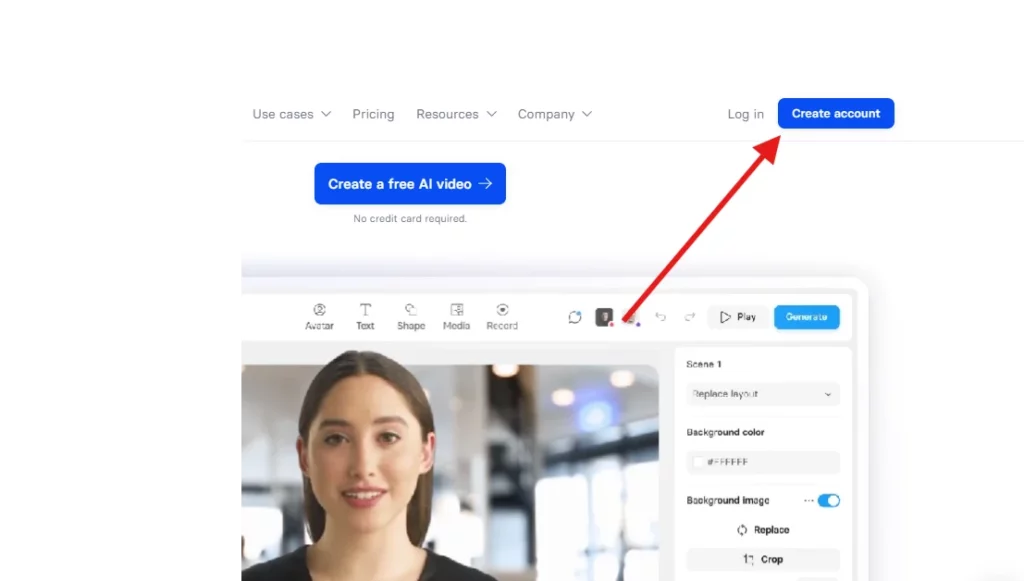
We went to the homepage and clicked “Create account”.
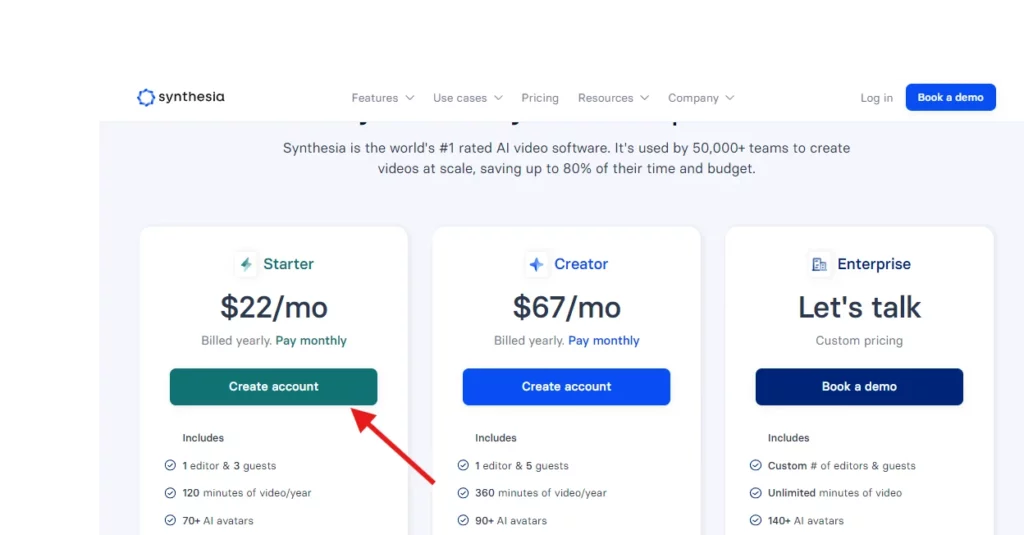
Next, this D-ID alternative asked us to pick a plan. We went with the Starter option, but you can choose whichever plan fits your needs.
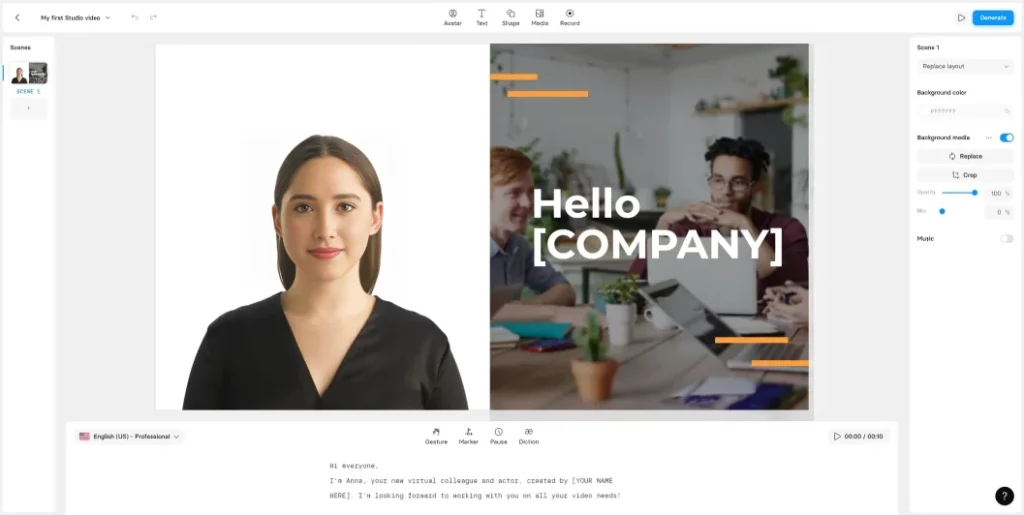
After making our account, we went to the studio to generate a video. They guided us with a quick tutorial, and its interface was easy to use.
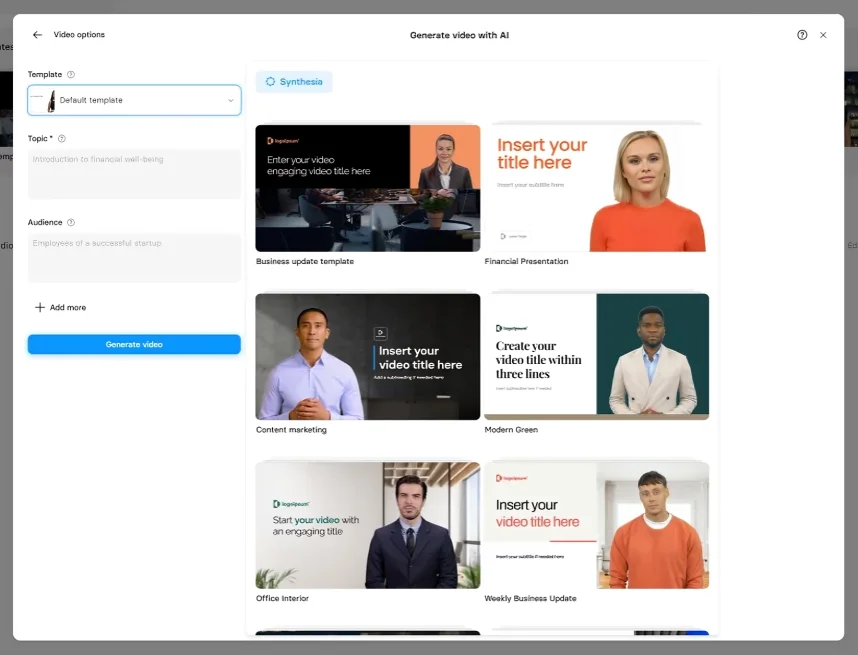
To make a full video with Synthesia, go back to the Home screen, then tap “New video” and click “Generate video with AI.” If you want to create your own video, tap “New video” to start, or pick from over 65 templates.

With AI video creation, pick from 65+ templates to match your video’s topic, or use the default. Give it a topic.
In just minutes, we got a slick AI-made video. Liked it better, so we chose to edit this one instead of our original.
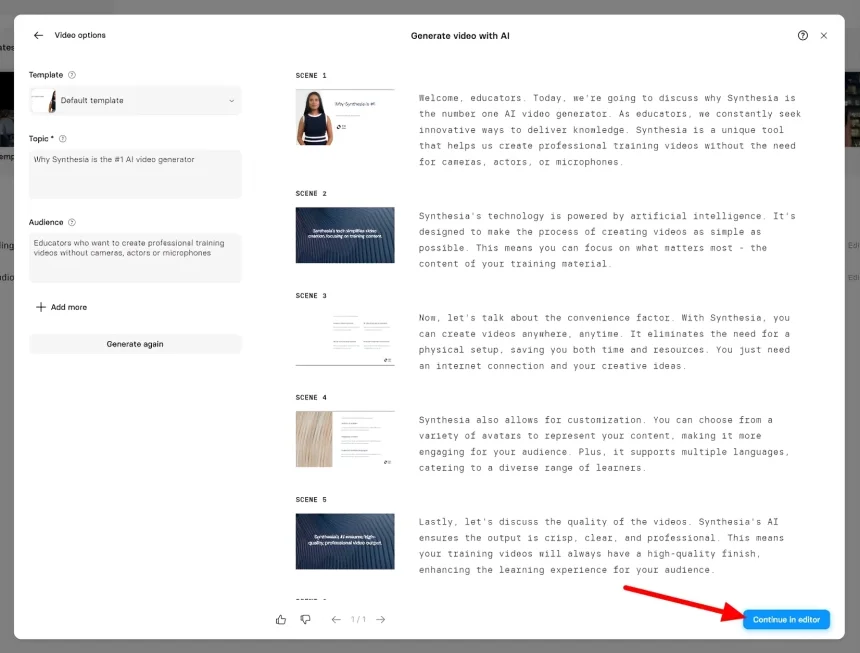
We were happy with Synthesia’s work, so we just made a few small changes at the end.
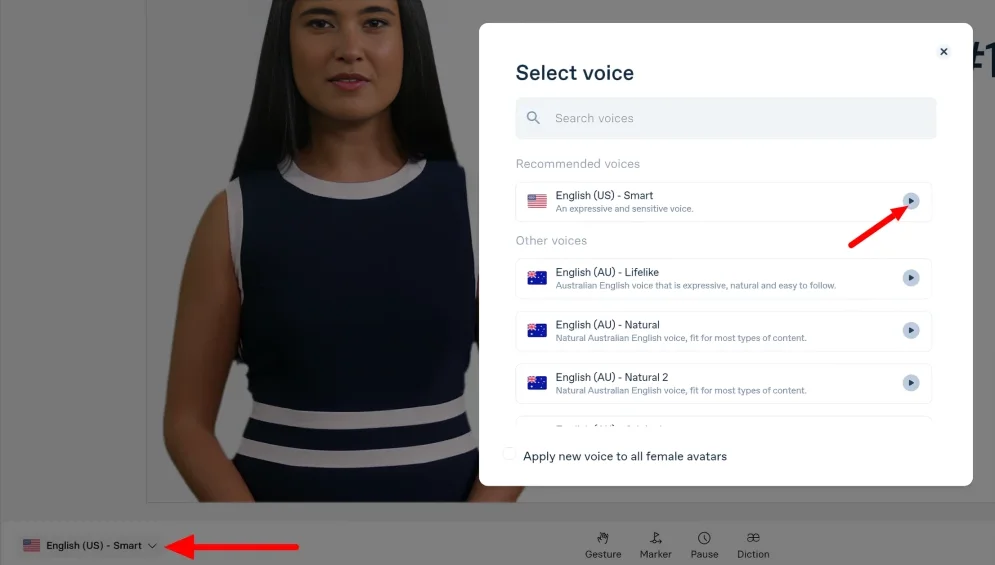
We could pick from 120+ accents and languages by clicking the language option.
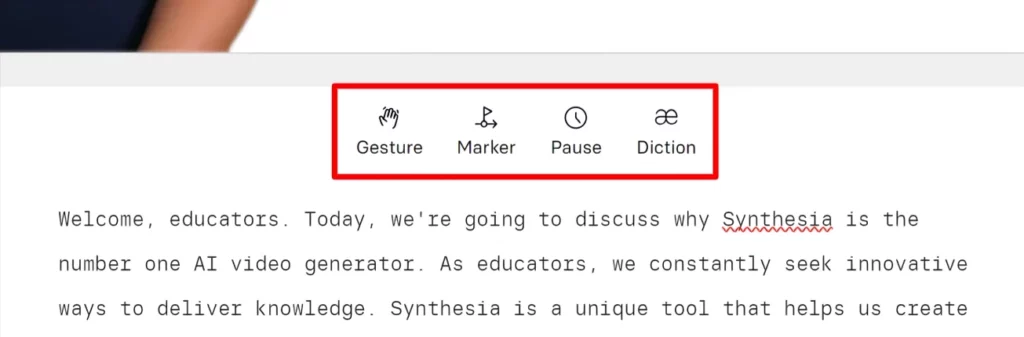
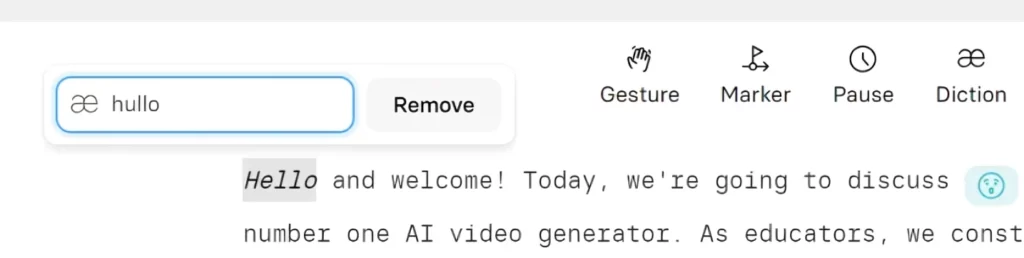
In the middle, there were four tools. We could use them by clicking anywhere:
- Gesture
- Marker
- Pause
- Diction
We put my cursor where we wanted, chose the gesture type, and included an eyebrow.
We didn’t include animations; Synthesia added some to our video automatically.
To pause, we put the cursor where we enjoyed in our script and typed the seconds.
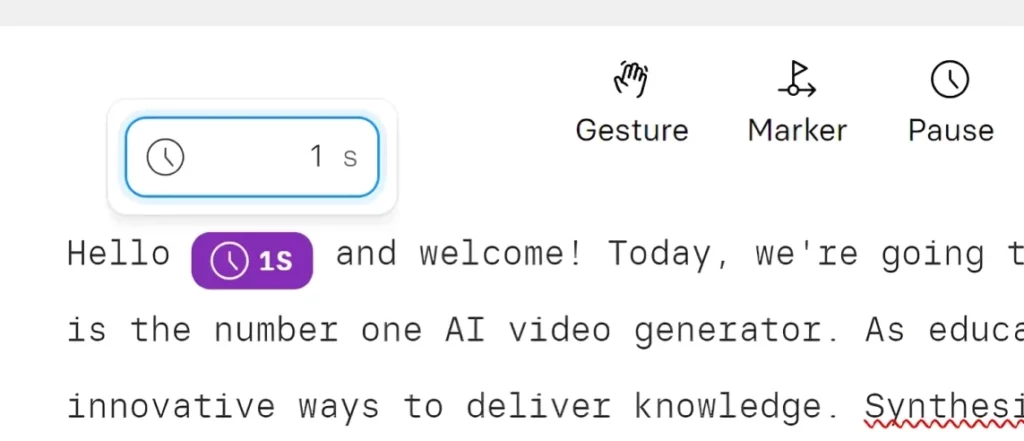
You can adjust how certain words sound with Diction. For instance, you can change “Hello” to “hullo.” I tried it out but decided to stick with the original sound.
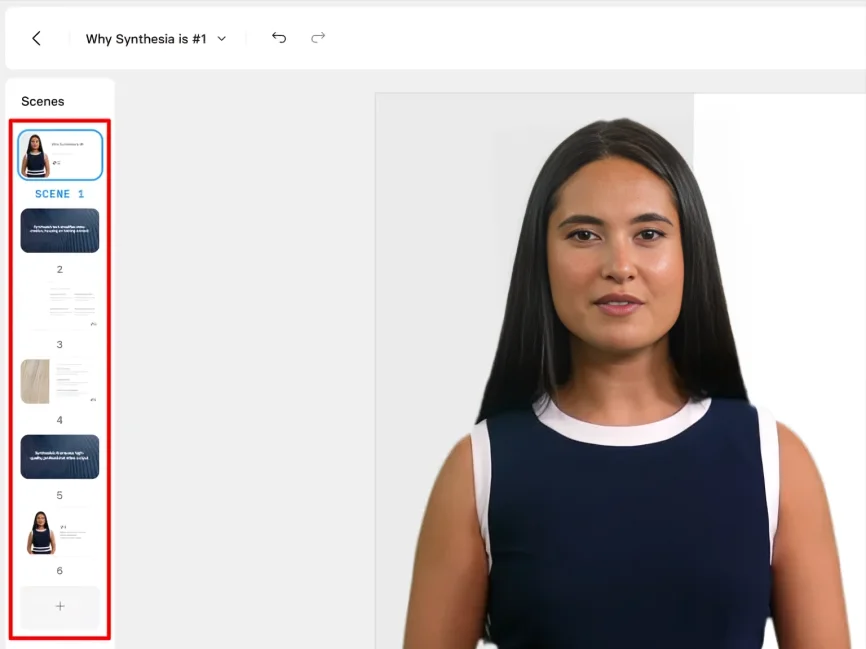
You can browse scenes or add using “+”
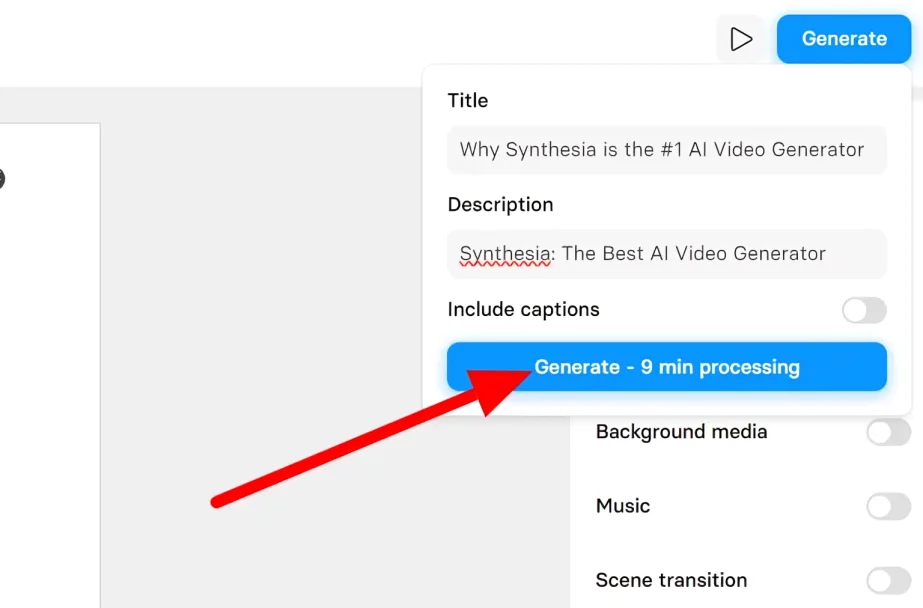
After finishing up, we previewed and exported our work. First, we watched our video using the play option. Then, after adding the title and description, we clicked “Generate.”
For a free plan, you can check Synthesia alternatives.
People’s Queries of Synthesia
- Is Synthesia AI free?
Synthesia AI is free that turns text into videos for free.
- What is Synthesia used for?
Synthesia uses AI avatars instead of actors or voices to make videos.
- Who invented Synthesia?
Synthesia, led by UCL Professor Lourdes Agapito, created AI tech to solve a big problem in the visual effects industry.
4. Colossyan
Colossyan is another D-ID alternative that makes professional video creation easy for everyone, from individuals to big businesses. It provides extensive features and tools for all levels of video production.
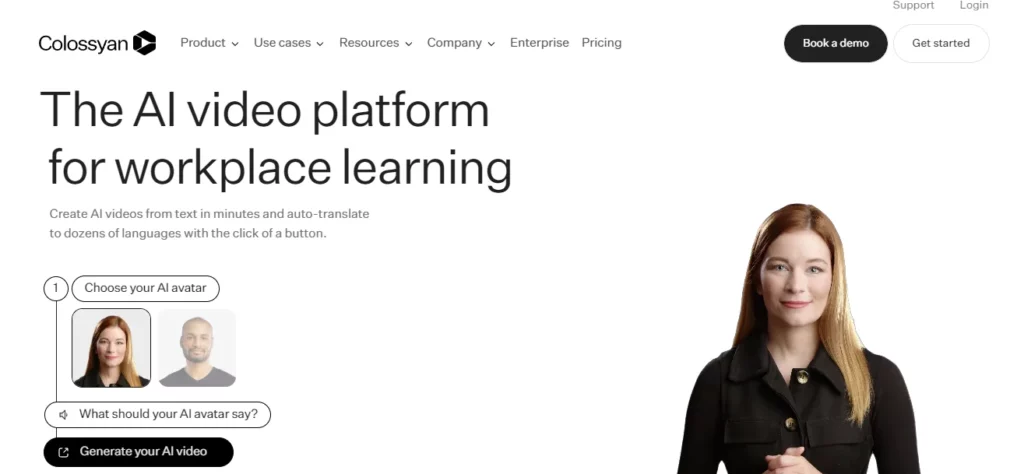
Key Features of Colossyan
- Auto-translations
- Icon library
- Prompt-to-video
- Custom avatars and voices
- Free trial
- Export options
Limitations of Colossyan
- Not support complex animations
- Unexpected error
Colossyan Pricing
- Free trial
- Starter: $19/month
- Pro: $61/month
Our Experience with Colossyan
We tested Colossyan thoroughly and made scenes to check its performance. To get a quick idea, just preview a ready-made project.
Give it a go! No need for an account. Start creating with the creator.
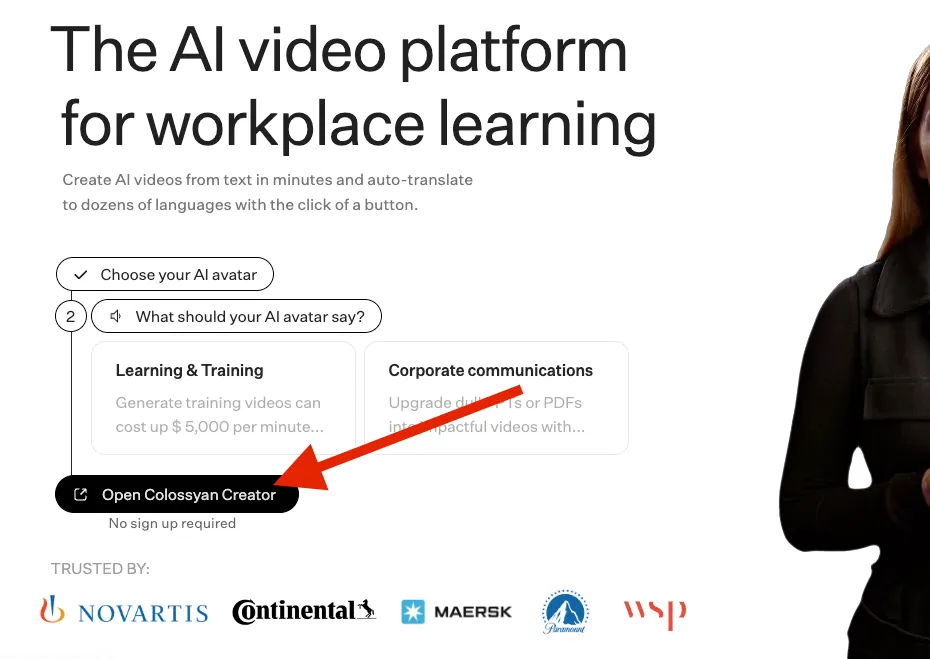
For a precise guide, watch Colossyan’s cool video where they use their feature to narrate the scene.
We’ll tell you about using the tool. First, you make a script for the actor in the video. We made ours with ChatGPT.
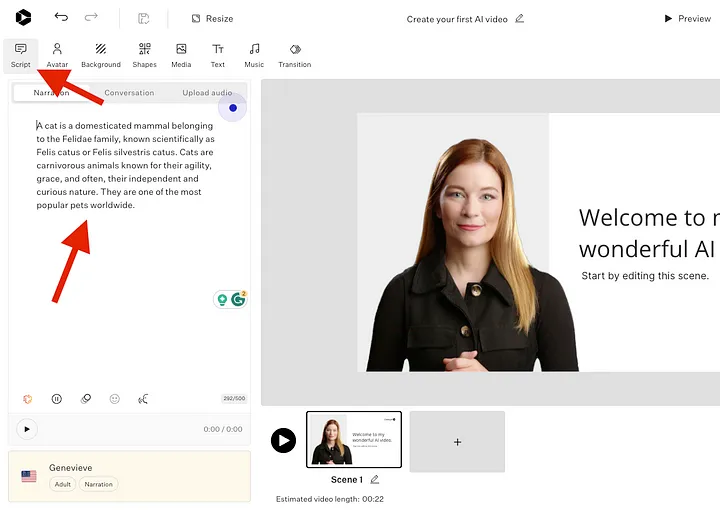
There are some heavy limitations if you are not signed up.
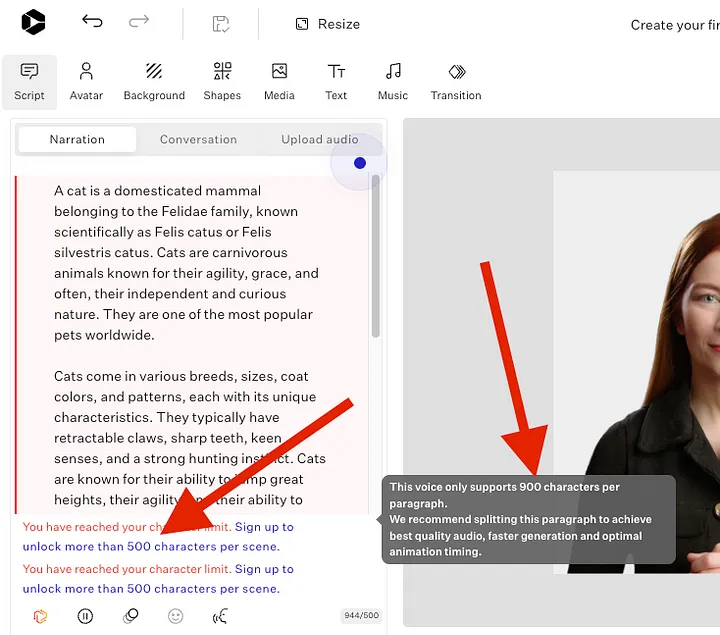
Sign up for more characters.
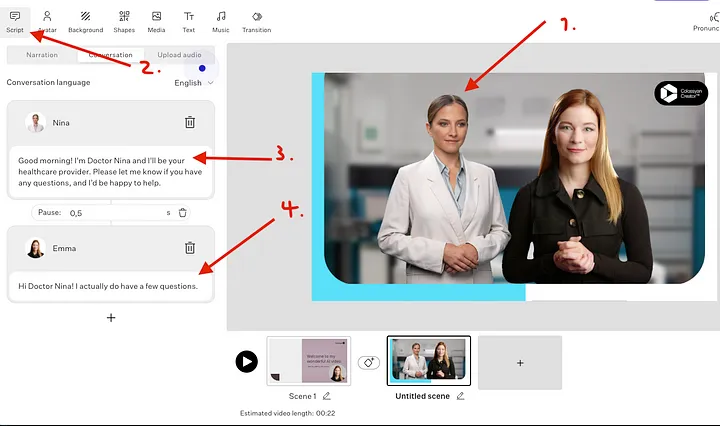
Then, position your avatar how you want. Customize it freely: full body or Bubble-like style. Change your background or add images/videos.
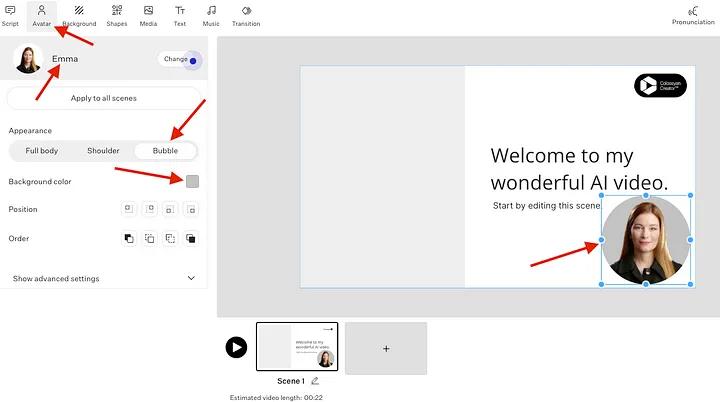
Customize your video to your liking. Edit characters and slides to make them look just right. For instance, you can change slide backgrounds for a better look.
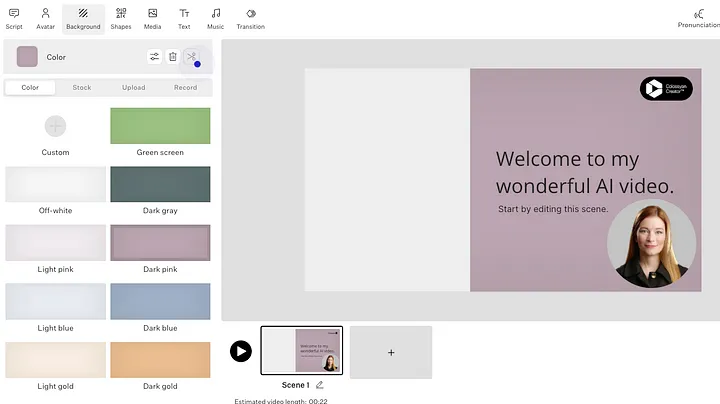
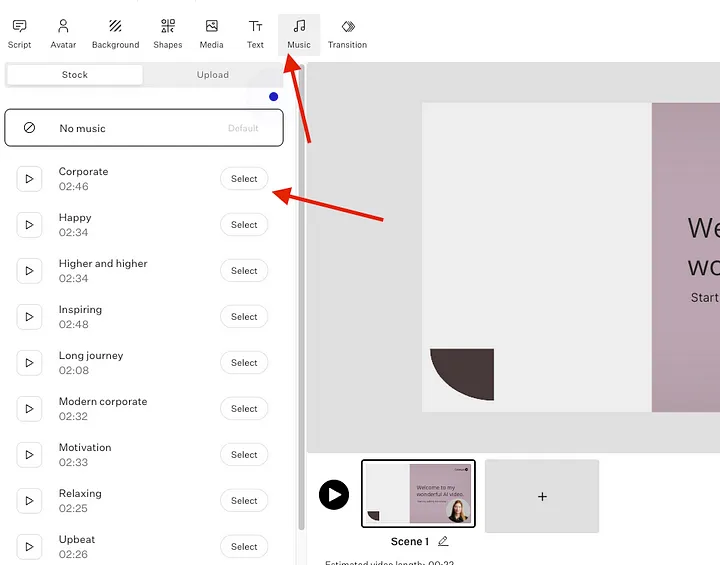
You can play music quietly.
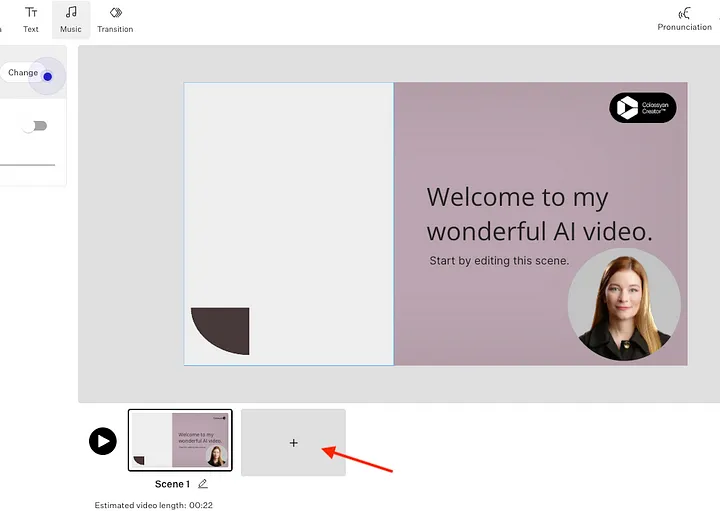
We’ve edited the start of the video. To make it better, add more additional slides. It’s simple on Colossyan—just click “add more”.
This lets you choose different scenes for the project. Like here, we’re putting a guest speaker beside our main avatar in the video.
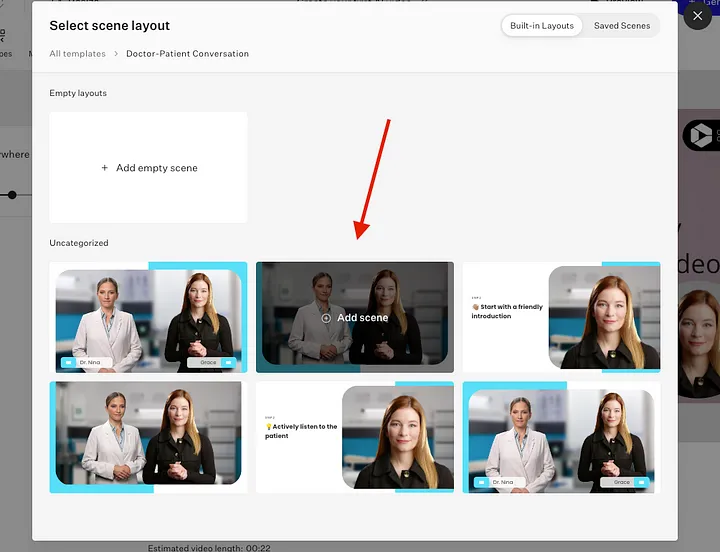
You can customize your guest avatar just like the major one, by adjusting the script, changing its position, and more.
Sometimes this D-ID alternative gives us errors unexpectedly.
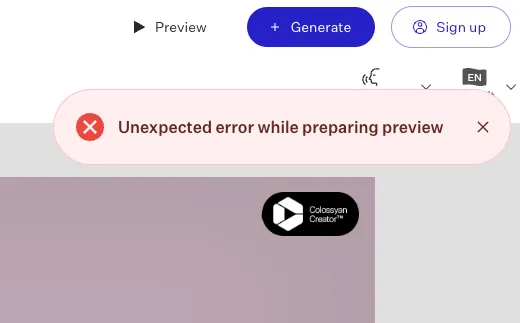
It’s annoying not knowing the cause, but you can save or ask the team for help. Besides that, this tool is awesome for making cool videos and presentations and videos with AI.
People’s Queries of Colossyan
- Is Colossyan Creator free?
They’re giving a two-week trial to all Colossyan subscribers to show them everything their Enterprise version can do, with no limits.
- Who is the CEO of Colossyan?
Dominik Mate is the CEO of Colossyan.
5. InVideo
InVideo uses AI to create videos for explanations and marketing.
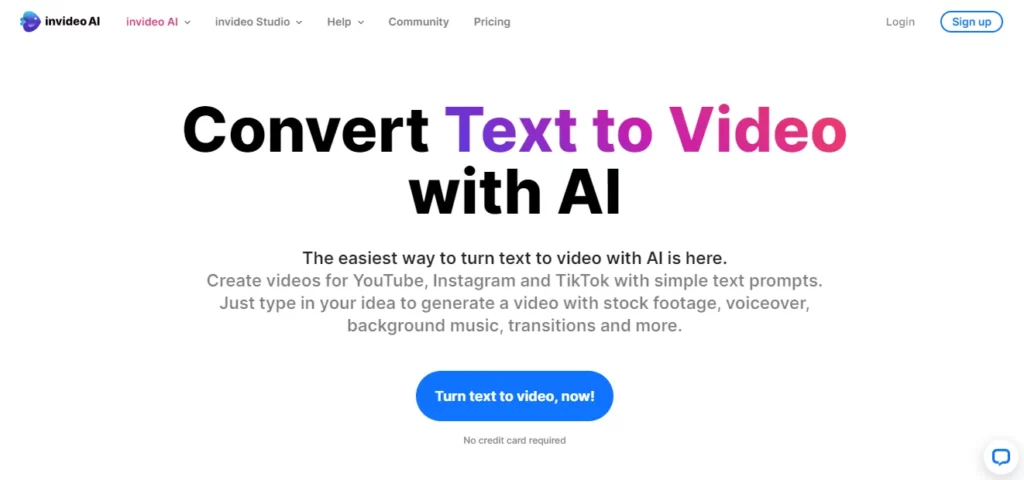
One more great thing is that InVideo AI is a D-ID free alternative, but you can see a watermark. If you’re happy with the quality, you can remove the watermark by subscribing to their paid plan.
Key Features of InVideo
- Affordable
- Free trial
- Excellent sharing capabilities
- Extensive templates and templates
Limitations of InVideo
- Complex projects aren’t possible
InVideo Pricing
- Free (free trial)
- Business: $15/month
- Unlimited: $30/month
Our Experience with InVideo
We’re blown away by how accurately InVideo selects video visuals! It chose them automatically, without us doing anything!
Before you make the first clip, sign up and do a short quiz. It only took us about a minute to sign up and do the quiz.
After signing up, you’ll see the AI video editor. Here, you pick the way you want to work:
- Templates
- Stock media
- Text-to-video
- Editor
We tried out Text-to-Video using InVideo.
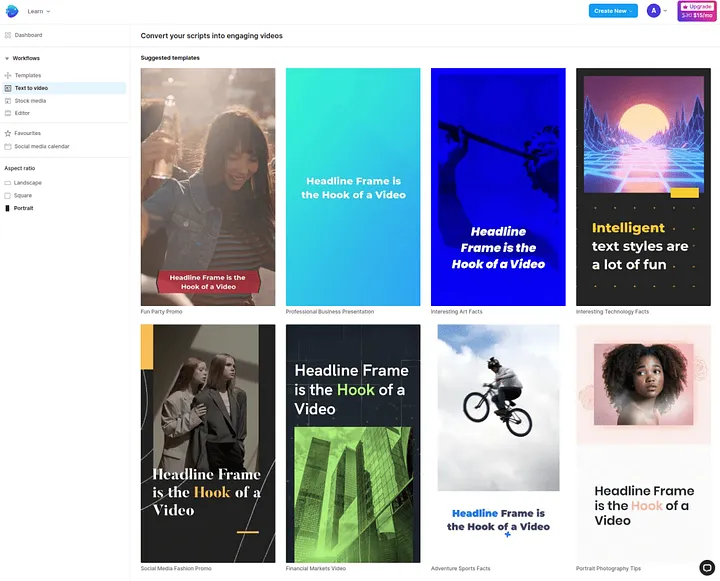
You can type your script, and it’ll turn it into an AI video. We made a script for our new video on AI video creation and its impact on the industry.
The tool breaks long text into scenes. If a paragraph is too long, it splits it into two. You can tweak the edits if you want.
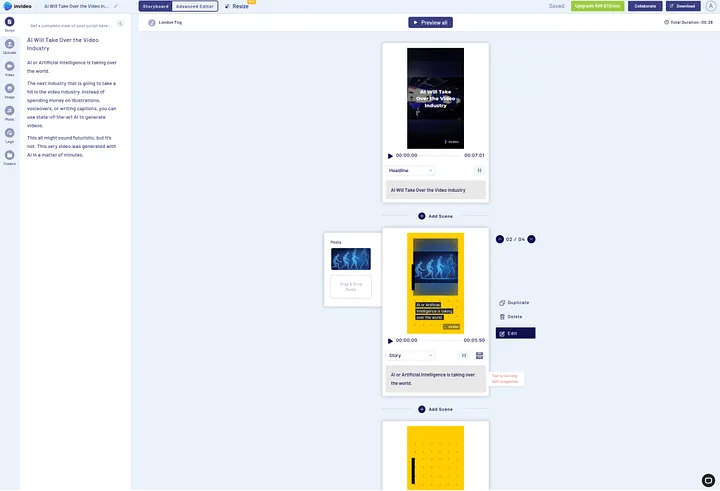
After the video’s done, download it. It only took us about 30 seconds to make a 30-second clip.
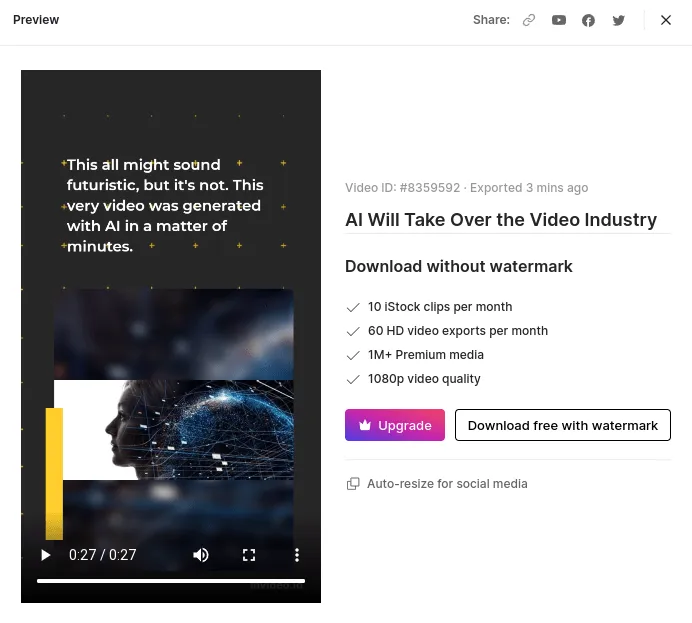
The free plan of InVideo has watermarks, but you can remove them by subscribing to your premium plan. Using InVideo is awesome – We made a cool 30-second clip in just 2 minutes, which usually takes us 15–30 minutes!
For a complete free tool, you can check InVideo alternative tools.
People’s Queries of InVideo
- Is InVideo free to use?
InVideos has a basic AI video maker that you can use for free.
- Can I use InVideo for YouTube?
You can use InVideo for YouTube and different social media platforms.
Try These D-ID Alternatives
In short, D-ID is a flexible AI video generator for cartoon AI avatars, but there are D-ID alternatives too.
When picking a D-ID alternative, think about what you need, your budget, and the tech stuff you require.
Also, compare and research to find what gives you the most bang for your buck and meets your needs.
FAQs
Is there an alternative to D-ID?
VEED.IO, DeepBrain AI, Synthesia, Colossyan, and InVideo are the best D-ID alternatives.
How can I get a free D-ID?
To get a free D-ID, you can explore an alternative like InVideo.
What is the website like Studio D-ID?
VEED.IO, DeepBrain AI, Synthesia, Colossyan, and InVideo are similar websites like Studio D-ID.

Sangram Sahoo
I’m a content writer with 4 years of experience. I specialize in creating practical content around mockups, print-on-demand, apparel, and e-commerce design.
