7 Best Background Remove Websites for Images

Mockey.ai’s Remove Background tool is the best background remove website for quickly remove image from its background. Use GIMP and Photoshop for offline.
People don’t want heavy software, logins, or credit limits if they are searching for the best background removers. They want fast cutouts that just work.
Below is a breakdown of the best background remove websites, based purely on what users actually use, like, complain about, and keep coming back to.
Table of Contents
A List of the Best Background Remove Websites in 2026
Here is a list of some of the best background remove websites that are available in 2026.
- Mockey.ai’s Remove Background
- Remove.bg
- fileconv.online
- RBRemove
- Photogrid Background Remover
- Photoshop
- GIMP
1. Mockey.ai’s Remove Background
Mockey.ai’s Remove Background tool is one of the best background removal websites. It lets you make the background transparent or white with a single click.
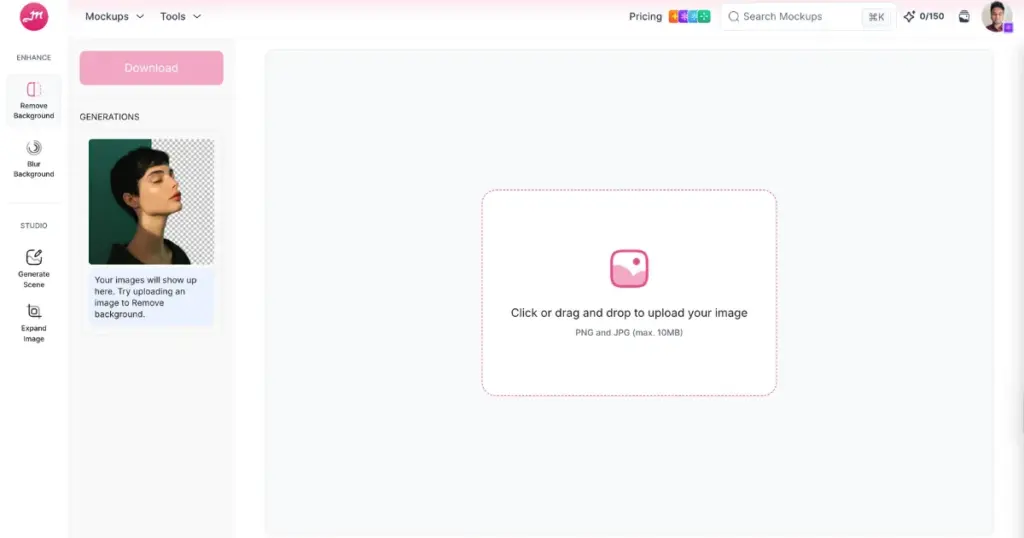
This platform was launched as a mockup generator. Later, it expanded its tools, adding features like AI photoshoots, video mockups, and more.
By the way, this is not a free tool. You’ll need to buy a Creator plan, which costs $19 per month, and you’ll get credits to use it.
But how to remove the background using this AI? Just upload an image, choose the background type, and click the Remove Background button. In the end, save the PNG file using the download button.
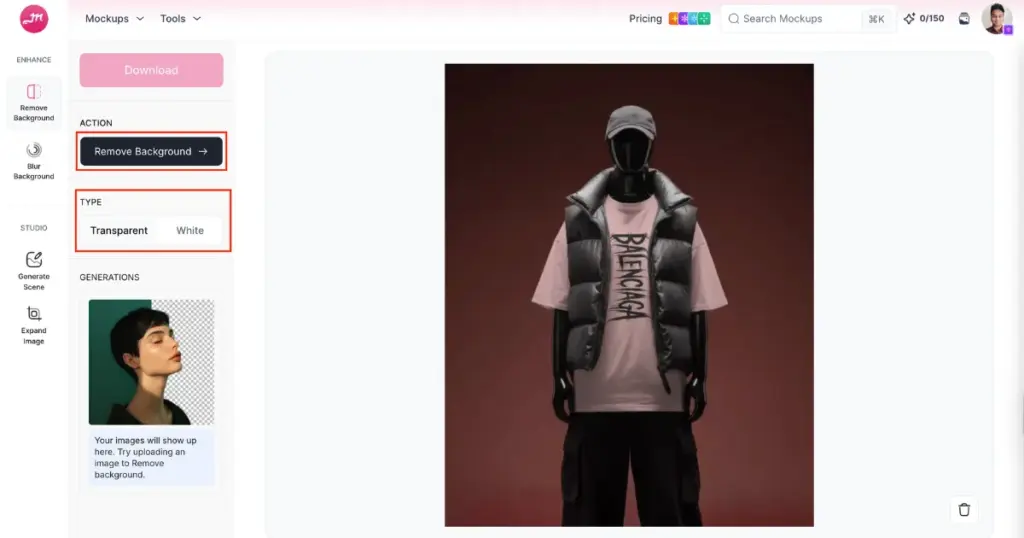
Pros & Cons
- ✅ Speed and easy to use
- ✅ Turn background to transparent and white in one click
- ✅ Excellent accuracy
- ✅ Simple UI
- ✅ Privacy & security
2. Remove.bg
Remove.bg is one of the most talked-about background remove websites online. At its core, remove.bg is an AI-powered background removal web tool. You upload a photo, and the AI isolates the main subject and strips away the background in just a few seconds. It also has a Photoshop plugin.
This platform publicly states that it doesn’t store your images permanently; they’re deleted from servers typically within an hour.
Remove.bg technically lets you remove backgrounds for free, but HD downloads require credits. You get some free previews, but high-quality downloads cost money. And it’s easy to run out fast if you’re doing multiple images.
Pros & Cons
- ✅ Speed and easy to use
- ✅ Good accuracy
- ✅ Integration
- ✅ Privacy & security
- ❌ Not perfect for complex backgrounds
- ❌ Limited editing tools
3. Fileconv.online
Fileconv.online is the best background remover website free tool to use with credits and paywalls. It’s simple, gives high-resolution downloads, and shows a before/after sliders.
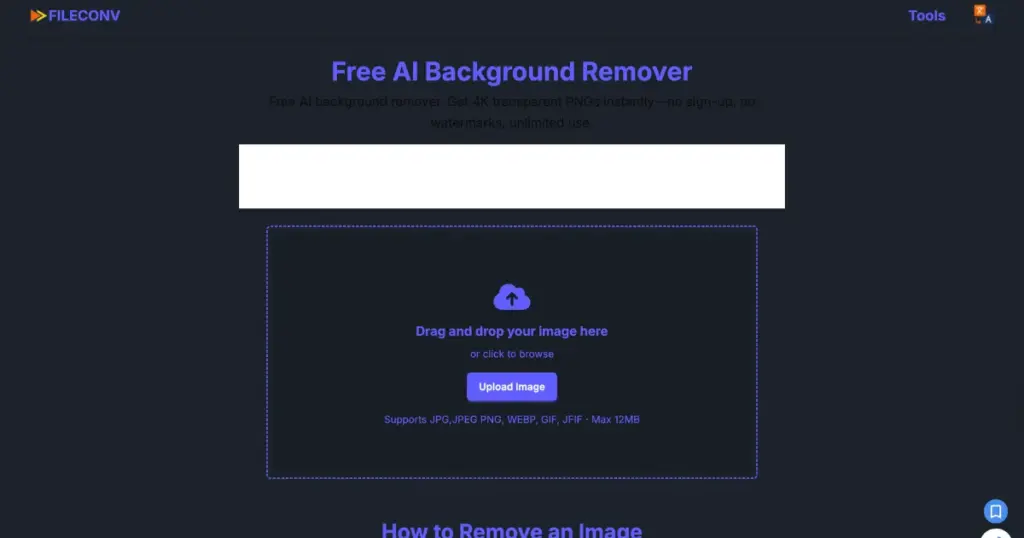
The best feature is that you can drop an image, get a transparent PNG, and download it in high resolution without creating an account or buying credits.
While fileconv.online is outstanding for many images, it can struggle with fine hair, semi-transparent fabrics, or very busy backgrounds. There’s no advanced restore/erase brush UI or per-pixel masking like remove.bg offers.
Users sometimes complain of server errors or temporary downtime. However, that’s normal for smaller free services.
Pros & Cons
- ✅ No sign-up
- ✅ Before/after preview with a slider
- ✅ Good for e-commerce
- ✅ Fast
- ❌ Results are not good on complex edges
- ❌ Less editing control
- ❌ Server errors reported
4. RBRemove
RBRemove is a web app that removes backgrounds using an AI model. It is marketed as a browser-first that generates a transparent PNG and supports drag and drop.
Users repeatedly praise that you can use it right away without creating an account or entering payment details. Also, it’s good for quick edits.
However, it doesn’t always match Mockey.ai’s Remove Background tool and remove.bg on hair/fur/fragile edges. If you need pixel-perfect matting, the results need manual cleanup.
This background remove website is aimed at quick removal, not advanced brushing, shadow tools, or batch pipelines. If you need editing features, you’ll have to use a second tool.
Pros & Cons
- ✅ No sign-up
- ✅ Free for quick edits
- ✅ Browser-based
- ❌ Results are not good on complex edges
- ❌ Server errors reported
- ❌ Limited advanced editing features
5. Photogrid Background Remover
PhotoGrid wasn’t originally a classic background remover website. It began as a collage and photo editor. But over time, it has been pushed forward as a background remover, especially for casual users, social posts, and quick edits.
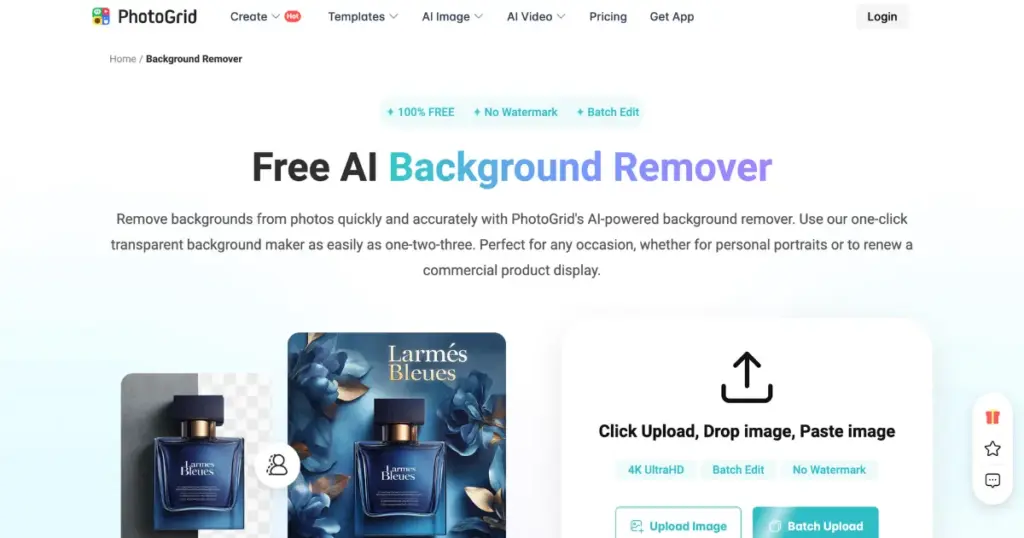
This website offers a suite of AI photo editing features, such as an AI background remover (transparent background), Background changer (swap for solid colors or templates), Batch upload support, PNG maker, and other tools (object remover, watermark remover).
PhotoGrid uses AI to cut out backgrounds with edges like hair or fabric. It lets you remove backgrounds and download transparent PNGs without signing up or dealing with watermarks, and supports batch editing.
PhotoGrid sometimes struggles with very tangled edges or low-contrast backgrounds. Also, templates and filters might require users to upgrade.
Pros & Cons
- ✅ Very easy
- ✅ Free with no watermark
- ✅ Integrated toolkit
- ❌ Works on web & mobile
- ❌ Performance can vary by device
6. Photoshop
Photoshop is the most flexible tool for background removal. If you need control, batch automation, or perfect hair/edge work, Photoshop is where you go. If you want one click and done without paying, use a web tool. But if you want pro-level results and non-destructive workflows, Photoshop rules.
Photoshop has a one-click Remove Background quick action that creates a layer mask automatically.
Click Select > Subject, then refine the selection in Select and Mask (Refine Edge Brush, Smooth, Feather, Shift Edge). You can also use the Pen tool for perfect product shots, channels for complex backgrounds, and the Magic Wand for simple color backgrounds.
Pros & Cons
- ✅ Manual tools like the pen tool, Magic Wand, and Channels
- ✅ Plugins
- ✅ Batching
- ✅ Excellent output quality
- ❌ Subscription cost
- ❌ Learning curve
We have explained in detail how to remove a background in Photoshop in a tutorial blog. You should definitely read it.
7. GIMP
GIMP can definitely cut backgrounds out, but not in one click. You can use Paths, Foreground Select, Fuzzy/Select by Color, Channels, and pick whichever fits the image. If you want a free offline tool, GIMP is a good background remove website.
Pros & Cons
- ✅ Manual tools like the Paths tool, Foreground Select Tool, and Channels
- ✅ Plugins
- ❌ Manual editing
- ❌ Learning curve
Best Background Remove Website by Use Case
| For quick results | Mockey.ai’s Remove Background and Remove.bg |
| 100% free with no limits | Fileconv.online |
| Simple Browser tool | RBRemove |
| Batch features | Photogrid |
| Professional post-production | Photoshop |
| Free offline manual control | GIMP |
Conclusion
We have explained in detail the best background removal websites for you. If you want excellent accuracy, fast results with high quality, and a good output without visible flaws after background removal, Mockey.ai’s Remove Background tool is the best option. Its plans are very affordable and give you enough credits to last an entire month.
FAQs
What is the best background remove website overall?
Mockey.ai’s AI image background remover and remove.bg are the best background remove websites. Generally, both platforms let you remove backgrounds using credits, but the output speed and quality of this one are far better than the others.
What is the best free background remover with no sign-up?
Fileconv.online is the best free background remover with no signup, no watermark, and full-resolution downloads.
Can I make the background white or transparent in one click?
With Mockey.ai’s Remove Background tool, as soon as you upload an image, you are given an option to choose the output type. This lets you get either a white background or a transparent background instantly.

Sangram Sahoo
I’m a content writer with 4 years of experience. I specialize in creating practical content around mockups, print-on-demand, apparel, and e-commerce design.
