2D vs 3D Mockups: A Guide for Designers & Ecommerce Brands
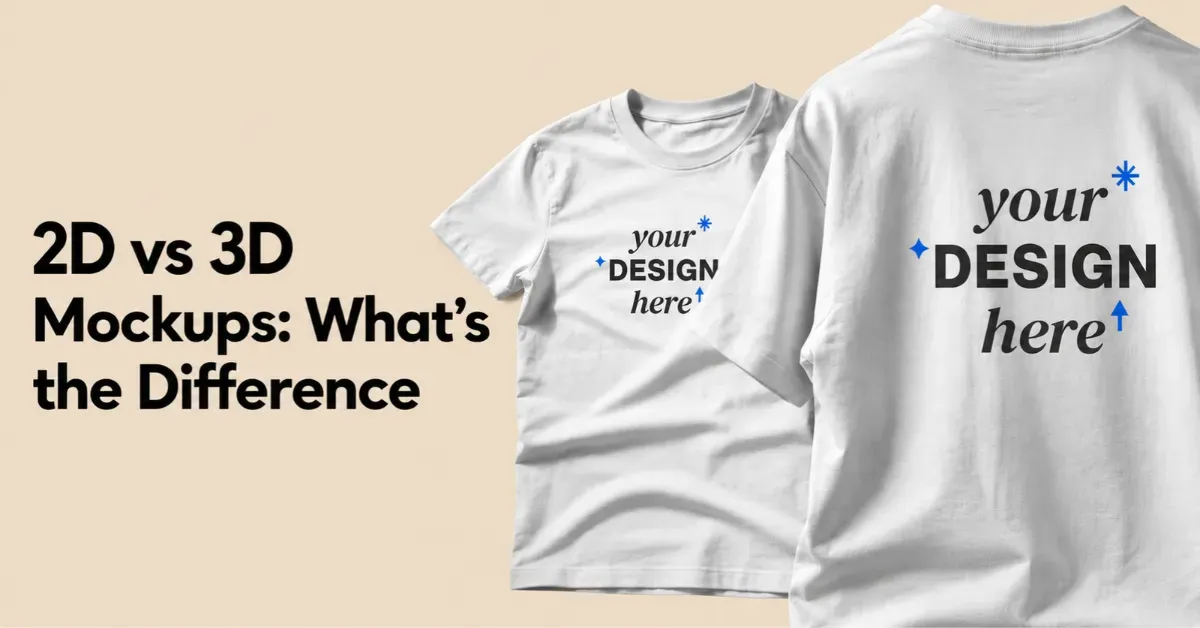
Difference between 2D vs 3D mockups? A 2D mockup is a flat image, and a 3D mockup lets you move, rotate, and animate the object.
Use 2D mockups to show off your design. Use 3D mockups to show the product’s shape, depth, and details.
2D vs 3D mockup example:
2D is a Photo. The fabric folds look real because a camera captured them. But it's still a flat image. You can't turn it around to see the back. A 3D mockup lets you rotate the shirt or view it in an animation.
Let’s learn in detail.
Table of Contents
2D vs 3D Mockups - What’s the Difference
What are the differences between 2D and 3D mockups?
| Feature | 2D Mockups | 3D Mockups |
|---|---|---|
| Definition | Flat images or photos | Digital models with depth |
| How It Works | Layer designs over images | Wraps designs around 3D objects |
| Realism | Uses a real photo | Simulates lighting and shadows |
| Viewpoints | Fixed angle | 360° rotation |
| Output | Static images | Images, video animations |
| Setup | Quick and easy | Requires more setup |
| Flexibility | Limited by the template | More control over views and lighting |
| Best For | POD, apparel, UI designs | Packaging, product visualization, video ads |
Who Should Use 2D or 3D Mockups?
Find out who benefits more from 3D mockups and who should use 2D mockups.
2D Mockups
Use 2D mockups for flat designs, bulk mockups, and quick testing. If depth doesn’t affect how your design looks, 2D mockups are enough.
A. Print-on-Demand Sellers and Apparel Brands
If you launch 100 designs a week, speed matters. 2D templates let you place designs on model photos or folded shirts in seconds.
B. Graphic Designers and Brand Creators
A 2D mockup works well for logos, posters, book covers, and business cards.
C. Digital Product Creators and UI/UX Designers
If you’re showing an app screen, website, or dashboard, the design is already flat. A 2D device mockup makes the interface easier to see.
D. Social Media Content Creators
For Instagram posts or Pinterest pins, 2D templates save time. They add lifestyle scenes without slow rendering.
3D Mockups
Use 3D mockups when the product’s shape, texture, or curves matter. They’re also useful when customers need to rotate the product and view it from different angles.
A. Packaging Brands
3D mockup wraps the label around the perfume bottles, cosmetic tubes, or glass droppers and captures realistic reflections.
B. Beverage & Consumer Goods Brands
Cans, custom bottles, and food packs have shiny or curved surfaces. A 3D mockup shows how light reflects off metal and plastic.
Which Software to Choose for both 2D and 3D Mockups?
If you want one online mockup generator that combines 2D speed with 3D realism, Mockey AI is worth featuring.
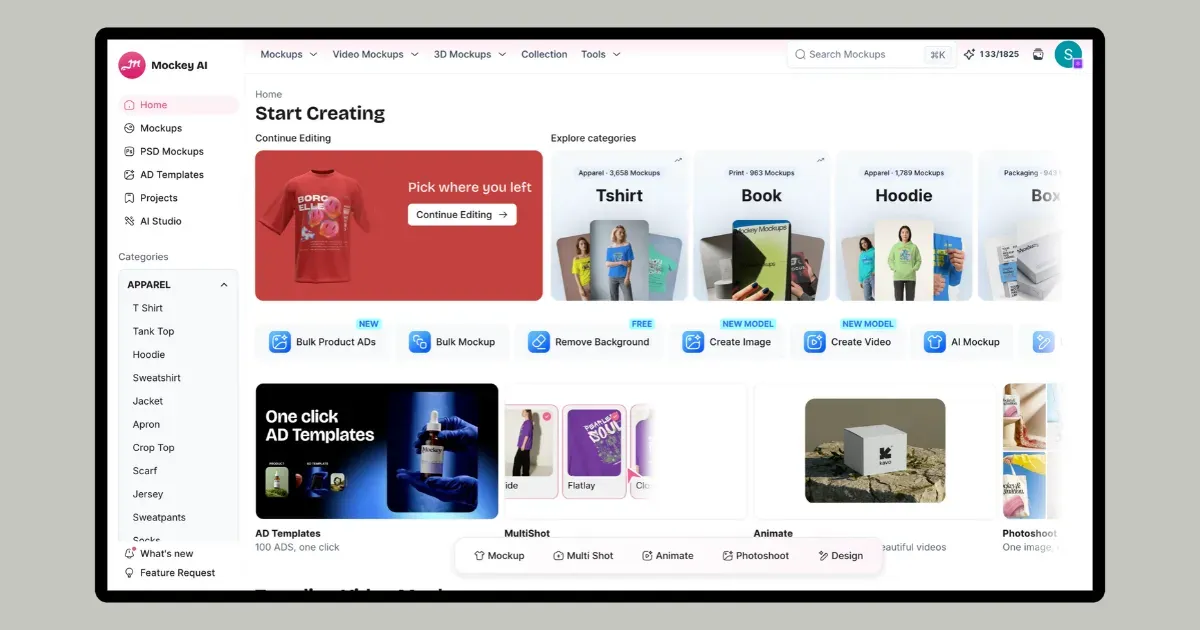
Mockey AI is the better pick if you’re a graphics designer, run an e-commerce brand, or create packaging.
For 2D Mockups
Mockey keeps things simple. Create product visuals and get them to market fast.
A. One of the Largest Mockup Libraries
Mockey has more than 30,000 mockup templates. It uses real, high-resolution photos of models, seasonal-themed products, and lifestyle scene mockups.
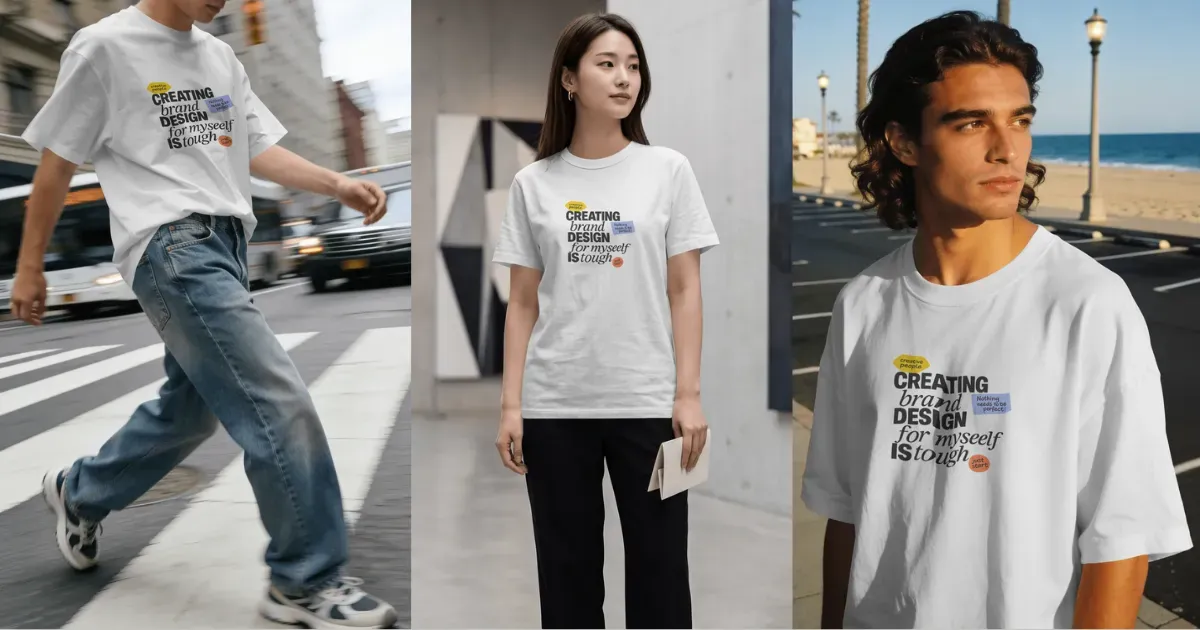
For example, you’ve got a t-shirt design. You can show it on a model walking down the street, standing in a mall, or near a beach.
B. Best for POD Sellers
You can use Mockey right in your browser. No software installation needed.
Upload a PNG or JPEG, and Mockey AI will automatically fit your design onto the product. Get a ready-to-use mockup in under 30 seconds. It’s useful for store owners who need to list new product designs quickly.
Create multiple-angle views, mockup bundles, or bulk mockups from one design. You can also list your images directly to your Etsy or Shopify store in one click.
For 3D Mockups
Mockey’s 3D Mockup Generator is one of the best tools online for creating realistic 3D mockups.
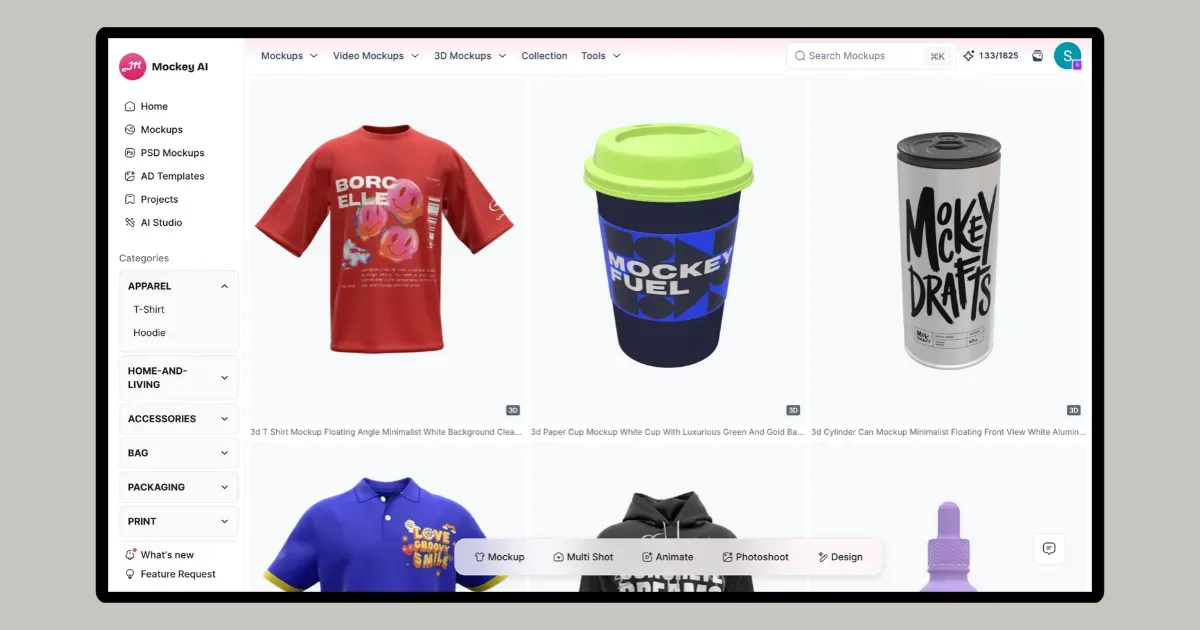
Whether you want to create a 3D box mockup or hoodie mockup, you get templates.
The features include:
- Huge product categories
- Add multiple designs
- 3D preview
- Motion animation in MP4 file format
- Custom background
- Change product texture
Conclusion
Now you understand 2D vs 3D mockups.
Which one solves your business needs better?
Choose 2D mockups for speed and scale. If you need hundreds of product images overnight or a quick design to show a client, 2D mockups get the job done. You just focus on your design.
Go with a 3D mockup when depth and realistic shape matter, like for physical products and packaging. The same 3D asset can also be reused for animations and other marketing content.
FAQs
Which type of mockup works best for selling T-shirts online?
2D mockup templates make it easy to test lots of color options and design variations, since you never have to rebuild the scene from scratch.
Why do packaging designers choose 3D mockups over 2D ones?
A 3D mockup shows how a label wraps around a bottle, curves included. You can catch stretching or distortion before the design goes to print.
Can you convert a 2D mockup directly into a 3D model?
A flat photo has no real depth to work with. To get a 3D mockup, start from a 3D template or build the model from scratch.

Sangram Sahoo
I’m a content writer with 4 years of experience. I specialize in creating practical content around mockups, print-on-demand, apparel, and e-commerce design.
