Where can I animate mockups without Photoshop? Mockey AI’s Bring to Life feature helps you animate the mockup, and you can save it in MP4.
With Adobe Photoshop, you can animate mockups, but it has drawbacks: a difficult learning curve, time-consuming editing, and an expensive paid plan.
But with our AI mockup generator, Mockey AI, you can generate animations in minutes. Of course, you’ll need a paid plan, but it fits your budget and requires no effort. Let’s talk about it in detail.
Mockey AI is a popular mockup generator. It has a tool called Bring to Life that helps you convert your mockups into an animation. You can describe what elements you’d like to modify, what background you need, etc., through a prompt. Our AI will generate the animation exactly as you describe.
In the Pricing section, you will get access to Bring to Life and other AI tools in the CREATOR and ELITE plans. The CREATOR plan costs $19/month, and the ELITE plan costs $49/month. The price difference is mainly due to AI credits. You must have already understood this from the image given below.
Follow the steps to animate mockups without Photoshop.
To create animated mockups, first buy a plan.
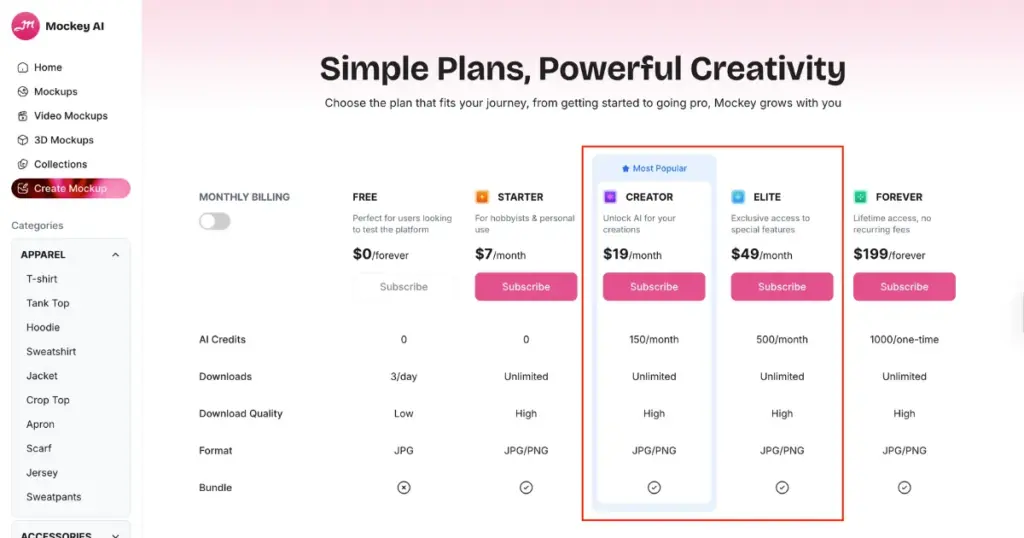
While purchasing, your account on Mockey AI will be created automatically. Once your plan is active, you will reach a page where you will see extra options like 3D Mockups and Video Mockups, along with normal mockups. Click on Mockups to continue.
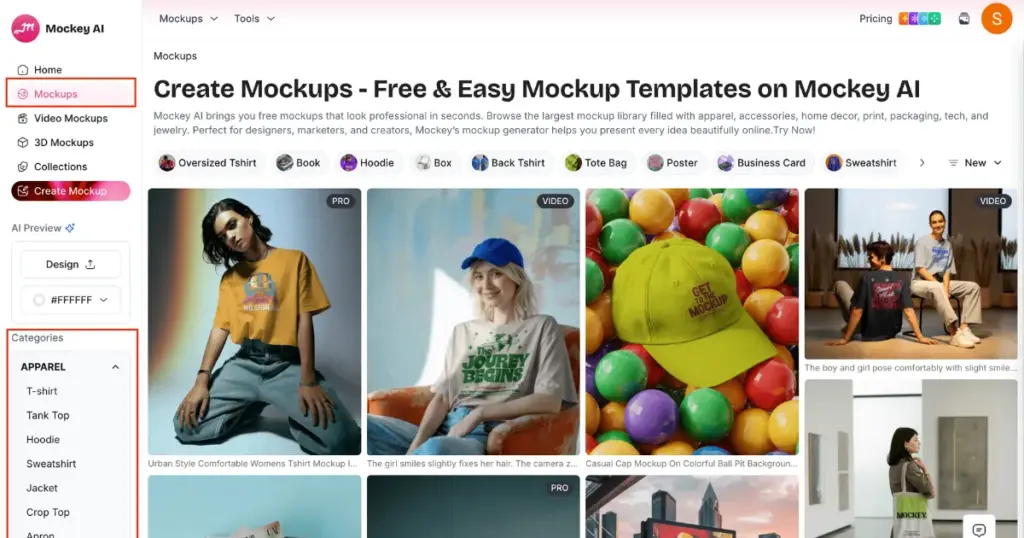
You will now see many ready-made templates on the screen. On the left side, you will see Categories. From there, choose an apparel or packaging product.
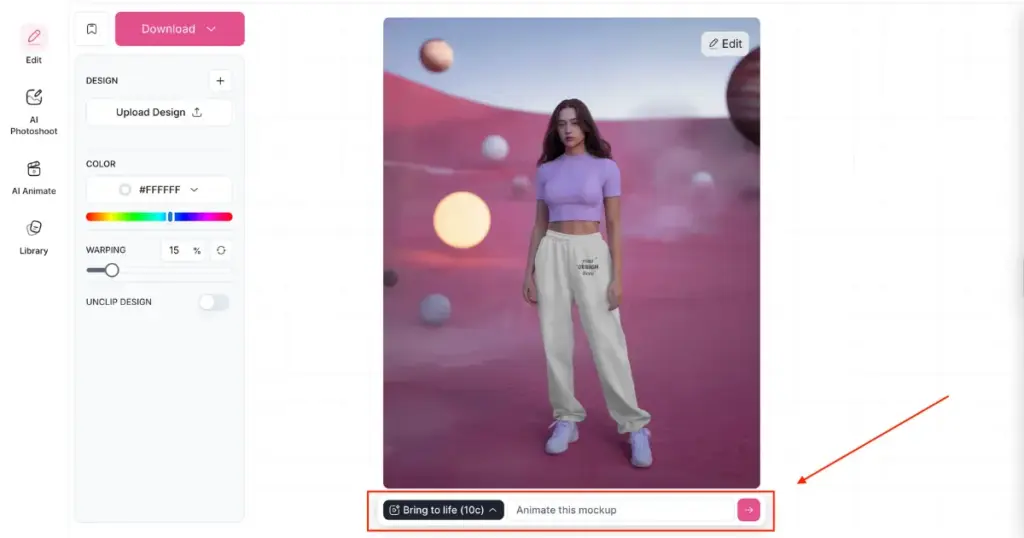
Here, we are creating a sweatpants mockup, so go to the Apparel mockup category and select Sweatpants. Many templates and tags will appear; you can pick whatever suits your brand. After clicking a template, you will enter the editor page, where you can upload your design and make small edits before animation.
At the bottom, you will see the Bring to Life feature. Next to it, there will be an arrow button. Use this button to animate your mockup and customize it with a prompt if needed. Once done, your mockup will be saved as an animation.
Alternate Method
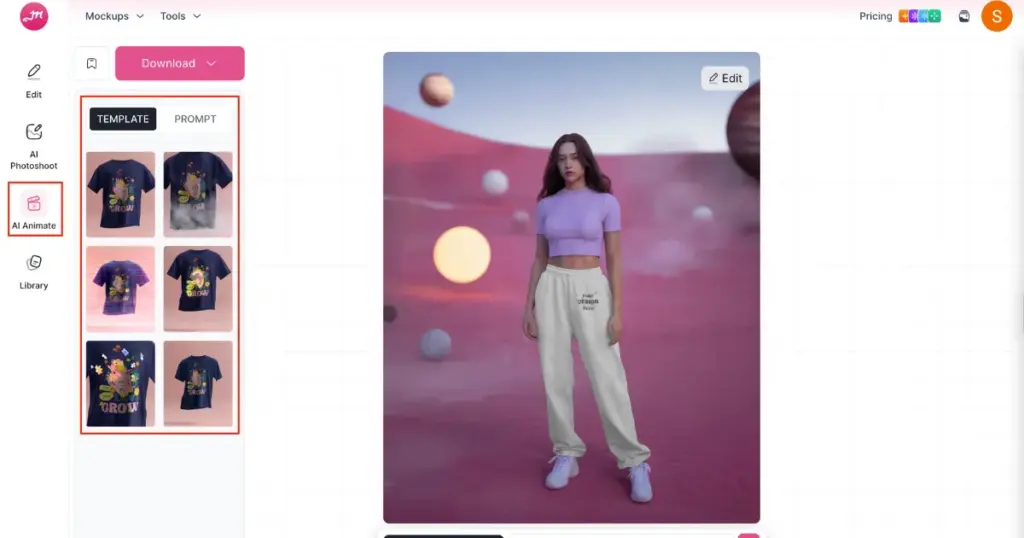
There is another method you can use to create animations with the help of templates, and that is the “AI Anime” tool. On the same editor page, click on AI Anime, and the templates will appear for you to choose from. If you want, you can also use prompts here.
Here are the reasons to use Mockey AI for animated mockups:
Whenever you wonder, “Where can I animate mockups without Photoshop?”, Mockey AI should be the first name that comes to your mind. It’s a mockup generator that offers more than 12,500 product templates. No matter what product you have, you can turn it into an animation with the Bring to Life feature. Buy a plan now and start creating animated mockups.
Yes, you can create lanyard mockups in animations using the Bring to Life feature. Go to the Print section, select Lanyard, choose any template, upload your design, and convert it into an animation.
Mockey AI offers basic design tools like color editing and the warping feature, along with AI Photoshoot, AI Anime, and the Bring to Life feature for professional-quality edits, animations, and element modifications.
Yes, you need the CREATOR or ELITE plan on Mockey AI to generate animated mockups for all products. The plan starts at $19 per month.

Sangram Sahoo
I’m a content writer with 4 years of experience. I specialize in creating practical content around mockups, print-on-demand, apparel, and e-commerce design.
