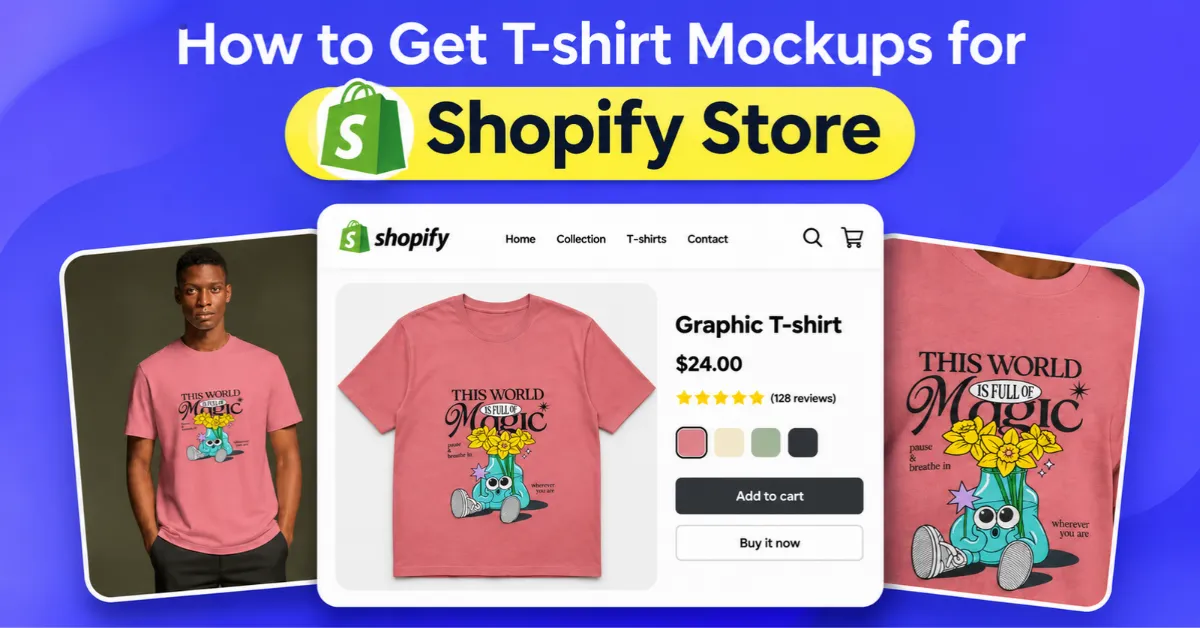
Learn how to get T-shirt mockups for Shopify store using Mockey AI’s browser-based mockup generator or by installing its app from the Shopify App Store.
If you use Mockey’s online mockup generator, you get more than just basic T-shirt templates. There are lifestyle scenes, different model poses, and plenty of T-shirt styles to choose from. Also, Shopify users can publish their mockups directly from the tool.
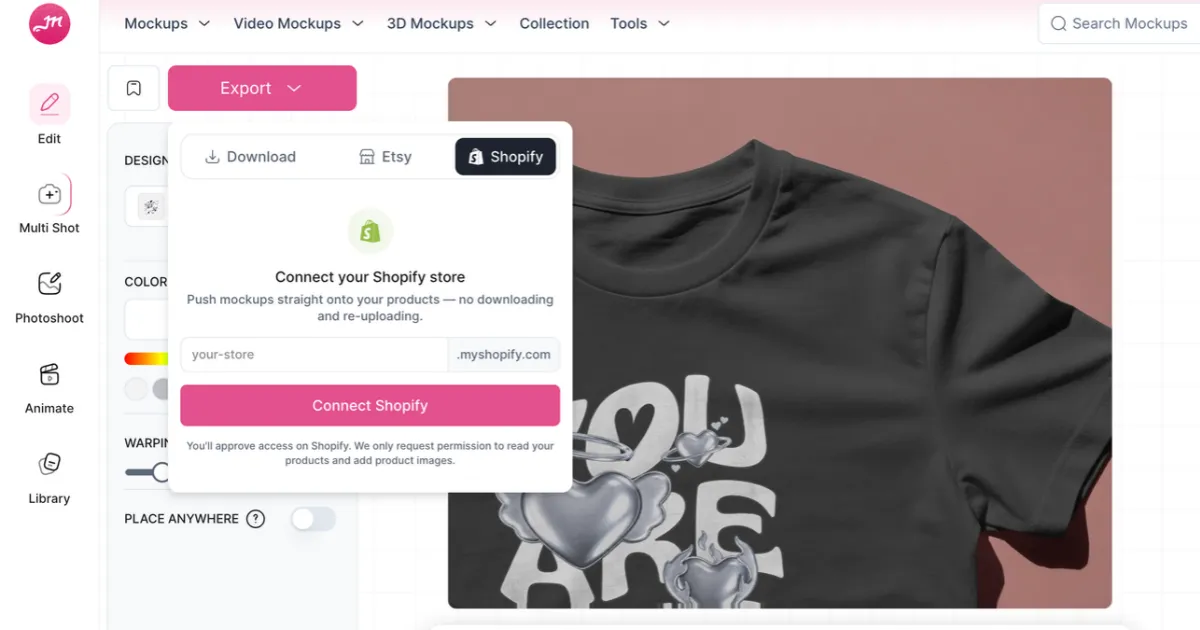
Mockey has an app in the Shopify App Store, too. It gives you access to all T-shirt mockup templates, editing tools, and AI features.
Here is a closer look at how Mockey AI can help you get T-shirt mockups for your Shopify store.
Let’s explore both methods in detail to see how to get T-shirt mockups for your Shopify store using the Mockey AI mockup generator.
Mockey AI is one of the best mockup sites for print-on-demand sellers who need T-shirt mockups. The table below shows what Mockey AI offers in each category.
| Category | Available T-Shirt Mockup Types |
| T-Shirt Fits & Styles | Oversized, Boxy, Regular Fit, Unisex, Round Neck, V-Neck, Long Sleeve, Polo, Pocket, Washed, Acid Wash |
| Mockup Presentation Styles | Blank, Flat Lay, Without People, Mannequin, Folded, 3D, Close-Up, Front and Back, Back View, Sleeve View |
| Model-Based Mockups | Men, Women, Indian Models, African Models, American Models, Teen Models, Kids, Couples |
| Brand-Specific Mockups | Bella+Canvas, Gildan, Stella, Comfort Colors |
| Selling & Marketplace Use Cases | Print-on-Demand, Etsy, Amazon, Printful |
Compared to other mockup generators, Mockey offers more useful tools and features, such as:
Follow the steps:
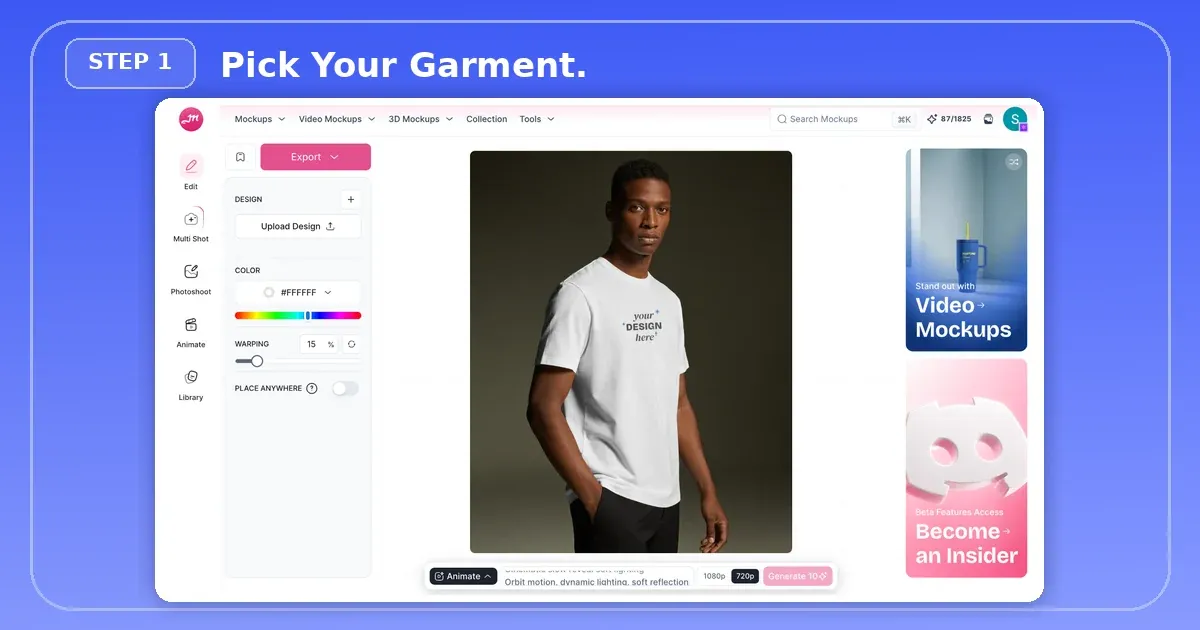
Log in to Mockey AI and open the Apparel category. Then, select T-shirt.
Browse over 4000 t-shirt mockup templates and pick one, whether you need oversized, flat-lay, polo, crew neck, or Bella Canvas T-shirt mockup.
For example, if you're selling a Bella + Canvas 3001, pick a model-worn mockup for your main product image.
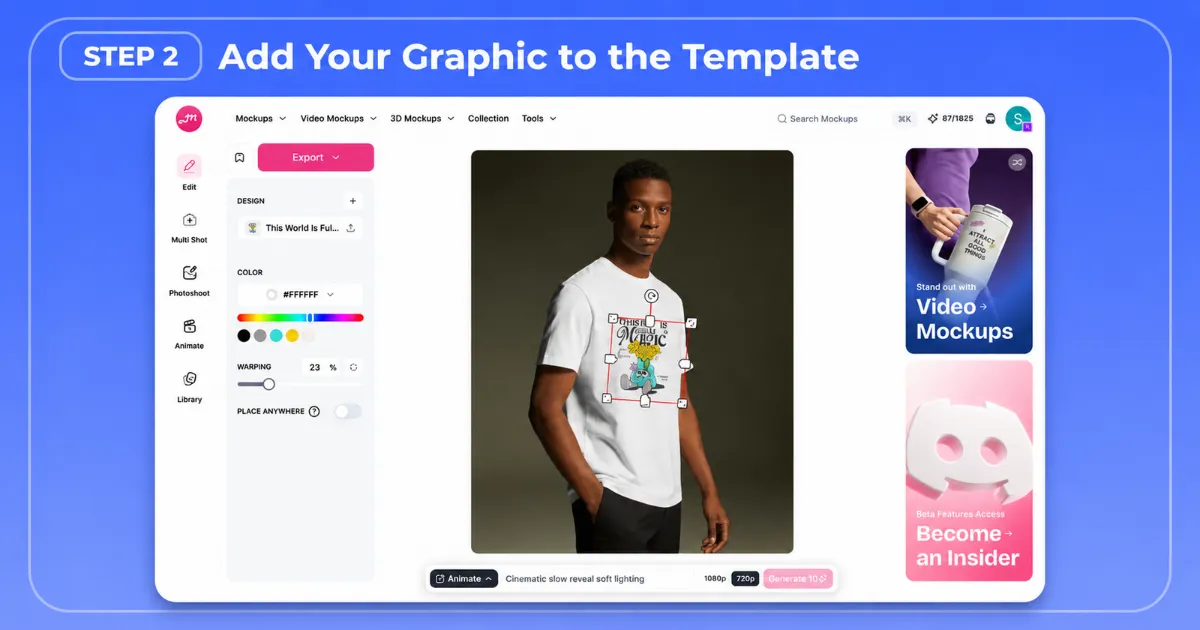
You will land on the editor page. Upload your PNG, JPG, or WebP design with a transparent background. Then, it will appear on the t-shirt, ready for placement.
Drag the design to where you want it on the shirt, then resize it using the bounding box. If you want to place it somewhere less common, like the pocket or side, use the Place Anywhere feature.
Once you upload your design, AI adjusts it to match the shirt's shape, folds, and wrinkles. It bends and warps the artwork so it looks like it's printed on the fabric, not pasted over it. To adjust it further, use the Warping tool and move the slider until the design looks right.
Click on the Color option and enter the hex code provided by your shirt manufacturer. For example, use #CF5F5F for a specific shade. You can also use the Color Picker to pull brand colors directly from an uploaded image or design.
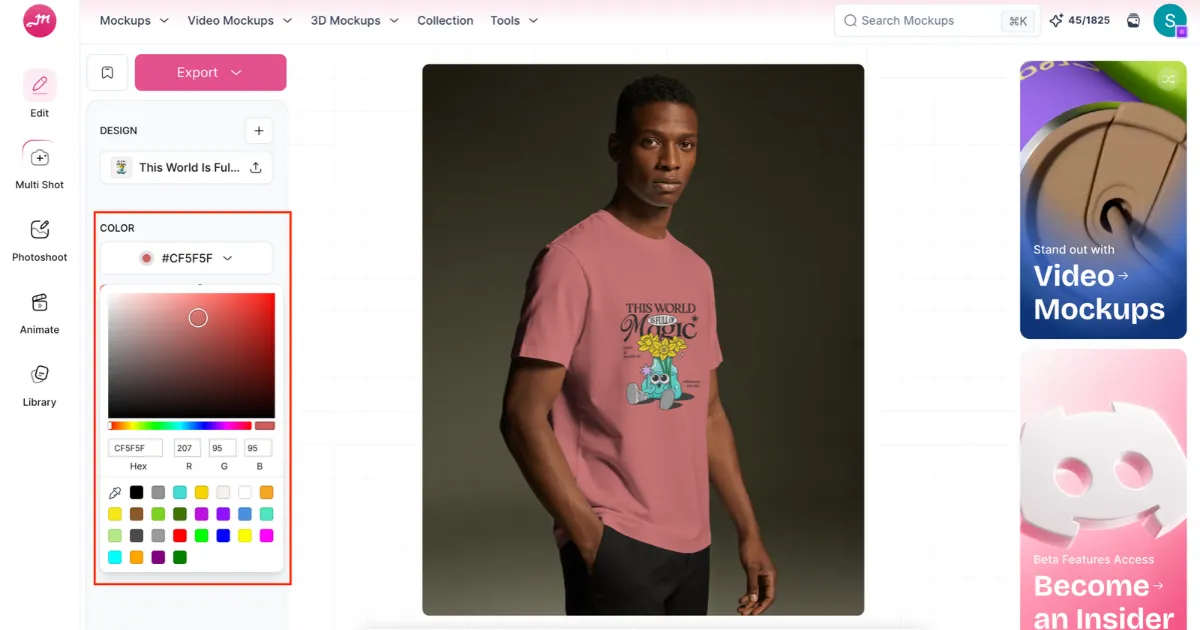
First, let's talk about multi-angle views.
Multi Shot
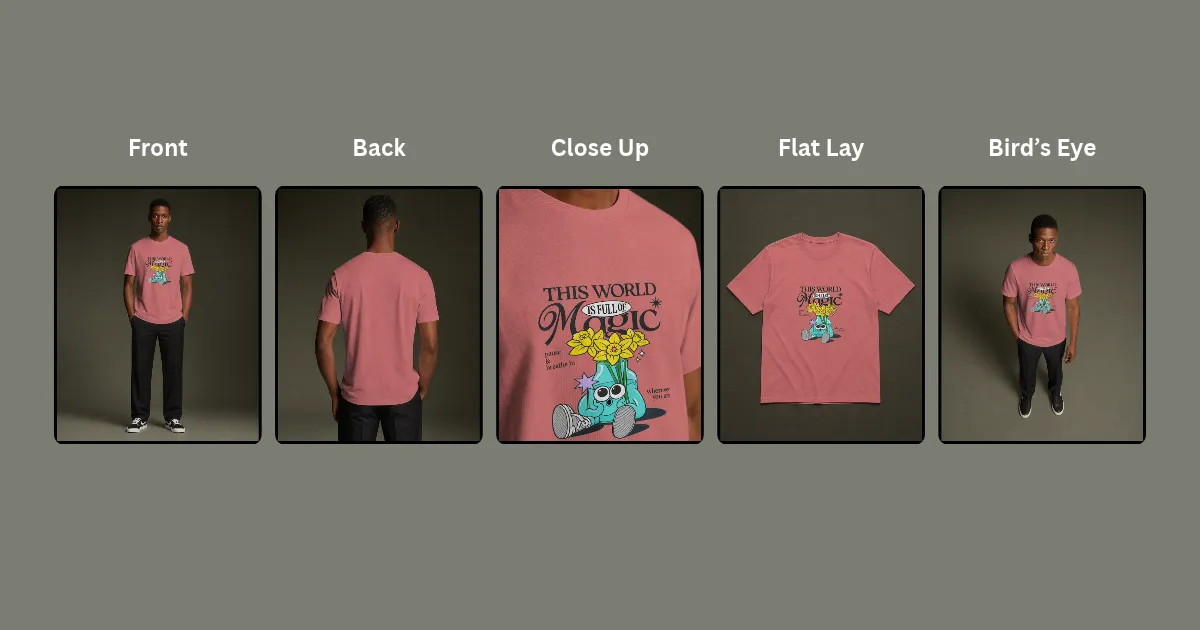
This platform has a Multi Shot feature that lets you create different views, such as front, side, and back, from a single T shirt mockup.
Once you've finished customizing your mockup, click Multi Shot and select the preset views you need. For this example, we'll choose front, back, flat lay, close-up, and bird's-eye views.
Here's the result:
Animate
You can add motion in the same editor with the Animate feature by describing what you want to see. You can also create a video in AI Studio using its Animation feature.
Click your profile, go to Integrations, and add your Shopify store.
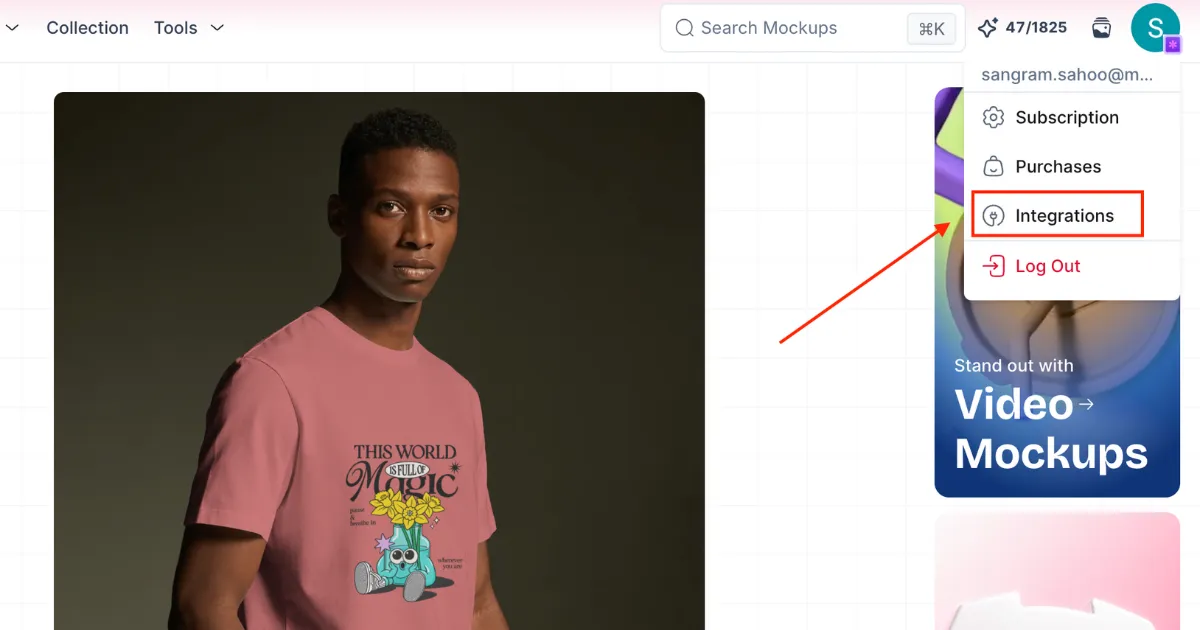
Once connected, you can list your mockups on Shopify with a single click using the Export button.
However, you'll need to manually add the images generated with Multi Shot and the video animation to your Shopify listing.
Mockey AI is one of the best Shopify mockup tools for managing large product catalogs. Here's how to set it up, from installation to publishing products in your store.
Open your Shopify admin and install Mockey AI from the App Store.
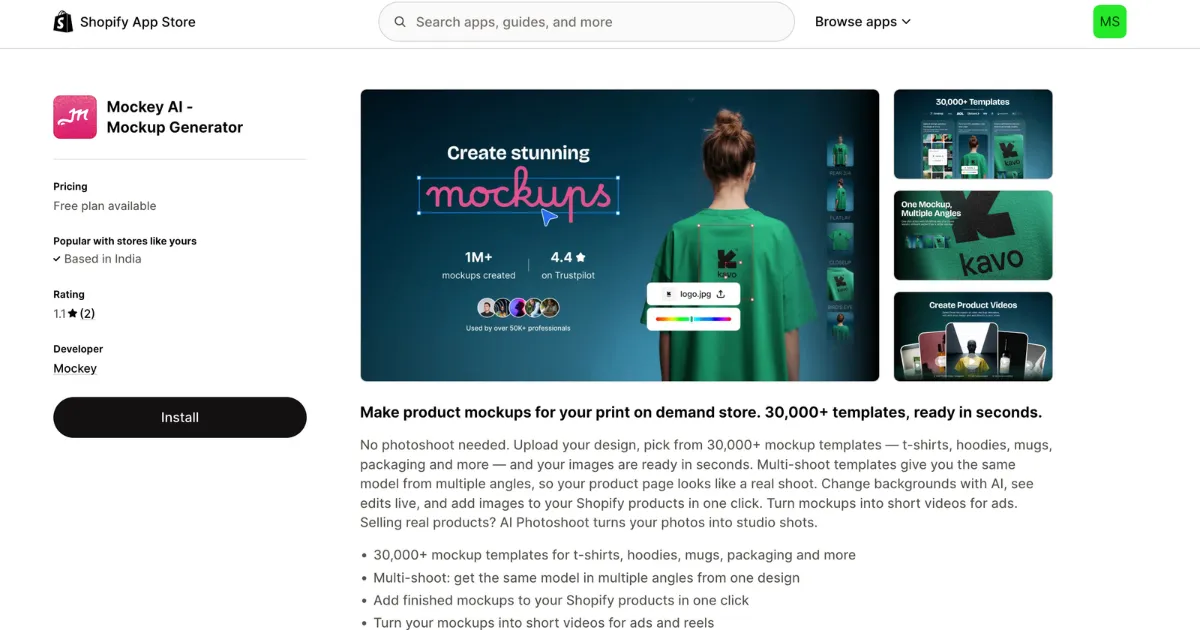
Alternatively, you can install it using the button below.
Open the T-shirt Mockup Library to browse 4,000+ studio and lifestyle templates.
Open your chosen template in the dashboard. Upload a design, set its size, then enter the exact color codes from your clothing supplier.
Once you're done customizing, you can list the mockup directly on your Shopify store.
You understand how to get t-shirt mockups for Shopify store.
Install the Mockey AI Shopify App or use its online mockup generator for your product listings. It automatically applies your designs across color and size variants, saving you from manual updates in Shopify.
Mockey AI is not expensive at all. You can start with the free plan, and paid plans begin at just $9.99/month, giving you the freedom to create unlimited Shopify mockups.
Mockup apps save images directly to your Shopify Media Library. Since Shopify hosts the images, they don't rely on external servers to load. Your page speed stays unaffected.
Yes. Shopify lets you add .mp4 and .mov video mockups alongside product images. Keep them 5–12 seconds long, under 10 MB, and set them to loop without sound for a smoother experience.

Sangram Sahoo
I’m a content writer with 4 years of experience. I specialize in creating practical content around mockups, print-on-demand, apparel, and e-commerce design.
