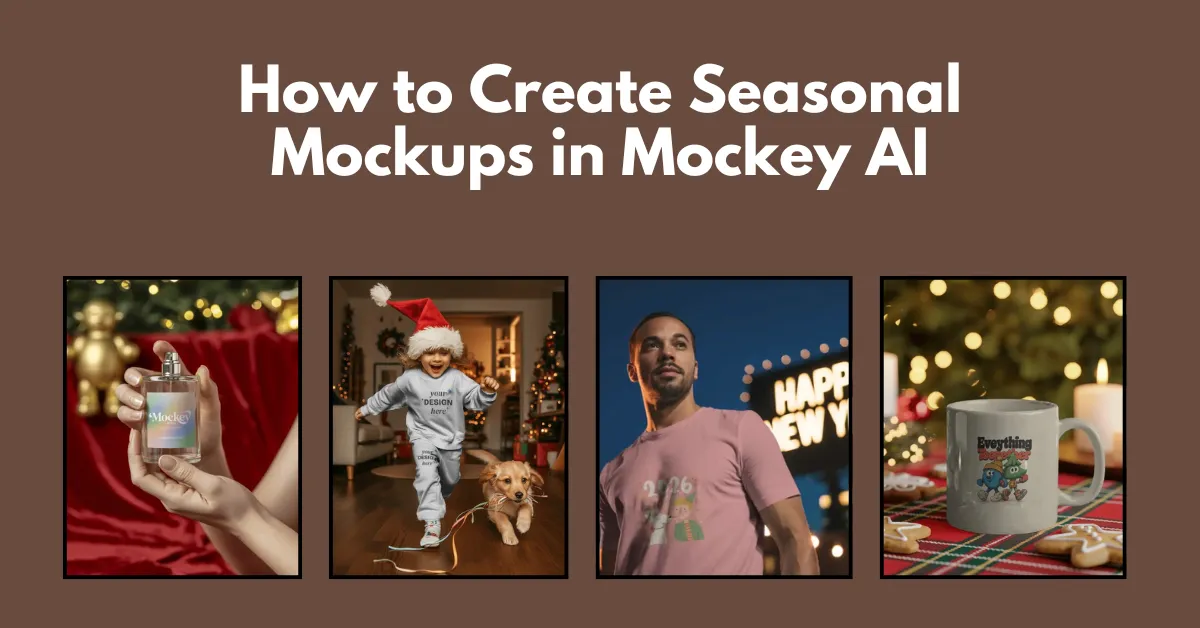
How to create seasonal mockups? Visit Mockey AI mockup generator to choose from various seasonal or holiday mockup templates and download them in PNG.
Mockey AI offers over 200 templates for seasonal themes, including Halloween, Christmas, and New Year’s. You can download all seasonal mockups without any watermark.
The navigation is straightforward, and you won’t even need a guide. Still, we will explain everything in detail on how to create seasonal mockups in Mockey AI.
Many mockup generators are available online, but why choose Mockey AI? There are many reasons why you should consider Mockey AI for seasonal mockups, such as:
Now you know where to find seasonal mockups. In this section, we’ll talk about how to create seasonal mockups step by step.
First, visit the Mockey AI platform. You’ll see the “Login/Sign Up” button. Click on it. If you’re new to Mockey AI, you’ll need to create an account.
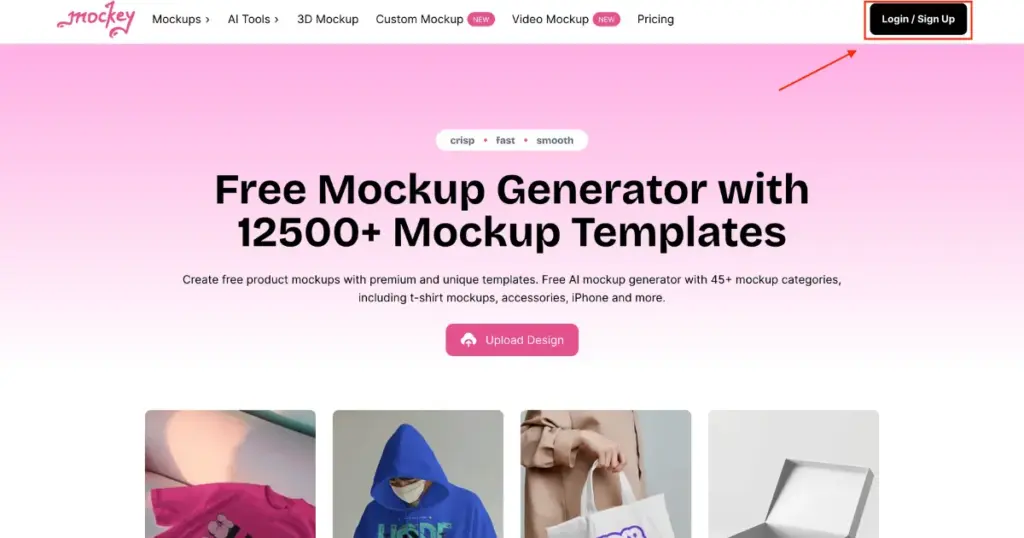
If you already have an account, simply click “Mockups” in the navigation bar and then select “Seasonal” and choose any festival or holiday.
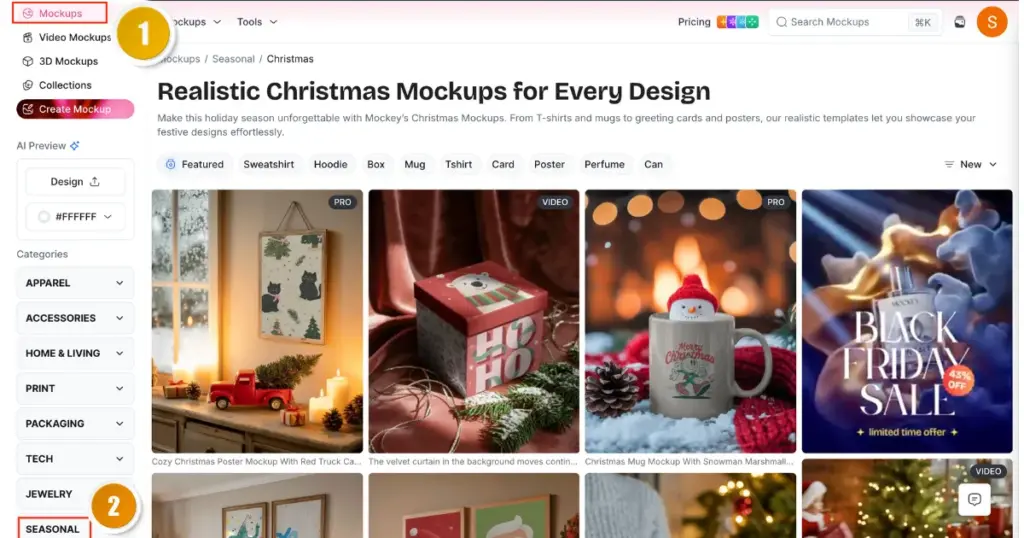
For example, Christmas is coming soon, so we’ll create a Christmas seasonal mockup.
Next, you’ll reach the Christmas catalog page, where all the templates are displayed. You can use the AI Preview feature on the left to upload a design and preview it across all templates, or you can choose a single template and add your design. You’ll see a tag bar where you can pick the product category based on your brand.
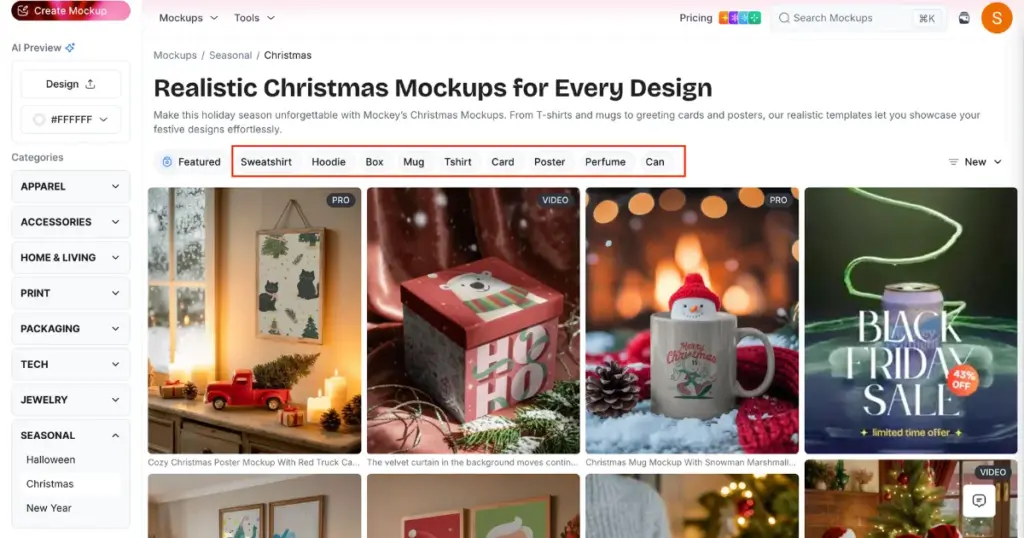
We’ll choose a Sweatshirt. Once you click it, you’ll land on the editor page.
Here, use the Upload Design button to add your artwork.
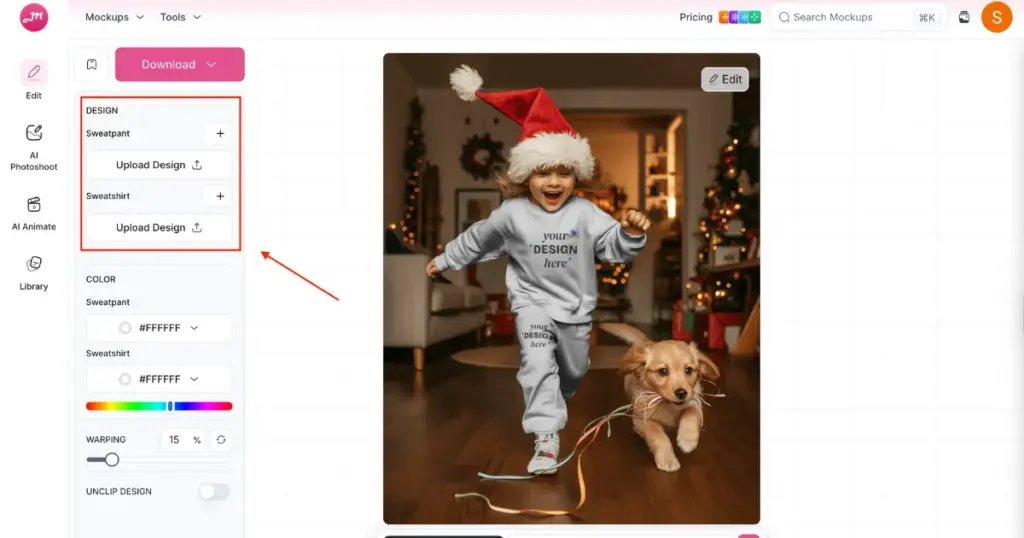
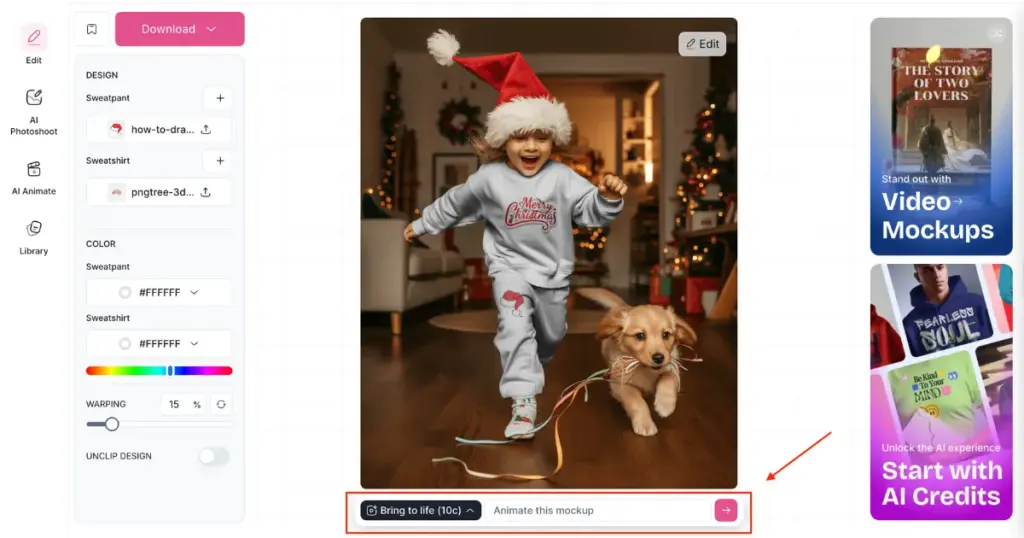
Your design will instantly appear on the template, and you can adjust it or modify the colors as needed. If you’re on the CREATOR or ELITE plan, you can also use the Bring to Life feature to generate animated mockups.
Finally, click the Download button to save your seasonal mockup after selecting the format and size.
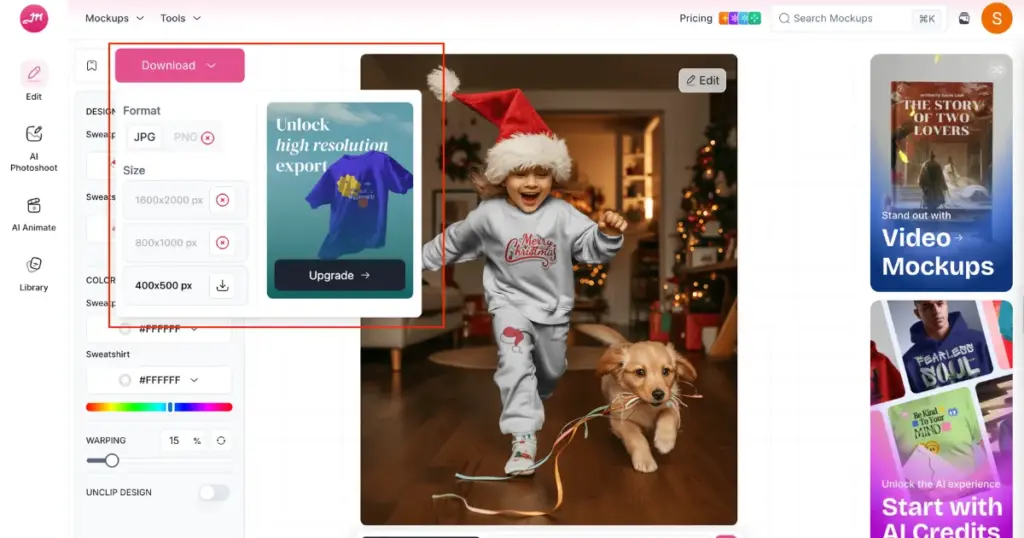
If you’re on the free plan, you’ll get only JPG format and one size option. With any paid plan, you can download PNG files and choose from three different sizes.
There are a number of seasonal mockup templates available for you to choose from.
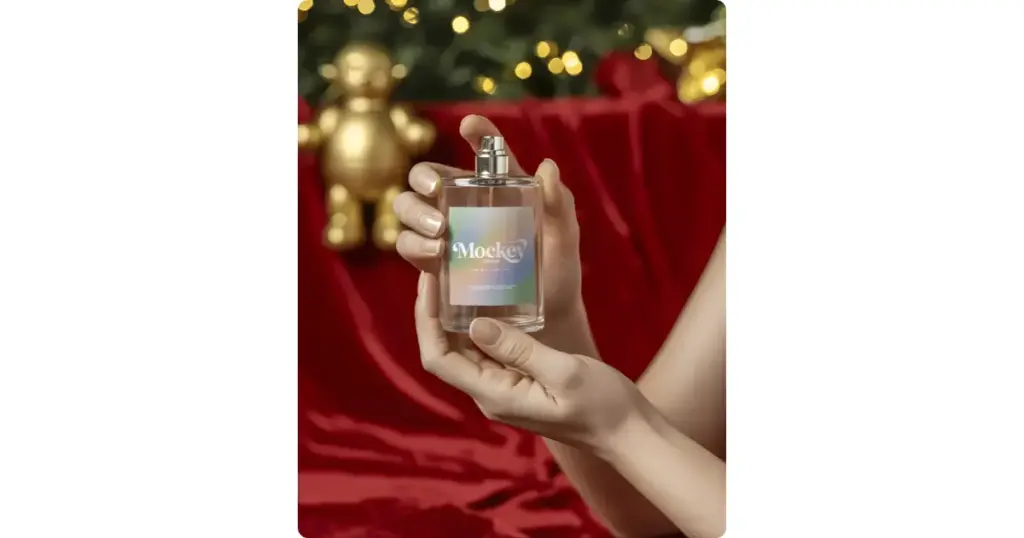
Both hands are gently holding the perfume bottle. The scene creates a Christmas mood with a festive touch. The perfume bottle sits at the centre. It is made of clear glass and carries a label with the brand name.
One hand supports the base while the other looks ready to press the nozzle. The background sets the Christmas tone. A small gold teddy bear decoration sits behind.
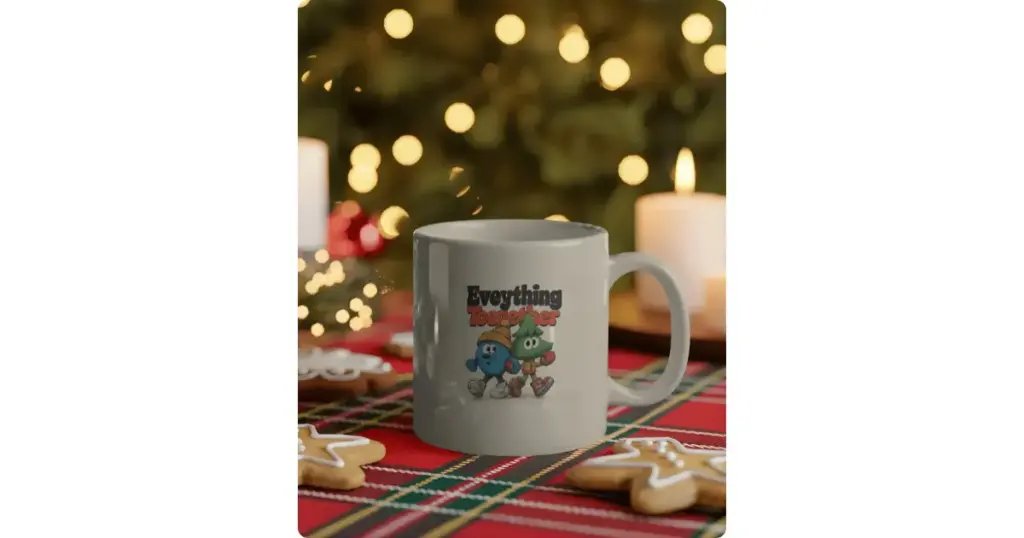
The white glossy mug carries a cute cartoon illustration of two characters walking together. The background shows a blurred Christmas tree.
The mug rests on a red-and-green tartan cloth. Around it, there are gingerbread cookies, star-shaped iced cookies, and a lit candle.

Model wears a light pink tee featuring a cheerful design from 2026. The print shows two cute characters celebrating. The backdrop shows a glowing “HAPPY NEW YEAR” sign. City buildings fade gently into the background.
You now know how to create seasonal mockups. More templates are being added to Mockey AI every week. All the templates are eye-catching and your clients will like them too. You just need to decide before generating whether you want to continue with the free plan or purchase a paid plan. One tip from us: choose the STARTER plan for static mockups, and go for the CREATOR or ELITE plan for video mockups and AI tools.
Mockey AI’s video mockup generator helps you create seasonal mockups in video clips with ease. You just need to upload your design and choose a template. That’s it.
With the free plan, you can create seasonal mockups without any watermark. However, we recommend choosing a paid plan so you get full access to all templates, PNG downloads, and different size options without any limitations.
Yes, Mockey AI’s pricing is affordable. Whether you want to generate simple mockups or video mockups, all plans are budget-friendly.

Sangram Sahoo
I’m a content writer with 4 years of experience. I specialize in creating practical content around mockups, print-on-demand, apparel, and e-commerce design.
