How to Create Crop Top Mockups in Mockey AI
How to create crop top mockups in Mockey AI? Try Mockey AI’s crop top mockup generator to explore 200+ templates, add a design and display it to your client.
If you’re a POD seller, you already know that crop tops are in high demand during summer, but people like them all year round as well. So, to keep your customers happy, it makes sense to use a good and free mockup generator.
Mockey AI’s crop top mockups are a good option, and creating mockups on it is very easy. Let’s discuss how to create crop top mockups using Mockey AI step by step.
Table of Contents
How to Create Crop Top Mockups (Step-by-step)
Creating mockups on Mockey AI is already very easy, and you don’t really need any guidance. Still, there are a few important points to know, like which paid plan is right for you, or what features you can access on the free plan while generating mockups. We’ll discuss all of that here. Let’s start.
Step 1: Start with the Free Plan
When you visit Mockey AI, you can create crop top mockups even on the free plan. Just press the “Login/Sign Up” button and create your account.
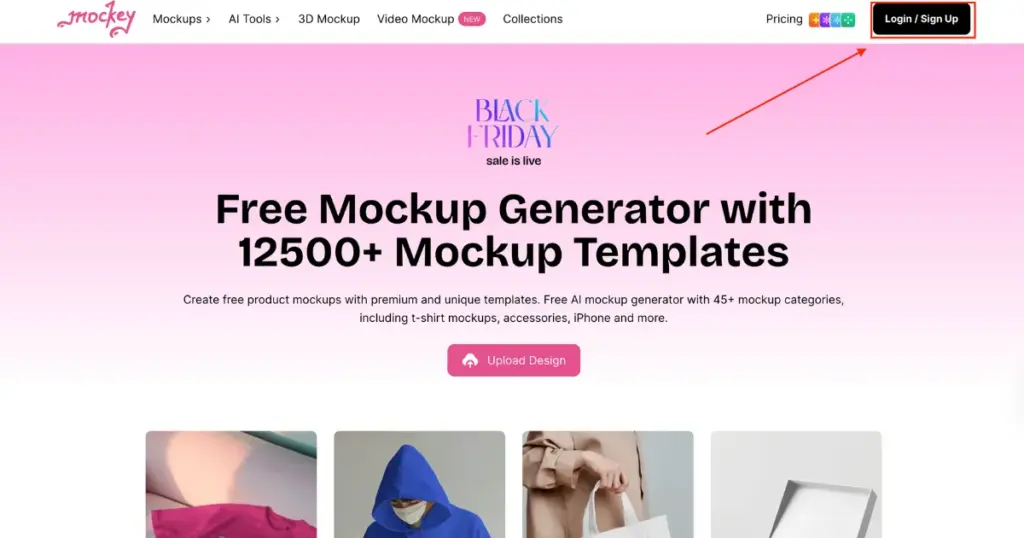
If you want to switch to a paid plan, go to “Pricing” and subscribe to the STARTER plan.
We’ll talk about plans in the next section. For now, let’s continue.
Step 2: Choose Your Crop Top Template
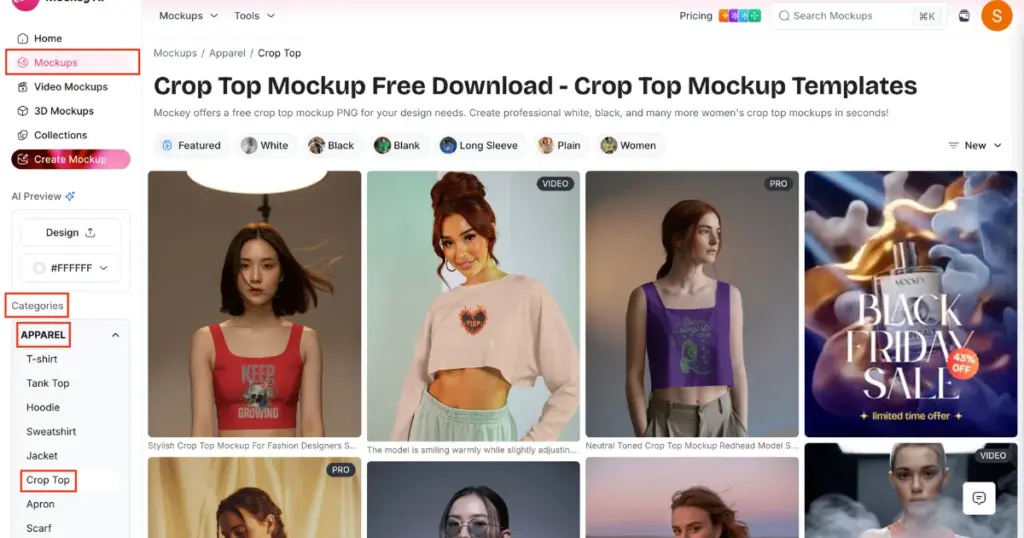
You’ll land on a page where you need to look at the left menu and click “Mockups.” All templates will appear.
Go to Categories > Apparel > Crop Top. This will take you to the crop top catalog page. You’ll also find different style options in the tag bar. Pick any template you like.
Step 3: Customize It
On the editor page, click “Upload Design” and add your image. It will instantly appear on the template.
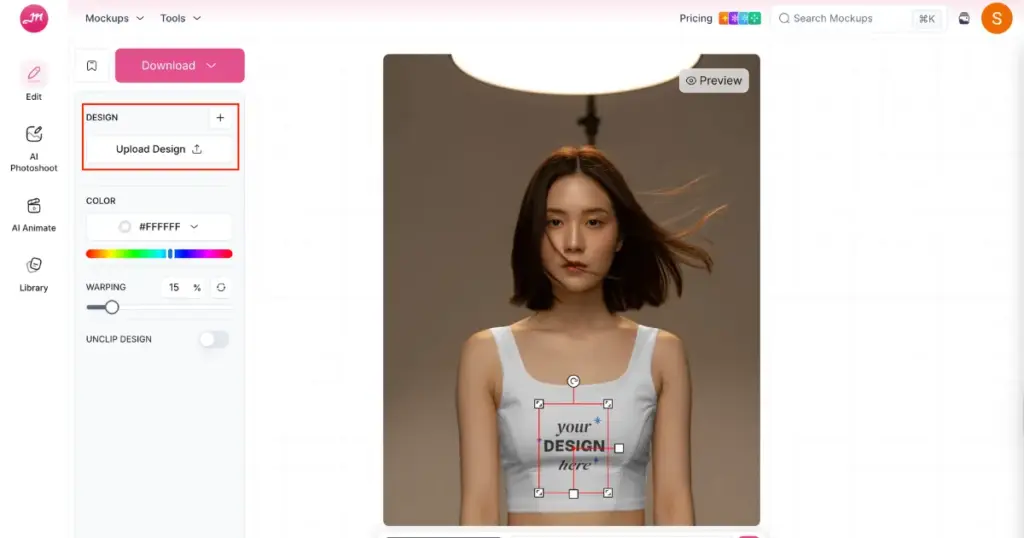
You can adjust it and change the color. You can also use AI tools like AI Photoshoot, AI Anime, or prompts if you are on the CREATOR or ELITE plan.
Step 4: Download Your Final Crop Top Mockup
Click the Download button. On the free plan, you get JPG format and one size.
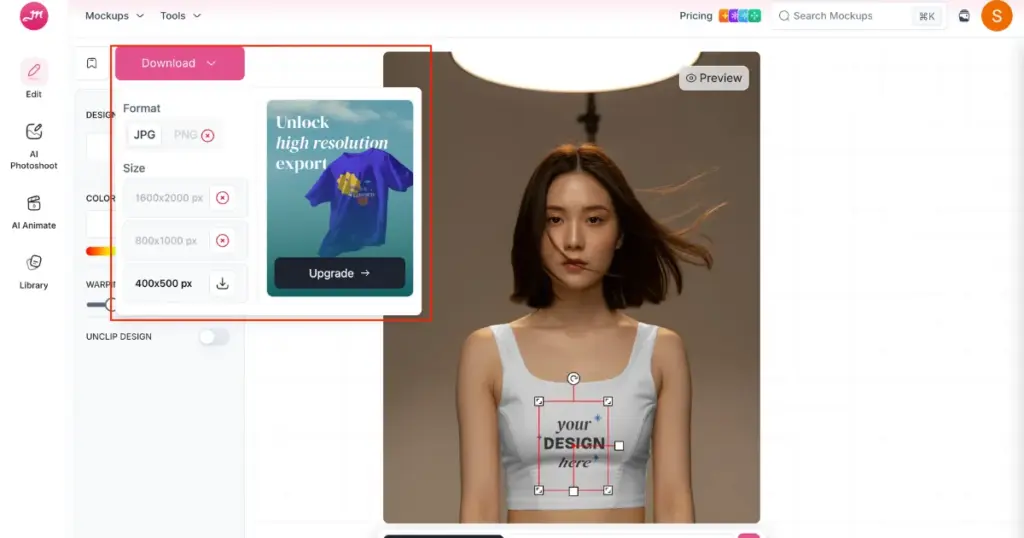
On paid plans, you get PNG and all size options. Select your preferred one, and your crop top mockup will be saved. You can check the quality; there will be no flaws.
Some of the Best Crop Top Mockup Templates to Check Out
We’ve written a detailed blog post on the best crop top mockup templates, where we’ve covered all the different styles in depth. You can read it if you want. For now, you can also focus on this section, because we’re going to talk about the templates here as well.
1. A Model Showing Back View of the Crop Top Standing against a Staircase
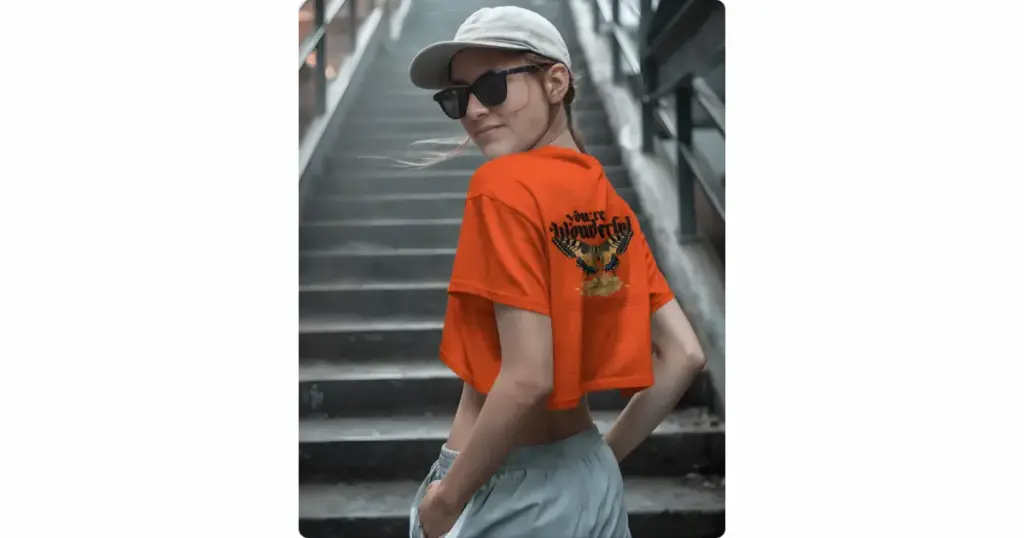
The model is shown from the back, with her head turned slightly toward the camera. She wears a bright orange crop top. She pairs it with light grey joggers or shorts.
The design sits on the back of the top. A large butterfly with detailed wings appears below it, resting above a bunch of yellow flowers. The photo is taken outdoors on a staircase.
2. Close-up shot of a Model in a Crop Top
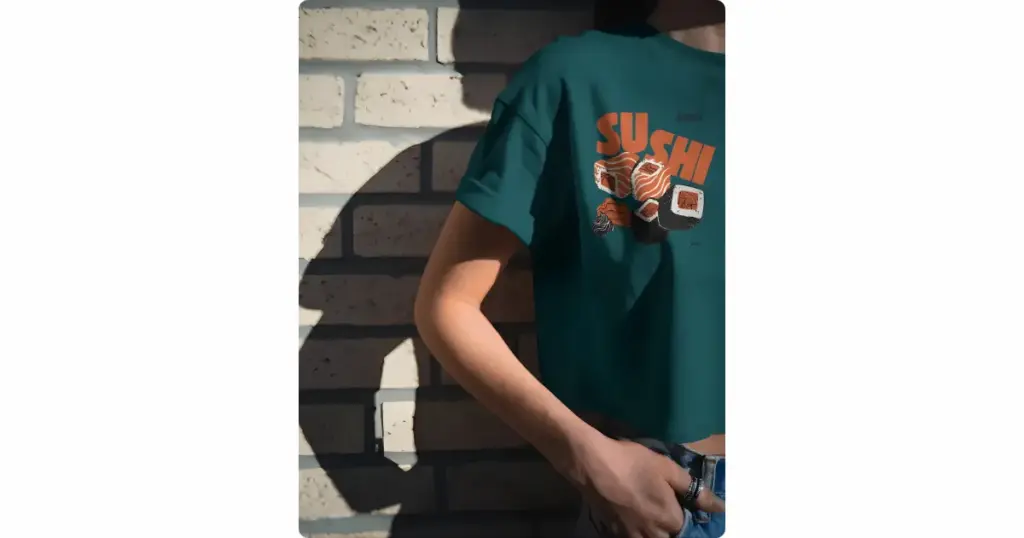
This shows an outdoor scene set against a brick wall. Bright sunlight hits the model and creates a sharp shadow behind her.
The model stands slightly sideways with one hand in her pocket. The crop top is a dark teal green.
The design focuses on sushi. You see salmon pieces drawn in a fun cartoon style. The word “SUSHI” appears in bright orange with small touches like ginger and wasabi.
3. A Model on a Beach Wearing a Crop Top
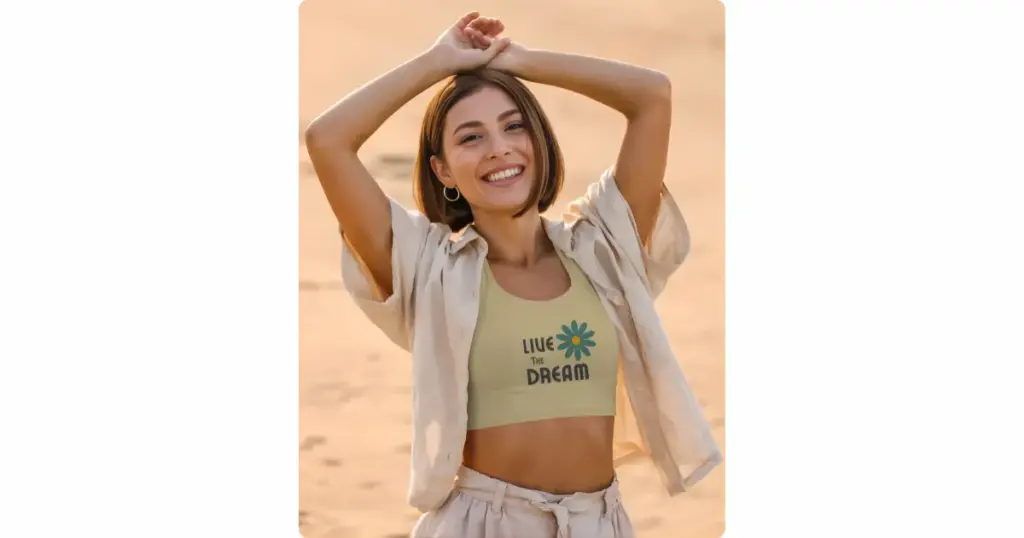
The model smiles confidently with her arms lifted on the beach. Her short hair, hoop earrings, and open shirt give a friendly style.
The crop top itself is a light yellow or cream tank. It pairs well with the loose shorts and open shirt. The print says “LIVE THE DREAM”. A blue-and-yellow flower sits beside the text.
Conclusion
We’ve already discussed how to create crop top mockups. Use Mockey AI to create your crop top mockups so you can access unique and classic templates. These visuals look attractive to buyers and encourage them to make a purchase. Yes, your design matters, but the overall mockup is equally important for the buyer’s decision. So sign up now and generate in minutes.
FAQs
How many crop top mockup templates are there on Mockey AI?
As of now, more than 200 crop-top mockup templates are available for customization. The numbers are increasing every week. Keep visiting the mockup generator so you can stay updated.
Can I download crop top mockups in video format?
If you want the crop top in video format, use the crop top video templates on Mockey AI’s video mockup generator. Upload your design and download the video clip in MP4 format.
Are crop top templates available in doodle-style designs?
If you want templates in doodle style, explore the Collection Mockups and go to the Doodle category to pick any template you like. By the way, crop top collections are about to be added. Stay tuned.

Sangram Sahoo
I’m a content writer with 4 years of experience. I specialize in creating practical content around mockups, print-on-demand, apparel, and e-commerce design.
