How to Create a Supplement Bottle Mockup in Detail
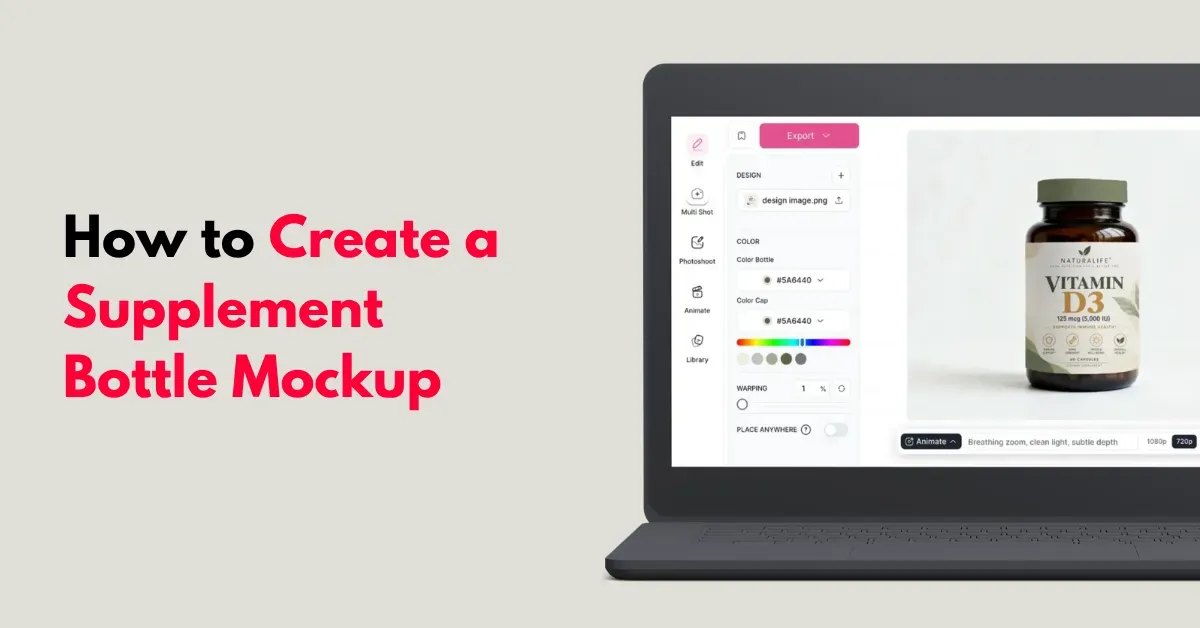
Eager to know how to create a supplement bottle mockup? Use Mockey’s supplement bottle mockup, add your design as per the bottle size, and export in HD.
Here’s a detailed step-by-step guide for e-commerce brands, designers, manufacturers, and startups. It covers the key details you need to get it right.
Table of Contents
What is a Supplement Bottle Mockup?
A supplement bottle mockup shows how your label and packaging will look before production.
It lets brands, designers, and manufacturers test the design, check details, and see how the final product may look, without printing physical bottles first.
How to Create a Supplement Bottle Mockup (Detailed Guide)
Here is a detailed guide on how to create a mockup of a supplement bottle. Let’s start with the design.
Step 1: Design Your Label
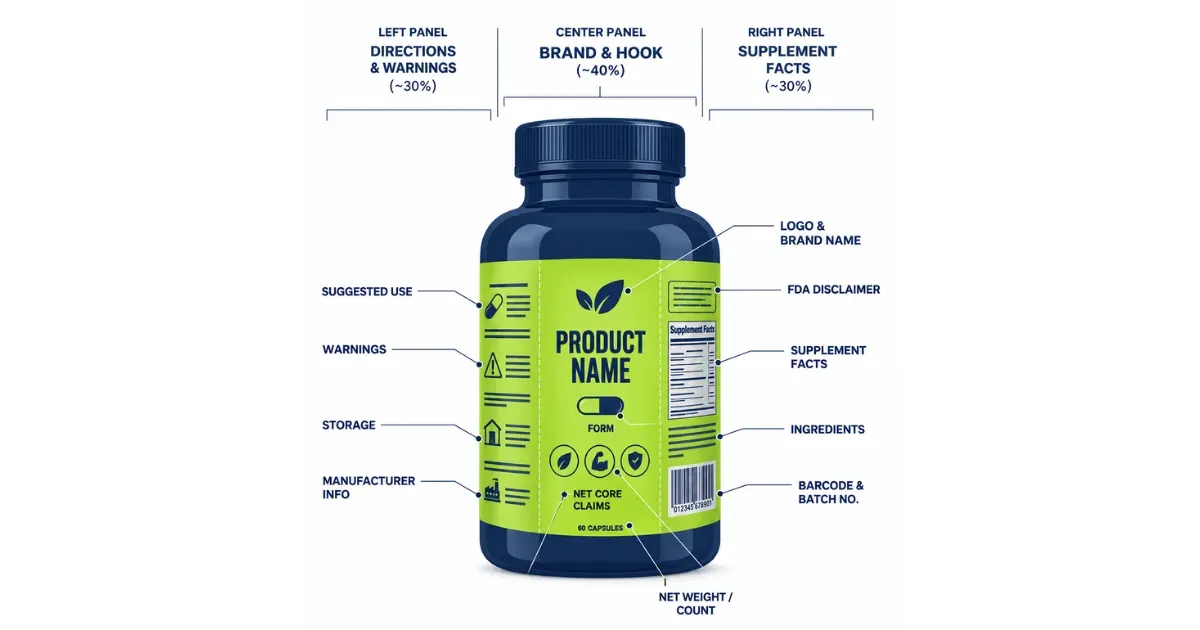
A supplement bottle is a curved canvas. Customers look for trust, safety, and clear dosage information. Divide the label into three zones.
| LEFT | CENTER | RIGHT |
|---|---|---|
| Directions & Warnings | Brand & Hook (40%) | Supplement Facts |
| – Suggested Use – Warnings – Storage – Manufacturer Info | – Logo & Brand Name – Product Name – Form – Net Weight / Count – 3–4 Core Claims | – FDA Disclaimer – Supplement Facts – Ingredients – Barcode & Batch No. |
Step 2: Exact Bottle Dimensions
A mistake is designing the label without checking the bottle’s actual dimensions.
Drams or CCs are used to measure bottles. Match your canvas ratio to the bottle’s standard dimensions for an accurate mockup.
| Bottle Size | Use | Ideal For | Flat Label Size |
|---|---|---|---|
| 75–100 CC | Capsules, vitamins | DTC & e-commerce brands | 5" × 2.25" |
| 150–200 CC | Capsules, tablets | Medical & practitioner brands | 6.25" × 3" |
| 400–500 CC | Gummies, softgels | Kids, family & retail brands | 8.5" × 3.5" |
| 32 oz / 1 lb Tub | Protein, pre-workout, collagen | Fitness & gym brands | 11.5" × 5" |
| 2 oz / 60 ml Dropper | Tinctures, liquid extracts | Wellness & aesthetics brands | 4.75" × 2" |
Step 3: What to Look for in a Mockup Generator
If you’re choosing the best mockup tool to create supplement bottle mockups, use Mockey AI for ready-made templates.
A. Select a Supplement Bottle Template
Quickly sign up there. From the dashboard, click on “Mockups”. Go to “Packaging Mockup” to pick “Bottle”. You’ll see several tags in the tag bar. Select “Supplement” to explore the available mockups.
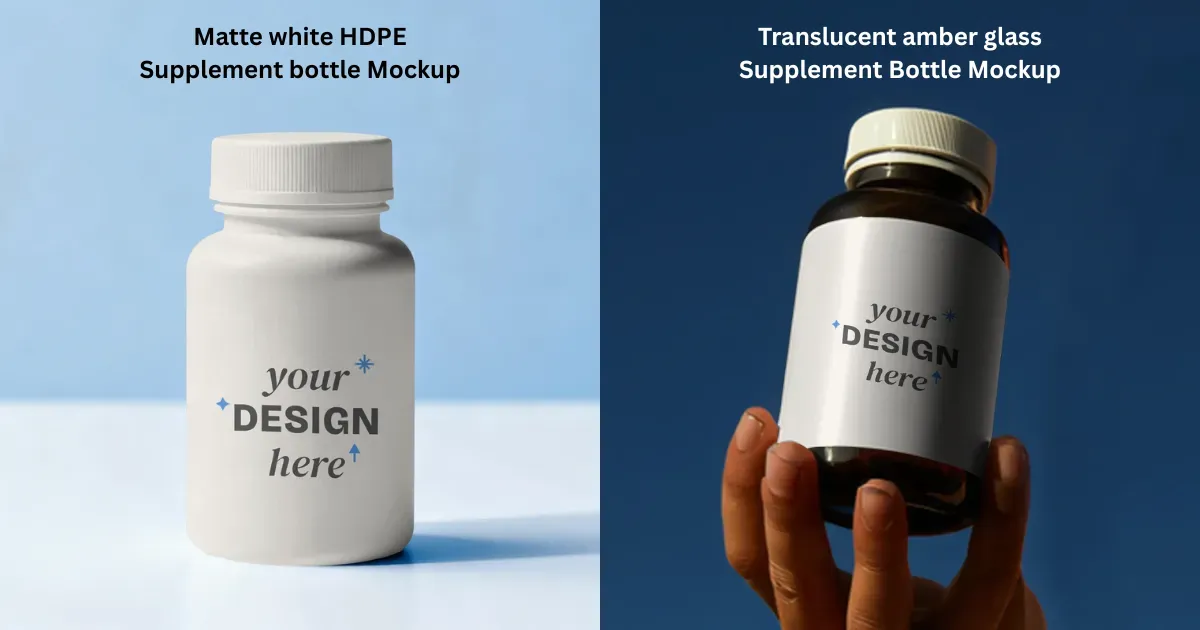
You can choose whichever type you need. Whether it’s a translucent amber glass bottle, matte white HDPE bottle, or medical vial, you’ll find them all available.
B. Upload the Design and Adjust
This is the design we have.
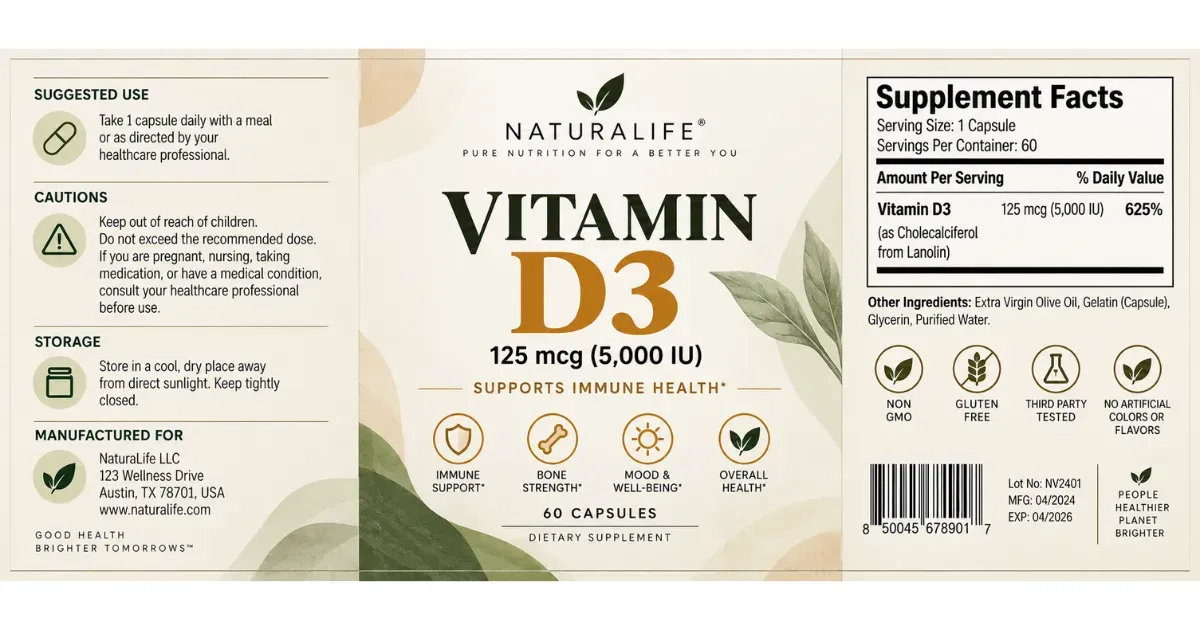
Once you select a template, you’ll be taken to the editor. Click “Upload Design” to add your design, and it will automatically fit onto the template.
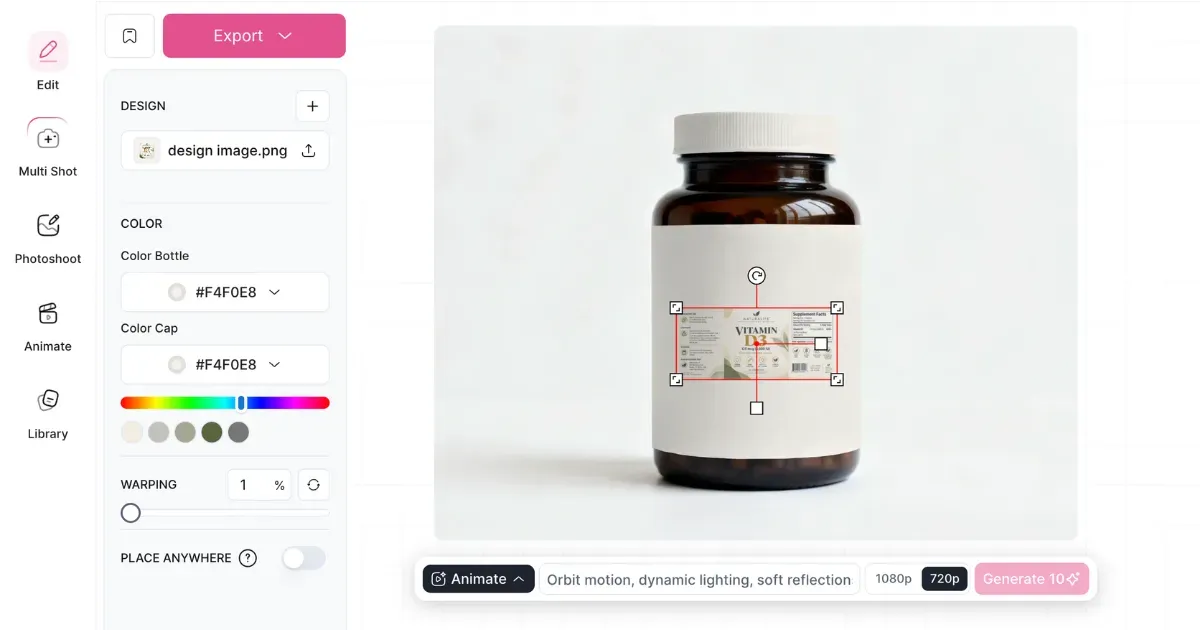
Use Resize, Expand, or Warp
Then, you can use features like Resize, Expand, or Warping to adjust your design.
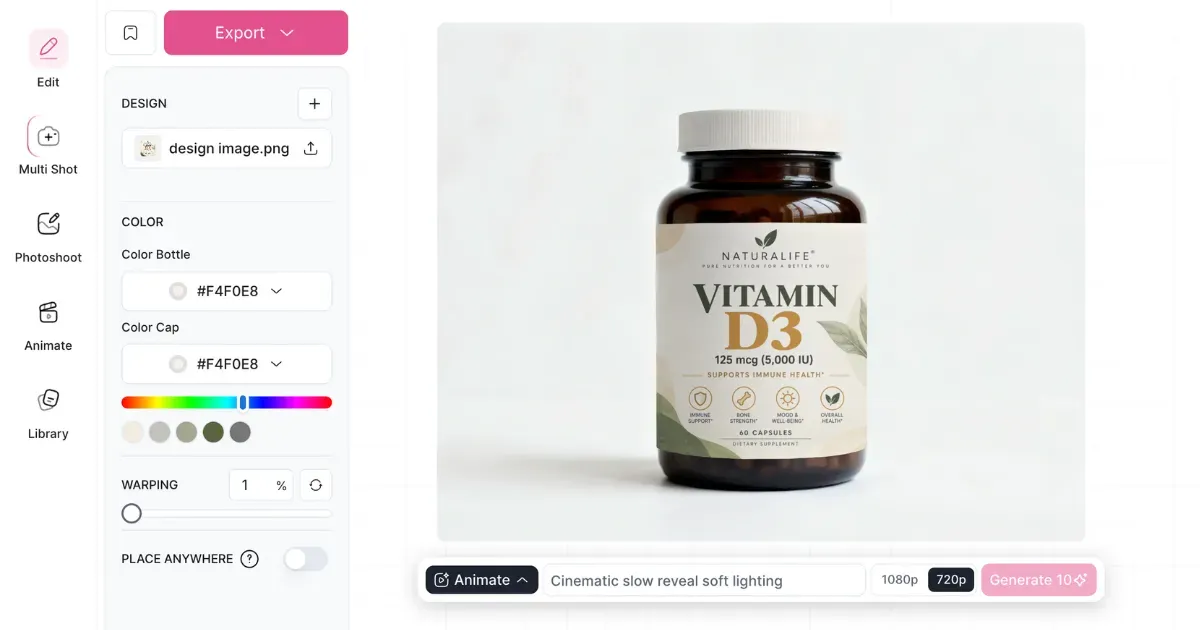
For example, we’ll use the Warping feature here. We’ll reduce it from 15% to 1% and adjust the design accordingly.
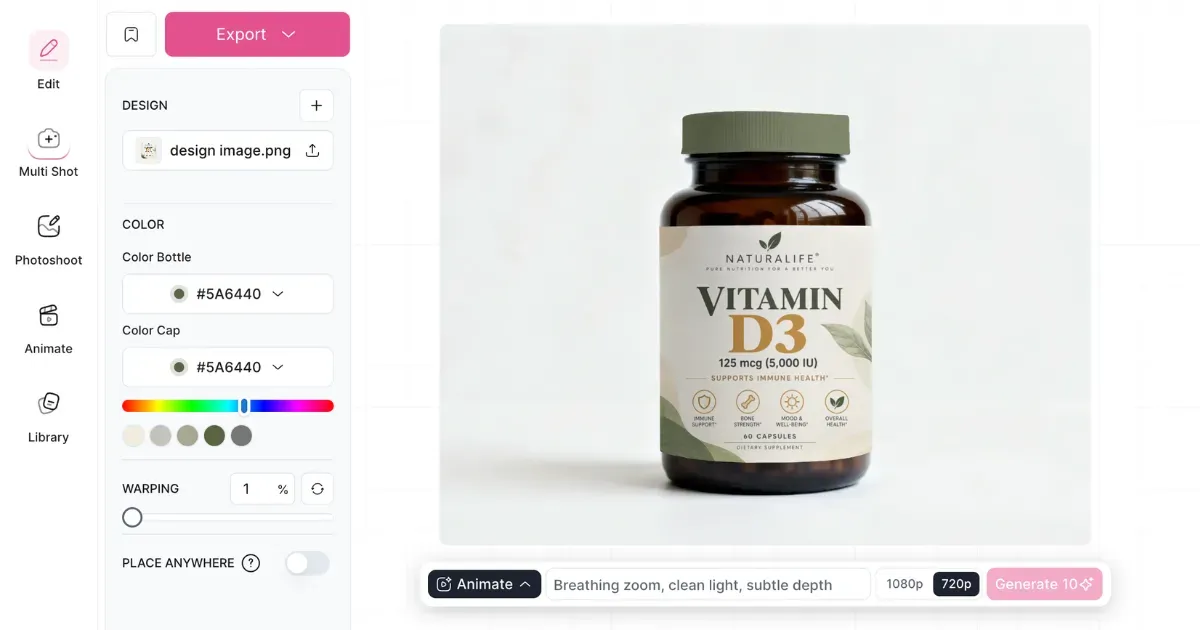
Pick a bottle or cap color that matches your brand. Need a specific shade? Use the Color Picker and choose it from there.
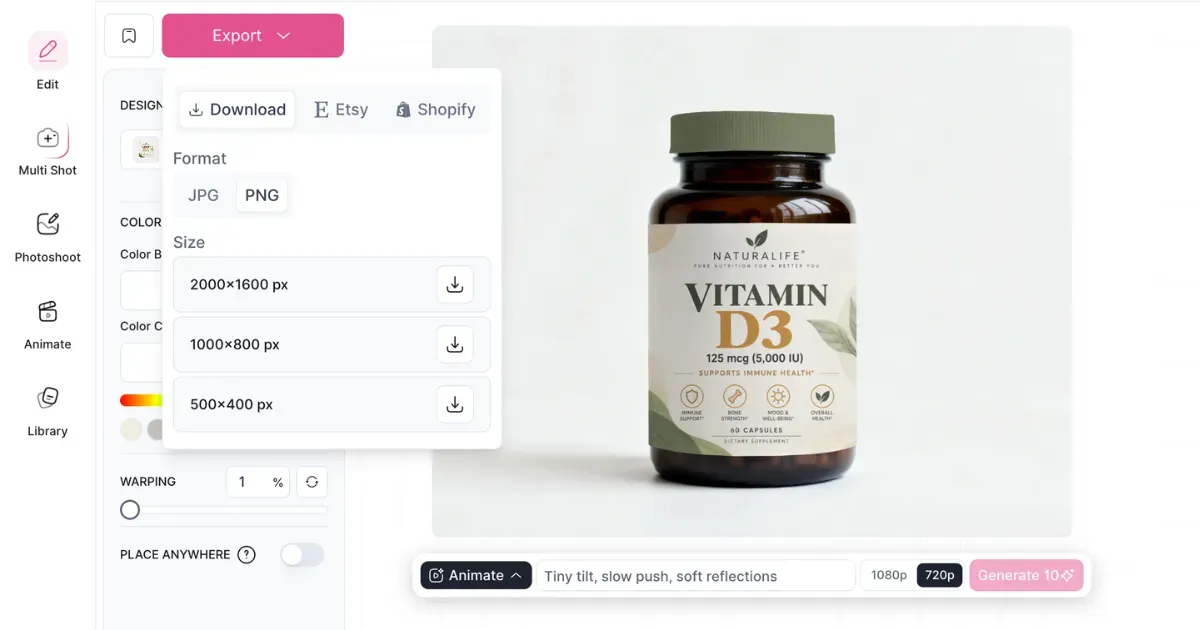
C. Export the File as PNG
Download the supplement bottle mockup in the format and size you need.
For realistic results, always use these features:
Warping
Use the Warping feature that wraps your flat design around the bottle without making the label look stretched or compressed.
Different Types
Switch between translucent amber glass or matte white HDPE. Mockey offers all these types of supplement bottles.
High-quality PNG
For e-commerce, the mockup should have a high-quality PNG with contact shadows. That way, you can place the bottle on any website header or banner without it looking cut out.
Step 4: Create a Blueprint for Your Exact Product Segment
| Mockup Requirement | |
|---|---|
| E-Commerce / DTC | #FFFFFF background for Amazon, product fills 85%; same angle, focal distance & shadows |
| Startups / Agencies | 3D mockup animation with 360° turntable view |
If you need a 360° turntable view with accurate design placement and a 3D view, use Mockey AI. Look at the example:
To Conclude
You completely understand how to create a supplement bottle mockup.
To create a supplement bottle mockup that sells and prints right, treat it like more than a marketing image. Don’t let trends get in the way of accuracy.
Match the canvas to the bottle’s exact size, such as 5.00" × 2.25" for a 100cc bottle. DTC brands need the same look across every flavor. Before printing, manufacturers also need the artwork prepared with the correct bleed and safe areas so important details don’t get cut off.
FAQs
What Are the Standard Template Sizes for Supplement Bottles?
Getting the label size wrong can cause problems once the packaging goes into production. Start with the exact bottle you’re using and work from its measurements. For example, a 100cc supplement jar requires very different label dimensions.
Why use Mockey for supplement bottle mockups?
Mockey gives you plenty of templates to choose from, along with tools for editing the design and trying different views. You can also export the mockup in high resolution when you’re ready to use it.
Can I create a supplement bottle mockup from scratch?
Mockey AI Studio lets you create a supplement bottle mockup from a prompt. Add your label, describe the bottle and the scene, and generate the image from there.

Sangram Sahoo
I’m a content writer with 4 years of experience. I specialize in creating practical content around mockups, print-on-demand, apparel, and e-commerce design.
