4 Best Custom Mockup Sites to Use in 2026
The best custom mockup sites are Mockey AI, Photopea, Mockuplabs, and Dynamic Mockups, where you can create custom mockups on your own in 2026.
After doing some research, we found that these are the top 4 platforms that help create custom mockups. There may be other platforms as well, but they are likely more complicated to use.
Let’s discuss these mockup generators, how to create custom mockups on them, along with their pros and cons. Let’s get started.
Table of Contents
What is a Custom Mockup?
A custom mockup is a mockup created using your own product image, without using any pre-made template. Most mockup generators offer ready-made templates where you upload a design, and it gets placed on the product. In these cases, you cannot change the product photo.
However, in a custom mockup, you upload your own product image along with your design. The tool automatically detects the fabric or printable area and places the design on it.
The Best Custom Mockup Sites (Free & Paid)
Listed below are the best free and paid custom mockup sites you can use for your next project.
1. Mockey AI
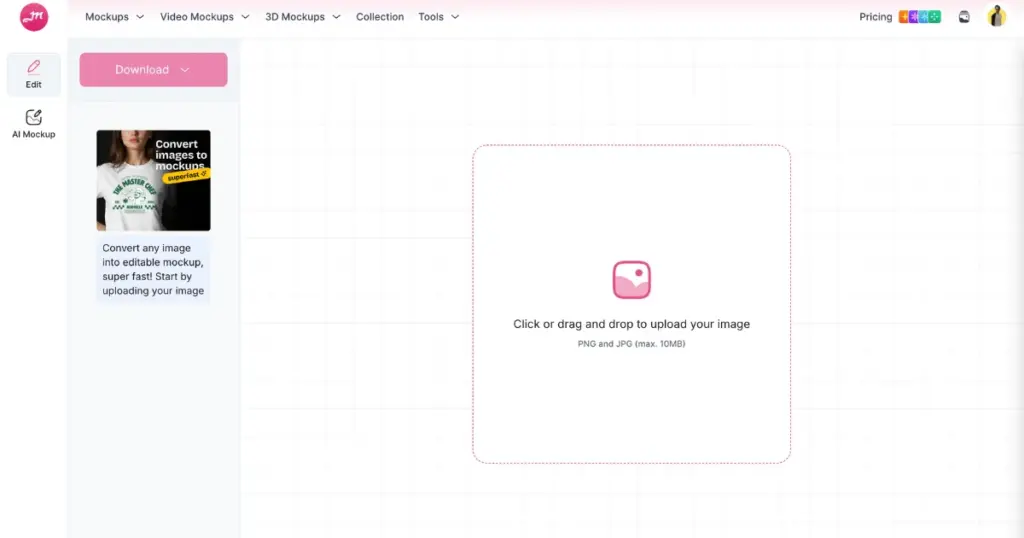
Mockey is one of the best custom mockup sites where you can create mockups even with a free plan. You simply need to drag and drop your product image, upload your design, and customize it as needed.
You can also use the AI Mockup and AI Animate tools. With AI Mockup, you can generate product images and modify them using prompts. After that, you can add your design to those images and create a mockup.
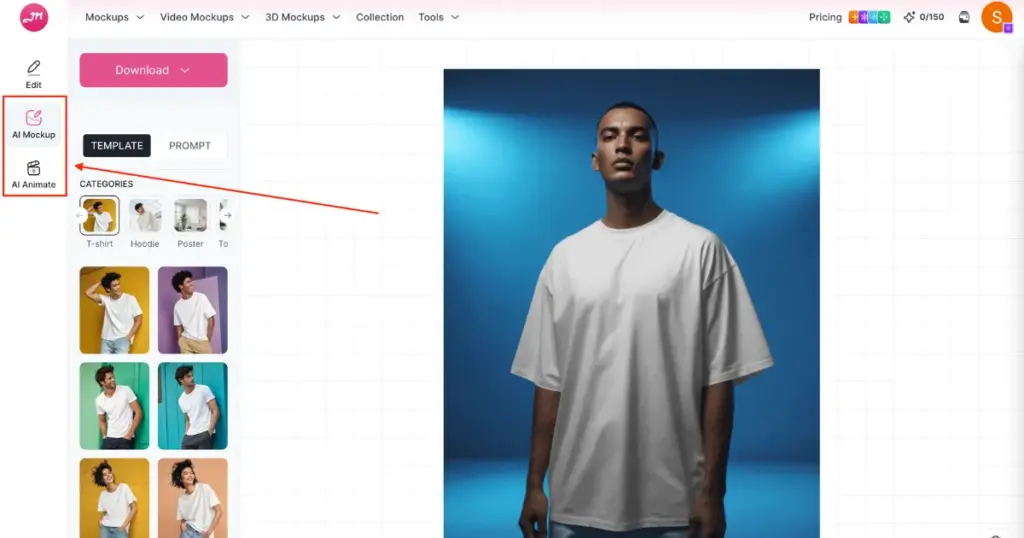
The AI Animate feature provides animation for your mockups. However, to use this feature, you need to purchase the Creator plan, which includes AI credits.
How to Use
- Visit Mockey AI.
- Click the “Login/Sign Up” button.
- On the next page, click “Create Mockup.” You will land on the custom mockup tool.
- Drag and drop your product image.
- Click “Upload Design.” Edit using shadow, highlight opacity, and advanced settings.
- Click “Download.”
- Select a format and size.
- Your custom mockup will be created.
Pros & Cons
- ✅ Free plan available
- ✅ No watermark custom mockup
- ✅ Easy customization
- ✅ Animation feature
- ✅ Text-based prompts
Pricing
- Free Plan
- Starter: $7/month
- Creator: $19/month (includes AI tools)
Visit: Mockey AI
2. Photopea
The next custom mockup site is Photopea. This platform is quite similar to Photoshop because you can create custom mockups using smart objects.
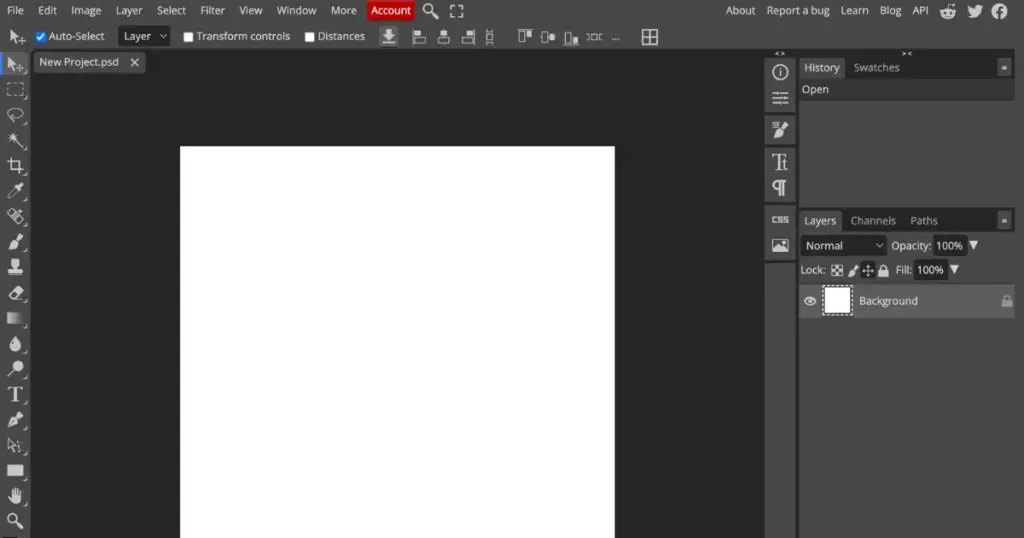
You just need to convert a rectangle into a placeholder where your design will appear on the product. It is also a free platform.
How to Use
- Open Photopea and add your product image.
- Select the Rectangle Tool and draw a shape where you want to place the mockup design.
- To make the rectangle layer editable, right-click on it in the Layers panel and choose Convert to Smart Object.
- Next, go to the Edit section and select Transform > Distort.
- Rename the layer so it is easy to identify later.
- To add your design, double-click the Smart Object layer and drag and drop the design.
- Go back to the main mockup file, and you will see the design attached to the product.
- Finally, go to File > Export As and download the custom mockup.
Pros & Cons
- ✅ Completely free
- ✅ You can create PSD files for future use
- ✅ Various export files
- ❌ Learning curve
Pricing
- Free
3. Mockuplabs
You can create mockups on Mockuplabs using any product image. It is also a free mockup generator. For some users, it may have a learning curve.
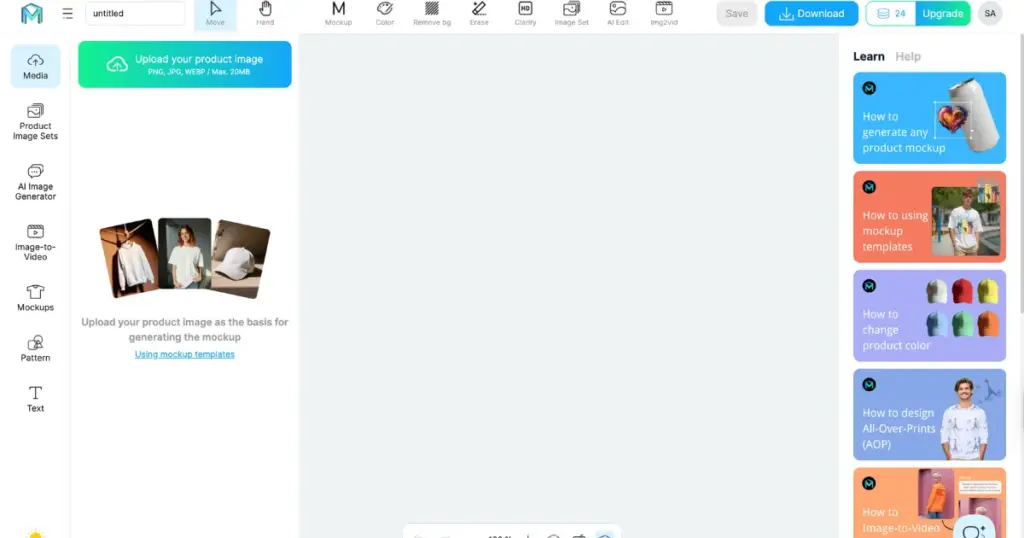
You need to create an account, upload a product image, and convert it into a mockup so you can upload and edit your design.
How to Use
- Visit Mockuplabs.
- Click “Try Mockuplabs For Free.”
- In “Media,” click “Upload your product image.”
- Click the image and convert it into a mockup by pressing “Mockups” in the navigation bar.
- Upload your design and drag it onto the image.
- Edit using text or patterns if needed.
- Finally, click “Download” to save the custom mockup in PNG format.
Pros and Cons
- ✅ Free to use
- ✅ No watermark on custom mockups
- ✅ Various export file options
- ❌ Can be confusing for beginners
Pricing
- Free
- Basic: $9.9/month
- Pro: $19/month
4. Dynamic Mockups
Dynamic Mockups’ MockAnything AI lets you create custom mockups by either typing a product image prompt or uploading your own product image.
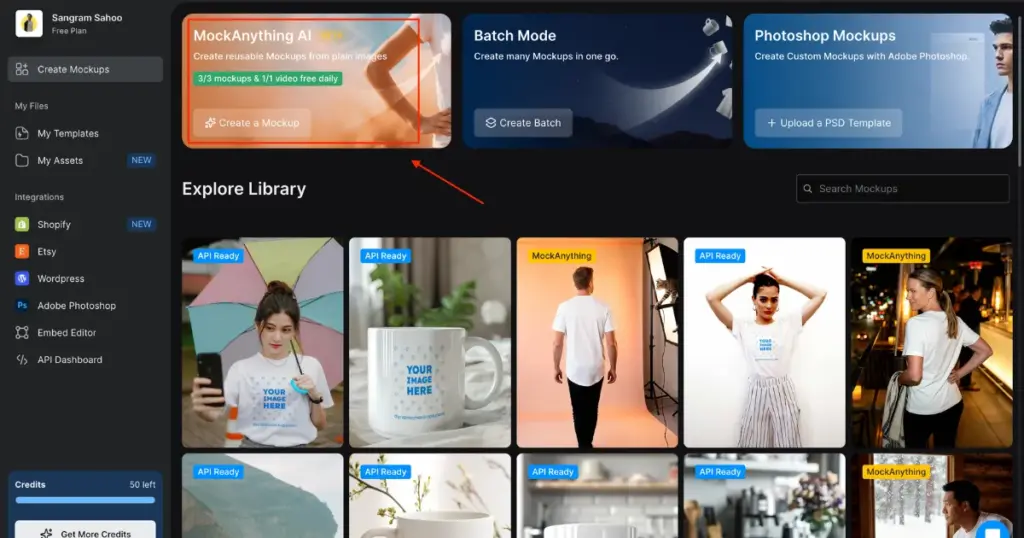
You can change the model’s face, gender, hairstyle, and age. You can even customize the pose and scene. By uploading artwork, you can also convert it into a pattern design.
For adjustments, you can modify opacity, blend mode, highlights, and shadows. One drawback is that image processing can sometimes take longer than expected.
How to Use
- Visit Dynamic Mockups.
- Click “Login.”
- On the next page, click “Create a Mockup” in the MockAnything AI section.
- Type a prompt for the image or upload an image.
- Click “Add Artwork & Color” and select the area.
- Customize it.
- Click “Download.”
- Select the format and size.
- Save the custom mockup.
Pros & Cons
- ✅ Free plan available
- ✅ Watermark-free custom mockups
- ✅ Various editing tools
- ✅ Multiple export options
- ❌ Credit limits
Pricing
- Free
- Pro Plan: $19/month
You can also check the Dynamic Mockups vs Mockey AI blog to see which mockup generator performs better.
Conclusion
On this blog, you have learned about the best custom mockup sites. Overall, if we have to pick one, Mockey AI creates the best custom mockups because its navigation is simple, the output quality is outstanding, and the editing tools are easy to use. It also supports output in both image and animation formats, which most other custom mockup sites do not offer.
FAQs
What is a custom mockup site?
A custom mockup site lets you create your own mockup scene instead of using a fixed template. You can upload your product design, move objects, change backgrounds, adjust angles, and export a realistic image.
Do custom mockup generators replace Photoshop?
Designers used to create mockups manually in Photoshop using PSD files. A mockup generator like Mockey AI helps you upload the product image and artwork, so you can generate previews in seconds without editing layers.
What should I look for in a custom mockup site?
When comparing mockup tools, people look for scene customization, high-resolution exports, easy design upload, and support for multiple products.

Sangram Sahoo
I’m a content writer with 4 years of experience. I specialize in creating practical content around mockups, print-on-demand, apparel, and e-commerce design.
