



10 Best Free Visme Alternatives for Design and Presentations

,
visme alternative

Running an industry is challenging. You need to keep updating your methods, strategies, presentations, and tools. Attractive presentations and social site posts are important to attract audiences. This is where Visme can help.

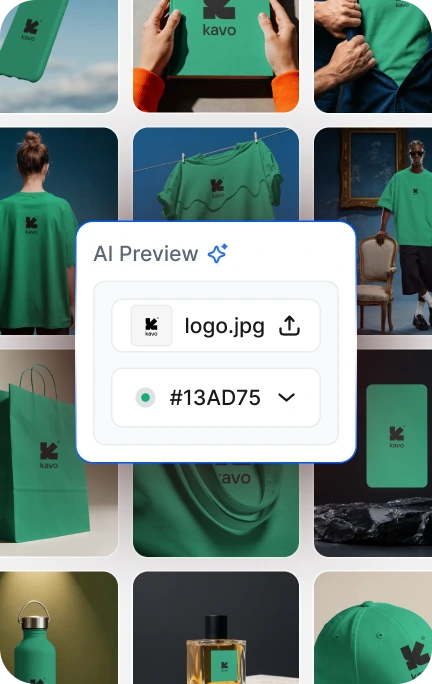
It’s a user-friendly and free graphics editor that lets you create eye-catching AI mockups, presentations, videos, posters, and logos. It’s very popular worldwide and has great ratings.

If you don’t want to use just this graphics design tool or are searching for better options, we’ve reviewed several alternatives to Visme.

Check out our detailed guide of the free Visme alternatives to learn more.

Free Visme Alternatives

  • Mockey: Best Overall
  • Design.com: Best For AI-Powered Branded Presentations
  • BrandCrowd: Best For Template-Driven Business Presentations
  • Prezi: Best For Presentations
  • Adobe Express: Best For Social Site Content
  • Adobe Photoshop: Best for Advanced Graphics Editor
  • PicMonkey: Best For Professional Visual Graphics
  • Pixlr X: Best For Small Industry Owners
  • Fotor: Best For Photographers and Designers
  • Stencil: Best For Content Creators

1. Mockey

PricingFree, Paid plan starts from $7/month
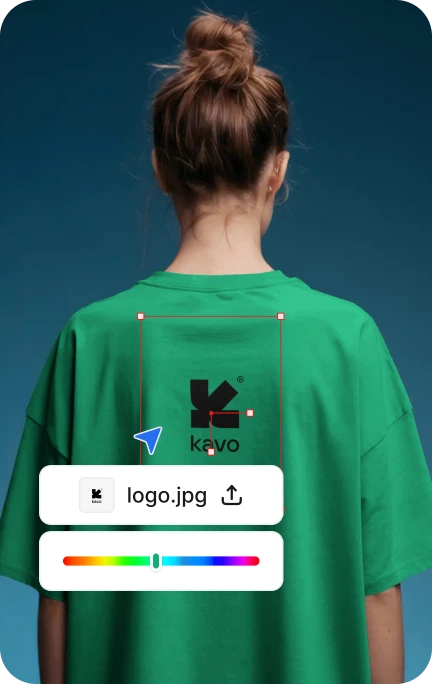
Detailed CustomizationYes (Color, warping, animation)
AI FeaturesYes (AI Photoshoot, AI Anime)

Why We Picked it

Mockey is a user-friendly software popular worldwide. With it, you can create mockups, social media posts, logos, and more.

It’s very customizable and great for entrepreneurs and businesses. Big companies use it for creating content, showing how reliable it is.

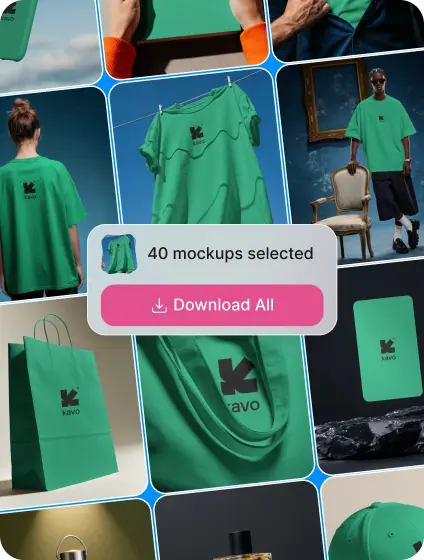
With Mockey, you can generate high-quality free mockups with no watermark. It has 20,000+ mockup templates with 50+ categories.

mockey ai visme alternative for mockups

It also offers appealing, powerful AI such as image editing, AI background remover, blur background, image converter, and many more, making it easy for users without design experience.

ai tools in mockey

If you want an easy-to-use free design tool and high-quality mockups with a clean interface, Mockey is a great Visme alternative.

Key Features

  • 20,000+ templates
  • Easy to navigate
  • AI-powered
  • Generate free mockups
  • Bookmark
  • Operates smoothly

Pros and Cons

  • ✅ Simple to use with a clean interface
  • ✅ Highly customizable
  • ✅ Available on the web
  • ✅ AI-powered
  • Mobile App
  • ❌ Some AI features require a paid plan

AI Features

2. Design.com

PricingFree (presentation templates available), Paid plan starts from $9/month
Detailed CustomizationYes
AI FeaturesYes

Why We Picked It

Need a polished presentation without spending hours designing it? Design.com is a strong Visme alternative built for entrepreneurs, marketers, and small businesses that want professional results fast.

design.com alternative to visme for ai presentation

Its AI presentation maker lets you generate slide decks instantly. Just enter a keyword or your business name, and it suggests layouts, visual styles, and themes tailored to your input. No design background needed.

What really sets it apart is its brand ecosystem. You can apply your logo and brand colors across slides in one go, keeping everything consistent from pitch deck to social post. With access to 589,000+ templates and 50+ design tools, Design.com goes well beyond presentations and works as an all-in-one creative hub.

Free presentation templates are available to edit and use right away, no paid plan required to get started. Upgrading to premium unlocks the full suite of tools and an even bigger template library. Slides also export cleanly for use in PowerPoint or Google Slides, making handoffs seamless.

presentation templates in design.com

If you want AI-powered speed, built-in branding, and a library that keeps growing, Design.com is well worth a look.

Key Features

  • AI-generated slide layouts from keywords
  • 589,000+ templates across 50+ design tools
  • One-click brand color and logo application
  • Export-ready for PowerPoint and Google Slides
  • Access to logos, business cards, social media designs, and more
  • Beginner-friendly: generate, customize, download

Pros and Cons

  • ✅ Fast AI-powered presentation generation
  • ✅ Massive template library with 589,000+ designs
  • ✅ Seamless brand consistency across all assets
  • ✅ Free presentation templates available to edit and use right away
  • ✅ Compatible with PowerPoint and Google Slides
  • ❌ Geared toward non-technical users, so developers or power users may find the toolset too lightweight
  • ❌ Collaboration features are limited, though perfectly suited for solo creators and small teams
  • ❌ Entirely browser-based with no dedicated desktop or mobile app, but runs smoothly across devices

3. BrandCrowd

PricingFree (presentation templates available), Paid plan starts from $9/month
Detailed CustomizationYes
AI FeaturesYes

Why We Picked It

If you want designer-quality slides without the designer price tag, BrandCrowd is a solid Visme alternative. It’s built around one simple idea: give non-designers access to professionally structured templates they can actually customize and use.

brandcrowd site like visme for ai presentation

Its presentation maker gives you a clean library of layouts crafted by real designers — structured for clear communication and visual impact, not just aesthetics. Browse by industry or style, swap in your logo and brand colors, and you’re ready to present.

Free presentation templates are available to browse and customize right away, with no commitment needed before downloading. BrandCrowd also fits naturally into a broader branding workflow — the same platform handles logos, business cards, marketing graphics, and more, so your presentations always look like they belong to the same brand family.

ai presentation templates in brandcrowd

The workflow is refreshingly simple: browse, customize, download — no tutorials required. For entrepreneurs and small business owners who need consistent, professional-looking presentations without a steep learning curve, BrandCrowd delivers.

Key Features

  • Designer-made presentation templates
  • Built-in logo and brand color integration
  • Broad template library across industries and styles
  • Free templates available without a paid plan
  • Part of a full branding toolkit (cards, social, logos, and more)
  • Simple browse → customize → download workflow

Pros and Cons

  • ✅ Designer-made templates built for clarity and visual impact
  • ✅ Easy brand consistency across all marketing materials
  • ✅ Free presentation templates to browse and customize before committing
  • ✅ Simple, no-fuss workflow — no design skills required
  • ❌ Tailored for beginners and small businesses — advanced designers may find customization options too limited for complex work
  • ❌ Not built for developer workflows or deep technical integrations
  • ❌ Best for individual use or small teams — heavier collaboration needs may require a more enterprise-focused tool

4. Prezi

Pricing– Free
– Paid plan starts from $4/month
Detailed CustomizationNo
AI FeaturesYes

Why We Picked It

Need impressive and engaging presentations? Try Prezi! This popular Visme alternative offers a unique, canvas-based approach instead of traditional slides. You can zoom in and out to different frames with Prezi.

prezi - alternative to visme

You’ll find lots of nicely designed templates, innovative transitions, and AI-related features, along with tools for videos, GIFs, and more. It’s user-friendly and free to use. Being web-based means you won’t run into compatibility issues.

A standout feature is Video, which lets creators appear on-screen next to the graphics in actual time, making presentations more engaging.

With helpful collaboration features, you can generate a live presentation link that lets multiple users edit the exact file.

So, Prezi stands out as an advanced presentation software, especially for presentations.

Key Features

  • Easy-to-use interface
  • Online tool uses Canvas for presentations
  • Includes attractive templates
  • Uses AI, has smooth transitions
  • Best AI tool for students
  • Budget-friendly

Pros and Cons

  • ✅ Simple and free to use
  • ✅ Many stylish templates to choose from
  • ✅ Makes powerful and interesting presentations
  • ✅ Uses AI for smarter features
  • ❌ Templates have limited customization options
  • ❌ No mobile app for editing

5. Adobe Express

Pricing– Free
– Paid plan starts from $9.99/month
Detailed CustomizationYes
AI FeaturesYes

Why We Picked It

Another Visme alternative is Adobe Express. It’s a user-friendly graphic editor designed mainly for social site content. With Adobe Express, you can effortlessly create Reels, banners, TikTok videos, logos, and polished resumes.

adobe express visme alternative

You have access to thousands of well-designed templates, stock photos, music, and videos from Adobe. If you prefer, you can also start creating from scratch. 

Adobe’s Firefly AI lets you instantly create impressive images and text effects just by describing what you want. This feature is a significant advantage.

With this Visme alternative, you can easily drag and drop to create videos and make QR codes.

Key Features

  • Clean interface
  • Quick design using Adobe’s library
  • A large variety of templates
  • AI-driven creative tools
  • Effective teamwork features
  • Schedule posts on social media
  • User-friendly

Pros and Cons

  • ✅ User-friendly with a simple interface
  • ✅ Many different templates available
  • ✅ Free and low-cost plans offered
  • ✅ Includes AI that generates content
  • ❌ Uses more power
  • ❌ Not all features are free

6. Adobe Photoshop

Pricing– Free
– Paid plan starts from $22.99/month
Detailed CustomizationYes
AI FeaturesYes

Why We Picked It

Adobe Photoshop is one of the most widely used graphic editing programs globally. It’s preferred by both professional photographers and seasoned graphic designers alike.

It has everything from layered image editing to AI features, and the business keeps adding new tools. If you know photo editing, this Visme alternative lets you create amazing edits easily. Its user interface is simple and highly customizable.

adobe photoshop visme alternative

You have various workspace options in Adobe Photoshop tailored for Graphics, photography, motion, painting, Web, and others. Adobe Photoshop is well-regarded for its accurate selection tools, allowing you to precisely choose and delete unwanted people from your images.

Adobe Photoshop stands out as one of the best Visme alternatives available for its impressive AI features, user-friendly interface, and unmatched auto-selection tools.

Key Features

  • 100 gigabytes of cloud storage
  • Neural Filters
  • Tools for designing on mobile and web platforms
  • Accurate selection tools
  • User-friendly interface
  • Font features and tricks
  • Tools for designers, artists, and photographers

Pros and Cons

  • ✅ User-friendly with highly customizable UI
  • ✅ Advanced AI features
  • ✅ Offers extensive tools for editing photos and correcting mistakes
  • ✅ Includes 100 GB of Cloud storage with strong collaboration support
  • ❌ Expensive pricing
  • ❌ Has a learning curve
  • ❌ Runs many background processes

7. PicMonkey

Pricing– Free trial
– Paid plan starts from $7.99/month
Detailed CustomizationYes
AI FeaturesNo

Why We Picked It

PicMonkey is a great Visme alternative for editing images and making professional-looking graphics. It has lots of templates to help you create things like wedding invitations, business cards, announcements, social media ads, and more.

The user interface is simple, and the software is user-friendly. It has all the essential image editing features you’d need. It also offers cloud storage. It allows for good collaboration.

picmonkey site like visme

However, it’s a bit pricey compared to other Visme free alternatives that it offers.

If you need affordable photo editing software that can handle all your design needs, PicMonkey is a great choice.

Key Features

  • Simple to use
  • Nice interface
  • Many different templates
  • Includes cloud storage
  • Tools for Social Media Design
  • Helpful customer service
  • Runs smoothly

Pros and Cons

  • ✅ User-friendly interface
  • ✅ Lots of templates are available
  • ✅ Great for social media design tools
  • ✅ Web-based with good customer support
  • ❌ On the expensive side
  • ❌ No special AI features

8. Pixlr X

Pricing– Free
– Paid plan starts from $2.49/month
Detailed CustomizationYes
AI FeaturesNo

Why We Picked It

Pixlr X is a free photo editing tool that competes well with Visme. It’s user-friendly with a nice interface. Similar to Photoshop, you can customize photos easily.

It offers many well-designed templates and tools like lasso, drag-and-drop, shapes, and magic tools for precise editing and adjustments.

pixlr x free visme alternative

Pixlr X has great drawing tools with 3 brush styles, perfect for editing graphics or photos in detail. It also uses AI for a wide range of filters. The business continues to add new features.

The Pixlr X gets great reviews online and is loved by small firm owners. If you want affordable editing software, Pixlr X is perfect for you.

Key Features

  • Simple interface
  • User-friendly
  • Very affordable
  • Uses AI technology
  • Customizable
  • Offers precise features for precise editing

Pros and Cons

  • ✅ User-friendly interface
  • ✅ Affordable, web-based tool
  • ✅ Uses AI technology
  • ✅ Includes advanced editing features
  • ❌ Currently in beta, occasionally interrupted by ads

9. Fotor

Pricing– Free
– Paid plan starts from $3.33/month
Detailed CustomizationNo
AI FeaturesYes

Why We Picked It

Fotor is an excellent tool for easy, free photo editing. You can apply filters with one click and use image-enhancing features to improve your pictures. Since it’s web-based, you won’t have any compatibility problems.

The user interface looks great, and the feature is user-friendly. It has various templates, an AI background remover, and a collage feature.

fotor visme alternative

There’s also an AI image generator useful for students, creators, and marketers, especially YouTubers. While it might not be as customizable as expected, it’s worth using for free basic editing.

If you need a free online image editor or low-cost options, try Fotor.

Key Features

  • Simple to use  
  • User-friendly interface  
  • Web-based  
  • Image generator  
  • Very affordable  
  • Excellent customer support

Pros and cons

  • ✅ User-friendly with a nice interface
  • ✅ Includes an AI image generator
  • ✅ Offers affordable plans
  • ✅ Provides good customer support
  • ❌ Lacks many features
  • ❌ Not suitable for detailed editing

10. Stencil

Pricing– Free
– Paid plan starts from $15/month
Detailed CustomizationNo
AI FeaturesNo

Why We Picked It

Stencil is useful because it has many beautiful templates, illustrations, and free stock photos for creators. It also provides hundreds of quotes.

The software has a clean user interface and is very user-friendly. You can quickly upload your fonts and multiple logos, making it great for design. It also has strong sharing features.

stencil visme alternative

The company constantly improves and adds unique features. However, it lacks customization options. If you want a good photo editor tailored to content creators, Stencil is a great Visme alternative.

Key Features

  • User-friendly
  • Nice interface
  • Fast online tool
  • Constantly updated
  • Great customer support
  • Lots of templates

Pros and Cons

  • ✅ User-friendly
  • ✅ Many modern templates
  • ✅ Clean interface
  • ✅ Excellent customer service
  • ✅ Limited customization options
  • ❌ Poor for collaboration
  • ❌ No AI features

Which Is the Best Visme Alternative?

Mockey stands out as a top alternative to Visme due to its customization options and popularity among industry professionals. It’s highly sought after for graphic design and photo editing, offering everything from basic tools like mockups to advanced AI features.

Mockey continues to add new and useful features to its software. If you could pay for its AI features, Mockey is the best all-in-one solution.

However, the premium plans are affordable.

What You Need to Know Before Picking a Visme Alternative

Here are the key things to think about when choosing Visme alternatives.

User-friendly

Make sure the graphics editor is user-friendly with a simple and intuitive design. An easy-to-use interface improves the user experience, allowing designers to focus more on their work rather than learning how to use the tool, saving them valuable time.

Web-based Feature

For compatibility reasons, it’s advisable to opt for a web-based editing tool. However, if you’re a newbie or professional with a laptop or PC, choosing the premium version is recommended.

AI Editor

Most editing software now includes advanced AI options as we move towards artificial intelligence. Before choosing a service, make sure it has all the AI tools and features you need. Some software even offers special AI features exclusively for its users, so be sure to verify this.

Detailed Customization

Not all design software offers detailed customization features. Some only do basic editing or provide filters. Make sure the software you choose has advanced editing capabilities so you can expand your skills shortly.

Reviews

Before you decide, check if the service has good reviews. Look at their website, review platforms, and different sources carefully. Doing this will help you make a smart choice for the future.

Excellent Customer Service

You can find out by visiting their website, reading reviews and testimonials online, asking others who have used it, or even testing it yourself.

Affordability

After considering all their features, now focus on the price. When picking a graphics editor, ensure it fits your budget. Beginners should opt for affordable or free options to save money. If you’re a professional or your company covers the cost, investing in a pricier editor with advanced features can enhance your productivity and output.

Our Methodology for Choosing the Best Visme Alternatives

At Mockey, we’ve evaluated these Visme alternatives based on key criteria:

1. Detailed Editing: Editors offering extensive tools for detailed graphics editing receive a star. This allows for high customization and flexibility in design.

2. User-Friendly Interface: Editors with a clean, easy-to-navigate interface earn a star. A user-friendly UI saves designers time and reduces learning curves.

3. Compatibility: Editors that are highly compatible or web-based receive a star, maximizing accessibility for users.

4. AI Features: Editors incorporating innovative AI tools receive half a star, enhancing their appeal.

5. Affordability: Editors with free or affordable pricing models receive a star. We prioritize cost-effectiveness relative to the features offered.

7. Additional Benefits: Editors offering unique extra features are highlighted for their added value, influencing our overall ratings.

Conclusion

Visual content attracts more engagement than normal text. It also helps people understand and remember information better. That’s why professionals are spending a lot on visual content, whether they’re communicating within their organizations or with the public.

You shouldn’t pass up this chance to connect with your audience in a new way. But what if you’re not a designer and Visme isn’t the right fit?

Now you know the options available. This article aims to show that whatever is controlling you back, it’s not because of limited choices. There are many alternatives to Visme for you to explore. Happy searching!

FAQs

What is better than Visme?

When looking for options instead of Visme, think about how easy they are to use and how they look. Mockey is the top alternative to Visme. Other apps, such as Visme, Prezi, Adobe Express, PicMonkey, and Fotor.

Is there a free version of Visme?

Yes, Visme has a free plan available! If you need more advanced features, there are different pricing options depending on what you require.

Can you download Visme without paying?

Visme is free to use indefinitely. Most of its features, about 80%, are available for free to everyone. Some advanced features are only accessible to Premium users.

What is the alternative to Canva?

Mockey, a free alternative to Canva in 2026, helps you create standout mockups and designs.

Related reading:

create t-shirt mockup fast