3D Tube Mockup Download | Animate 3D Tube Mockup
Find & download 3D Tube Mockups from Mockey.ai and showcase your designs with detailed animated videos. Try it now and create 3D animated tubes.
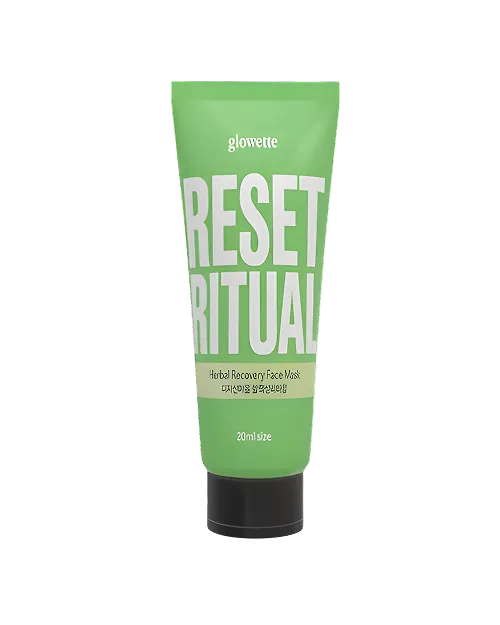
How to Create a 3D Tube Mockup with Mockey
To make a 3D Tube mockup in Mockey AI:
- Step 1: Follow 3D Mockup > Packaging > Tube” to pick a template. Upload your multiple images. You can also change the tube’s color.
- Step 2: After that, click “Background to add your custom one, choose a solid/gradient color, or use one from the Mockey AI library.
- Step 3: Click the “Motion” feature to make a short video in a WebM file that lasts 5 seconds. To save the 3D tube mockup in an image file, click “Download” and choose PNG or JPEG.


FAQs on 3D Tube Mockups
What is a 3D Tube Mockup?
A 3D Tube Mockup is a digital picture made on a computer that shows what a tube-shaped box or pack will look like in three dimensions.
How can I create a 3D tube mockup?
Visit Mockey AI. Sign up there, go to the 3D Mockup page and choose Tube from Packaging. The template can be customized with your logo or design, as well as the color of your tube. Add a background and tap the Motion feature for a video. To save in image format, click Download and choose PNG or JPEG.
Is it possible to animate 3D tube mockups using Mockey.ai?
Yes, Mockey AI can animate your 3D tube mockup by using the Motion feature. It shows the tube from different sides and saves it as a tiny video that lasts 5 seconds.
Does Mockey.ai offer free 3D tube mockup templates?
Mockey AI lets you make free 3D tube mockups. You can change how it looks—like the color, texture, and background. Without watermarks, you can save your mockups three times a day.
Can I change the background or scene of the tube presentation?
Yes, you can add any background you like. Use a plain or gradient color, your custom image, or pick one from Mockey AI like an interior or nature view.
