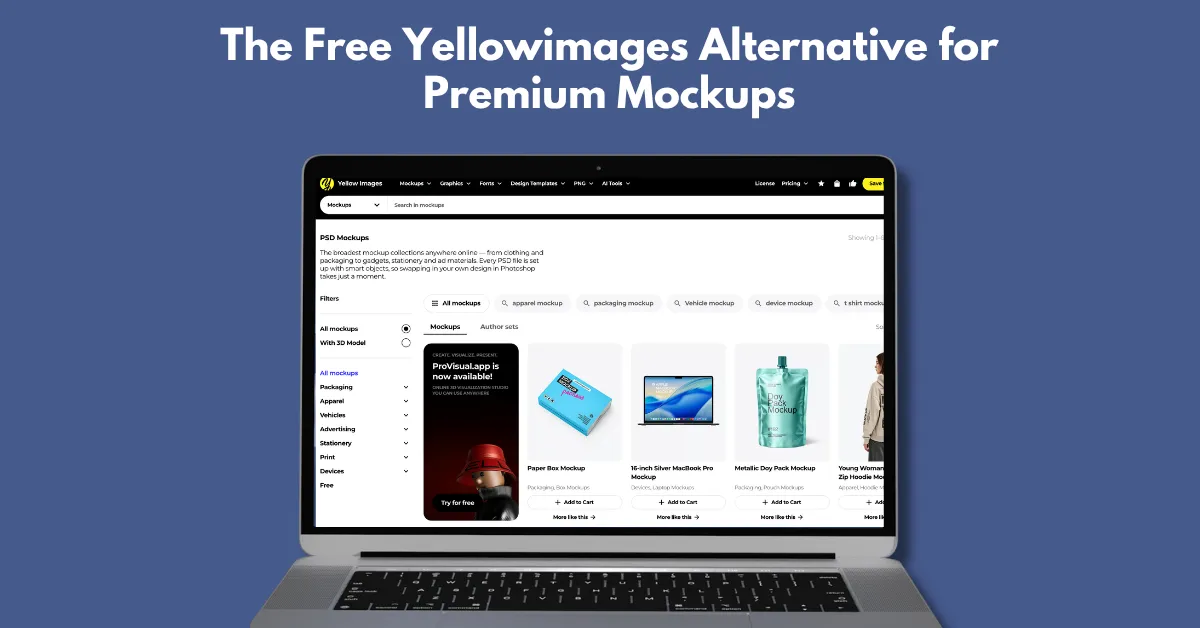
There is a Yellow Images alternative, called Mockey AI, which offers affordable pricing, a video mockup option, and a Figma plugin in 2026.
Yellow Images is not a bad mockup tool. But due to its expensive pricing, lack of online mockup editing, and no video mockups, users start looking for an alternative.
On Mockey AI, users can edit mockups online, access affordable pricing plans, and use a large selection of video mockup templates.
Let’s discuss in detail why choosing Mockey AI is a better alternative to Yellow Images for mockups.
Some drawbacks of Yellow Images make you look for alternatives.
Expensive Pricing
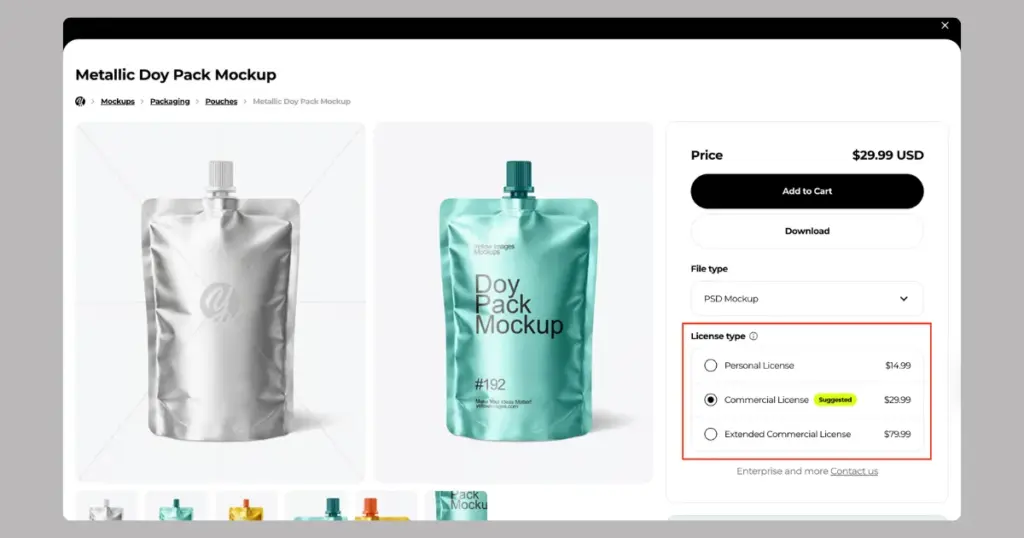
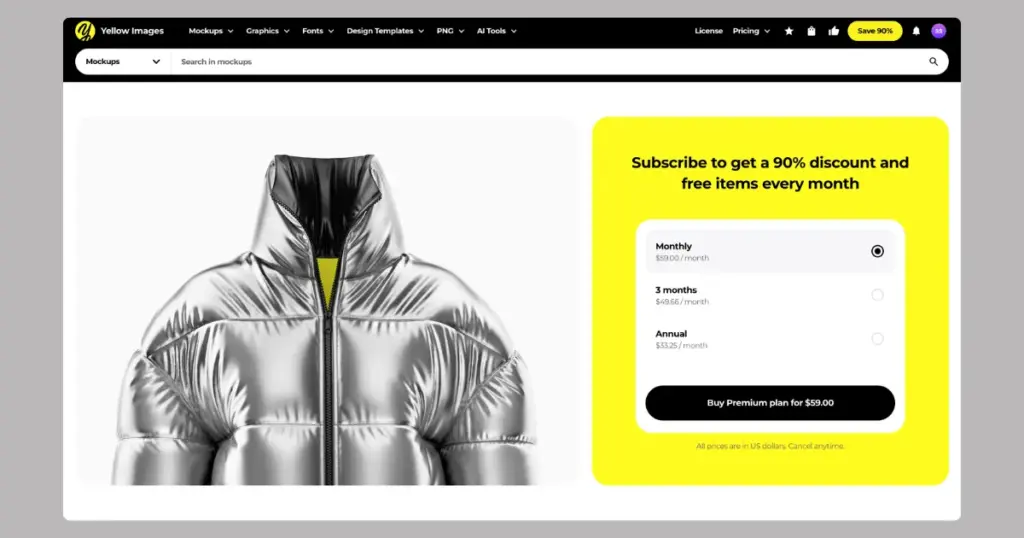
Pricing is the biggest drawback of Yellow Images. Its PSD mockups cost $29.99 each (for commercial use). It also has a membership plan that costs $59 per month, which gives you a 90% discount on each mockup, but it won’t be free.
No Figma Plugin
Many PSD mockup tools offer Figma plugins, like LS Graphics. But this platform doesn’t have any Figma plugin, which it actually should have.
No Video Mockups
Video mockups are missing here. There are 3D models, but there are no product video mockups, which are currently trending.
There are 5 reasons Mockey is the best free Yellow Images alternative.
Yellow Images offers PSD mockups, which means you need to edit them in Photoshop.
Even designers now rely on online mockup editing since they can create mockups faster with ready-made templates.
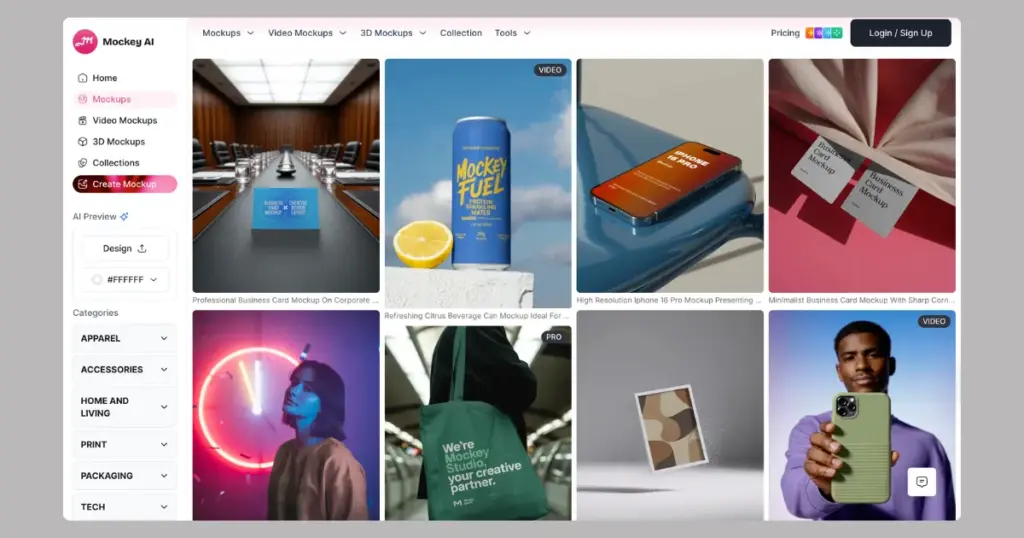
Mockey AI has over 30,000 editable templates. You can upload your design and edit it online in seconds. The tools are so simple that even a non-designer can use them.
Editing features include:
Let’s take a moment to understand how Yellow Images’ paid plans are structured.
Each PSD mockup costs $29.99 to download, which includes a commercial license. If you prefer, you can choose a personal license for $14.99. There is still a charge for JPG images, starting at $4.99.
They offer a membership plan at $59/month, which gives up to 90% discount on each mockup. The pricing logic is confusing.
On the other hand, Mockey.ai is more budget-friendly. To begin, a free plan is available. If you go for paid options, the STARTER plan begins at $7/month, giving full access to mockups along with 3D mockups.
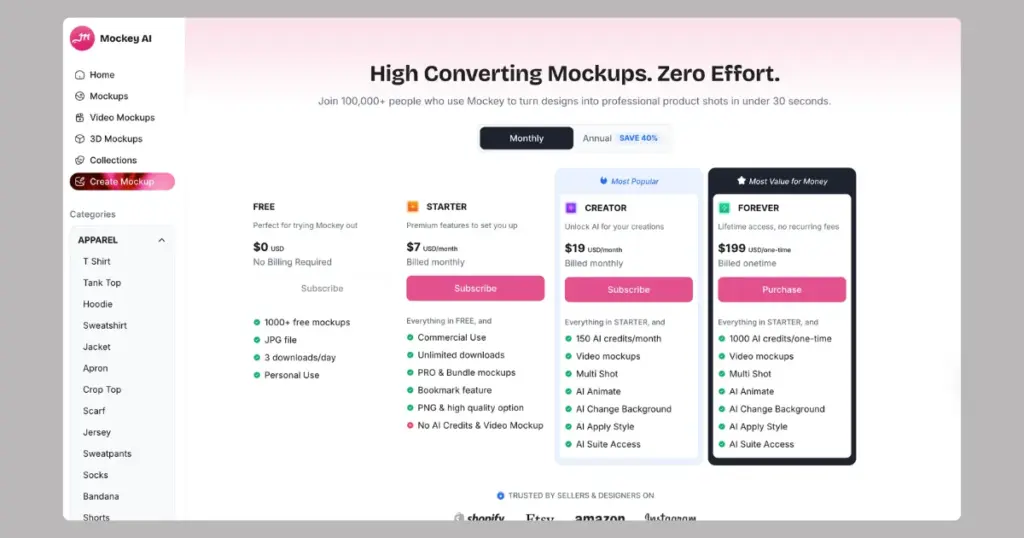
The CREATOR plan is $19/month, which includes video mockups and additional AI tools with credits. Overall, in terms of affordable pricing, Mockey.ai stands out as one of the best Yellow Images alternatives.
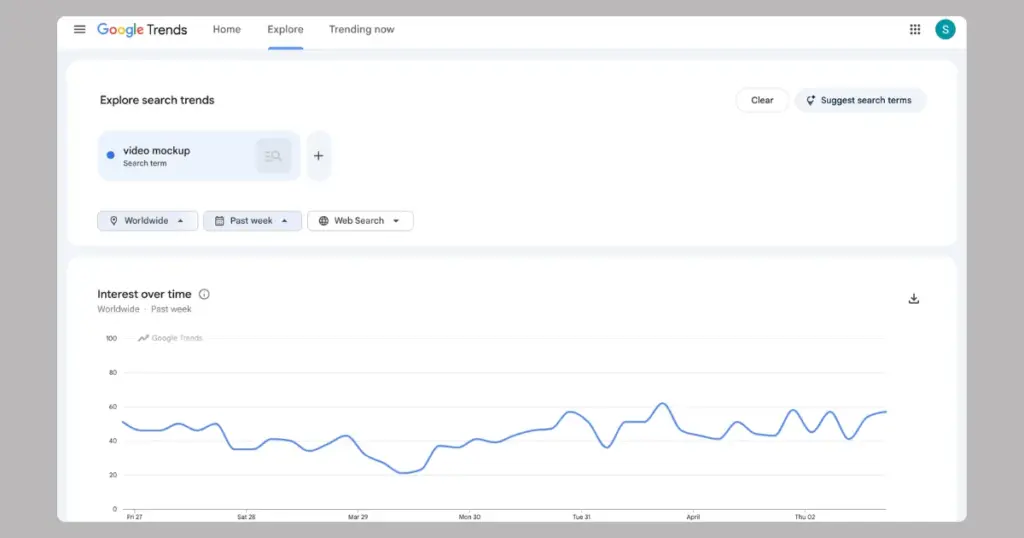
Search interest for “video mockup” stayed steady over the week, with small ups and downs and a slight rise toward the end, as seen on Google Trends.
As an alternative to Yellow Images, Mockey AI stands out with a tool called video mockups. Right now, there are over 4,500 video templates available. There’s a wide range of videos across more than 50 products.
The generation time is around 30 seconds once you have uploaded your design to the template. The final video mockup is delivered in MP4 format, and the file size is not too large.
To use this video mockup generator, you need to purchase the CREATOR plan, which costs $19 per month and includes 150 credits. 10 credits are spent per generation.
Recently, Mockey launched the Multi Shot feature, which is perfect for apparel brands and print-on-demand businesses.
Multi Shot lets you create multiple angles of the same mockup. You generate front, side, back, close-up, and more from a single design.
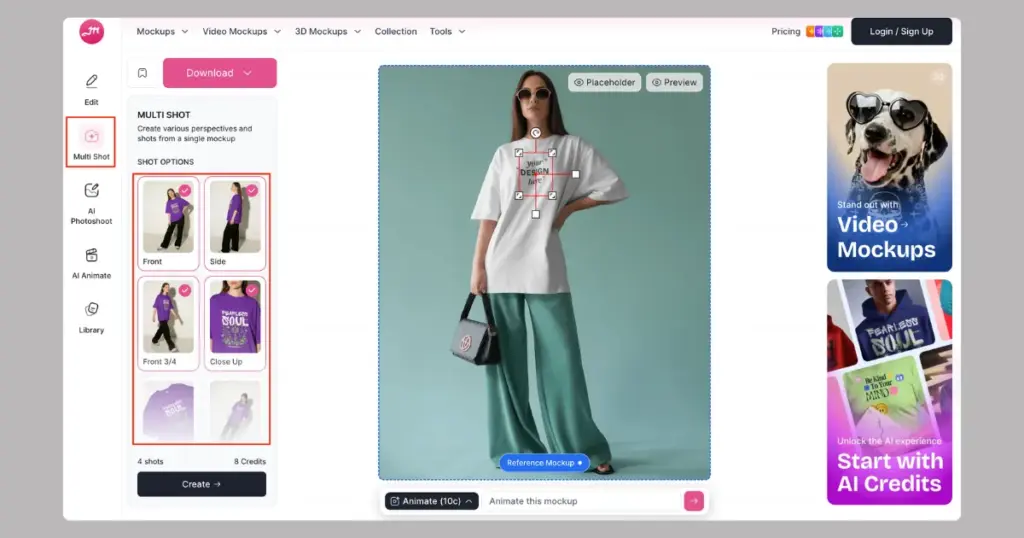
Place your design on the product and click the Multi Shot feature. Choose different angles like front, side, back, 3/4 view, close-up, and bird’s eye / Worm’s eye.
As you keep selecting more shots, the number of credits keeps increasing. Each shot costs 2 credits.
Yellow Images doesn’t have a Figma plugin. As an alternative, Mockey offers this tool.
Designers often need a mockup plugin inside Figma, and there’s hardly a better option than Mockey. It’s very easy to use. Just search for the plugin in the Figma Community, install it, and start creating mockups.
| Yellow Images | Mockey AI | |
| Number of mockups | 92,000+ (PSD) | 30,000+ (Ready-made templates) |
| Product category | 7 | 9 |
| Video mockups | No | Yes |
| Figma plugin | No | Yes |
| Pricing | Each mockup ($29.99 – commercial licence) | Paid plan starts from $7/month (Commercial use) |
| Mockup animation | No | Yes |
| Seasonal-theme products | No | Yes |
Because of all these reasons, Mockey AI is the best Yellow Images alternative. It also offers additional features like a wide mockup collection, 3D mockups, and seasonal mockups that make it stand out.
Popular search keywords like jewelry mockup or logo mockup are available on Mockey, but not on Yellow Images. So go ahead and explore Mockey AI now.
The mockups are high quality in Yellow Images, but too expensive. Not only freelancers and students, but also agencies find it overpriced. That’s why users are looking for a Yellow Images alternative that can offer an affordable plan.
The workflow is complicated and time-consuming in PSD mockups. Because of that, designers prefer tools that are quick to use. Earlier, people used PSD files and edited everything manually. Now, they are moving towards AI mockup generators like Mockey AI, where they can get instant previews without much effort.
Users feel some key areas are missing, like free access, flexible licensing, expensive custom mockups, and tools that are easy for beginners. This gap creates a strong opportunity for better alternatives.

Sangram Sahoo
I’m a content writer with 4 years of experience. I specialize in creating practical content around mockups, print-on-demand, apparel, and e-commerce design.
