How to Create AI UGC Videos That Feel Made by Real Creators
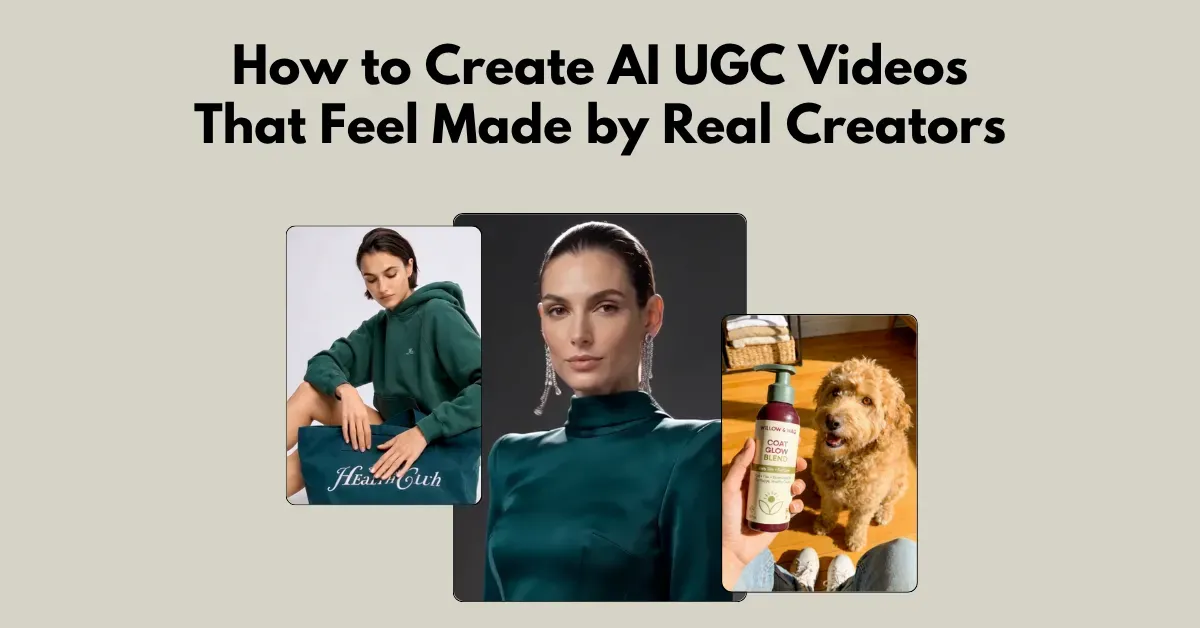
Wondering how to create AI UGC videos? Use Mockey AI for text prompts or pick from ad video templates.
Look at the example:
See ultra-realistic AI models & background props, accurate micro details, and excellent camera movement.
Learn how to create these AI UGC videos.
Table of Contents
How to Create AI UGC Video Ads Using Text Prompts
Look at this custom AI UGC video ad first.
Why did it work?
Follow the steps to learn:
Step 1: Write the Hook-focused Prompt
The prompt we used:
Ultra-realistic UGC model with natural skin pores, fine lines, subtle imperfections, realistic hands, and lighting. Fully clothed, no cleavage. Pick up pouch, show front, pour protein, drink, pose with product.
1. Accurate Human Proportions
"Natural skin pores, fine lines, subtle imperfections"
Adding these details look like a selfie taken with an iPhone camera.
2. Body Structure
“Realistic hands and lighting."
AI can create the hands more naturally if they are described clearly.
3. The Action Sequence
“Pick up pouch, show front, pour protein, drink, pose with product”
This shows the actions in the right order.
Next is to create AI UGC ads.
Step 2: Use the Best UGC Ad Generator
Use the Mockey AI platform for UGC ads.
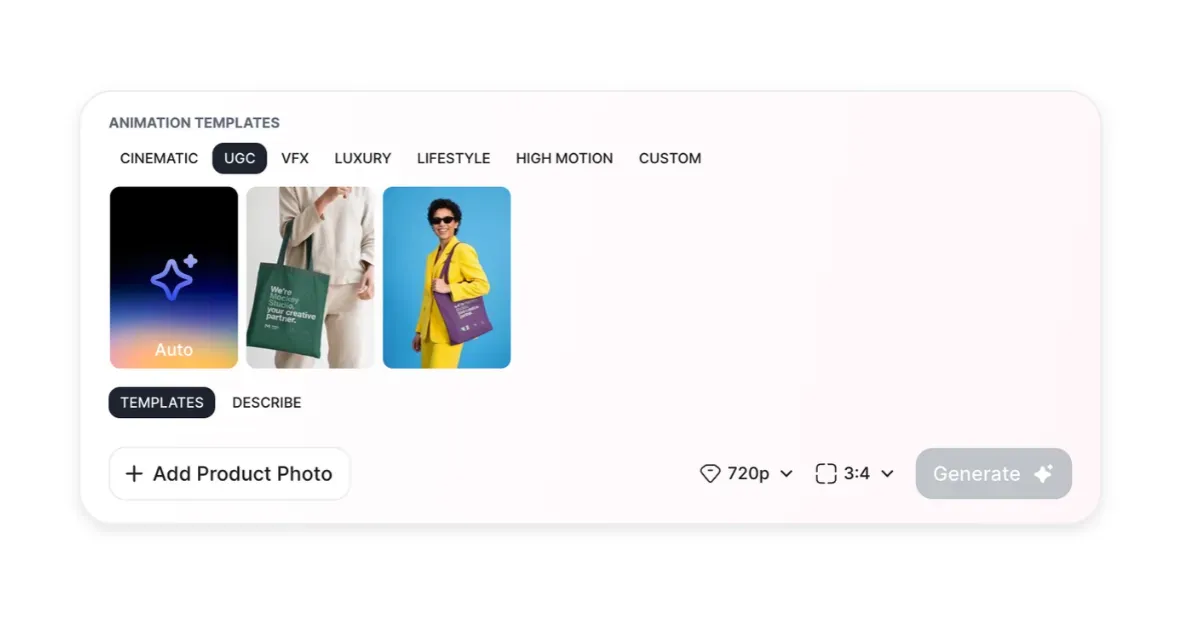
It understands pick up, pour, and drink actions. Also, it works well when you add “realistic hands” or “natural skin pores”.
First, you’ll need to purchase the Creator Plan from the Pricing page.
- Creator Plan: $19/month
- AI Credits: 150 (10 credits per UGC ad)
On the page you land on, you’ll see a drawer with an Animate option. Select it.
Click UGC and upload your product photo.
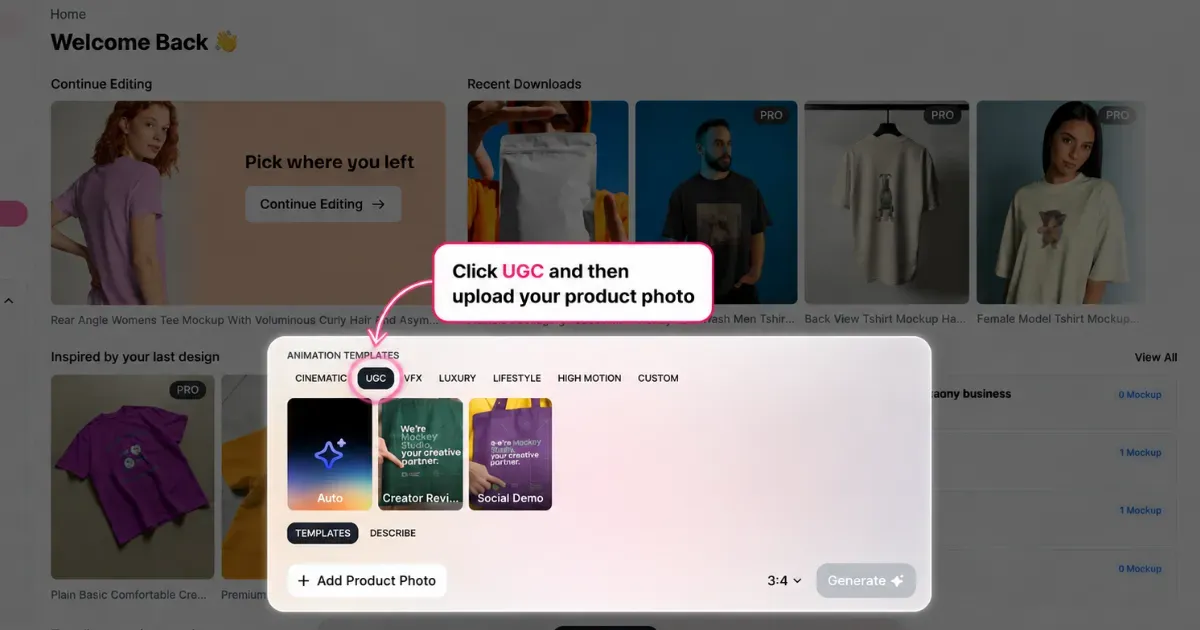
Choose the 9:16 size so your UGC video fits TikTok, Instagram Reels, and YouTube Shorts properly.
Describe your scene and click Generate.
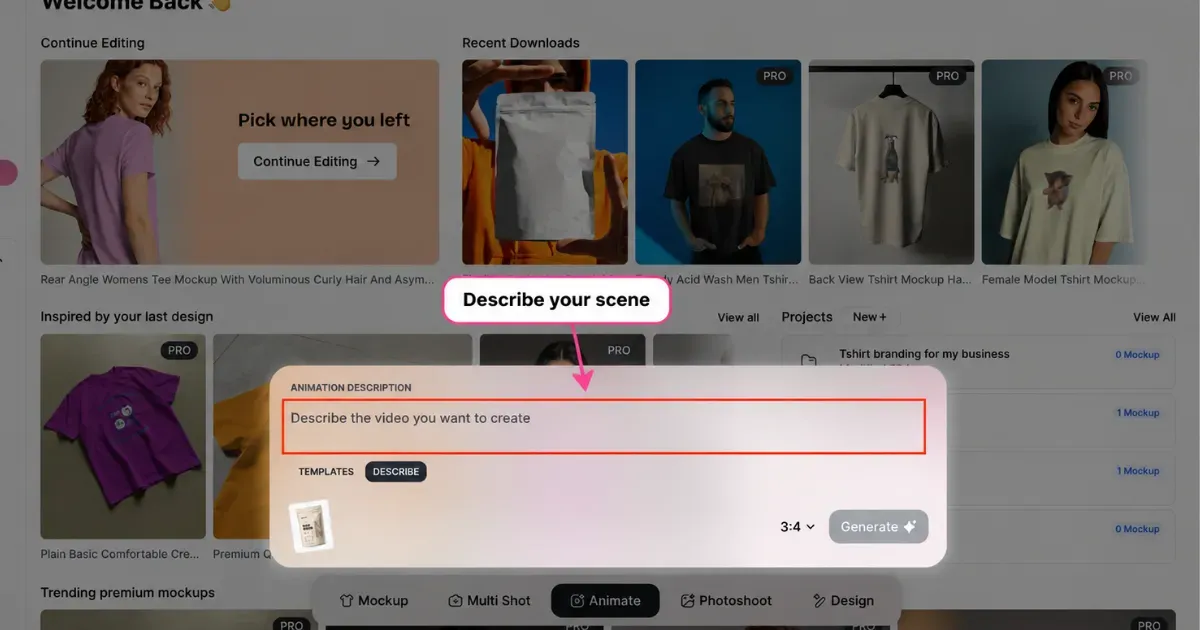
Your UGC ad will be ready to download. Click “Download” to save, or edit further by describing it.
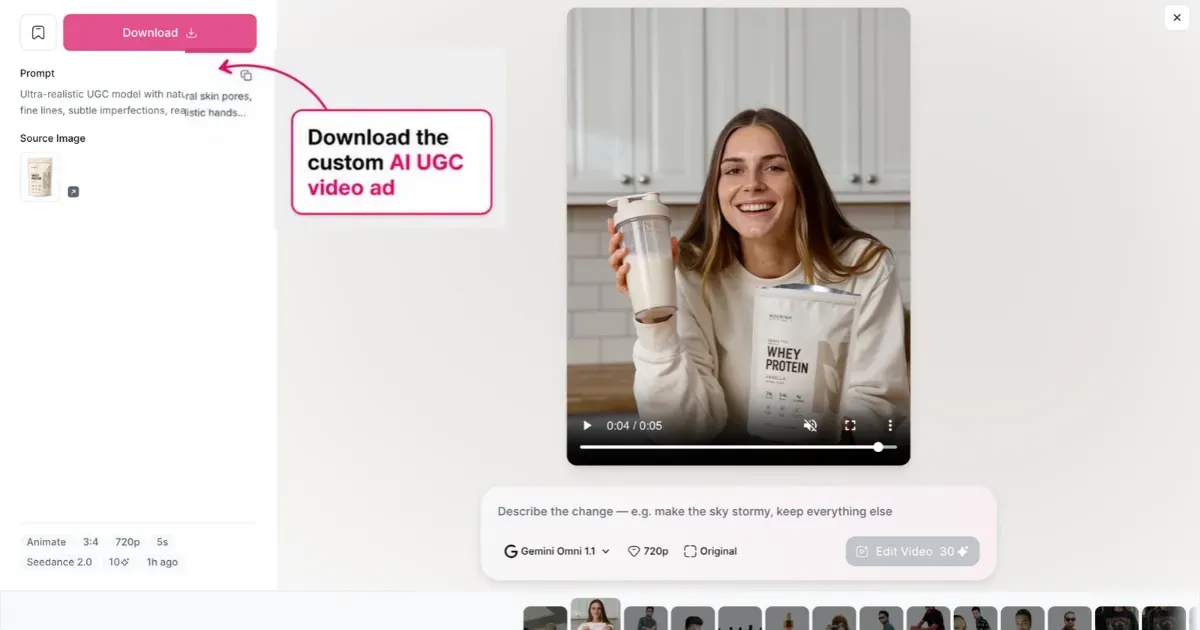
Engage your audience with this 5-second ad. AI short videos get around 52% engagement, while regular video banners get about 31%.
Create AI UGC Videos Using Templates
Watch this video ad.
It uses an AD template, so you only need to replace the product. Follow these steps to see how.
Mockey AI also has UGC video templates organized into categories such as:
- Pet Care
- Food & Beverage
- Baby & Kids
- Electronics & Tech
- Fragrances
- Health & Wellness
- Home Decor
- Jewelry
- Skincare & Cosmetics
- Sports & Fitness
- UGC
To find them, open Ad Templates and switch the filter to Video. Then, use the tag bar to find and select UGC.
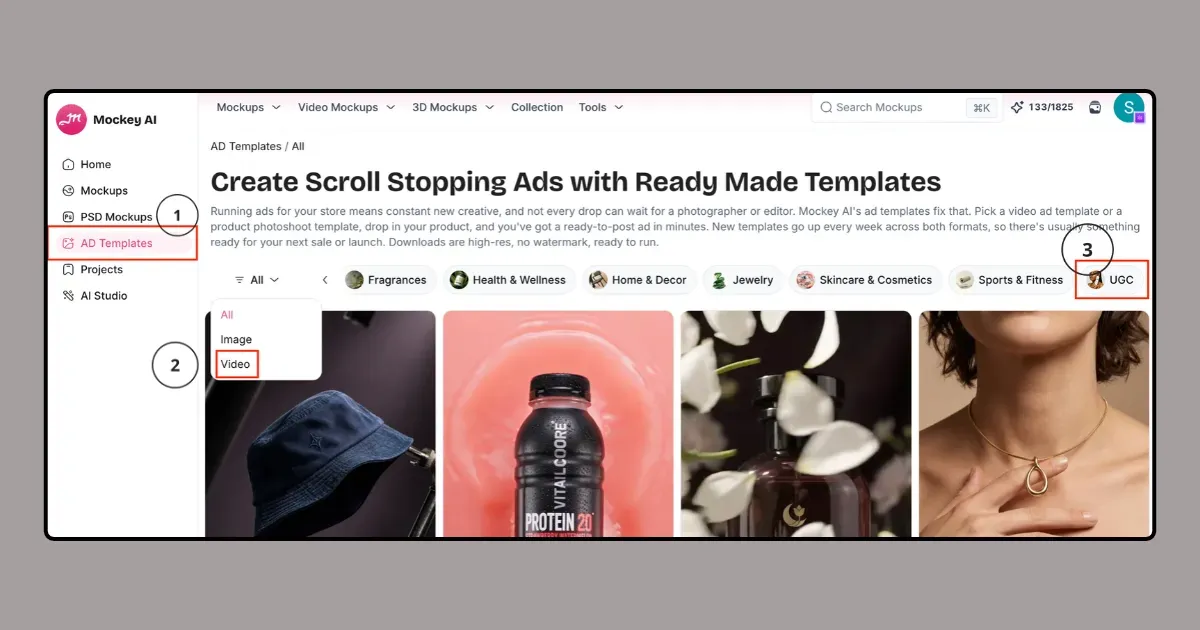
Once you find a video template you want to use, click Replace Product and upload your product photo.
Finally, choose your preferred aspect ratio. For social media, select 9:16. Click Generate, and you can download the finished AI UGC video as an MP4 file.
Both methods help you make product videos with AI for ads.
What Sellers Need From an AI Ad Generator
Sellers need more than pretty videos. They need tools that work well when they have many products and want to create videos quickly.
1. Analyze Competitor Ads
| Sellers Expectation | Find ads from TikTok Creative Center or Meta Ad Library that are already performing well |
| What they Want | Learn scripts, hooks, timing, and scene changes to recreate the video. |
2. Adapt Ads for Different Languages
| Sellers Expectation | Want to take an ad that works in one country and quickly make versions for other countries, such as France, Germany, or Japan. |
| What they Want | The AI should translate the ad while keeping the same voice, emotion, speaking style, and accurate lip movements. |
3. Test Multiple Hooks at Once
| Sellers Expectation | Want to test many different opening lines to see which one gets more people to keep watching. |
| What they Want | AI automatically creates many versions with different hooks, text, or opening scenes |
FAQs
Is there a way to prevent my AI model from looking fake?
AI UGC ads can look more natural when the video includes the little details you normally see in real footage. Think uneven lighting, handheld camera movement, natural skin texture, loose hair, and an everyday scene.
Why do the hands always glitch when the AI character picks up an item?
AI video models struggle with hand-object interactions because they need to keep fingers, joints, objects, and movement consistent from one frame to the next. When that relationship breaks, you see fingers change shape, hands merge with the object, or the grip looks unnatural.
What is the best free AI UGC generator to start with?
Mockey’s AI UGC generator is the best option. It is beginner-friendly, the AI model looks real, and have an affordable plan to start with.

Sangram Sahoo
I’m a content writer with 4 years of experience. I specialize in creating practical content around mockups, print-on-demand, apparel, and e-commerce design.
