How to Create a Luxury Perfume Mockup for Your Brand
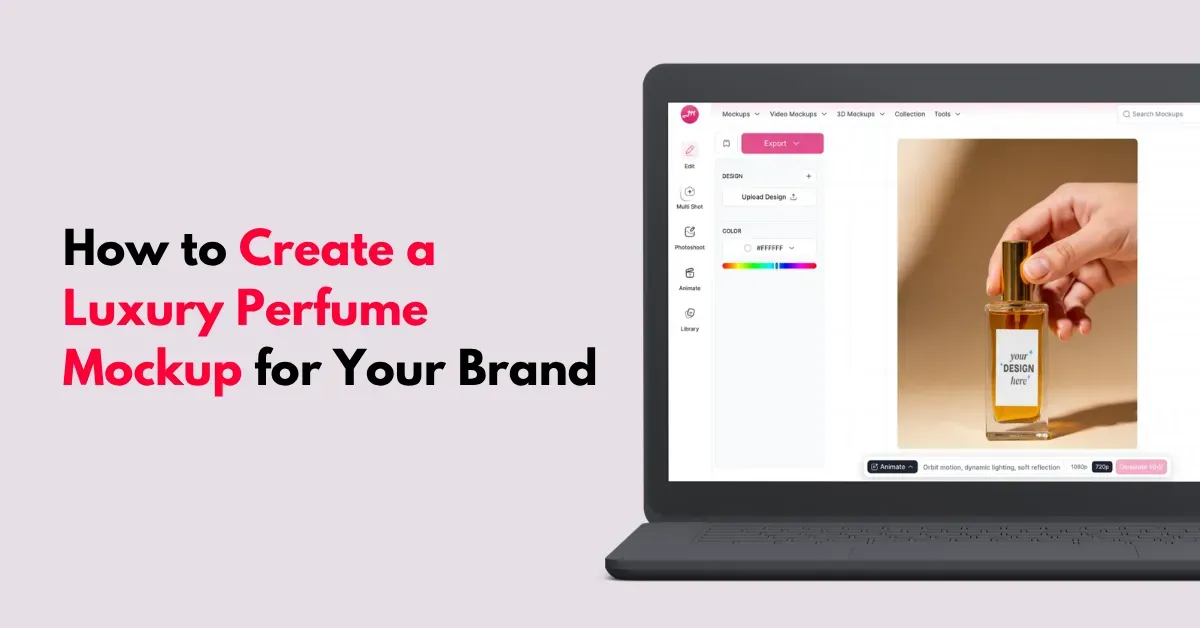
Doubtful about how to create a luxury perfume mockup? Use Mockey’s perfume mockup templates, or upload your design to generate one from scratch.
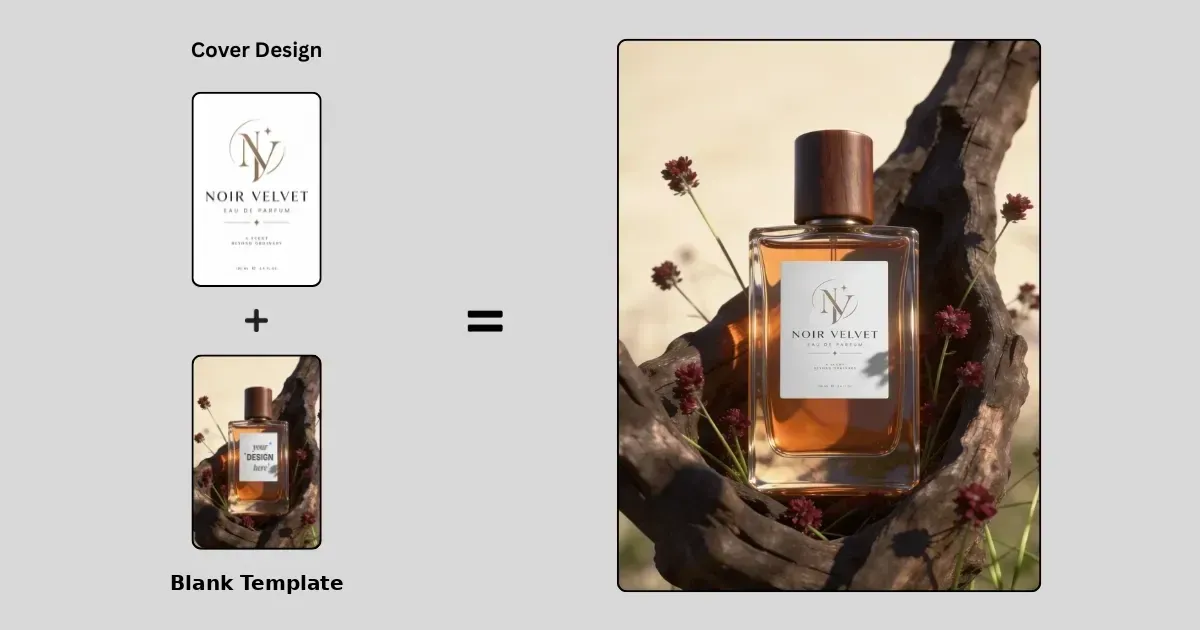
Mockey offers perfume mockup templates with pocket, spray, or box options in round and square shapes. Place your design on them and make the necessary adjustments.
Look at the example:
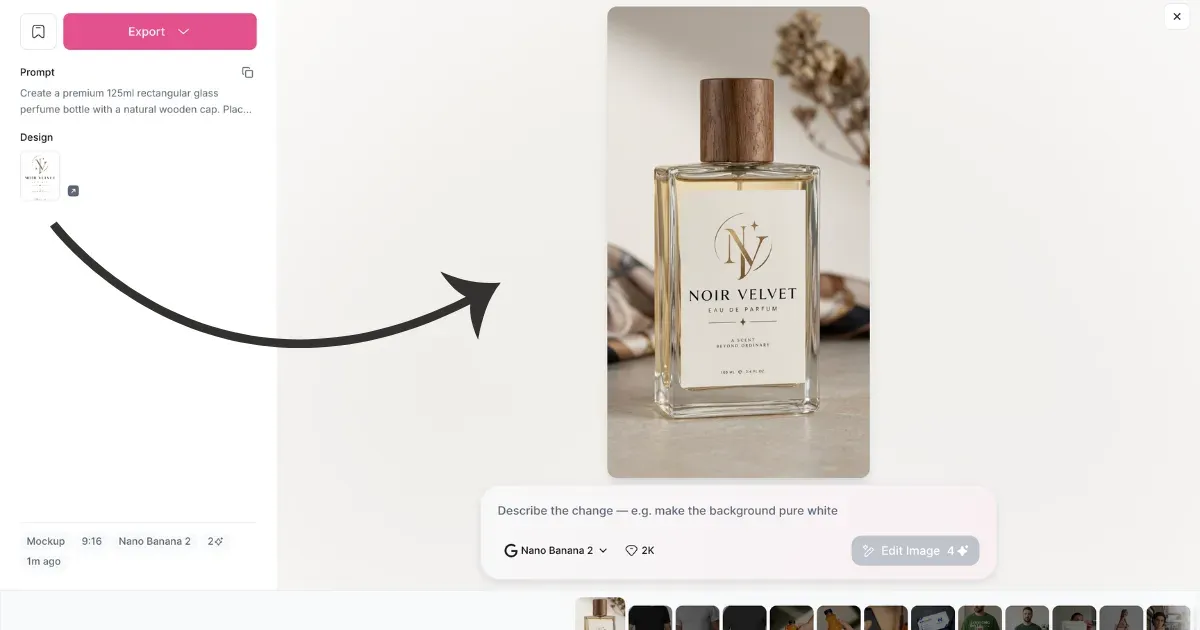
Alternatively, upload your design, describe the perfume bottle size and background scene, and specify whether you want the box included. Then generate your mockup.
Here’s an example:
Let’s go through it in detail.
Table of Contents
Why Use Mockey AI for Perfume Mockup?
Reasons to create luxury perfume mockups with Mockey:
- 500+ ready-made templates
- Different perfume bottle types
- Bulk mode
- Quick customization
- AI features like Multi Shot, Photoshoot, and Animation
- Store integration (Etsy and Shopify)
- A free plan
- Generate mockups through prompts
How to Create a Luxury Perfume Mockup Using a Pre-made Template
There are over 500 ready-made perfume mockup templates in different styles. Let’s walk you through the step-by-step process of creating one:
Step 1: Create Your Brand Assets (Label & Box)
Start with the flat 2D artwork that will go on the bottle. You can use sites like Canva or other tools. For a rectangular perfume label, use 400 × 600 px. For a square label, 500 × 500 px works well.
By the way, floral notes make up about 28% of global fragrance sales, the largest fragrance family. For romantic or botanical designs, rose and fresh-floral scents tend to have the strongest demand.
For luxury design:
| Element | Luxury Style |
|---|---|
| Typography | Serif font for brand name; small sans-serif for details |
| Colors | Matte black, cream, white, emerald, burgundy, or navy |
Choose PNG and turn on Transparent Background when exporting. Otherwise, you may end up with a white box around your text on the bottle.
Step 2: Use the Online Mockup Generator
We’ll use Mockey AI, one of the best packaging mockup websites for this blog. You can adjust the design using different tools, create multiple views, and turn to animation right in your browser.
A. Visit Mockey and Select a Perfume Bottle Template
Open Mockey and log in.
In the “Mockups”, go to “Packaging”, and pick “Perfume”. You will see different types of perfume bottles such as:
- Round
- Square
- Vertical
- Spray and hand-holding shots.
You’ll also find luxury perfume mockups with boxes.
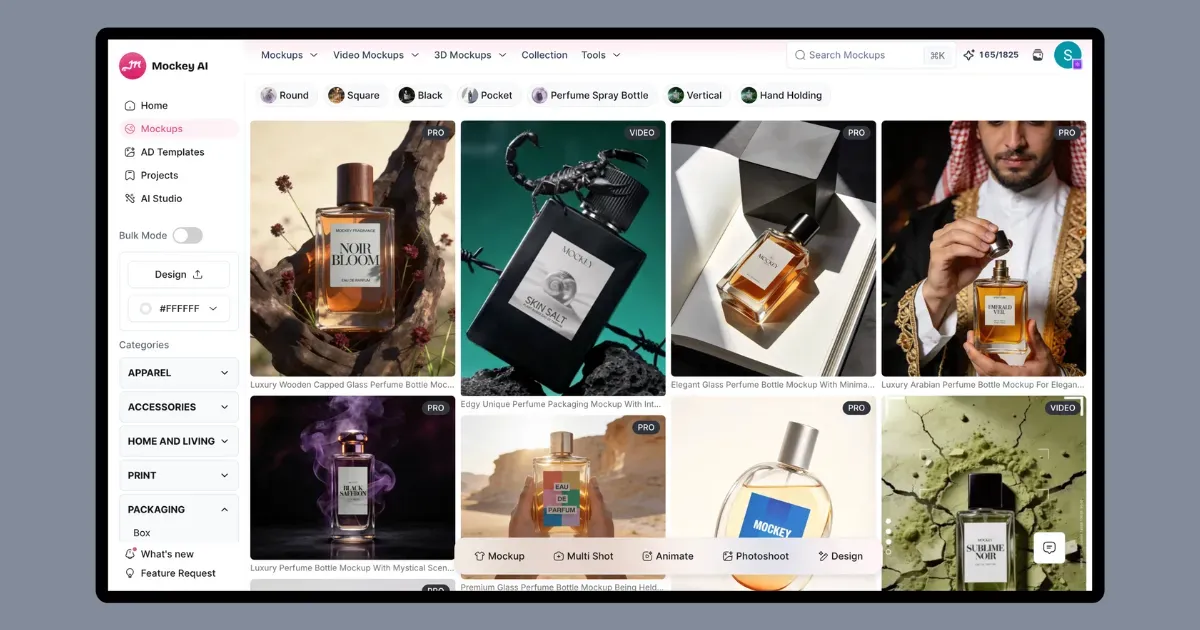
If you still can’t find the bottle you’re looking for, use the search bar to pick one, and you’ll be taken to the editor.
Here, we’ve selected the 20ml bottle.
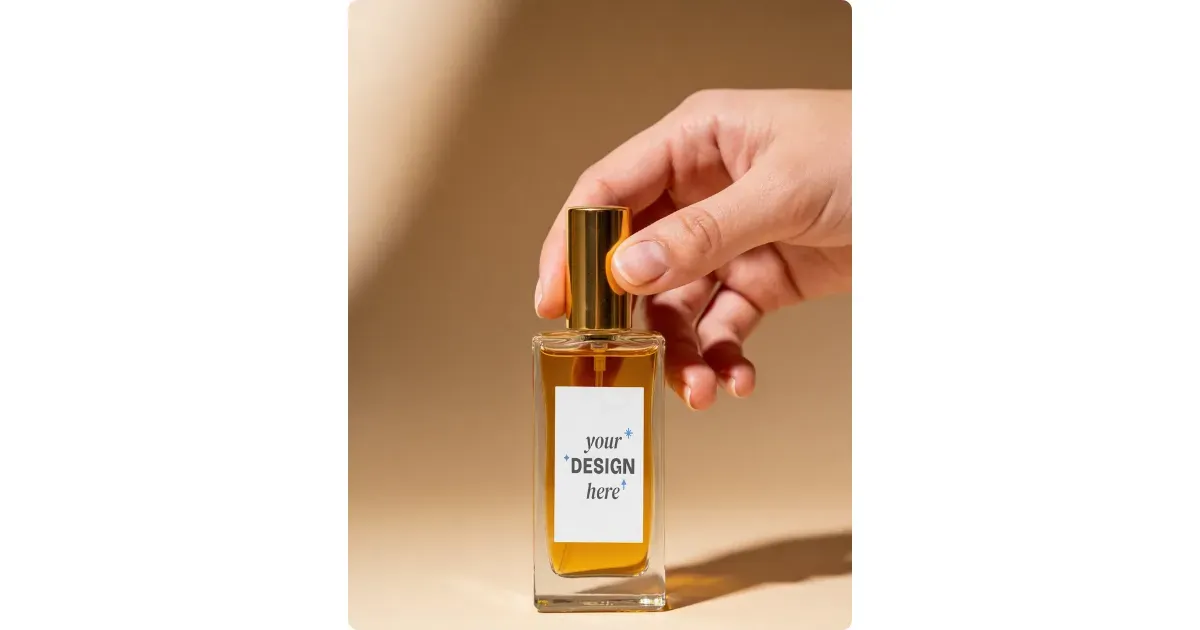
B. Upload the Design and Scale/Position
On the editor page, click “Upload Design” to add your brand image. You can then adjust its scale and position with a live preview.
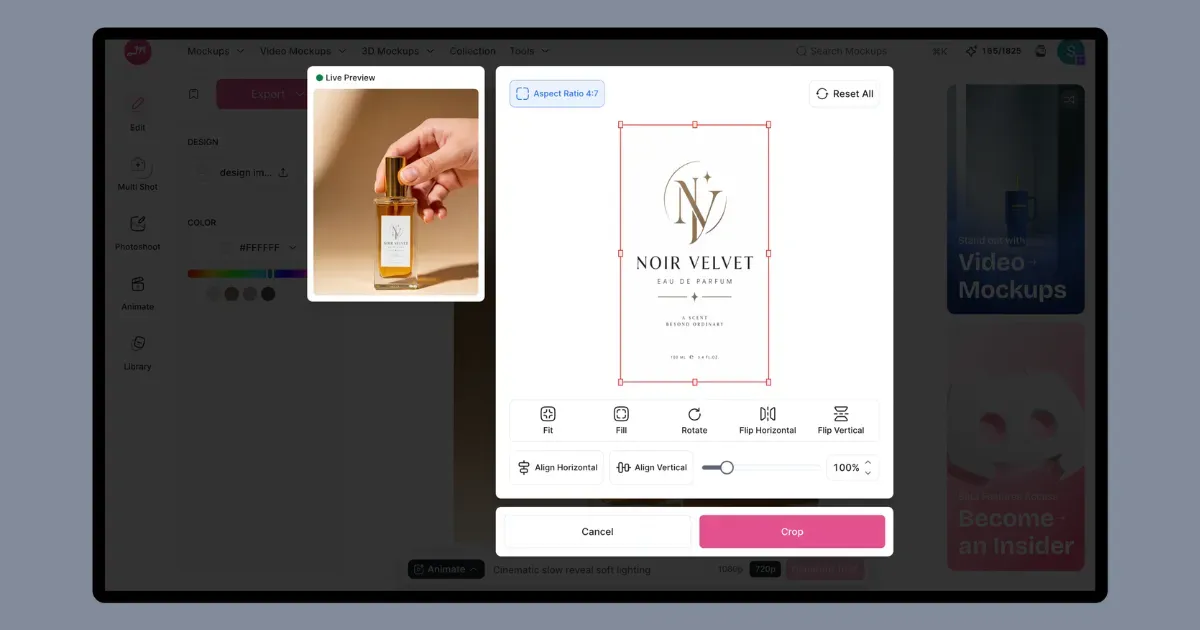
After that, you can change the color, create multiple views like close-up or back shots, and even turn the mockup into an animation.
C. Download in High-quality
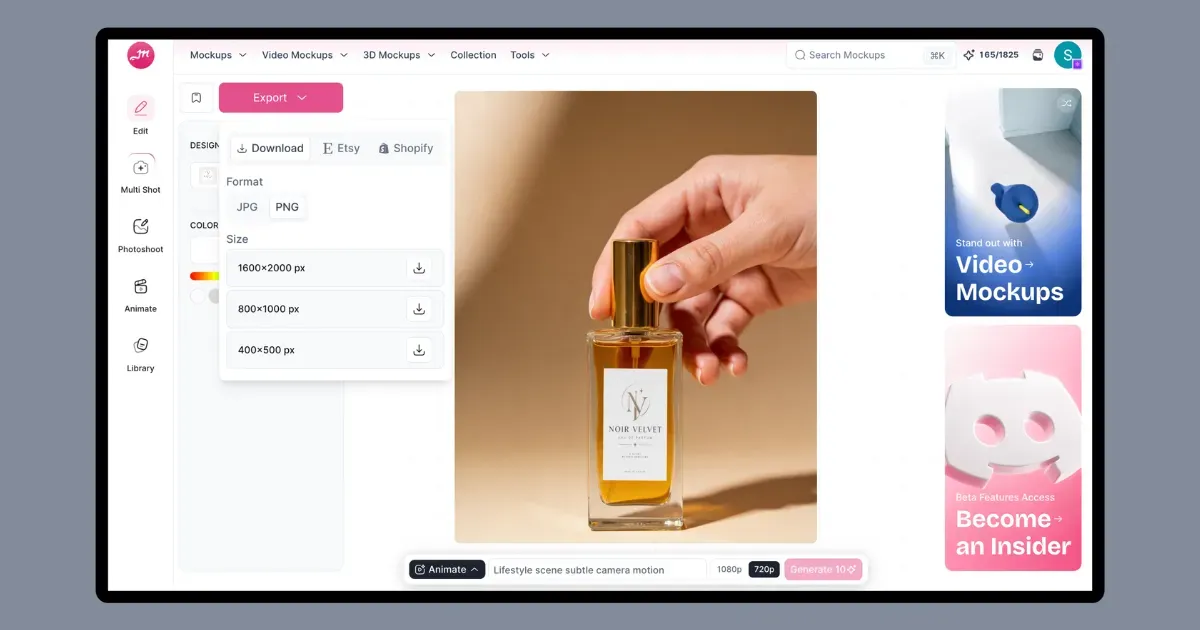
Click the “Export” button to download your perfume bottle mockup in your preferred format and size. The quality is pretty good.
Step 3: Create Your E-Commerce Product Images
E-commerce listings need two key image types: A studio shot and a lifestyle scene mockup.
Shot A: White Background for the Main Listing Image
Make the background pure white (#FFFFFF).
Keep the camera straight-on with a slight 15° downward tilt so the cap is visible.
Shot B: The Lifestyle Scene
Change the background using Photoshoot in this mockup generator.
Place the bottle on a marble surface and add a few ingredients that match the scent. Citrus slices, herbs, or flowers can work well depending on the fragrance.
Step 4: Add Your Product to Your Store
Your images are ready. Now, turn them into a listing for Shopify or Etsy.
Mockey offers an easy way to integrate your Etsy or Shopify store. Simply add your store from the Integration page and list your mockups directly without downloading them.
Tips to remember:
| Step | What to Add |
|---|---|
| 1. Upload Media | – Shot A: White background as cover. – Shot B: Lifestyle as images 2–3. |
| 2. Write a Sensory Title | Brand + fragrance name + type + key details. |
| 3. Write the Description | – Story/Vibe: Mood and character. – Fragrance Pyramid: Top, Heart & Base Notes. – Specs: Longevity, concentration, size, shipping, and returns. |
Alternative Method
Another way to create a luxury perfume mockup is with the DIY Mockup feature. Upload your design and describe the perfume bottle size, background scene, and other details in the prompt. In about 10 seconds, you’ll have an accurate mockup.
Follow these steps to create a luxury perfume mockup using a prompt:
- Enter “AI Studio”.
- Click “Mockup”.
- Press “+Add Design”
- Describe the perfume size or background scene.
- Select the aspect ratio of output.
- Click Generate
- Download as PNG.
Conclusion
You understand how to create a luxury perfume mockup in both ways.
In online fragrance retail, your visuals are the scent. Customers can’t smell a product through a screen. So the bottle, materials, lighting, and lifestyle images have to create that feeling.
It’s up to you how you want to create your mockup. Either method can be used if your design is ready. Both options are available on Mockey AI.
FAQs
Can I create a luxury perfume mockup without Photoshop?
You can make a luxury perfume mockup online without Photoshop. Pick a perfume template, upload your bottle design, and make the changes in your browser.
Why does my logo look blurry when wrapped around a glass perfume bottle?
On a curved glass bottle, a logo can lose sharpness. A low-resolution file is one, and the curve can distort the artwork. Glass can also change how the label looks once light passes through it.
How many perfume mockup angles do I need for a Shopify or Etsy listing?
Give each listing a few different product shots instead of repeating the same one. Three to five images is a good range to work with, especially when each shot shows something different.

Sangram Sahoo
I’m a content writer with 4 years of experience. I specialize in creating practical content around mockups, print-on-demand, apparel, and e-commerce design.
